manuals.online logo
Brands
  1. Home
  2. •
  3. Brands
  4. •
  5. Hitachi
  6. •
  7. TV
  8. •
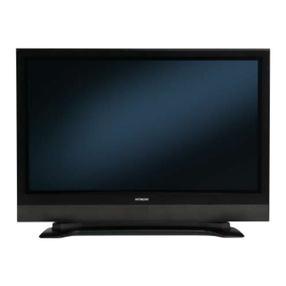
  9. Hitachi 32FX48B User manual

Hitachi 32FX48B User manual

This manual suits for next models

2

Other Hitachi TV manuals

Hitachi 32HYJ46U User manual

Hitachi

Hitachi 32HYJ46U User manual

Hitachi 50RC6 Technical manual

Hitachi

Hitachi 50RC6 Technical manual

Hitachi 48HBT62U User manual

Hitachi

Hitachi 48HBT62U User manual

Hitachi 27UX01B-501 User manual

Hitachi

Hitachi 27UX01B-501 User manual

Hitachi C43-FD5000 User manual

Hitachi

Hitachi C43-FD5000 User manual

Hitachi 27GX01B User manual

Hitachi

Hitachi 27GX01B User manual

Hitachi C2565TN User manual

Hitachi

Hitachi C2565TN User manual

Hitachi 32LD7200 User manual

Hitachi

Hitachi 32LD7200 User manual

Hitachi CL21F65 User manual

Hitachi

Hitachi CL21F65 User manual

Hitachi L19HP03C User manual

Hitachi

Hitachi L19HP03C User manual

Hitachi 32HYC01U User manual

Hitachi

Hitachi 32HYC01U User manual

Hitachi CL2848TAN User manual

Hitachi

Hitachi CL2848TAN User manual

Hitachi C1411R User manual

Hitachi

Hitachi C1411R User manual

Hitachi Roku TV Series User manual

Hitachi

Hitachi Roku TV Series User manual

Hitachi 51SWX20B User manual

Hitachi

Hitachi 51SWX20B User manual

Hitachi 27CX1B User manual

Hitachi

Hitachi 27CX1B User manual

Hitachi 27CX0B User manual

Hitachi

Hitachi 27CX0B User manual

Hitachi 55PMA550 User manual

Hitachi

Hitachi 55PMA550 User manual

Hitachi 27AX4B, 27AX3B, 27AX0B User manual

Hitachi

Hitachi 27AX4B, 27AX3B, 27AX0B User manual

Hitachi 42HXT42U User manual

Hitachi

Hitachi 42HXT42U User manual

Hitachi C2126S User manual

Hitachi

Hitachi C2126S User manual

Hitachi 42PD6000TA User manual

Hitachi

Hitachi 42PD6000TA User manual

Hitachi 50EX13KA User manual

Hitachi

Hitachi 50EX13KA User manual

Hitachi 49HK5600 User manual

Hitachi

Hitachi 49HK5600 User manual

Popular TV manuals by other brands

IKEA UPPLEVA user manual

IKEA

IKEA UPPLEVA user manual

Toshiba 19A20 Service manual

Toshiba

Toshiba 19A20 Service manual

Sony XBR-100Z9D reference guide

Sony

Sony XBR-100Z9D reference guide

Sony Trinitron KV-HR36M90 Service manual

Sony

Sony Trinitron KV-HR36M90 Service manual

JVC AV-14AG16 instructions

JVC

JVC AV-14AG16 instructions

Loewe Table Stand Reference 55 user guide

Loewe

Loewe Table Stand Reference 55 user guide

Panasonic Genus TX-G10 operating instructions

Panasonic

Panasonic Genus TX-G10 operating instructions

Samsung LN26C350D1D Service manual

Samsung

Samsung LN26C350D1D Service manual

BBK LT1516D Service manual

BBK

BBK LT1516D Service manual

Samsung 55S9 B Series Quick setup guide

Samsung

Samsung 55S9 B Series Quick setup guide

Sharp LC-40FI5012E user manual

Sharp

Sharp LC-40FI5012E user manual

Evervue BN185 Operation manual

Evervue

Evervue BN185 Operation manual

North State TV2GO user guide

North State

North State TV2GO user guide

Toshiba CX35F70 owner's manual

Toshiba

Toshiba CX35F70 owner's manual

Magnavox PS1980 owner's manual

Magnavox

Magnavox PS1980 owner's manual

Philips 20HF5335D manual

Philips

Philips 20HF5335D manual

Panasonic QuintrixF TX-29AS1D operating instructions

Panasonic

Panasonic QuintrixF TX-29AS1D operating instructions

Samsung 4 Series Quick setup guide

Samsung

Samsung 4 Series Quick setup guide

manuals.online logo
manuals.online logoBrands
  • About & Mission
  • Contact us
  • Privacy Policy
  • Terms and Conditions

Copyright 2025 Manuals.Online. All Rights Reserved.

3olid State Color TV
_)PERATING GUID
IMPORTANT SAFEGUARDS
FIRST TIME USE
THE GENIUS
REMOTE CONTROL
2-4
5-20
21-37
ULTRATEC BIT-MAP
ON-SCREEN DISPLAY 38-61
K USEFUL INFORMATION INDEX 62-67
IMPORTANT
Followall warningsand instructionsmarked on this color television.
CAUTION
RISK OF ELECTRIC SHOCK
DO NOT OPEN
CAUTION: TO REDUCE THE RISK OF ELECTRIC SHOCK,
DO NOT REMOVE COVER (OR BACK).
NO USER SERVICEABLE PARTS INSIDE.
REFER SERVICING TO QUAUFiED SERVICE PERSONNEL
The lightning flash with arrowhead symbol, within an equilateral tri-
angle, is intended to alert the user to the presence of uninsulated
=dangerous voltage" within the product's enclosure g_at may be of a
sufficient magnitude to constitute a dsk of electric shock to persons.
The exclamation point within an equilateral triangle, is intended to
alert the user to the presence of Important operating and maJnte-
nence (servicing) instructions in the literature accompanying the
appliance.
WARNING:
TO PREVENT FIRE OR SHOCK HAZARD, DO NOT EXPOSE
THIS COLOR TELEVISION TO RAIN OR MOISTURE.
I NOTE: • There are no user serviceable parts inside the television.
•Model and serial numbers are indicated on back side of the television. I
CAUTION: •Adjust only those controls that are covered in the instructions, as improper
changes or modifications not expressly approved by Hitachi could void the user's
authority to operate the TV.
POWER SOURCE
This HITACHI color television is designed to operate on 120 volts 60Hz, AC current.
Insert power cord into a 120 volt 60Hz outlet.
TO PREVENT ELECTRIC SHOCK, DO NOT USE THE TELEVISION'S (POLARIZED) PLUG
WITH AN EXTENSION CORD, RECEPTACLE, OR OTHER OUTLET UNLESS THE BLADES
AND GROUND TERMINAL CAN BE FULLY INSERTED TO PREVENT BLADE EXPOSURE.
NEVER CONNECT THE TELEVISION TO 50HZ, DIRECT CURRENT, OR ANYTHING OTHER
THAN THE SPECIFIED VOLTAGE.
INOTE:
This television receiverwilldisplay television closed captioning, (r_ or I_), in accordance with para- I
graph 15.119 of the FCC rules. I
CAUTION: I
Never remove the back cover of the television as this can expose you to very high voltages and other hazards. I
Ifthe television does not operate properly, unplugthe television and call your authorized dealer or service shop. I
SAFETY TIPS
IMPORTANT SAFEGUARDS
CAUTION: •Read all of these instructions.
•Save these instructions for later use.
•Follow all warnings and instructions marked
on the television.
SAFETY POINTS YOU SHOULD KNOW ABOUT
YOUR HITACHI COLOR TELEVISION
Our reputation has been built on the quality, performance, and ease of service of HITACHI televisions.
Safety is also foremost in our minds in the design ofthese units. To help you operate these products properly, this section illustratessafety tips which
will be of benefit to you. Please read it carefully and apply the knowledge you obtain from it to the proper operation of your HITACHI television.
Please fill out your warranty card and mail it to HITACHI. This will enable HITACHI to notify you promptly in the improbable event that a safety
problem should be discovered in your product model.
FOR YOUR PERSONAL SAFETY
1. This television set isequipped with a
polarized allemating-oummt line ptug
(a plug having one blade wider than
the other.) This plug will fit into the
power outlet only one way. This is a
safely feature. If you are unable to
insert the plug fully into the outlet, try
reversing the i_u9. If the plug should
still fall to fit. contact your electrician
1o replace your obsolete outlet. Do
not defeat _ safety purpose OI the
peismed i_,ug.
2. When the power cord or plug is
damaged or frayed, unplug the
television from the wall outlet and
refer servicing to qualified service
personnel.
3. Do not overload wall outlets and
exlensidn cords as this can result in
fire or electric shock.
4. Do not allow anything to rest on or
roll over the power cord, and do not
place the television where the
power cord is subject to traffic or
abuse. This may result in a shock
or fire hazard.
Oono--o--h OOn --ro
television yourself as opening or wall outlet before cleaning. Use a
removing covers may expose you damp cloth for cleaning. Do not
to dangerous voltage or other use liquid or aerosol cleaners.
hazards. Refer all servicing to
qualified service personnel.
5.
Never push objects of any kind into
the televisiun's cabinet slots as they
may touch dangerous voltage points
or short out parts that could result in
a fire or eleotdc shock. Never spill
liquid of any kind on the television.
It the television has been dropped or
the cabinet has been damaged,
unplug the television from the wall
outlet and refer sewicing to qualified
service personnel.
If liquid has been spilled into the
television set. unplug it from the
wall outlet and refer service to
qualified service personnel,
DO not subject your television to
impact of any kind. Be careful not to
damage the picture tube sudace.
11-1. Do not place the television on an
unstable cart, stand, or table. The
television may fall, causing
serious injury to • child or an
adult, and serious damage to the
appliance. Ueaonlywithacartor
stand recommended by the
manufacturer, or sold wi_ the
television. Wal or shelf mounting
should follow the menutacturer's
instructions, and should use a
mounting kit approved by the
manufacturer.
11-2. An applience and cart combination
should be moved with care.
Quick slops, excessive force, and
uneven sudaces may cause the
appliance end cart combination
to overturn.
PROTECTION AND LOCATION OF YOUR TELEVISION
12. Do not use the lelevision near
water, for example, near a bathtub,
washbowl, kitchen sink. or laundry
tub, in a wet basement, or near a
swimming pool. etc.
• Never expose the television to
rain or water. If the set has been
exposed to rain or water, unplug
television from wall outlet and
refer to qualified service person-
nel.
13. Choose aplace where light
(artificial or sunlight) does not
shine directly on the screen.
14. Avoid dusty places. Accumulated
dust inside the chassis may cause
failure of the television when high
humidity persists.
15. The television has slots or openings
in the cabinet for ventilation
purposes which provide reliable
operation of the receiver and
protect the television from
overheating. These openings must
not be blocked or covered.
• Never cover the slots or openings
with cloth or other material.
Never block the bottom ventilation I_
slots of the television by placing it on
a bed, sofa, rug, etc.
Nevor pl&ce the television near or _'f,'_*"*,'_
over a radiator or heat register.
•Never p/ace the television in a built-in
enclosure oniass proper ventilation
is provided.
3
SAFETY TIPS'
PROTECTION AND LOCATION OF YOUR TELEVISION
16-1. If an outside antenna is connected
to the television, be sure the
antenna system is grounded so as
to provide some protection against
voltage surges and betH-up static
charges. Section 810 of the
National Electrical Code, NFPA
No. 70-1975, provides information
with respect to proper grounding
of the mast and supporting
structure, grounding of the lea@in
wire to an antenna discharge unit,
size of grounding conductors,
location of antenna discharge unit
connection to grounding
electrode, and requirements for
the grounding electrode.
16-2. Nole to CATV system installer:
(Only for television with CATV
reception). This reminder is
provided to call the CATV system
insteller's attention to Article
820-40 of the NEC that provides
guidelines for proper grounding
and, in particular, specifies that
the cable ground shall be
connected to the grounding
system of the building, as close
to the point of cable entry as
practical.
OPERATION OF YOUR TELEVISION
19. This television should be operat-
ed only from the type of power
source indicated on the marking o_ ,_/_
label. If you are not sure of the
type of power supply at your
home. consult your dealer or local
power company. For televisions
designed to operate from battery
power, refer to the operating
instructions.
T
NEeMlX_'W. B.ECTI_.K _
EXAMPLE OF ANTENNA GROUNDING AS PER NATIONAL ELECTRICAL
CODE INSTRUCTIONS.
17. An outside antenna system should
not be located in the vicinity of
overhead power lines or other
electrical lights or power circuits.
or where itcan fall into such power T _
lines or circuits. Wtlen installing an II ._x/'DO o'_1_
outside antenna system, extreme _ _,_o, ID J I
care should be taken to keep from _-L--.._J-t.
touching such power lines or
circuits as contact with them might
be fatal.
18. For added protection for the
television during alightning storm.
or when it is unused for long
periods of time, unplug it from the
wall outlet and disconnect antenna.
This will prevent damage due to
lightning and power-line surges.
20. If the television does not operate
normally by folowing the obeceting
instrucifons, unplug the telmCslen
from the wall outlet end refer *---"-_ €''%*"_
servicing to qualified service
personnel. Adjust only those
controls that are covered in the
insuuctk_ns as improper adjustment
of other controls may result in
damage and wilt often require
extensive work by • qualified
sennus technician to restore the
televislen to normal operetiork
21. If your television is to remain p_ __.
unused for aperiod of time. (such
as when going on a holiday), turn
the television OFF and unplug it
from the wall outlet.
IF THE TELEVISION DOES NOT OPERATE PROPERLY
22. If you are unable to restore
normal operation by following
the detailed procedure in your
operating instructions, do not
attempt any further adjustments.
Unplug the television and call
your dealer or service technician.
23. Whenever the television is
damaged or fails, or if there is a
distinct change in performance
that indicates a need for service.
unplug the television and hove it
checked by a qualified service
technician.
24. It is normal for some televisions to
make occasional snapping or
popping sounds, particularly v/nan
being turned on or off. if the
snapping or popping is continuous
or frequent, unplug the set and
consult your dealer or service
technician.
FOR SERVICING AND MODIFICATION
25. Do not use attachments not
recommended by the television
manu/ecturer as they may cause
hazards.
j,_ o26. If replacement beds ere required, 27. Upon completion of any service or ._. ,_,
be sure the service technician has repairs Io the television, ask the
used replacement parts specified by service technician to perform
the manufacturer that have the routine safety checks to determine
same charectenstlos es the original that the television is in sate
bert. Unauthorized substitutions operatingsonditlon.
may result in fire. electric shock, or
olhe¢ hazards.
PICTURE CAUTIONS
Picture Burn Prevention
•Continuous on-screen displays such as video games, stock market quotations, computer generated graphics, and
other fixed (non-moving) patterns can cause permanent damage to television receivers. Such =PATTERN BURNS"
constitutemisuse and are NOT COVERED byyour HITACHI FactoryWarranty.
• When using Picture-in-Picturefunction,the sub-pictureshouldnot be left permanently in one cornerof the screen or a
"PA'I-I'ERN BURN" may develop over a long period of time.
Public Viewing of Copyrighted Material
Public viewing of programs broadcast by TV stationsand cable companies, as well as programsfrom other sources, may
require priorauthorizationfrom the broadcaster or owner of the video program material.
4

ACCESSORIES
Check that you have the following accessories before disposingof the packing material.
1. Remote ControlUnit (See Part No. below)
2. Two "AA" size, 1.5V batteries (For Remote Control Unit).
For information regarding how to obtain these accessories, please call TOLL FREE 1-800-448-2244 for the nearest HITACHI

Authorized parts Distributorin the United States. For Alaska and Hawaii, please contact your nearest HITACHI regional office.
PARTS NAME
36UX58B
CLU-612MP
REMOTE CONTROL
PART NO.
HL00712
36FX48B
32FX48B
CLU-431UI
REMOTE CONTROL
32V TELEVISION STAND
SP316B
(Notincluded,orderseparately)
32V TELEVISION STAND
SP317B
(Notincluded,orderseparately)
36V TELEVISION STAND
SP351B
(Notincluded,orderseparately)
.HL00721
H530022
H530023
(upgrade)
H530024
.=.:,
(3_(3DGD
(3D(3_(3D
CD(3D(3D
CLU-612MP
ILLUSTRATION
I
0000
_€_TP,m
CD CDCD
_CDCD
CLU-431U!
CUSTOM HITACHI
TELEVISION STAND
Excellent for VCR and video-
tape storage. Special fea-
tures includes curved smoke
glass doors and an
adjustable shelf.
Available in Black.
J_Ik CAUTION:
Television stand models SP316B and SP317B are designed for use only with a 32 inch or smaller television
set. Television stand model SP351B is designed for use with a 36 inch or smaller television set. Use of a
smaller stand, a non Hitachi recommended stand or a generic stand may result in instability, causing possible
injury.
REMOTE CONTROL BATTERY INSTALLATION
AND REPLACEMENT
1. Open the battery cover of the remote controlby
pushing the notched part of the cover with your
fingers.
2. Insert two new "AA" size batteries for the remote
control. When replacing old batteries, push
them towards the springs and lift them out.
3. Match the batteries to the (+) and (-) marks in
the battery compartment.
4. Replace the cover.
BOTTOM VIEW
Push in and lift up on tab to
remove back cover.
CAUTION:
1.
2.
3.
4.
If your television set is to remain unused for along period of time, for instance when you go on vacation, unplug the television from the wall
outlet.
Do not subject the remote control to shocks such as dropping it on the floor, etc. Precision parts may be damaged.
Do not allow the remote control to become wet and avoid placing it in areas of high humidity. Do not leave it on or near a heater. Excess heat
or moisture may cause the unit to cease operation.
If the batteries become exhausted, remote controloperation may become erratic or stop altogether. Replace the old batteries with new "AA"
type.
NOTES:
1. The CHANNEL NO., VOLUME and OFF TIMER indicator are not displayed simultaneously.
2. To operate your TV, point the remote control at the remote sensor of the TV.
HOW TO SET UP YOUR NEW HITACHI COLOR TV
ANTENNA
Unless your TV is connected to a cable TV system or to a centralized antenna system, a good outdoor color TV antenna is
recommended for best performance. However, if you are located in an exceptionally good signal area that isfree from interferenceand
multipleimage ghosts, an indoor antenna may be sufficient.
LOCATION
Select an area where sunlight or bright indoor illuminationwill not fall directly on the picture screen. Also, be sure that the location
selected allows a free flow of air to and from the perforated back cover of the set.
To avoid cabinet warping, cabinet color changes, and increased chance of set failure, do not place the TV where temperatures can
become excessively hot, for example, in direct sunlightor near a heating appliance, etc.
VIEWING
The major benefit of the HITACHI Color Television is its large viewing screen. To see this large screen at its best, test various locations
in the room to findthe optimum spot for viewing. The drawings give several suggestions.
The best picture is seen by sitting directly in front ofthe "IV and about 6 to 9feet from the screen. During daylight hours, reflections from
outside light may appear on the screen. If so, drapes or screens can be used to reduce the reflection or the "IV can be located in a
different section of the room.
If the "FV'saudio output will be connected to a Hi-Fi system's external speakers, the best audio performancewill be obtained by placing
the speakers equidistant from each side of the receiver cabinet and as close as possible to the height of the picturescreen center. For
best stereo separation, place the external speakers at least four feet from the side of the "IV, place the surroundspeakers to the side
or behind the viewing area. Differences in room sizes and acoustical environments will require some experimentation with speaker
placement for best performance.
4' MINIMUM
4' MINIMUM
I,_CAUTION:
Magnetic fields, such as those of external speakers, may cause the picture to distort if they are placed too
close to the television. Move the magnetic field source away from the television until there is no picture
distortion. I
HOOK-UP CABLES AND CONNECTORS
Most video/audio connections between components can be made with shielded video and audio cables that have phono connectors.
For best performance, video cables should use 75-Ohm coaxial shielded wire. Cables can be purchased from most stores that sell
audio/video products. Below are illustrations and names ofcommon connectors. Before purchasing any cables, be sure of the output
and inputconnectortypes required by the various components and the length of each cable.
300-Ohm Twin Lead Connector
This outdoor antenna cable must be connected to an antenna
adapter (300-Ohm to 75-Ohm).
"F" Type 75-Ohm Coaxial Antenna Connector
For connectingRF signals (antenna or cableTV) to the antenna
jack on the television.
Phono Connector
Used on all standard video and audio cables which connect to
inputsand outputslocated onthe television's rear jack panel and
front control panel.
S-Video (Super Video) Connector
This connector is used on camcorders, VCRs, and laserdisc
players with an S-Video feature in place of the standard video
cable to produce a high quality picture.
Antenna Connections
These sets are equipped with one VHF/UHF antenna terminal. The VHF/UHF terminal can be used for normal TV, cable TV (CATV), a
TV game, etc.
1. VHF (75-Ohm) antenna/CAW (Cable TV)
When using a75-Ohm coaxial cable system, connect
the outdoor antenna or CATV coaxial cable to the ANT
A (75-Ohm) terminal. If you have asecond antenna or
cableTV system, connect the coaxial cable to the ANT
B terminal. Tooutdoor or CATVcable
LVHFAJHF ,,
75Ohm I I Q,hlL _L t (disconnect)
C°axia_...jb= LI,_ _@, (_L.J ._F Adapt°r
2. VHF (300-Ohm) antennaiUHF antenna
When using a300-Ohm twin lead from an outdoor
antenna disconnect the (VHF or UHF) indoor antenna
leads from screws of the (VHF or UHF) adaptor and
connect outdoor (VHF or UHF) antenna leads to these
screws of a(VHF of UHF) adaptor.
To outdoor VHF
t or UHF Antenna
_llL _ (connect)
_.,_._Adaptor
3. When both VHF and UHF antennas are connected
Attachan optionalANTENNA MIXER tothe TV antenna
terminal and connectthe cables to the ANTENNA
MIXER.
VHF/UHF
(RearofTV set)
ToUHF Antenna II_ Tooutdoor
.,,._.__ 4"_VHFAntenna
ANTENNA
MIXER
Notes:
1. If an outdoor antenna/CATV is used, disconnect the
indoor antenna. Ghosting and poor reception may
result if both the indoor and outdoor antennas/CATV
are connected at the same time.
2. Consultyour dealer or service store for the ANTENNA
MIXER and (VHF or UHF) adaptor.
3. The special converter (decoder) willbe supplied by the
cable company.
FRONT PANEL CONTROLS FOR 32FX48B
• FRONT VIEW
L J _I Iooeeocn| • I
I
HOW TO OPEN THE DOOR
I m
1. Push on "_"
2. Pullthe door toward the front to open it.
O
Dual Tuner PIP I
(_) RemoteControl
InfraredSensor
FRONT INPUT JACKS
II INPUT3 I J
0 0 0
(_) Video:3 Input-_
0 @ ®
Volume
Button Butbm Burns
VOL- VOI.* C_ Oe.
0000000
MENU--I II I I I
.4 •• •
Exrr.-----J I I I I
CURSOR
See pages 25 and 26 for
MENU, CURSOR, and EXIT
buttonoperations.
A detailed explanation of the circled numbers ison page 11.
FRONT PANEL CONTROLS FOR 36UX58B AND 36FX48B
FRONT VIEW
For 36UX58B Only
/.1111111/IBII
I
@ @ ® ®
InmUF_xit Volume Channel
Button Buttons Butto_
--1 _-I r-h I
Vvol.& • ot •
O00QO00
MENUEX=r ,4 I_ • •
r
I Dual Tuner PIP (O)',-- .,_.,,,_
MENUJ I I I I I
CURSOR
Remote Control
Infrared Sensor
See pages 25 and 26 for
MENU, CURSOR, and EXIT
button operations.
FRONTINPUTJACKS
0000 0 O0
A detailed explanation of the circled numbers is on page 11.
i
I NOTE: (e)°SOl, INI} RErRIEVAL _is for MODEL 36UX58B only.
10