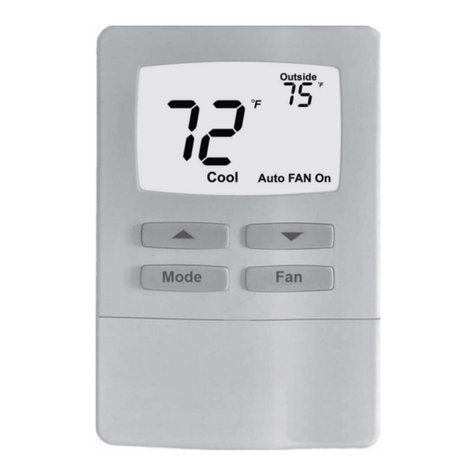
RTC70.XX electronic heatingthermostat
This type electronicthermostat for mountingin standard wallbox,
the thermostat isadjustable to required temperature from +5/+40C,
the LED showsthat the heatis On, thethermostat is recommended
for control ofelectric heating devicesor on/off valveactuator used
in water-based heatingsystems
Temperature Setting
Thermostat has a scale range of +5/+40 . To assist the adjust-
ment, the thermostat has a LED which will glow RED when the
heating is ON. The thermostat should be set to maximum tem-
perature setting until the desired temperature of the room or
floor is achieved. The control knob should then be turned back
until the LED goes out. Fine adjustments can be made over the
next 1/2 days to suit individual requirements.
Thermostat Adjustment
When the room temperature has been stabilized, the thermos-
tat set position may be adjusted to match actual room tempera-
ture. Measure the temperature of the room with an accurate
thermometer. Remove control knob(1) and spin the pole(D),
then reposition the control knob so that the indicated tempera-
ture line shows the same as the measured temperature
(picture 2). We have adjusted the temperature, please do not
spin the pole when installation.
Max./Min. Temperature Setting
Alocking mechanism is positioned behind the control knob to
limit the amount of adjustment possible. By loosening the little
screw C (picture2)the scale range can be locked, e.g. Between
20 and 25 . The red ring indicates the maximum tempera-
ture and the green ring indicates the minimum temperature.
Dimension:
Mounting of FloorSensor
Floor sensor shouldbe placed ininstallation pipe whichis embed-
ded in floor, the pipe is thickened in the end and placed as high as
possible in theconcrete layer.Sensor cable maybe extended upto
50 m withseparate cable for power current.Two conductorsin a
multi-conducting cable, whiche.g. is usedfor supply ofheating
cable, may notbe used. Voltage signals, which may disturb the
function of thethermostat, may occur. If the cable is used with screen,
the screen maynot be connectedto the ground,but must be
connected to terminal7, the bestinstallation is attainedwith a
separate cable forthe sensor,which is thenmounted in aseparate
conduit.
Temperature and Value of Floor Sensor
Temperature ( ) Value ( )
5 22070
10 17960
20 12091
30 8312
40 5827
Placement of Thermostat
Thermostat is tobe mounted onthe wall withfree air circulation
around it .Furthermore it hasto be placedwhere it isnot
influenced by anyother heating sources(e.g. the sun),draft from
doors or windows,or by thetemperature of anexterior wall.
Operation manual
.
.
40
30
20
86mm
RTC70.13 3A built-in sensor
RTC70.26 16A floor sensor
for control ofon/off electric or
electro-thermal actuator
control of electricheating devicesfor
Selection Table
On/Off
-On -Off
Temperaturesetting
540
Indicator
the light isred when heat
is on
Mounting Instructions
RTC70.XX Electronic Heating Thermostat
Model Current Sensor Application
Technical data:
Voltage : AC230V(AC110V /AC24V available)
Power consumption : 5W
Setting range : 5 40
Switching differential : 0.5K
Ambient temperature : -5 50
Protective housing : IP20
Housing material : anti-flammable PC
Floor sensor : NTC sensor,
cable length is 3m
rubber-thermoplastic
RTC70.16 16A built-in sensor