manuals.online logo
Brands
  1. Home
  2. •
  3. Brands
  4. •
  5. Insignia
  6. •
  7. CRT TV
  8. •
  9. Insignia IS-TV040922 User manual

Insignia IS-TV040922 User manual

Other Insignia CRT TV manuals

Insignia IS-TV040923 User manual

Insignia

Insignia IS-TV040923 User manual

Insignia IS-TV040918 User manual

Insignia

Insignia IS-TV040918 User manual

Insignia IS-TV040924 User manual

Insignia

Insignia IS-TV040924 User manual

Insignia IS-TV040926 User manual

Insignia

Insignia IS-TV040926 User manual

Insignia IS-TV040925 User manual

Insignia

Insignia IS-TV040925 User manual

Insignia IS-TV040920 User manual

Insignia

Insignia IS-TV040920 User manual

Popular CRT TV manuals by other brands

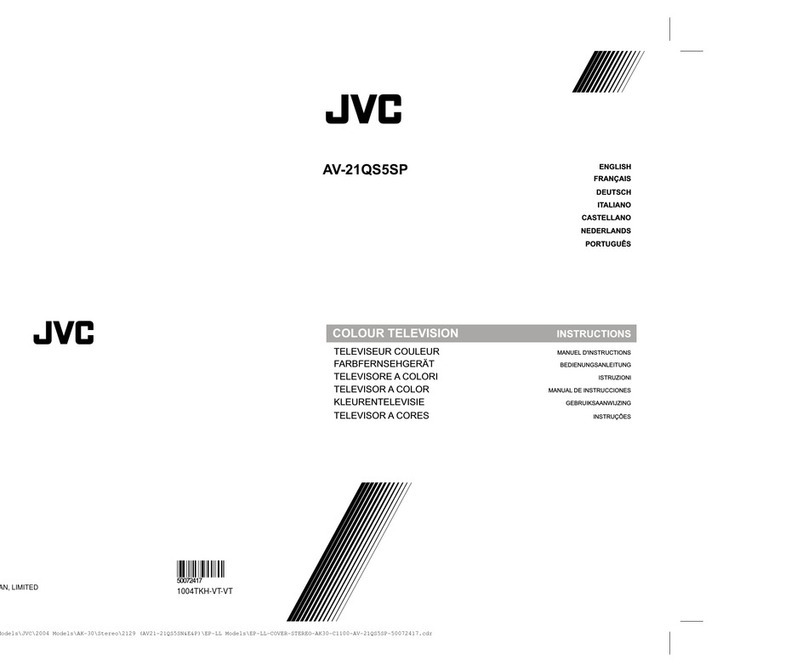
JVC AV-21QS5SP instructions

JVC

JVC AV-21QS5SP instructions

Philips COLOR TV 25 INCH TABLE TR2517C owner's manual

Philips

Philips COLOR TV 25 INCH TABLE TR2517C owner's manual

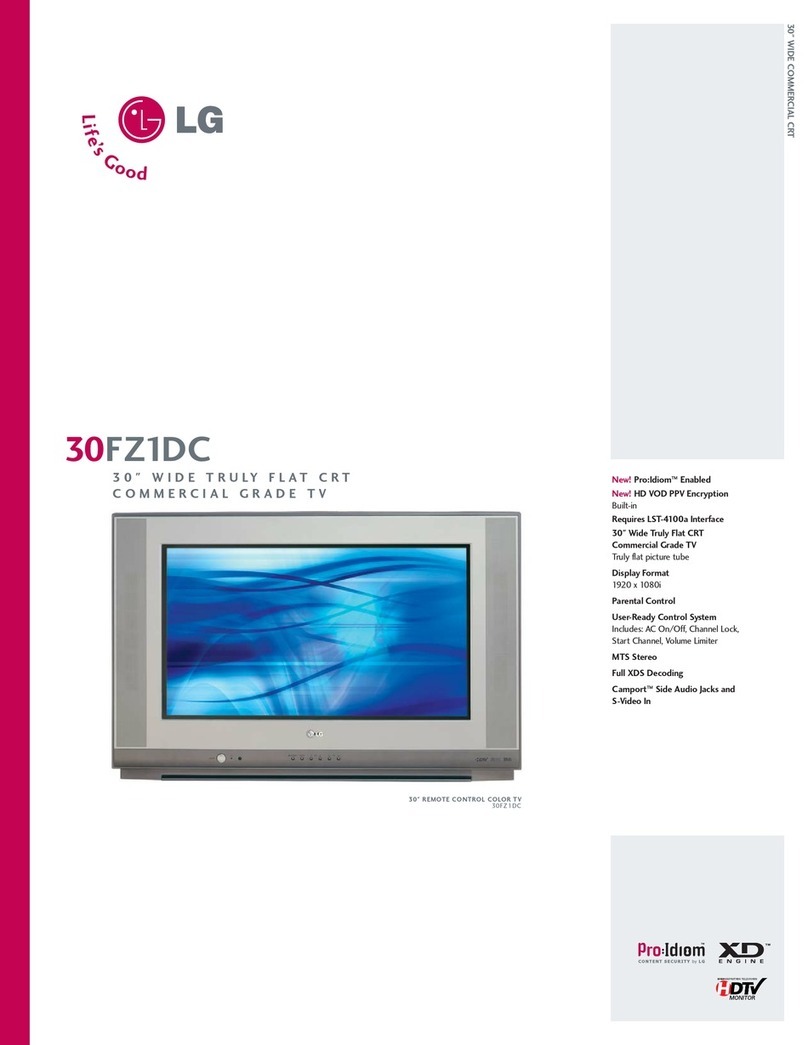
LG 30FZ1DC Specification sheet

LG

LG 30FZ1DC Specification sheet

Sony FD TRINITON WEGA KV-24FS120 operating instructions

Sony

Sony FD TRINITON WEGA KV-24FS120 operating instructions

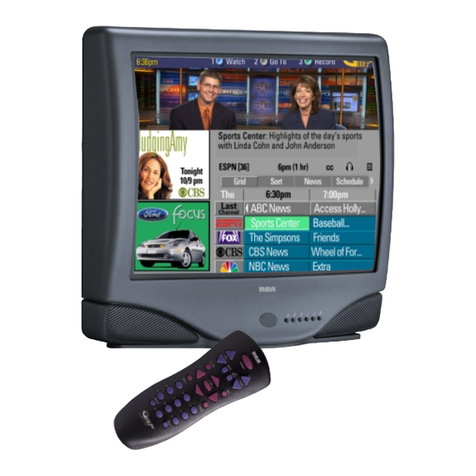
RCA F19442 user guide

RCA

RCA F19442 user guide

Samsung CS761 Owner's instructions

Samsung

Samsung CS761 Owner's instructions

Philips 29PT4973 Instructions for use

Philips

Philips 29PT4973 Instructions for use

Panasonic TC-29P100 Series operating instructions

Panasonic

Panasonic TC-29P100 Series operating instructions

RCA F19422 user guide

RCA

RCA F19422 user guide

Sony WEGA KV 32HS20 operating instructions

Sony

Sony WEGA KV 32HS20 operating instructions

Samsung SlimFit TX R3079WH Owner's instructions

Samsung

Samsung SlimFit TX R3079WH Owner's instructions

Palsonic MODEL 5179G owner's manual

Palsonic

Palsonic MODEL 5179G owner's manual

Toshiba CF13H22 owner's manual

Toshiba

Toshiba CF13H22 owner's manual

Magnavox MS3650C - 36" Smart Ctv Directions for use

Magnavox

Magnavox MS3650C - 36" Smart Ctv Directions for use

Philips 21PT9469 user manual

Philips

Philips 21PT9469 user manual

Mitsubishi CS-35305 owner's guide

Mitsubishi

Mitsubishi CS-35305 owner's guide

Toshiba 14AF41 owner's manual

Toshiba

Toshiba 14AF41 owner's manual

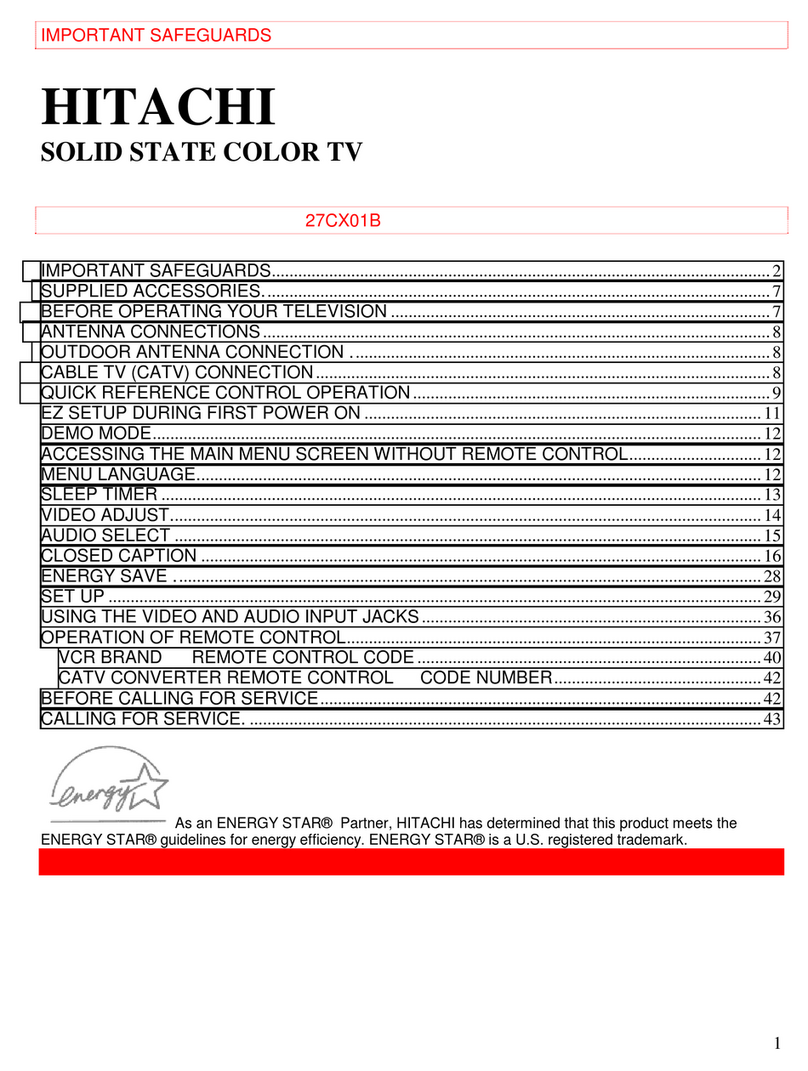
Hitachi 35UX60B, 35TX10B operating guide

Hitachi

Hitachi 35UX60B, 35TX10B operating guide

manuals.online logo
manuals.online logoBrands
  • About & Mission
  • Contact us
  • Privacy Policy
  • Terms and Conditions

Copyright 2025 Manuals.Online. All Rights Reserved.

Color TV
User's Manual
Before connecting, operating or adjusting this product, please read the manual completely.
Please keep this manual for future reference
IS-TV040922
TM
Contents
Congratulations on your purchase of this color television.
We recommend that you thoroughly read this manual before use to fully enjoy the many functions and excellent
effects of this equipment.
Retain this manual in an easily accessible location for future reference.
* Screen displays and illustrations in this manual may differ from the actual ones for better visibility.
Contents
Important Safety Instructions ................................................................................2
Identification of Controls .......................................................................................4
Antenna connection ...............................................................................................6
Preparing the remote control.................................................................................7
External equipment connections............................................................................8
Power On/Off .........................................................................................................10
Selecting input signal ...........................................................................................11
Tuning In ................................................................................................................12
Channel Selection .................................................................................................14
Picture adjustment................................................................................................15
Sound controls .....................................................................................................16
Timer Setting .........................................................................................................17
System Settings ....................................................................................................19
Closed Captions ....................................................................................................20
Setting Parental Control .....................................................................................21
Troubleshooting Guide .........................................................................................25
Specifications........................................................................................................27
1
2
Before using the unit, be sure to read all operating instructions carefully. Please note that these are general
precautions and may not pertain to your particular unit. For example, this unit may not have the capability
to be connected to an outdoor antenna.
1. READ INSTRUCTIONS
All the safety and operating instructions should be read before the product is operated.
2. RETAIN INSTRUCTIONS
The safety and operating instructions should be retained for future reference.
3. HEED WARNINGS
All warnings on the product and in the operating instructions should be adhered to.
4. FOLLOW INSTRUCTIONS
All operating and use instructions should be followed.
5. CLEANING
Unplug this product from the wall outlet before cleaning. Do not use liquid cleaners or aerosol cleaners. Use a
damp cloth for cleaning.
6. ATTACHMENTS
Do not use attachments not recommended by the product's manufacturer as they may cause hazards.
7. WATER AND MOISTURE
Do not use this product near water (a bathtub, washbowl, kitchen sink, laundry tub, wet
basement, or swimming pool for example)
8. ACCESSORIES
Do not place this product on an unstable cart, stand, tripod, bracket, or table. The
product may fall, causing serious injury and serious damage to the product. Use only
with a cart, stand, tripod, bracket, or table recommended by the manufacturer or sold
with the product. Any mounting of the product should follow the manufacturer' s
instructions and should use a mounting accessory recommended by the manufacturer.
8A. An appliance and cart combination should be moved with care. Quick stops, excessive
force, and uneven surfaces may cause the appliance and cart combination to overturn.
9. VENTILATION
Slots and openings in the cabinet and in the back or bottom are provided for ventilation to ensure reliable operation of
the product and to protect it from overheating. These openings must not be blocked or covered. The openings should
never be blocked by placing the product on a bed, sofa, rug, or other similar surface. This product should never be
placed near or over a radiator or heat source. This product should not be placed in a built-in installation such as a
bookcase or rack unless proper ventilation is provided or the manufacturer's instructions have been adhered to.
10. POWER SOURCES
This product should be operated only from the type of power source indicated on the marking label. If you are not
sure of the type of power supply to your home, consult your appliance dealer or local power company. For products
intended to operate from battery power, or other sources, refer to the operating instructions.
11. GROUNDING OR POLARIZATION
This product is equipped with a polarized alternating current line plug (a plug having one blade wider than the other).
This plug will fit into the power outlet only one way. This is a safety feature. If you are unable to insert the plug fully into
the outlet, try reversing the plug. If the plug should still fail to fit, contact your electrician to replace your obsolete
outlet. Do not defeat the safety purpose of the polarized plug.
12. POWER-CORD PROTECTION
Power-supply cords should be routed so that they are not likely to be walked on or pinched by items placed upon or
against them, paying particular attention to cords at plugs, convenience receptacles, and the point where they exit
from the appliance.
WARNING: TO REDUCE THE RISK OF FIRE OR ELECTRIC SHOCK, DO NOT EXPOSE THIS APPLIANCE TO RAIN OR MOISTURE.
RISK OF ELECTRIC SHOCK
DO NOT OPEN
CAUTION
CAUTION: TO REDUCE THE RISK OF ELECTRIC SHOCK,
DO NOT REMOVE COVER(OR BACK). NO
USER-SERVICEABLE PARTS INSIDE.
REFER SERVICING TO QUALIFIED SERVICE
PERSONNEL.
PORTABLE CART WARNING
(symbol provided by RETAC)
S3126A
Important safety instructions
The lightning flash with arrowhead symbol,
within an equilateral triangle is intended to
alert the user to the presence of uninsulated
dangerous voltage within the product's
enclosure that may be of sufficient magnitude
to constitute a risk of electric shock to persons.
The exclamation point within an equilateral
triangle is intended to alert the user to the
presence of important operating and
maintenance (servicing) instructions in the
literature accompanying the appliance.

3
13. LIGHTNING
To protect your product from a lightning storm, or when it is left unattended and unused for long periods of time,
unplug it from the wall outlet and disconnect the antenna or cable system. This will prevent damage to the product
due to lightning and power-line surges.
14. POWER LINES
An outside antenna system should not be located in the vicinity of overhead power lines or other electric light or
power circuits, or where it can fall into such power lines or circuits. When installing an outside antenna system,
extreme care should be taken to keep from touching power lines or circuits as contact with them might be fatal.
15. OVERLOADING
Do not overload wall outlets and extension cords as this can result in a risk of fire or electric shock.
16. OBJECT AND LIQUID ENTRY
Never push objects of any kind through openings in the product as they may touch dangerous voltage points or short
out parts that could result in fire or electric shock. Never spill or spray any type of liquid on the product.
17. OUTDOOR ANTENNA GROUNDING
If an outside antenna is connected to the product, be sure the antenna system is grounded so as to provide some
protection against voltage surges and built-up static charges. Section 810 of the National Electric Code, ANSI/NFPA
70, provides information with respect to proper grounding of the mast and supporting structure, grounding of the
lead-in wire to an antenna discharge product, size of grounding conductors, location of antenna discharge product,
connection to grounding electrodes, and requirements for grounding electrodes.
18. SERVICING
Do not attempt to service this product yourself as opening or removing covers may expose you to dangerous voltage
or other hazards. Refer all servicing to qualified service personnel.
19. REPLACEMENT PARTS
When replacement parts are required, be sure the service technician uses replacement parts specified by the
manufacturer or those that have the same characteristics as the original part. Unauthorized substitutions may result
in fire, electric shock or other hazards.
20. SAFETY CHECK
Upon completion of any service or repairs to this product, ask the service technician to perform safety checks to
determine that the product is in proper operating condition.
21. WALL OR CEILING MOUNTING
The product should be mounted to a wall or ceiling only as recommended by the manufacturer.
22. DAMAGE REQUIRING SERVICE
Unplug the product from the wall outlet and refer servicing to qualified service personnel under the following
conditions:
a. When the power-supply cord or plug is damaged.
b. If liquid has been spilled, or objects have fallen into the product.
c. If the product has been exposed to rain or water.
d. If the product does not operate normally after installation by following the operating instructions. Adjust only those
controls that are covered by the operating instructions, as adjustment of other controls may result in damage and
will often require extensive work by a qualified technician to restore the product to its normal operation.
e. If the product has been dropped or the cabinet has been damaged.
f. When the product exhibits a distinct change in performance.
23. HEAT
The product should be situated away from heat
sources such as radiators, heat registers, stoves,
or other products (including amplifiers) that
produce heat.
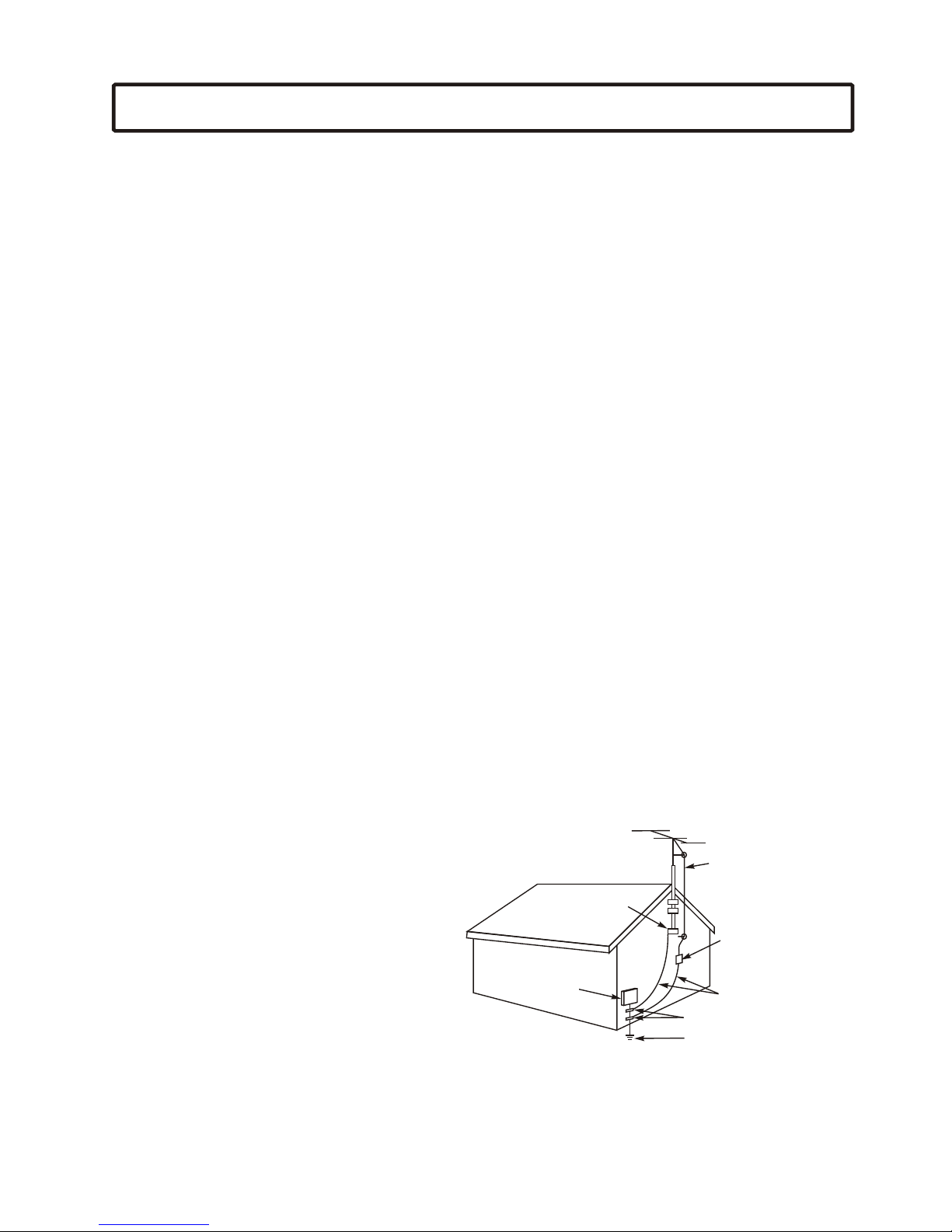
24. NOTE TO CATV SYSTEM INSTALLER
This reminder is provided to call the CATV system
installer's attention to Article 820-40 of the NEC
that provides guidelines for proper grounding
and, in particular, specifies that the cable ground
shall be connected to the grounding system of the
building, as close to the point of cable entry as
practical.
ANTENNA
LEAD IN
WIRE
GROUND
CLAMP
ELECTRIC
SERVICE
EQUIPMENT
NEC-NATIONAL ELECTRICAL CODE
S2898A
ANTENNA
DISCHARGE UNIT
(NEC SECTION 810-20)
GROUNDING CONDUCTORS
(NEC SECTION 810-21)
GROUND CLAMPS
POWER SERVICE GROUNDING
ELECTRODE SYSTEM
(NEC ART 250, PART H)
EXAMPLE OF ANTENNA GROUNDING AS PER
NATIONAL ELECTRICAL CODE
WARNING: FOR CONTINUED SAFETY, REPLACE SAFETY CRITICAL COMPONENTS
ONLY WITH MANUFACTURER'S RECOMMENDED PARTS (REFER TO SERVICE
LITERATURE).
Important safety instructions
4
Front
Back
Back
Identification of Controls
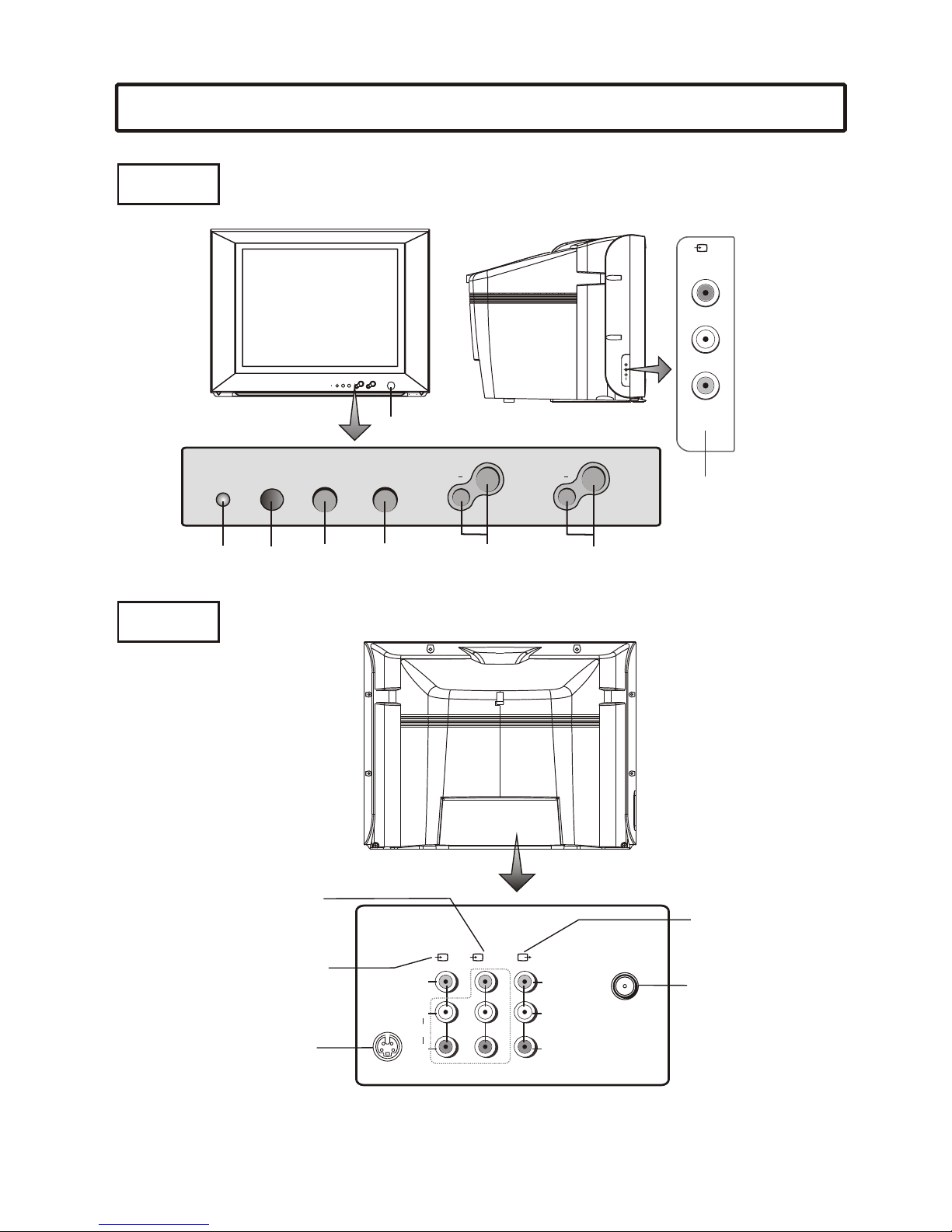
MENU AV/TV
Volume down/up
AV2 input
(VIDEO, AUDIO: L/MONO,R)
Antenna input
AV output
(VIDEO, AUDIO: L,R)
DVD input
(VIDEO: Y,C ,C,
B R
AUDIO:L/MONO,R)
AV1 input(VIDEO,
AUDIO: L/MONO,R)
S-VIDEO input
Power Button
Remote
Sensor
Channel down/up
L/MONO L
VIDEO VIDEO
( )
1YUV RF
AUDIO AUDIO
-
S VIDEO
RR
Y
CB
CR
L/MONO
R
VIDEO
( )
2
Power
indicator
VIDEO
L
R
AV IN
MENU AV/T V
CH+
+
VOL
CHVOL
Identification of Controls
Remote control
TV/AV
CCD
DSP
MUTE
1 2 3
4 5 6
7 8 9
0
SCAN P
CH+
MENU
CH-
V- V+
Power on/Standby
Direct channel select
Open the menu
Volume down
Program scan
Return to previous channel
Sound mute
Recall on-screen display
TV/VIDEO input select
Closed Caption
decoder channel select
Picture mode select
Parental Control
Picture adjust
Sleep timer
Volume up
Select higher program
Select lower program
5
STEREO
To switch between
STEREO, SAP or MONO
Antenna connection
6
CABLE TV (CATV) CONNECTION
A 75-ohm coaxial cable connector is built into the set for easy hookup. When connecting the 75- ohm coaxial cable to
the set, screw the 75-ohm cable to the ANT. Terminal.
Some cable TV companies offer "premium pay channels". Since the signals of these premium pay channels are
scrambled, a cable TV converter/descrambler is generally provided to the subscriber by the cable TV company.
This converter/descrambler is necessary for normal viewing of the scrambled channels. For more specific
instructions on installing cable TV, consult your cable TV company. One possible method of utilizing the
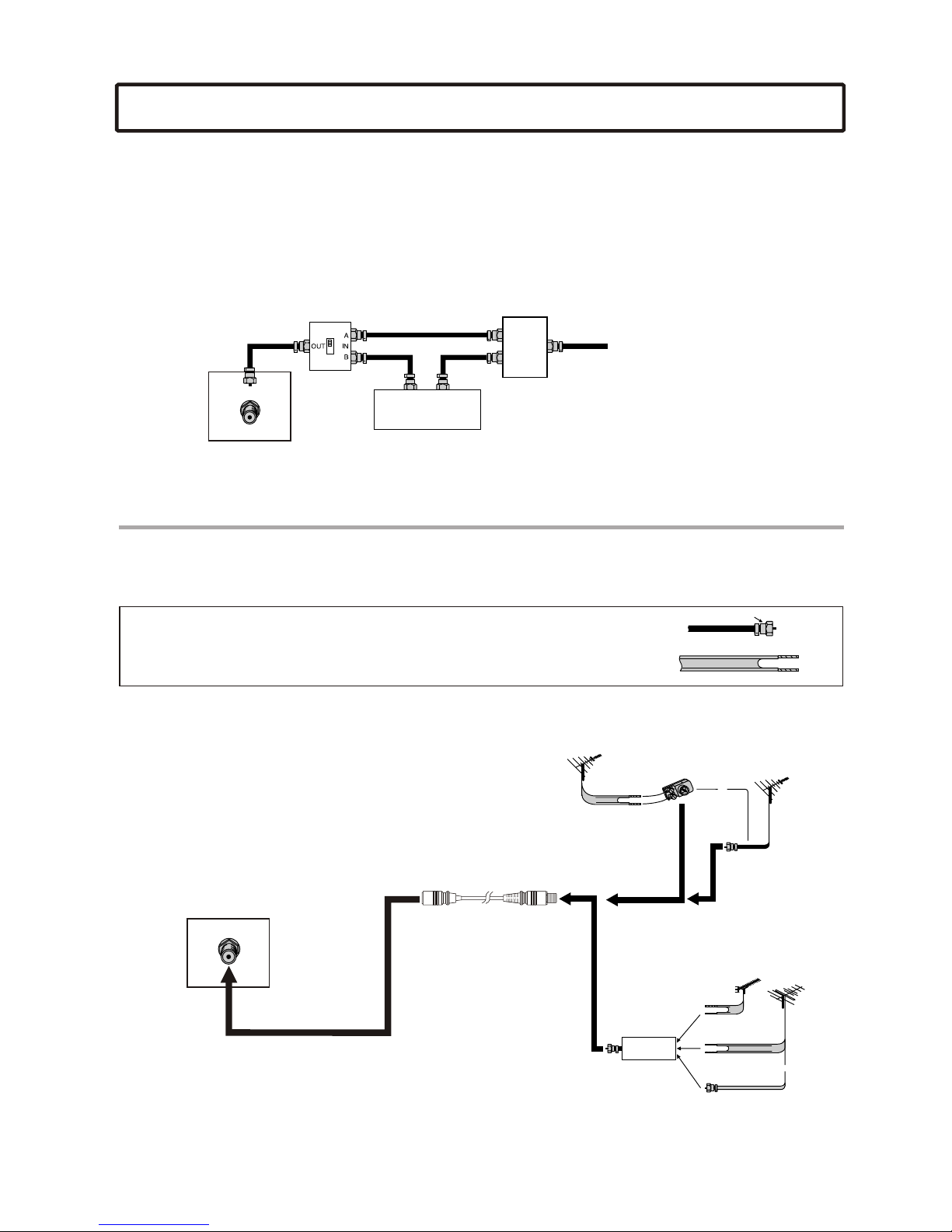
converter/descrambler provided by your cable TV company is explained below. Please note: An RF switch provided
with two inputs (A and B) is required (not supplied).
Cable TV converter/
descrambler
(not supplied)
Two-set
signal
splitter
(not
supplied)
Cable TV Line
RF switch (not supplied)
OUT IN
"A" position on the RF switch (not supplied) : You can view all unscrambled channels by using the TV's channel keys.
"B" position on the RF switch (not supplied) : You can view the scrambled channels via the converter/descrambler by
using the converter's channel keys.
Note: Consult your Dealer or Service Center for the type of splitter, RF switch or combiner that might be required.
ANTENNAS
The antenna requirements for good color television reception are more important than those for black & white
television reception. For this reason, a good quality outdoor antenna is strongly recommended.
The following is a brief explanation of the type of connections that are provided with the various antenna systems.
1. A 75-ohm system is generally a round cable with F-type connector that can easily
be attached to a terminal without tools (not supplied).
2. A 300-ohm system is a flat "twin-lead" cable that can be attached to a 75-ohm
terminal through a 300-75-ohm adapter (not supplied).
OUTDOOR ANTENNA CONNECTION
Use one of the following two diagrams if you connect an outdoor
antenna.
A: Using a VHF/UHF combination outdoor antenna.
B: Using separate VHF and/or UHF outdoor antennas.
Connect the outdoor antenna cable lead-in to the ANT. terminal
on the rear of the TV set.
F-type connector
75-ohm coaxial cable (round)
300-ohm twin-lead cable (flat)
A. Combination VHF/UHF Antenna
B. Separate VHF and/or
UHF Antennas
Antenna cable
75-ohm
coaxial cable
300-ohm
twin-lead
VHF/UHF
antenna
VHF/UHF
antenna
300/75-ohm
adapter
(not supplied)
300-ohm
twin-lead
300-ohm
twin-lead
75-ohm
coaxial cable
OUT IN
VHF
antenna
UHF
antenna
Combiner
(not supplied)
or
or
TV REAR
RF
TV REAR RF
11
22
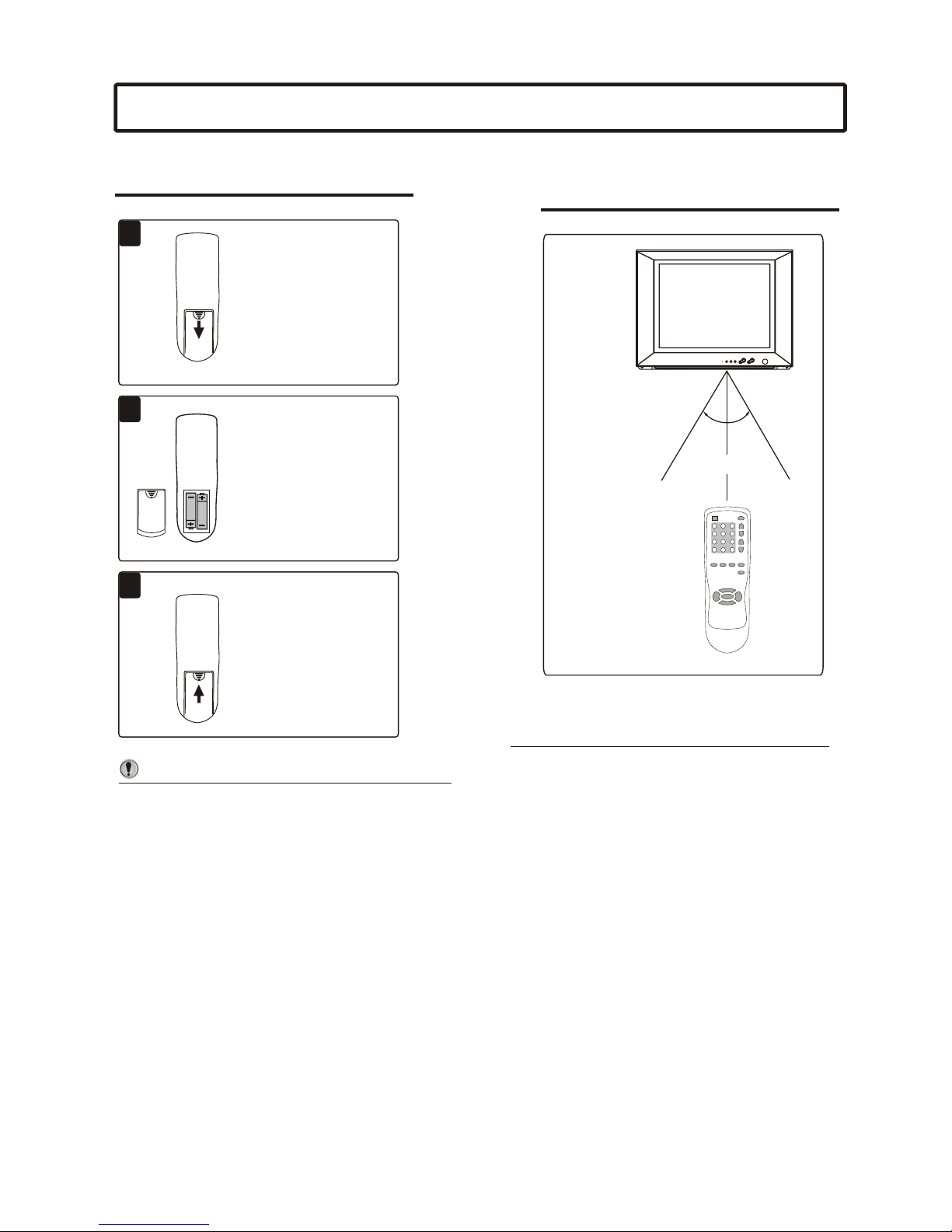
Install two "AA” batteries
matching the +/- polarities
of the battery to the +/-
marks inside the battery
compartment.
Open the battery cover.
Replace the battery cover.
/Do not try to recharge batteries they are not
intended to be recharged.
/Use only the size and type of batteries specified.
Do not mix different types of batteries together
or old batteries with fresh ones.
/When the remote control will not be used for a
long period of time or when the batteries are
worn out, remove the batteries.
/Do not throw the batteries into a fire. Dispose of
used batteries in the specified manner.
/Do not drop, dampen or disassemble the remote
control.
Notes:
Notes: /When there is an obstacle between the TV
and the transmitter, the transmitter may not
operate.
/When direct sunlight, and incandescent lamp,
fluorescent lamp or any other strong light
shines on the REMOTE SENSOR of the TV,
the remote operation may be unstable.
33
Installing batteries Effective range of the Remote
Preparing the remote control
7
30
30
3030
5m5m
O
O
L/MONO
R
VIDEO
( )
2
External equipment connections
To connect AV input terminals
The following describes how to use and connect the TV with other AV equipment (for example, VTR, Video
Camera, DVD, Video game, etc.) Please refer to the owner's manual of the equipment to be connected as
well.
WW
WW
YY
YY
RR
RR
Signal
TV SET SIDE
WW
YY
RR
Yellow (video)
White (audio L/MONO)
Red (audio R )
I I I I I I I I I I I I I
Video game
To audio
outputs
To video
output
I I I I I I I I I I I I I
Connect side AV inputs
To access the unit connected
to these jacks, press TV/AV
button until AV2 appears on
the screen.
R
Yw
Rw
R
Y
w
R
w
VTR with
S-VIDEO terminal
VTR without
S-VIDEO terminal
TV SET REAR
To audio
outputs
To video
output
To audio
outputs
To S-VIDEO
output terminal
Y
W
R
: Yellow (video)
: White (audio L/MONO)
: Red (audio R) Back
L/MONO L
VIDEO VIDEO
( )
1YUV
AUDIO AUDIO
-
S VIDEO
RR
Y
CB
CR
Connect rear AV inputs
If your video equipment has a S-VIDEO output terminal, connect it to the S-VIDEO input terminal on the
unit. If not, connect it to the VIDEO terminal (RCA ).
The S-VIDEO and AV1 use the same group of audio input terminals.
To access the unit connected to these jacks, press TV/AV button until AV1 or SVHS appears on the screen.
8
External equipment connections
RwR B G
YL
R
CBCR
:Green (Y)
:Blue (CB)
:Direction of the signal
:White (audio L/MONO)
:Red (audio R, CR)
DVD Player,
Laser Disk Player etc.
Signals
The figure below shows how to connect the DVD input terminals of the TV set to the DVD Player, Laser Disk
Player,etc.
Notes:
1. Both the CR terminal and the audio R terminal are red for easy identification. Make sure they are
correctly connected.
2. DVD and AV1 use the same group of audio input terminals.
To connect DVD input terminals
L/MONO L
VIDEO VIDEO
( )
1YUV
AUDIO AUDIO
-
S VIDEO
RR
Y
CB
CR
Rw
RBG
To access the unit connected to these jacks, press TV/AV button until YUV appears on the screen.
L/MONO L
VIDEO VIDEO
( )
1YUV
AUDIO AUDIO
-
S VIDEO
RR
Y
CB
CR
To connect the AV Outputs
You can connect an audio system to the AV output jacks on the TV set rear to enjoy a high-quality sound
from the audio system, or you can connect the AV output jacks to the VTR to record the program you like.
The TV set rear
VHSVHS
Audio System
Another VTR for
recording
To video input
To external input
Signal
Y Y
w
w
ww
R
R
Signal
WW
YY
RR
Yellow (video)
White (audio L)
Red (audio R )
L
R
To audio inputs RR
The TV set rear
9