56
How to use
使用方法
To ensure that the rice is cooked evenly, make sure rice is evenly distributed in the pot and not piled
up on one side. Before placing the cooking pot into the cooker, check that both the heating plate,
and the magnetic thermostat inside the insulation pot as well as the outer surface and base of the
pot are all clean (without any leftover food particles or rice grains) and dry. Once the pot is inserted,
turn it left and right to ensure proper contact in between the pot, heating plate and magnetic
thermostat.
COVER THE OUTER LID
When covering the outer lid, press down until you hear a click. If cover is not securely
tightened, it will aect the cooking.
CONNECT THE POWER CORD
Connect the power socket to the side of the rice cooker.
Plug into a 220-240V~ power mains supply wall outlet.
SETTING FOR RICE / MULTIGRAIN COOK
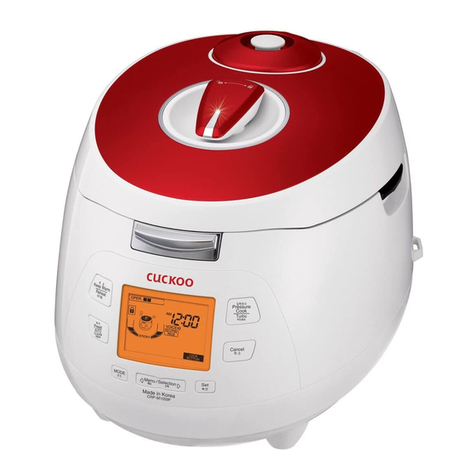
Power on, the display will show ”- - - -”.
Press on “menu”once, the rice led will start to blink with the display showing“ ”.
Press “start”or wait a few seconds, the display “ ”will start to circle indicating that
cooking has started.
To cancel the cooking at any point in time, press“start”.
OPEN THE LID & STIR THE RICE
After the rice is cooked, open the lid and loosen the rice well regardless of whether is
rice is to be served immediately or to be kept warm. Then close the cover and leave it
to“KEEP WARM”.
The longer the rice is kept warm, the browner the bottom layer.
PORRIDGE AND BABY PORRIDGE
For porridge, use a proportion of 1 cup rice to 4 cups of water. Avoid exceeding the 5
cup indicating line as the contents may overow.
Press on the “menu” button repeatedly until “porridge”or “bb porridge” LED lights up.
The preset timing for porridge is 70 minutes. And for BB porridge is 90 minutes.
If you wish to shorten or extend the cooking time, you may press on“+”or“-”button.
Lastly press start or wait a few seconds to begin cooking.
The display will start a countdown of the cooking progress.
AUTOMATIC KEEP WARM FUNCTION
When the rice is fully cooked, the cooker will automatically switch to“Keep Warm”
function and the keep warm led will light up. The display will show ”bb”. The rice will
now be kept warm for as long as the cooker power is on. Press“Start”key to turn o
keep warm mode.
How to use
使用方法
SOUP
Add the ingredients into the pot. Avoid exceeding the 5 cup indicating line as the
contents may overow.
Press on the “menu” button repeatedly until “soup”LED lights up.
The preset timing for porridge is 90 minutes.
If you wish to shorten or extend the cooking time, you may press on“+”or“-”button.
Lastly press start or wait a few seconds to begin cooking.
The display will start a countdown of the cooking progress.
After cooking, the cooker will automatically switch to keep warm mode.
CAKE
Add the ingredients into the pot. Avoid exceeding the 3 cup indicating line to allow
space for the cake to expand.
Press on the “menu” button repeatedly until “cake”LED lights up.
The preset timing for porridge is 50 minutes.
If you wish to shorten or extend the cooking time, you may press on“+”or“-”button.
Lastly press start or wait a few seconds to begin cooking.
The display will start a countdown of the cooking progress.
After cooking, the cooker will automatically switch to keep warm mode.
KEEP WARM
Press on the “menu” button repeatedly until “keep warm” LED lights up.
The display will show“bb”. This function will remain on as long as the cooker is
powered on.
To cancel any of the above functions, press “start”.