EDID Switch Descriptions
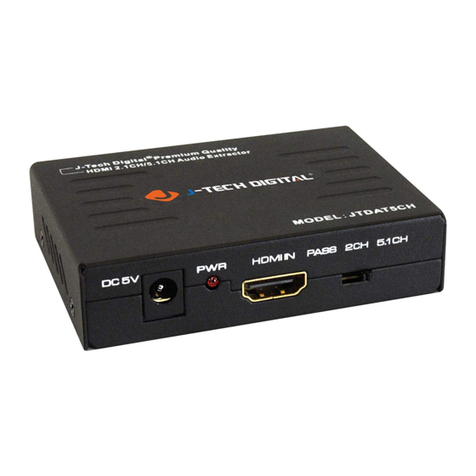
•PASS: This mode will allow for HDMI pass through. The audio and
video EDID will come from the HDMI output device that is connected
to the extractors HDMI output port.
•2CH: This mode will provide audio EDID information to the source
device requesting that the source output 2CH audio.
❖NOTE: When in 2CH mode, audio output will only be
stereo/PCM from the HDMI, SPDIF, and L/R analog output
ports.
•5.1CH: This mode will provide audio EDID information to the source
device requesting that the source output 5.1 audio.
❖NOTE: This mode will not support Dolby Digital+. When in
5.1CH mode, audio output will only be from the HDMI, and
SPDIF output ports. 5.1 will not be supported through the L/R
analog output.
•HDMI OUT: This port is used to output the video from the source device
connected into the HDMI input of the extractor.
•LED: This light, when lit will indicate that the extractor is detecting a
connection between the Display source.