Kahlenberg Instruction Sheet KB-30 Horn System Rev. 10/03/2011, Page 2 of 8
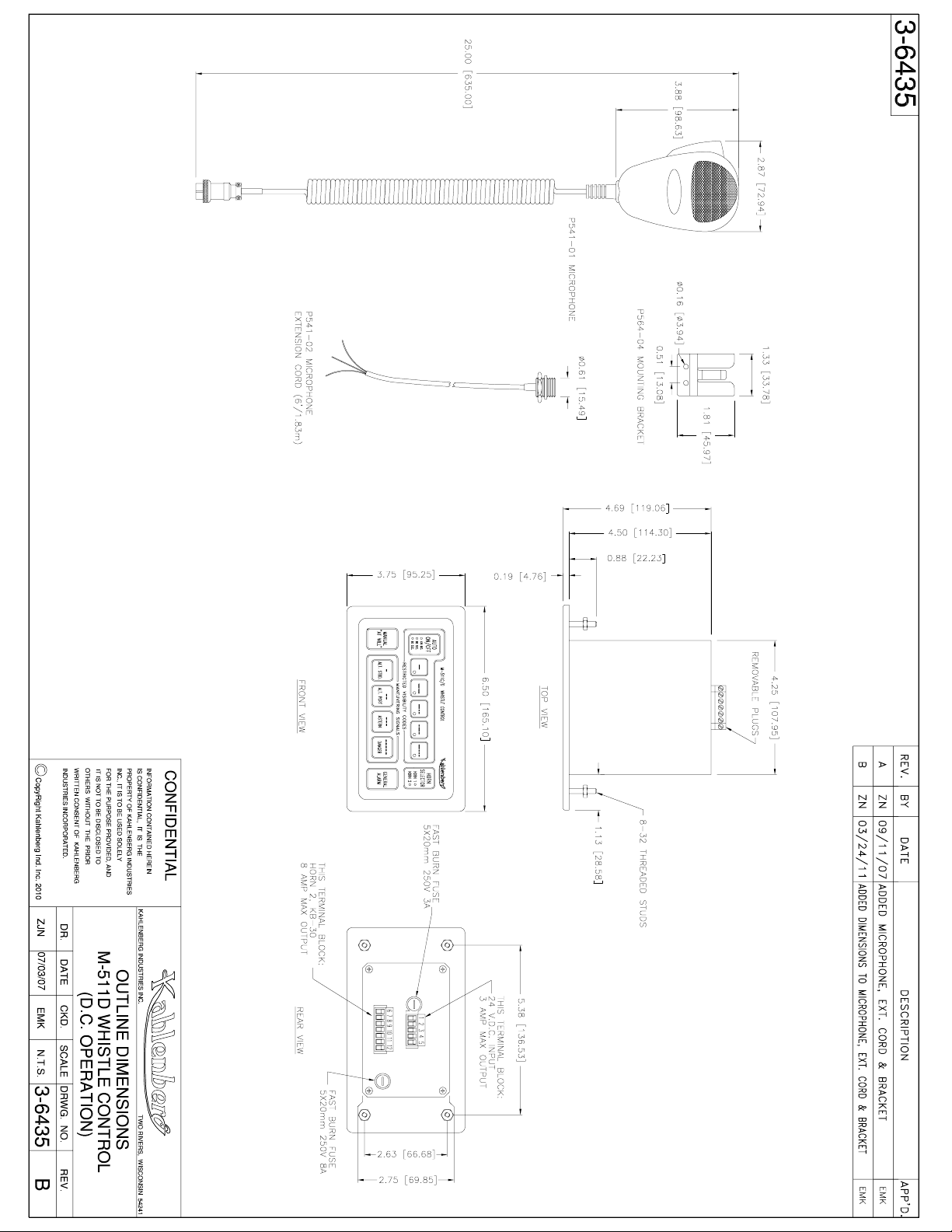
The M-511D is designed to activate the KB-30 Electronic Horn, and/or an additional solenoid
valve or similar horn-activating device operating on 24 Volts D.C.. The “HORN SELECTOR”
switch is used to select which horn will be activated by the M-511D. “Horn 1” setting (the
default setting on power up) will send signals to the solenoid valve (if installed) for an air horn.
“Horn 2” setting will send signals to the KB-30 Electronic Horn. If only using the KB-30
Electronic Horn with the M-511D, “Horn 2” must be selected. Once “Horn 2” is selected,
the control will save this setting when it is turned off. Note that in the case of a dual horn
installation, remote at-will push buttons if installed will activate both horns simultaneously when
the HORN SELECTOR switch is set on “Horn 2”. When “Horn 1” is selected, only the air horn
(if installed) will be activated by remote push buttons.
The Activation of the signal sent to the horns can be accomplished several ways depending upon
the type of signal desired. For “At-Will” operations use the “Manual/At-Will” button, this
button will signal the device instantly at all times regardless of the mode of operation. There are
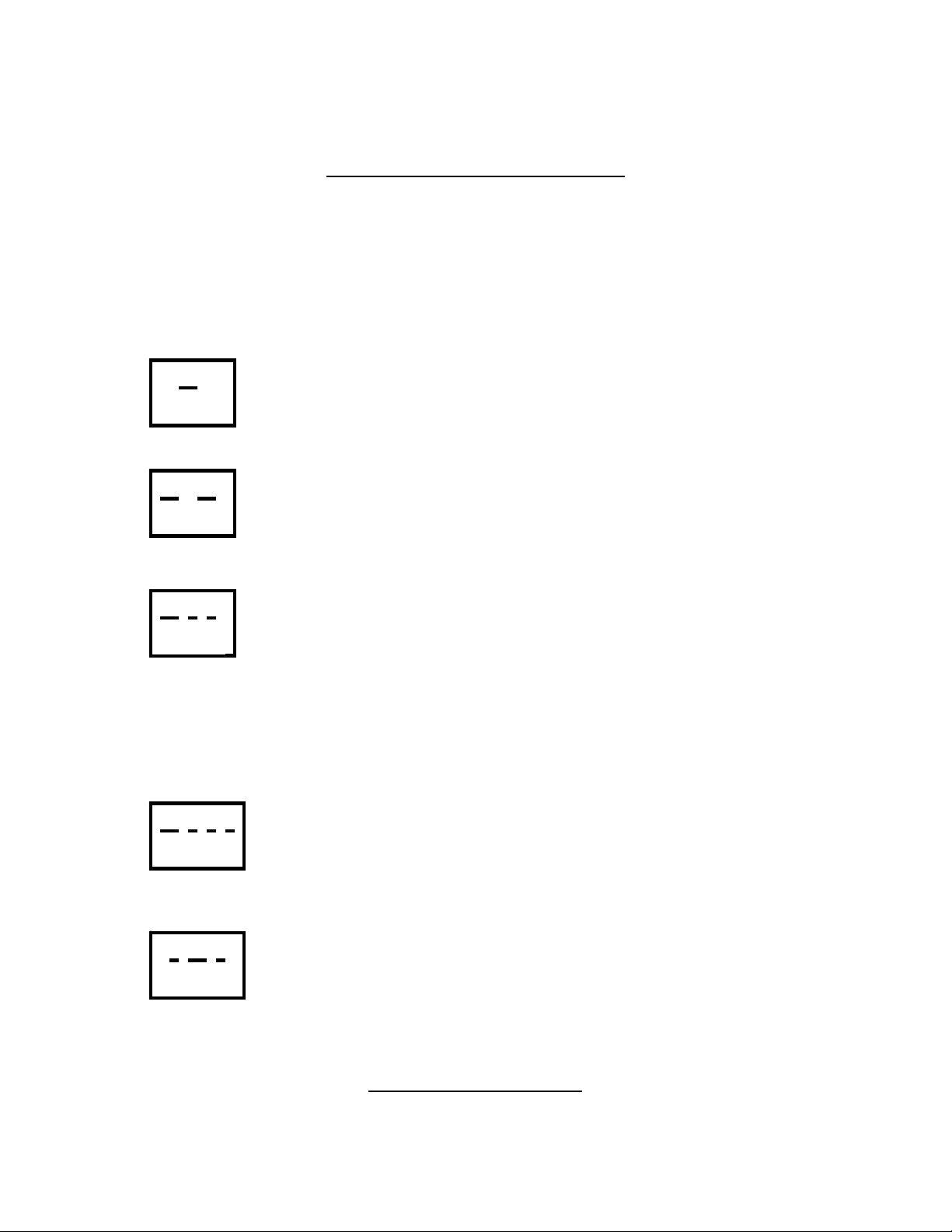
five (5) predetermined Restricted Visibility codes within the M-511D and they are indicated on
the associated button of the keypad. For a definition of these codes and their uses, refer to the
reference sheet included with these instructions. Pressing the “Auto On/Off” button activates the
five code buttons. Upon activation of the Automatic mode, the red LED light of the activated
code will light and signaling of the device for that code will commence after a 10 second delay.
This designed delay is to prevent commencement of the activated code prior to selection of a
new code or proper preparation at listening posts. A new code can be selected at any time during
automatic operation and will commence after the 10 second delay. Termination of the Automatic
Mode can be accomplished by either depressing the “Auto On/Off” button, activating any of the
Maneuvering Signal codes, activating the “At-Will” button (the latter two will also cause
instantaneous signaling of the device), or activating the “General Alarm” button.
The M-511D has the ability to change the cycle times between restricted visibility signaling. The
default setting is 120 seconds between blasts, which is also regulation. When initially powered
up the 120 second LED on the “Auto On/Off” will be lit, signifying the 2-minute interval. The
other two intervals are 90 seconds, and 60 seconds. To change the signaling interval depress and
hold the “Auto On/Off” button for 5 seconds then release and the next LED will be lit, continue
this procedure until the desired interval is attained.
For quick easy signaling of required maneuvering codes the M-511D includes four (4) preset
codes with a descriptive reference included on the keypad. For a complete explanation of these
codes please refer to the attached reference sheet. When a maneuvering code button is pressed,
the horn will instantaneously signal the code and terminate the Auto mode (if on).
IMPORTANT NOTE:
The KB-30 Horn is an intermittent duty unit designed for normal “at-will” and automatic
signaling requirements. The demand placed on the horn driver is great when in horn
signaling modes. To protect the unit, a thermal disconnect switch in the horn driver will