manuals.online logo
Brands
  1. Home
  2. •
  3. Brands
  4. •
  5. Kaidan
  6. •
  7. Camcorder Accessories
  8. •
  9. Kaidan KiWi-L User manual

Kaidan KiWi-L User manual

Other manuals for KiWi-L

1

This manual suits for next models

1

Other Kaidan Camcorder Accessories manuals

Kaidan 900 User manual

Kaidan

Kaidan 900 User manual

Kaidan Tripod User manual

Kaidan

Kaidan Tripod User manual

Kaidan KiWi Tripod User manual

Kaidan

Kaidan KiWi Tripod User manual

Kaidan III User manual

Kaidan

Kaidan III User manual

Popular Camcorder Accessories manuals by other brands

Sony SPK-HCC operating instructions

Sony

Sony SPK-HCC operating instructions

Panasonic AW-LZ14MD instructions

Panasonic

Panasonic AW-LZ14MD instructions

Dynex 09-0406 Quick setup guide

Dynex

Dynex 09-0406 Quick setup guide

Gitzo Centre Ball Head 1 G1177M  G1177M G1177M parts list

Gitzo

Gitzo Centre Ball Head 1 G1177M G1177M G1177M parts list

Sony SPK-HCC Preparation guide

Sony

Sony SPK-HCC Preparation guide

Gitzo Series 3 Mountaineer GT3530 parts list

Gitzo

Gitzo Series 3 Mountaineer GT3530 parts list

Panasonic AG-LW4307P installation guide

Panasonic

Panasonic AG-LW4307P installation guide

Sony HVL-IRH operating instructions

Sony

Sony HVL-IRH operating instructions

Gitzo Series 2 Mountaineer GT2541L parts list

Gitzo

Gitzo Series 2 Mountaineer GT2541L parts list

JVC CB-V910 instructions

JVC

JVC CB-V910 instructions

walimex Steadycam Cam-Flo-Pod user manual

walimex

walimex Steadycam Cam-Flo-Pod user manual

Sony HVL-IRH operating instructions

Sony

Sony HVL-IRH operating instructions

Canon VL-3 instructions

Canon

Canon VL-3 instructions

JVC CB-V240U instructions

JVC

JVC CB-V240U instructions

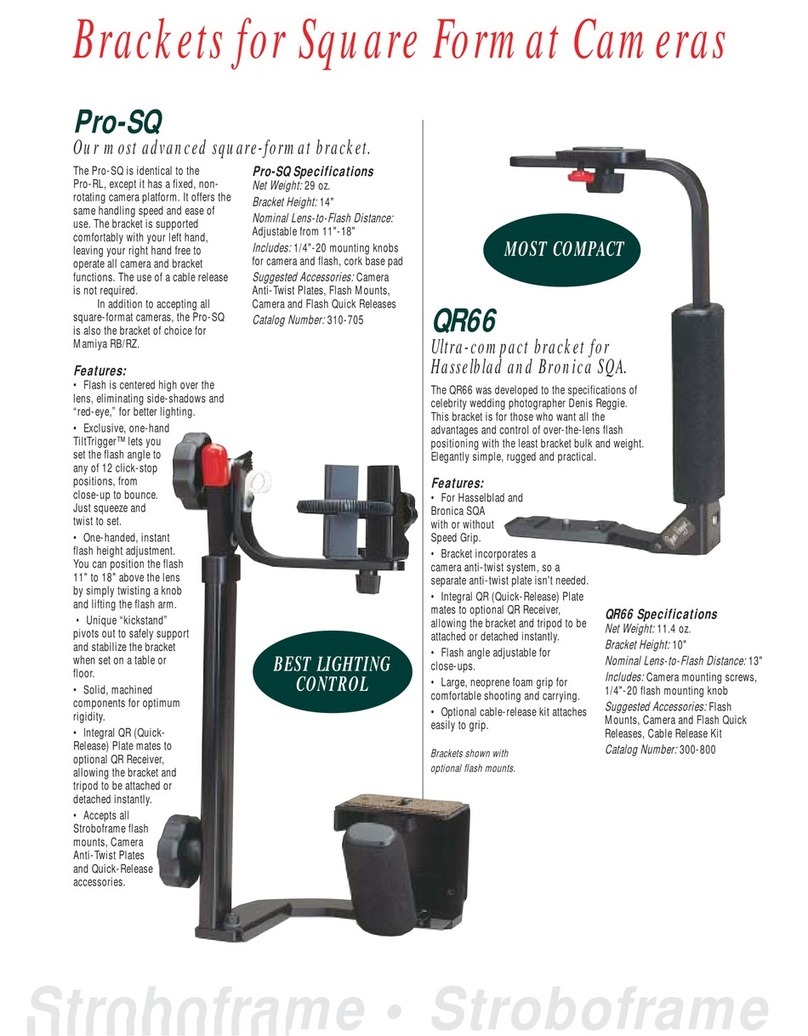
Tiffen TiltTrigger Pro-SQ Specifications

Tiffen

Tiffen TiltTrigger Pro-SQ Specifications

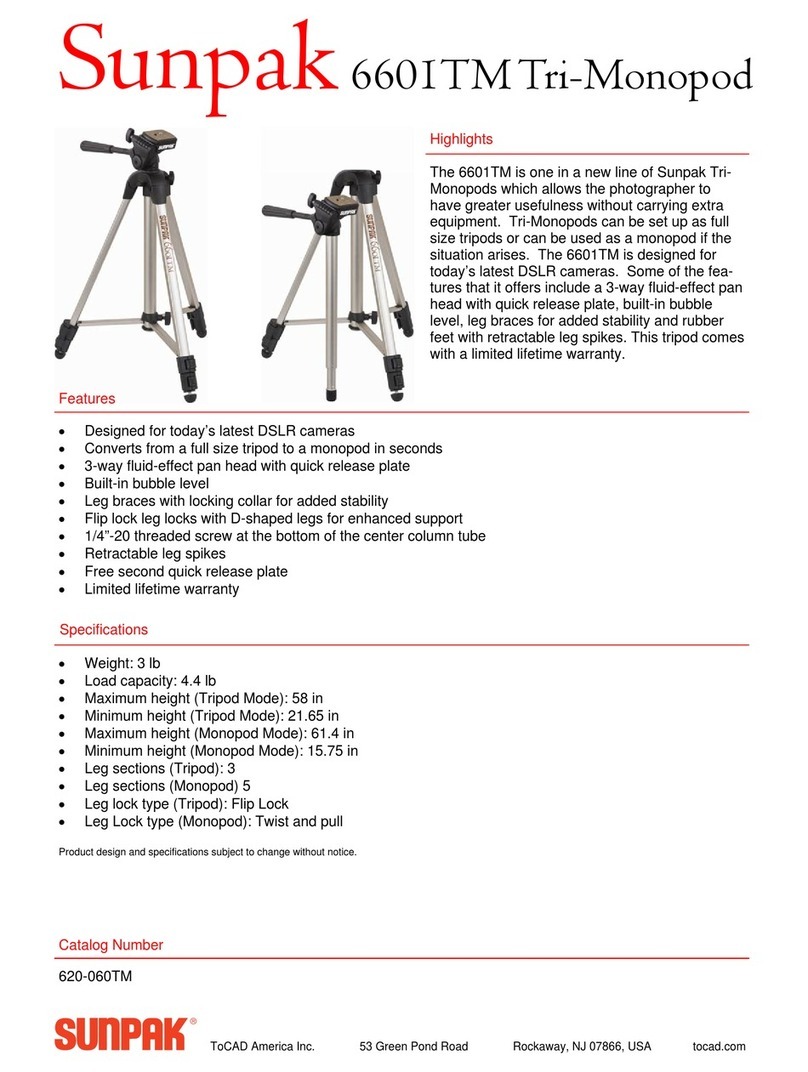
Sunpak Tri-Monopod 620-060TM Specifications

Sunpak

Sunpak Tri-Monopod 620-060TM Specifications

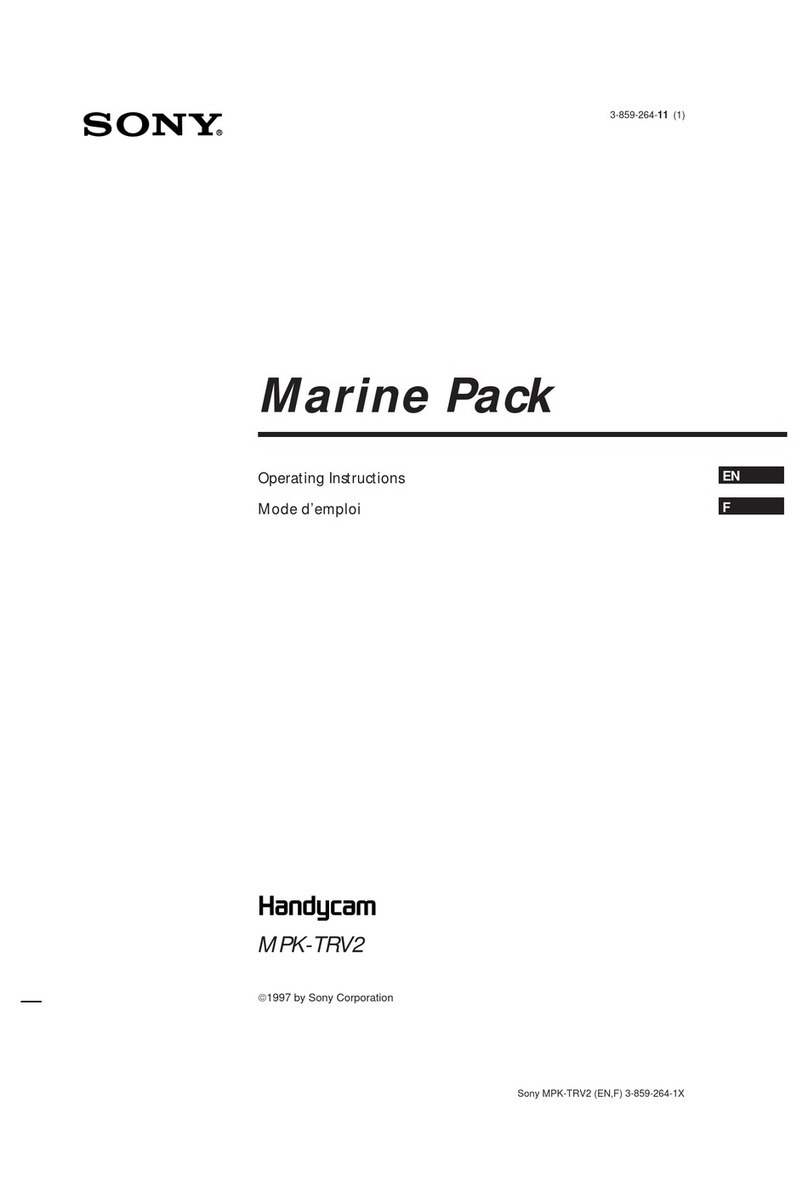
Sony Handycam MPK-TRV2 operating instructions

Sony

Sony Handycam MPK-TRV2 operating instructions

juicedLink CX211 user manual

juicedLink

juicedLink CX211 user manual

manuals.online logo
manuals.online logoBrands
  • About & Mission
  • Contact us
  • Privacy Policy
  • Terms and Conditions

Copyright 2025 Manuals.Online. All Rights Reserved.

KiWi™-L/Kiwi™+
User’sGuide
PhotographicVR
PanoramicTripodHead
Designedfortheprofessional,
pricedforthenovice...
Copyright Information
Copyright © 2001 Kaidan Incorporated. All Rights Reserved. First Edition,
March 2001. roducts mentioned herein may be trademarks of their respective
companies. atents ending.
Information in this manual is subject to change without notice and does not
represent a commitment on the part of Kaidan. No part of this manual may be
reproduced or transmitted in any form or by any means, electronic or mechani-
cal, including photocopying, recording, or information storage and retrieval sys-
tems, or translated to another language, for any purpose other than the licensee’s
personal use and as specifically allowed in the licensing agreement, without the
express written permission of Kaidan.
Kaidan Warranty and Return Policy
A • Limited Warranty
In the event of a defect in materials or workmanship, Kaidan will repair the
product with new or rebuilt parts for a period of three-hundred and sixty five
(365) days from the date of original purchase. Such work will be performed free
of charge. Follow the roduct Return rocedure (Section D following).
Likewise, any software purchased from Kaidan also comes with a one year
warranty if your disc or media is defective or damaged. This warranty is ex-
tended only to the original purchaser and is not transferable. A purchase receipt
or other proof of original purchase will be required before warranty performance
is rendered.
This warranty only covers failures due to defects in materials or workman-
ship which occur during normal use. It does not cover damages or failures which
are caused from accident, misuse, abuse, neglect, mishandling, misapplication,
alteration, faulty installation, modification, service by anyone other than an au-
thorized representative of Kaidan, Acts of God, or by products not supplied by
Kaidan.
This warranty covers any damage incurred during original shipment of prod-
uct to customer. Any item resold, or distributed by, and not explicitly manufac-
tured by Kaidan will be covered by their respective company’s product warranty.
B • Warranty Exclusions
There are no express warranties except as listed above.
Kaidan shall not be liable for special, incidental, consequential or punitive
damages, including, without limitation, loss of goodwill, profits or revenue, loss
of the use of this product or any associated equipment, cost of substitute equip-
ment, downtime costs, or claims of any party dealing with buyer for such
damages,resulting from use of this product or arising from breach of warranty
or contract, negligance, or any other legal theory .
All express and implied warranties, including the warranties of merchant-
ability and fitness for a particular purpose, are limited to the applicable war-
ranty period set forth above. Some states do not allow the exclusion or limitation
of consequential damages, or limitations on how long an implied warranty lasts,
so the above exclusions or limitations may not apply to you.
This warranty and any claims which arise with the Kaidan product(s) are
governed by the laws of the state of ennsylvania. By purchasing this product,
customer acknowledges and agrees to these Limits and Exclusions. If a problem
with your Kaidan product develops during the warranty period, immediately
contact Kaidan for assistance.
C • Product Return Policy
All Kaidan products come with a 30-day return policy (a minimum 10 percent
re-stocking fees will apply) from date of purchase, with the exception of software
or videotapes.
Both of the aforementioned items are copyrighted and subject to the laws
concerning intellectual property. Kaidan will replace defective software/video-
tapes free of charge upon return receipt of defective item(s). roducts returned
under this policy, excluding replacement of defective items, must be shipped at
purchaser’s expense. urchaser must ship product with an approved traceable
service, such as FedEx, and with appropriate levels of shipping insurance for the
item being returned. Kaidan will not be held responsible for returned items lost
or damaged in transit.
Kaidan ill issue a refund to customer’s account if the follo ing condi-
tions are satisfied:
1) Receipt of item(s) in a restockable condition.
Criteria for Restockable Condition is as follows:
• All parts are included in box; hardware, manuals, discs, nuts/bolts, tools.
• No signs of damage; scratches, bent parts, missing pieces, markings, alter-
ations, or additions to the product.
• All packaging materials are intact; foam, peanuts, cardboard, bubble bags.
• No signs of excess usage or wear to the product.
Items of Non-restockable condition are subject to the following:
• Restocking Fees - a minimum of 10 percent and possible additional fees
based on the condition of the product (how the product best meets the criteria
above), at Kaidan’s discretion.
Non-Restockable Condition - constitutes the following:
• Missing parts; hardware, manuals, discs, nuts/bolts, tools, and packaging
materials; foam, peanuts, cardboard, bubble bags.
• Signs of damage; scratches, bent parts, missing pieces, markings, alter-
ations, additions to the product.
• Signs of excess usage or wear to the product.
• Damage or loss incurred during uninsured shipping to Kaidan. In this case,
Kaidan cannot issue any type of refund. Customer will be responsible to sub-
mit claim with their shipping company.
• If damages occur in shipping, customer must submit claim with shipping
company prior to any action by Kaidan.
Items art of Special Bundle
If item(s) are part of a special bundle offer, return of part of the bundle will
void any special pricing and the item(s) remaining in the possession of the cus-
tomer will revert to their regular Suggested Retail rice (SR ). The credit, to
customer, will reflect the difference of the actual product SR from the amount
of credit due customer.
Shipping Costs
All shipping costs, VAT, duties and return costs are sole responsibility of cus-
tomer. If customer purchases thru Kaidan distributor or reseller, customer is
responsible for all shipping and VAT costs incurred by that distributor or reseller.
These charges are non-refundable.
For instructions on the return of your product, follow the roduct Return
rocedure below
D • Product Return Procedure
When returning a product, customer must first contact Kaidan (or the dis-
tributor/reseller) and obtain a Return Material Authorization Number (RMA#).
After receiving the RMA#, customer will be instructed to return product directly
to Kaidan. Returned goods must be shipped with an approved traceable service,
such as FedEx, and with appropriate levels of shipping insurance for the item
being returned. Kaidan will not be held responsible for returned items lost or
damaged in transit. RMA numbers are valid for 15 days, and the product(s)
must be received by Kaidan before the RMA expires. We are unable to accept for
return any product(s) received after the expiration of the RMA.
Return ackaging
The product packaging must reflect customer name, address, RMA# as well as
Kaidan information:
Kaidan Incorporated
703 East ennsylvania Blvd • Feasterville, A 19053 • U.S.A.
Attention: Return Department per RMA# ______
Contact Information: Voice: 215-364-1778 • Fax: 215-322-4186

http://www.kaidan.com • E-mail: [email protected]
Page - 3
Assembling the KiWi™
UNPACKING THE BOX
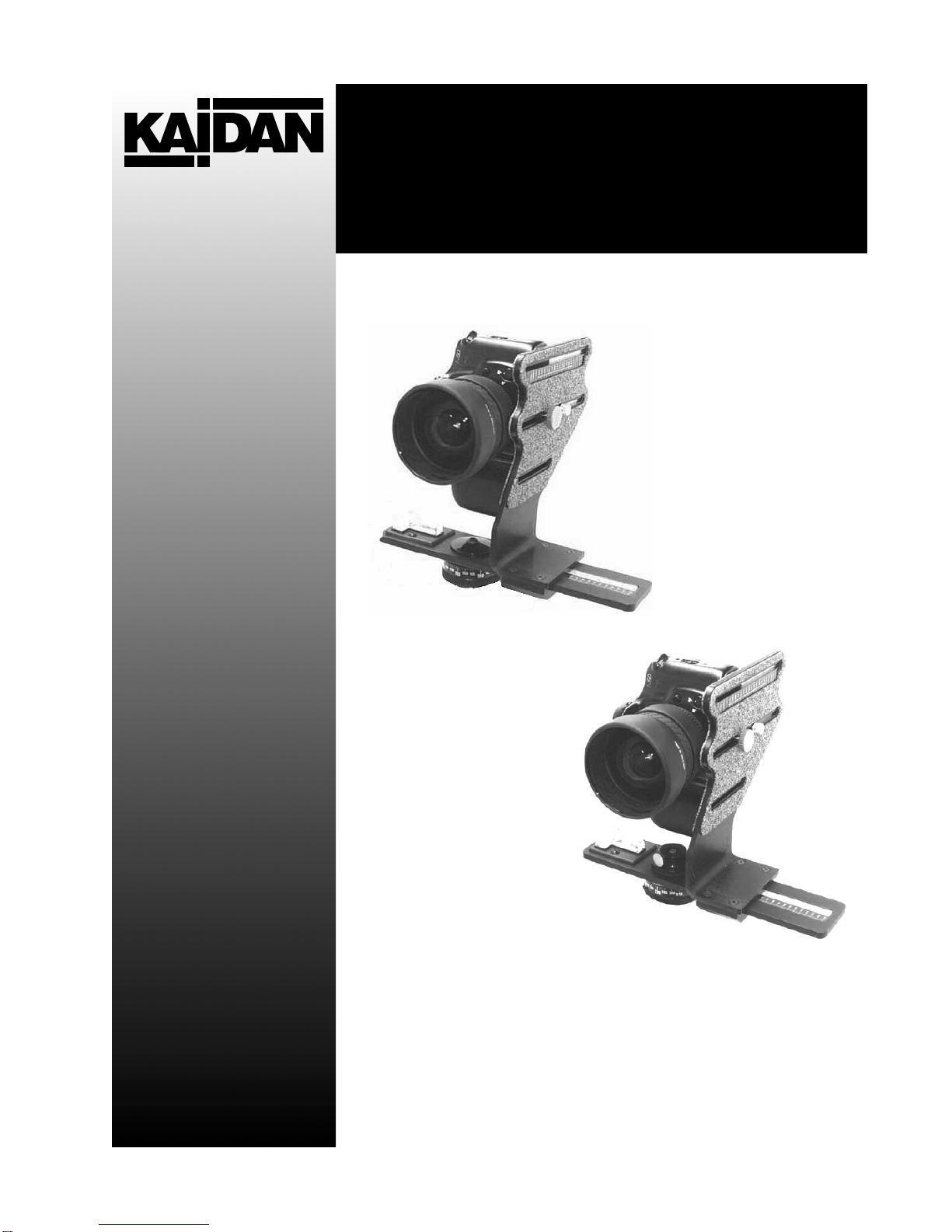
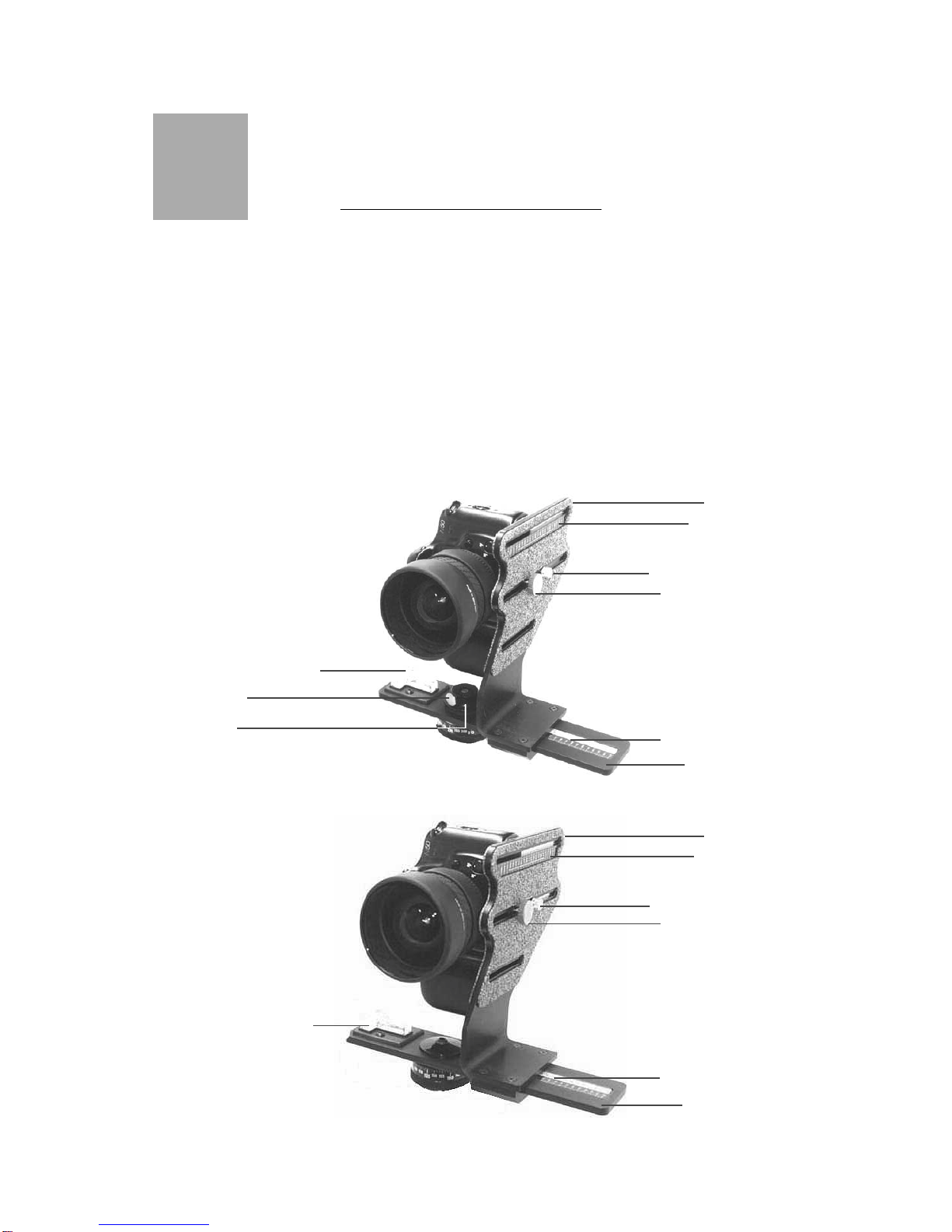
The KiWi-L or the Kiwi + are shipped in a single box and con-
sists of two major components. The components are detailed
below. NOTE: Only the Kiwi+ is shipped with four detent discs
(12,14,18, and 20 positions). lease make sure that all parts
are included. Examine the parts for any signs of shipping dam-
age. In the event of shipping damage, immediately contact
Kaidan to process claims.
If any items are missing or you notice any damage, call Kaidan
at 215-364-1778, between the hours of 10:00 am and 6:00 M,
Mon-Fri, EST.
T in-Axis Bubble Level
Vertical Bracket
Fore-aft Indicator
Camera Adj. Shoe Knob
Captive Camera Knob
Side-to-Side Indicator
Horizontal Bracket
Ki i +
Ki i-L
Vertical Bracket
Fore-aft Indicator
Camera Adj. Shoe Knob
Captive Camera Knob
T in-Axis Bubble Level
Side-to-Side Indicator
Horizontal Bracket
Locking Knob
Friction Cap
1
Page - 4
Assembling the KiWi ™
ATTACHING THE VERTICAL BRACKET
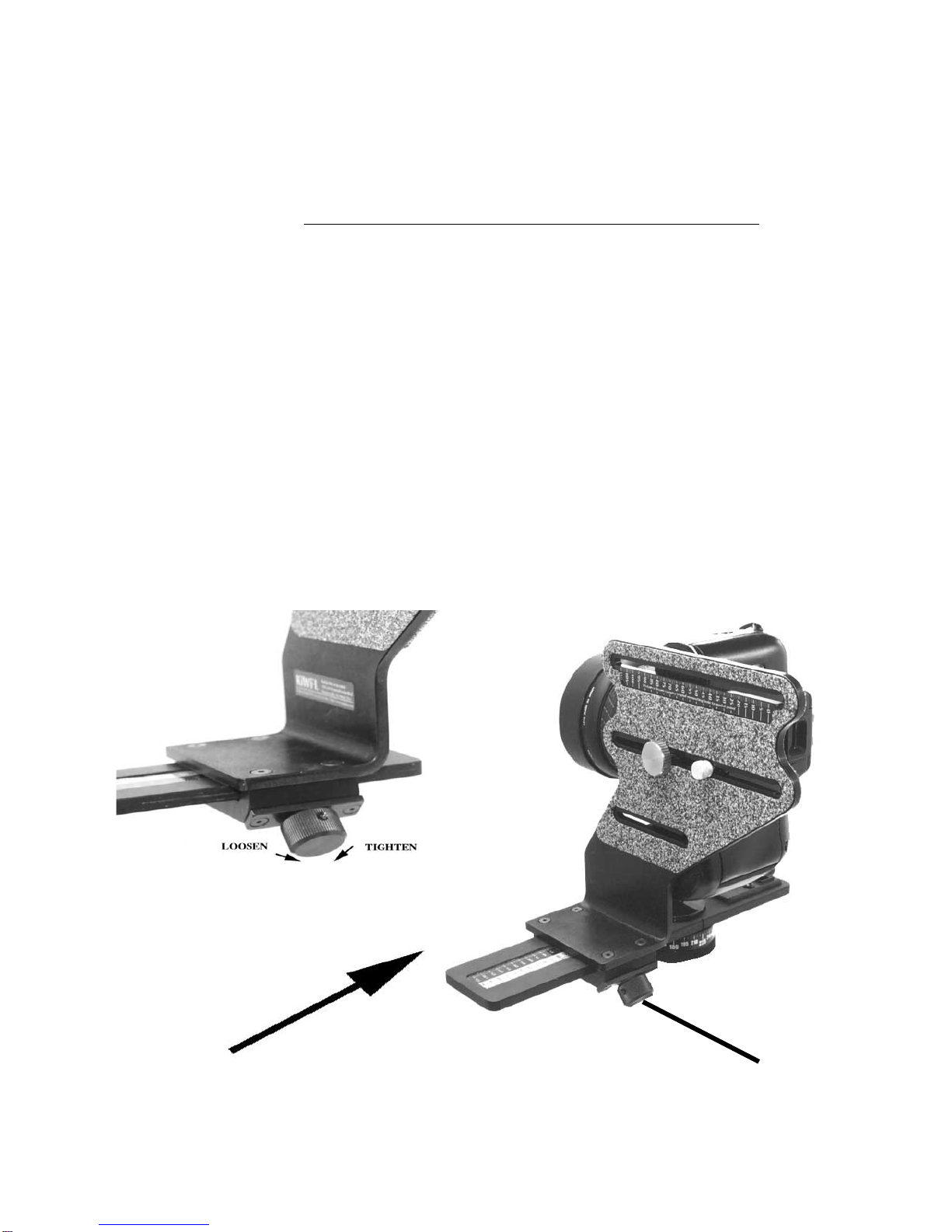
To assemble the KiWi, simply slide the Vertical Bracket onto the
Horizontal Bracket in the orientation shown in the various im-
ages in this manual. Note: The bottom of the Vertical Bracket
has a clamping mechanism with a spring-loaded nylon ball which
keeps tension on the horizontal bracket while sliding the vertical
bracket back and forth. Before installing the Vertical Bracket
onto the Horizontal Bracket, make sure the urple Clamping
Knob is turned all the way out in a counterclockwise direction,
which will release the clamping mechanism inside the bottom of
the Vertical Bracket. When attaching the Vertical Bracket to
the Horizontal Bracket, some force will be required initially to
overcome the tension of the spring-loaded ball in the bottom of
the Vertical Bracket.
Slide Vertical Bracket
onto Horizontal Bracket
Purple Clamping Knob
Page - 5
Using the KiWi™
ATTACHING YOUR CAMERA
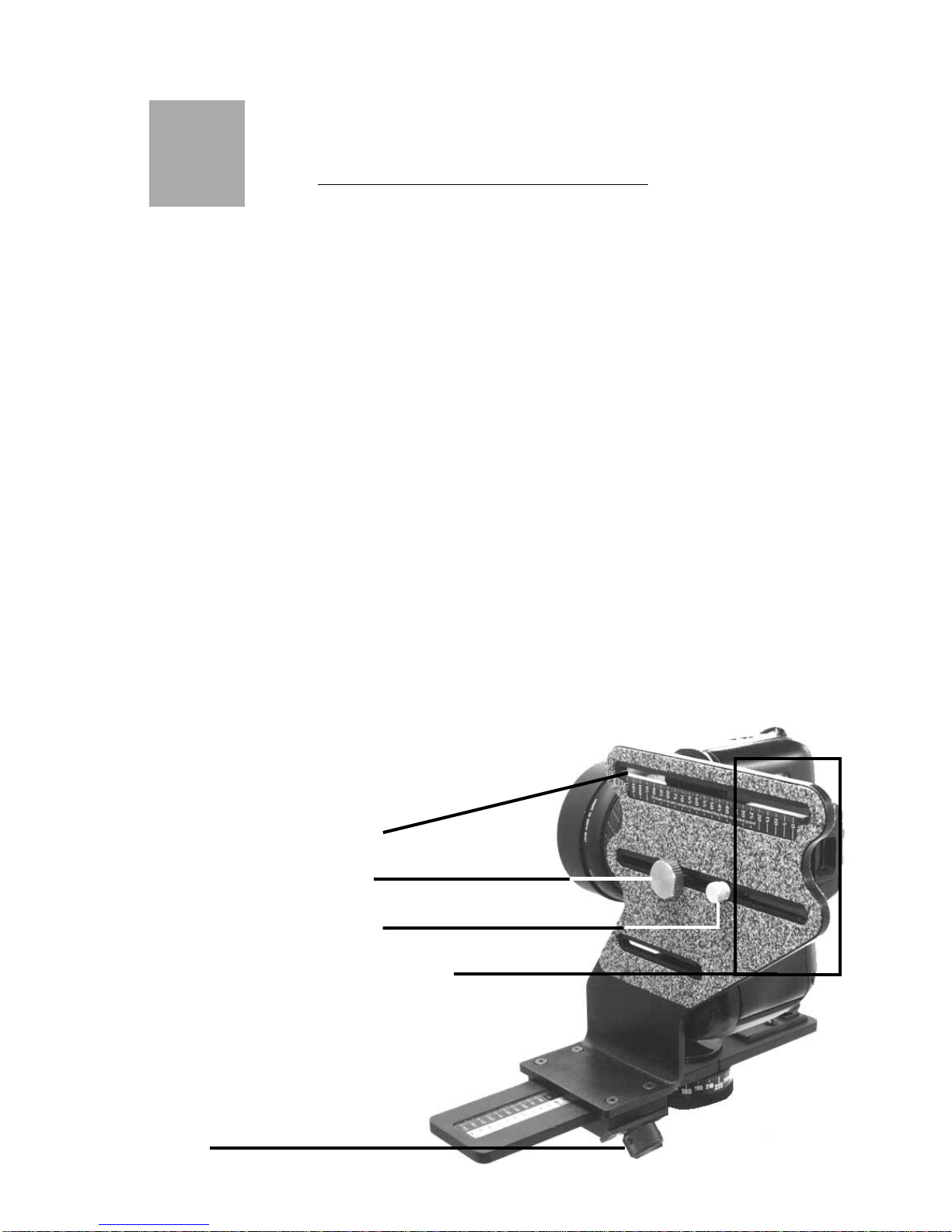
To mount your camera, first select the appropriate slot in the
Vertical Bracket that will best locate the tripod mounting thread
on your camera. You may need to reposition the Captive Camera
Knob in order to achieve this. To remove the knob simply slide
the knob along the slot to the end that has the threaded hole.
Carefully unscrew the knob out of the threaded hole, being care-
ful not to crossthread the knob. Replace the knob into the appro-
priate slot by reversing the procedure. Note: Whatever side of
the Vertical Bracket you mount your camera on always keep the
offset portion of the Vertical Bracket towards the rear of the cam-
era. Attach your camera by threading the knob into the threaded
tripod hole of your camera. Note: The camera knob is a two piece
knob, (not shown), with a inner and outer knob. Before installing
the camera knob in the Vertical Bracket, turn the inner knob
clockwise into the outer knob until it won’t turn anymore. Next
install the knob into the appropriate slot then into the tripod
mounting hole of your camera. Turn the inner knob into the cam-
era until it bottoms out, then turn the outer knob clockwise until
the camera is tight on the Vertical Bracket. Don’t worry about
getting the camera level at this time, as this is a task you’ll need
to do when you’re ready to shoot. Note:If you have a large body
camera that has very long distance from the tripod mounting
surface to the center of the lens, the Vertical Bracket might have
to mounted on the Horizontal the reverse
of how it is shown below with
the camera facing in the other
direction.
Captive Camera Knob
Threaded Hole ( 1 of 3 )
Camera Shoe Adj. Knob
Offset to ards rear of camera
Saddle Clamp Locking
Knob
2
Page - 6
Using the KiWi™
REMOVING THE FRICTION CAP
The KiWi+ needs to be disassembled in order to install or change
detent discs. The detent discs come in various settings and pro-
vide the different angular click-stops. (NOTE: See Disc Selec-
tion Chart In Appendix A).
To start, the friction cap must be removed. Loosen the knob
located on the side of the friction cap. It does not have to be
removed from the cap, but just backed out far enough so that
the cap can be unscrewed from the axle. Unscrew the cap. At-
tached to the cap is a rubber washer with a nylon facing.
Page - 7
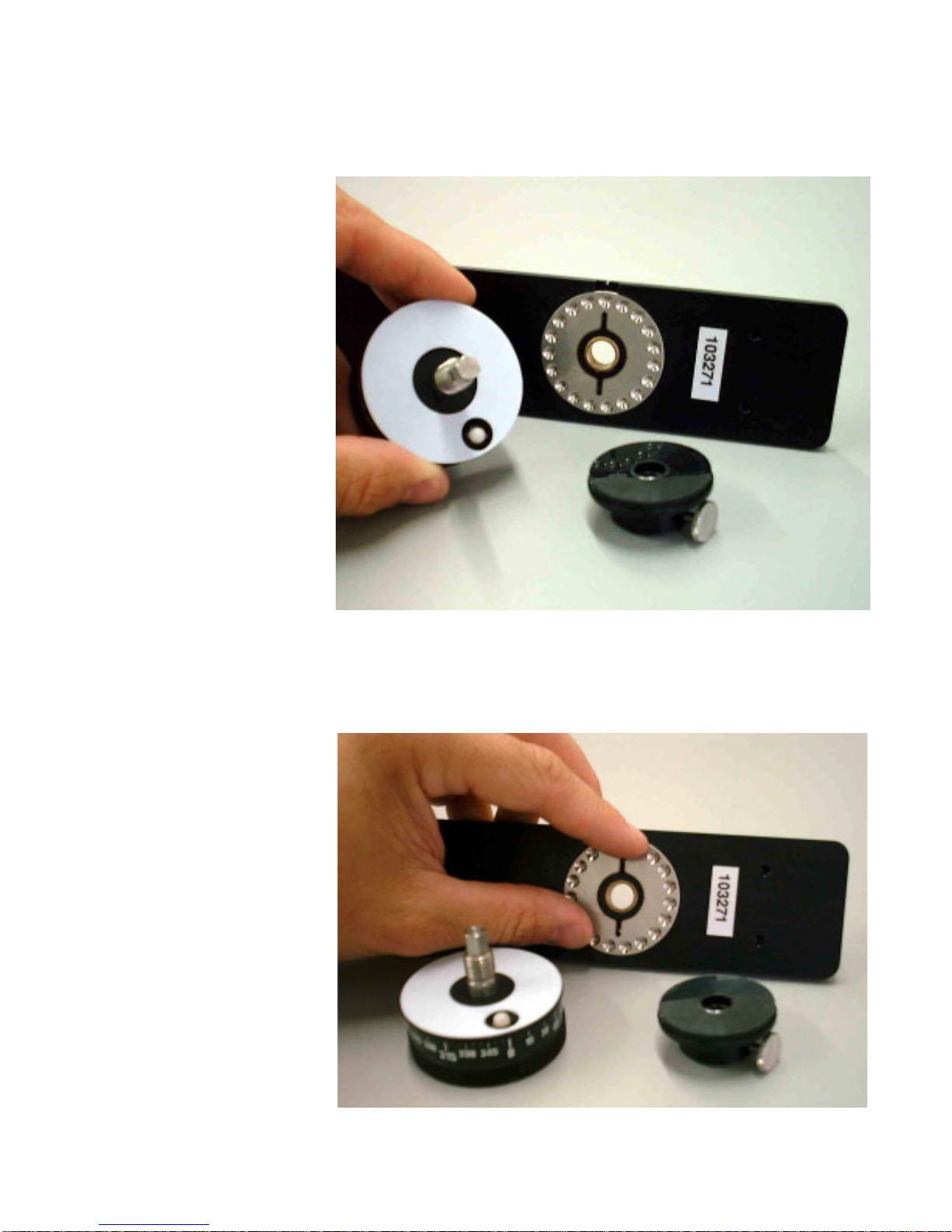
With the components removed from the top side of the hori-
zontal bracket, the lower hub and axle assembly can be slid
out and removed.
At this point, you’ll be able to install the detent disc into the
recessed area on the bottom.
Page - 8
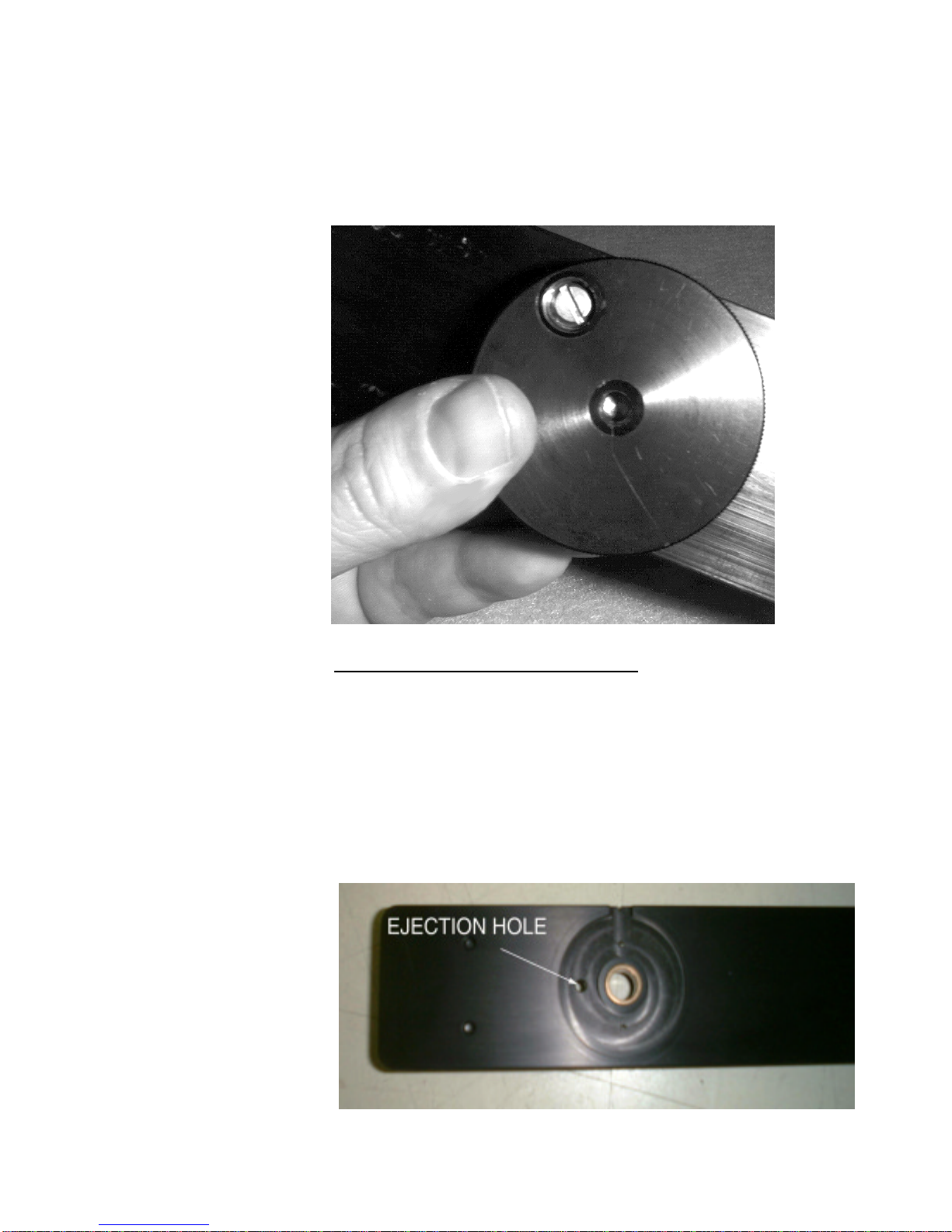
With the disc removed, you can insert a different disc to change
the angular detent spacing. Kaidan offers a variety of discs,
with detents ranging from 2 to 22 per disk..
When changing discs, be sure the disc is seated properly and is
flush with the top surface of the plate.
With the new disc inserted, you can begin to reassemble the
assembly. Start by reinserting the axle and hub back into the
bearing in the
horizontal plate.
Page - 9
ush the axle through the bearing and plate as shown below.
Reverse the disassembly.
Replace the cap by threading the cap onto the axle as shown
below. Continue to thread the cap so that there is no free play
in any of the pieces and to compress the rubber washer
slightly.
When the friction drag feels adequate, turn the Friction cap
so that the knob is aligned with one of the flats on the axle.
Tighten the knob to lock.
Page - 10
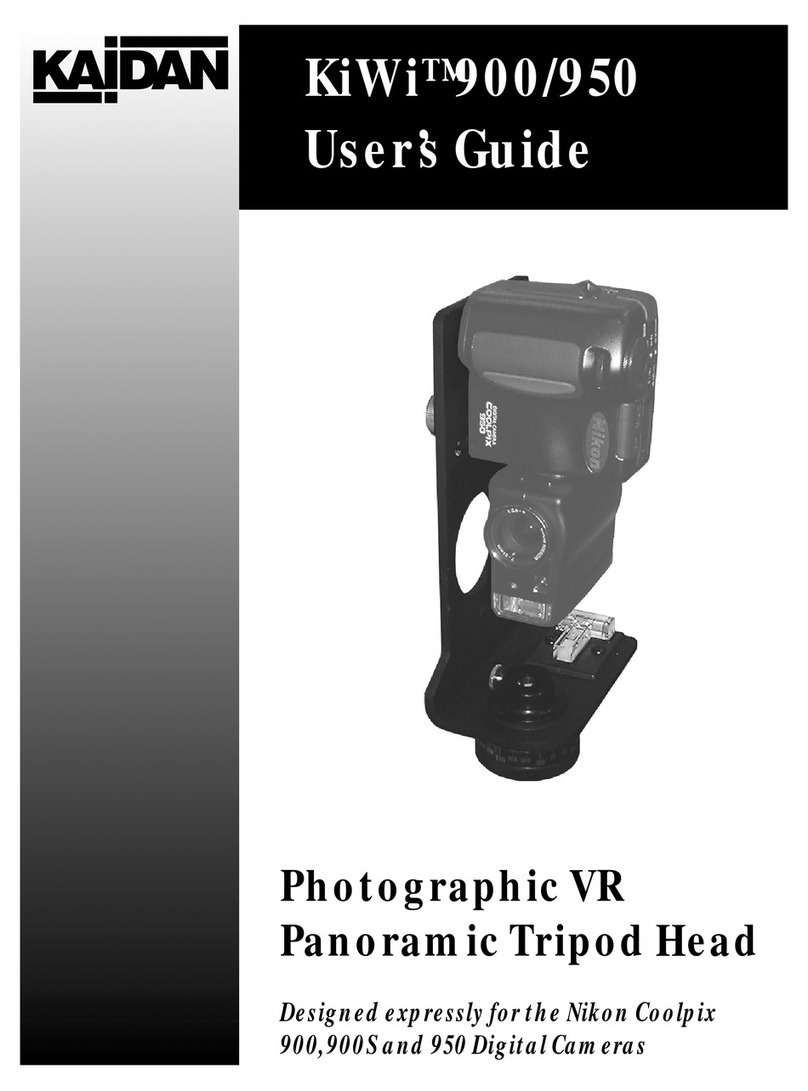
The spring plunger that provides the detent action can also be
adjusted to vary the force of the click action. Use a flat blade
screw driver to move the plunger in and out as desired. A con-
venient way to adjust the plunger is to screw the plunger all
the way in, until it bottoms out. Then unscrew the plunger about
one turn.
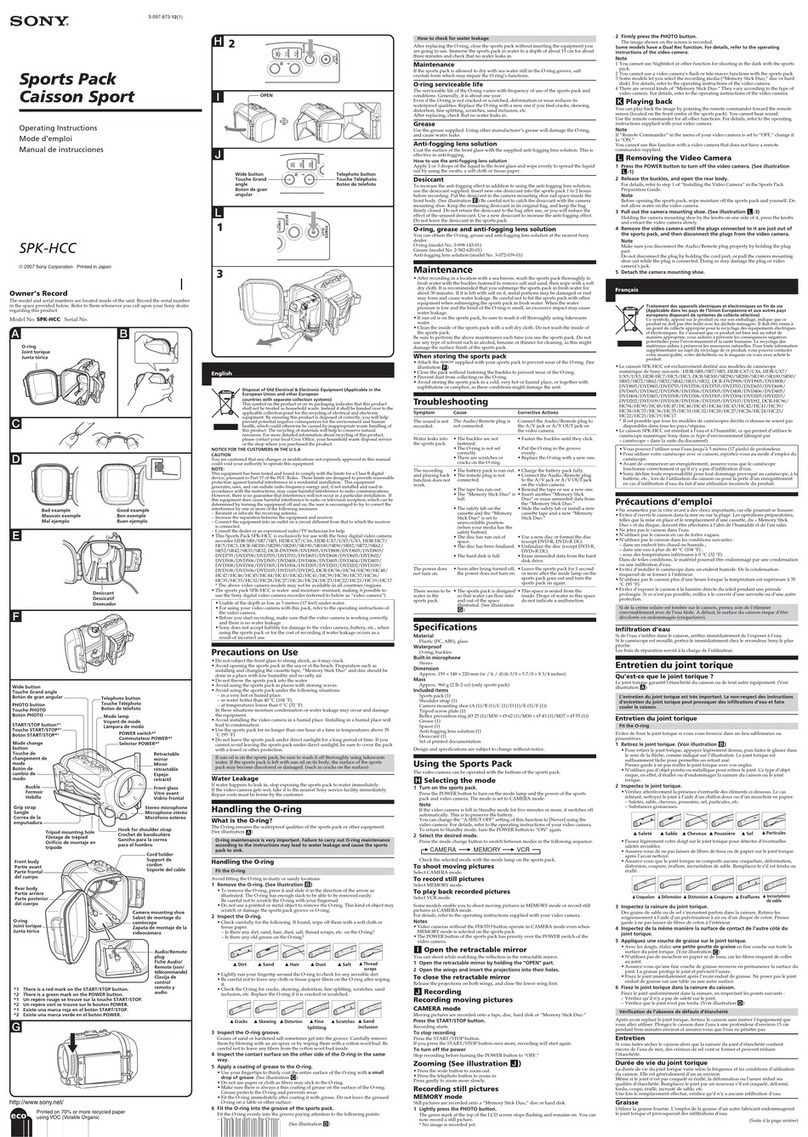
Once the indexing hub is removed, the detent disc can be re-
moved from its recess in the bottom of the horizontal
bracket.The disc may slip out once the indexing hub is removed.
If it sticks inside the recess, simply insert the tip of a small ball
point pen or a pin into the detent disc ejection hole on top of the
bracket and push the disc out of the detent disc recess.
Removing the Detent Disc