manuals.online logo
Brands
  1. Home
  2. •
  3. Brands
  4. •
  5. Lightning Audio
  6. •
  7. Amplifier
  8. •
  9. Lightning Audio L-2125 User manual

Lightning Audio L-2125 User manual

This manual suits for next models

6

Other Lightning Audio Amplifier manuals
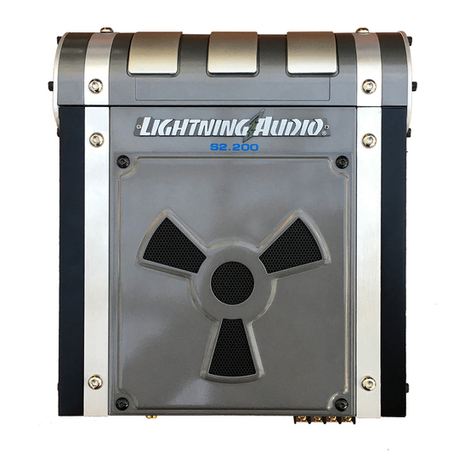
Lightning Audio S2.200 User manual

Lightning Audio

Lightning Audio S2.200 User manual
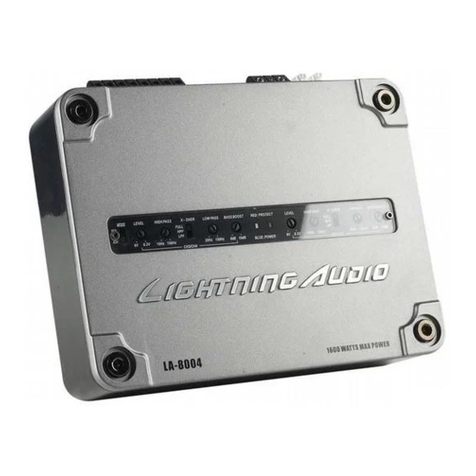
Lightning Audio LA-8004 User manual

Lightning Audio

Lightning Audio LA-8004 User manual
Lightning Audio B4.250.2 User manual

Lightning Audio

Lightning Audio B4.250.2 User manual

Lightning Audio LA1.150.2 Owner's manual
Lightning Audio

Lightning Audio LA1.150.2 Owner's manual

Lightning Audio Strike S4.300 User manual

Lightning Audio

Lightning Audio Strike S4.300 User manual

Lightning Audio Storm S1.1000D User manual
Lightning Audio

Lightning Audio Storm S1.1000D User manual

Lightning Audio LA-1000MDMINI User manual
Lightning Audio

Lightning Audio LA-1000MDMINI User manual

Lightning Audio LA-8004 User manual

Lightning Audio

Lightning Audio LA-8004 User manual

Lightning Audio Storm X1.1000.1D Guide
Lightning Audio

Lightning Audio Storm X1.1000.1D Guide

Lightning Audio BOLT User manual

Lightning Audio

Lightning Audio BOLT User manual

Lightning Audio B3.200.2 Owner's manual

Lightning Audio

Lightning Audio B3.200.2 Owner's manual

Lightning Audio LA-600M User manual

Lightning Audio

Lightning Audio LA-600M User manual

Lightning Audio FF150.2 Owner's manual

Lightning Audio

Lightning Audio FF150.2 Owner's manual

Lightning Audio LA-21 00 User manual

Lightning Audio

Lightning Audio LA-21 00 User manual

Popular Amplifier manuals by other brands

Magnat Audio EDITION FOUR Owner's manual/warranty document

Magnat Audio

Magnat Audio EDITION FOUR Owner's manual/warranty document

Inter-m PA-2000A Operation manual

Inter-m

Inter-m PA-2000A Operation manual

Yamaha TX6n owner's manual

Yamaha

Yamaha TX6n owner's manual

Peavey TNT 150 user guide

Peavey

Peavey TNT 150 user guide

Bosch LBB 1903/10 Installation and user instructions

Bosch

Bosch LBB 1903/10 Installation and user instructions

Avocent Emerge DA1200D Installer/user guide

Avocent

Avocent Emerge DA1200D Installer/user guide

Redgum RGi35 operating instructions

Redgum

Redgum RGi35 operating instructions

Cambridge Audio AXA25 user manual

Cambridge Audio

Cambridge Audio AXA25 user manual

Alpine MRP-M200 owner's manual

Alpine

Alpine MRP-M200 owner's manual

Technical Pro H1502UrBT user manual

Technical Pro

Technical Pro H1502UrBT user manual

FMS EMGZ307 operating manual

FMS

FMS EMGZ307 operating manual

Racal Instruments 5601 user manual

Racal Instruments

Racal Instruments 5601 user manual

Valcom V-1094A Technical specifications

Valcom

Valcom V-1094A Technical specifications

Cambridge Audio 851D user manual

Cambridge Audio

Cambridge Audio 851D user manual

QSC 3800 Specifications

QSC

QSC 3800 Specifications

NAD C300 owner's manual

NAD

NAD C300 owner's manual

Rotel RMB-1077 owner's manual

Rotel

Rotel RMB-1077 owner's manual

Peavey Monitor 300 Series operating guide

Peavey

Peavey Monitor 300 Series operating guide

manuals.online logo
manuals.online logoBrands
  • About & Mission
  • Contact us
  • Privacy Policy
  • Terms and Conditions

Copyright 2025 Manuals.Online. All Rights Reserved.

INTRODUCTION
Dear
Customer,
Congratulations
on
your
purchase.
At
Lightning
Audio
we
are
pleased
that
you
chose
our
product.
For
maximum
performance
we
recommend
you
have
your
new
Lightning
Audio
product
installed
by
an
Authorized
Lightning
Audio
Dealer.
Please
read
your
warranty
and
retain
your
receipt
and
original
carton
for
possible
future
use.
Visit
our
web
site
for
the
latest
information
on
all
Lightning
Audio
products;
www.lightningaudio.com
or,
in
the
U.S.
call1-888-881-8186
or
FAX
1-800-398-3985
Table
of
Content
2
Introduction
3
Specifications
4-5
Design
Features
6-15
Installation
Installation
Considerations
Mounting
Locations
Battery
and
Charging
Wiring
the
System
16
Operation
Adjusting
Level
Adjusting
Crossover
Frequency
Variable
Phase
Bass
Boost
(Variable
&
Selectable)
Remote
Level
Control
17
Troubleshooting
18-23
Additional
Languages
French
Spanish
German
Italian
24
Limited
Warranty
Information
If,
after
reading
your
manual,
you
still
have
questions
regarding
this
product,
we
recommend
that
you
see
your
Lightning
Audio
dealer.
If
you
need
further
assistance
,
you
can
call
us
direct
at
1-800-669-9899.
Be
sure
to
have
your
serial
number,
model
number
and
date
of
purchase
available
when
you
call.
Safety
This
symbol
with
"WARNING"
is
intended
to
A\
alert
the
user
to
the
presence
of
important
in-
L.1.1
WARNING
structions.
Failure
to
heed
the
instructions
will
result
in
severe
injury
or
death.
ihCAUTION
This
symbol
with
"CAUTION"
is
intended
to
alert
the
user
to
the
presence
of
important
in-
structions
.
Failure
to
heed
the
instructions
can
result
in
injury
or
unit
damage.
•
To
prevent
injury
and
damage
to
the
unit,
please
read
and
follow
the
instructions
in
this
manual.
We
want
you
to
enjoy
this
system
,
not
get
a
headache
.
•
If
you
feel
unsure
about
installing
this
system
yourself
,
have
it
installed
by
a
qualified
Lightning
Audio
technician.
•
Before
installation
,
disconnect
the
battery
negative
(-)
terminal
to
prevent
damage
to
the
unit
,
fire
and/or
possible
injury.
©2013
Rockford
Corporation
.
All
Rights
Reserved.
Lightning
Audio
and
associated
logos
where
applicable
are
registered
trademarks
of
Rockford
Corpora-
tion
in
the
United
States
and/or
other
countries
.
All
other
trademarks
are
the
property
of
their
respective
owne
rs.
Specifications
subject
to
change
without
notice.
2
SPECIFICATIONS
L·21
25
L-4300 L-4600 L-5600
L ·
1250
L·1
5000
L-11
0000
Rated
Power
-
40x2
@4
ohms
50
x4
@4
ohms
100x4@
4
ohms
50x4
@4
ohms
150x
1@4
ohms
125x1
@4
ohms
250x1
@4
ohms
Continuous
Power
65x2@
2
ohms
75x4@
2
ohms
150x4
@2
ohms
75x4
@2
ohms
250x
1@2
ohms
250x1
@2
ohms
500
x1@2
ohms
Rating
(RMS)
Measured
125x1
@4
ohms•
150x2
@4
ohms·
300x2@
4
ohms•
150x2@
4
ohms•
500x
1@
1
ohm
1000x1
@
1
ohm
@
14.4V
Sub:
200
x1@4
ohms
S
ub
:
300x1
@2
ohms
Crossover
Slope
12dB/Oct
12
dB/Oct
12
dB
/
Oct
12
dB
/
Oct
12
dB
/
Oct
12
dB
/
Oct
12dB
/
Oct
Crossover
Frequency
Variable
50Hz-250Hz
Variable
50Hz-250Hz
Variable
50Hz-250Hz
Variable
50Hz-250Hz
Variable
50Hz
-
250Hz
Variable
50Hz·250Hz
Variable
50Hz-250Hz
SS
:
28Hz
Fixed
25Hz
HP
Fi
x
ed
25Hz
HP
Fixed
25H
z
HP
Bass
Boost
Selectable
Selectable Selectable
Variable
0·'
12dB
Va
ri
able
0-•
12dB
Var
i
able
0··
12dB
Variable
0-•
12dB
0
/'
6dB
/•
12dB
@
45Hz
0/•6dB
/'
12dB
@
45Hz
0
/'
6dB
/
•12dB
@
45Hz
@
45Hz
@
45Hz
@
45Hz
@
45Hz
Operating
Voltage
9-16VDC
9-16VDC
9-16VDC
9·
16VDC
9-16VDC
9-16VDC 9-16VDC
Frequency
Response
20Hz-20kHz
20
H
z-20k
Hz
20Hz-20k
Hz
20Hz-20kHz
25
Hz-250H
z
25Hz-250
Hz
25
H
z-250Hz
Sub
:
25Hz-250Hz
Batte(r
Fuse
Rating
25A
50
A
90A
70A
30A
50
A
90A
not
supplied)
THD+N
@
Rated
Power
<1
.0%@
4
ohms
<1.
0%
@4o
hm
s
<1
.
0%
@4
ohms
F/R: <1.0%@4
ohms
<1
.
0%
@4
ohms
<1.
0%
@4
ohms
<1.
0%
@2
ohms
<1.0%@2o
hms
<1
.
0%
@2o
hm
s <1.
0%
@4
ohms
<1.0%@2
ohms
<
1.0
%@
2
ohms
<1.
0%
@2
oh
ms
<1.0%@2
ohms
<1.
0%
@1
ohm
<1.0
%@
1
ohm
S
ub
:
<1.
0%
@4
ohms
<1.
0%
@2
ohms
Input
Sensitivity
1
50mV-4V
Low
L
evel
150mV-4V
Low
L
ev
el
150mV
-
4V
Low
Level
150mV-4V
Low
Level
150mV
-4V
Low
Level
150mV-4V
Low
Level
15
0
mV-4V
Low
Level
300mV-8V
Hi
gh
Level
300mV-8V
High
L
eve
l
300mV
-
8V
H
ig
h
Le
ve
l
300mV-8V
High
Leve
l
300mV-8V
High
Level
300mV-8V
Hi
gh
Level
300mV-8V
High
Le
ve
l
Input
Impedance
20k 20k 20k 20k
20k
20k 20k
SIN
Ratio
CEA
2006
>8
0dB
>
80dB
>
BOdB
F/R:>
BOdB
>BO
dB
>
BOdB
>
BOdB
Sub
:>
BOdB
SIN
Ratio
@
Rated
>
100dB
>
100dB
>
100dB
F/
R:>
100dB
>
100dB
>
100dB
>
10
0
dB
Power
S
ub
:
>1
00dB
Channel
Separation
>50d
B >
50dB
>
50dB
>
50dB
N/A N/A N/A
Common
Mode
Rejec
-
lion
Ratio
>40dB
>
40dB
>40dB
>
40dB
>40dB >40dB
>40dB
Damping
Factor
>
200
>
200
>2
00
F/R
:
>2
00
>200
>
200
>200
S
ub
:>
200
Dimensions
(LxWxH)
7.9"
x7
.6"x2.3"
17
.
4"
x7.6" x2.3"
17.4
"x
7.6"x2.
3"
17
.4"x7.6"x2.3" 11.8"
X
7.6
"
X
2.3"
7.
9"x7.6"
x2.3
"
11.B
"x7.6"
x2
.
3"
(20cm
x1
9.4em
x5.8
em)
(4
4
.1em
x
19.4em
x
(4
4.1em
x
19
.
4em
x
(4
4.1em x
19.4em
x
(30cm
x19.
4em
x
5.8
em)
(20cm
x
19
.
4em
x
5.8
em)
(30cm
x
19
.
4em
x
5.8
em)
5.8
em)
5.8em) 5.8
em)
*
Rated
power
when
amplifier
is
wired
in
a
bridged
configuration.
CEA
2006
Power
rat1ngs
onl
'Qtllnin~
Audio
arnplil1ers
conform
tc
CfA-2006
industry
standards.
These
guidelines
mean
your
amplifier's
output
power
ratings
are
REAL
POWER
11umbers
not
inflated
marketing
rat
ings.
3
DESIGN
FEATURES
level
Control
The
level
control
is
used
to
match
the
output
of
the
audio
source.
High
level
Inputs
-
Optional
Inputs
Accepts
High
Leve
l
speaker
signal
when
ut
ilizing
the
harness
provided.
RCA
Input/Pass-
Thru
Jacks
The
RCA
Inputs/Pa
ss-
Thru
Jacks
are
nickel
-plated
to
resist
the
signal
degradation
caused
by
corrosion
.
The
Pass-
Thru
provides
a
convenient
source
for
daisy-
chaining
an
additional
amplifier
without
running
an
ex
tra
set
of
RCA
cables
from
th
e
front
of
the
vehi
c
le
to
the
rear
amplifier
loc
a
tion
.
Power/REM
Terminals
T
he
Power
and
G
round
Termina
ls
are
nickel
-
plat
-
ed
set
-
scre
w
wir
e
connectors
and
will
accommo
-
dat
e4
AWG
.
The
REM
Te
rmin
al isa
ni
c
kel
-
plat
ed
se
t-
screw
wir
e
connector
and
will
acco
mmodate
8AWG.
HIGH
LE\
LINPUT
FR
NT
r-
INPUT
---,
+ _ + _
!-£'
E';
-
~
@)
®)
:ll::::
'
~~~.:.
---ti-----ff--
0 0
LEVEL
© m
@)
@) @)
.[~d~.;,
4
b;:;;;;;~=h&.
FRONT
REAR
SUB
+_ +_
CLlJ
11?'='---------=---=----
1 I
Speaker
Terminals
The
Speaker
Terminals
are
nick
el
-p
l
ated
set-screw
wir
e
co
nn
e
ctor
s(+
and
-)
will
accommodate
8
AWG.
Crossover
Switch
Selectable
switch
for
Low-Pass
(LP)
or
All
Pass
(AP)
or
High-Pass
(HP)
DESIGN
FEATURES
Variable
Crossover
A
built
-
in
12dB/octave
Butterworth
filter
with
a
crossover
point
variable
from
50Hz
to
250Hz
_
(L
-
1250
, L
-15000
&
L
-11
OOOD
have
an
additional
25Hz
fi
xed
subsonic
filter
at
24/dB)
HP-AP-LP
FRONT
FREQ
.
=-
[IJ
1
100~175
•
LP
REAR
REQ
.
100. .175
75.
•
225
75·~·225
•
50
iso
MIN
M.u
50
iso
SUBFREQ.
PHASE
100
~175
o•
tao•
·~·
50
i5o
BASS
BOOST
REMOTE
LEVEL
POWER
0----~~~~----------
0
PROTECT
Remote
level
Control
Remotely
control
the
subwoofer
output
level
of
the
amplifier
.
Bass
Boost
Power/Protect
LED
Power
LED
illuminates
green
when
the
uni
t
is
turned
on
_
ProtecV
Thermal
LED
illuminates
red
when
amplifier
overheats
or
short
circu
i
ts
.
The
amplifier
will
automatically
shut
down
if
this
occurs.
Thi
s
va
r
iable
control
works
along
with
the
cross
o
ver
swit
ch
on
the
ampli
f
ier
,
boosting
the
bass
f
re
quencies.
Variable
Phase
T
he
variable
0-
180
.
pha
sec
ontrol
allows
the
list
ener
to
c
hange
the
a
rriv
al
tim
e
of
th
e
subwoof
er s
ound
wav
es
re
la
tiv
eto
th
e
sa
mefre
qu
en
cies
f
rom
thema
in
sp
ea
kers.
illus
.-
1.1
s
INSTALLATION
Contents
•
Lightning
Audio
Amplifier
•
Remote
Level
Control
(L-5600,
L-1250
,
L-15000&
L-110000)
Installation
Considerations
•
High
Level
Input
Connector
•
Installation
&
Operation
Manual
The
following
is
a
list
of
tools
needed
for
installation:
•
Fuse-holder
and
fuse
.
(See
•
Hand
held
drill
w/assorted
bits
specifications
for
fuse
rating)
•
Volt/Ohm
Meter
•
Wire
strippers
•
Wire
crimpers
•
Wire
cutters
•
#2
Phillips
screwdriver
•
Battery
post
wr
enc
h
•
Assorted
connectors
•
Adequate
Length-Red
PowerWire
•
Adequate
Length-Remote
Turn-on
Wire
•
Adequate
Length-Black
GroundingWire
This
section
focuse
s
on
some
of
the
vehi
c
le
conside
ration
s
for
i
nstall-
ing
your
new
amplifier.
Pre
-
planning
your
s
ystem
layout
and
best
wir
i
ng
routes
will
save
installation
time.
When
deciding
on
the
layout
of
your
new
system,
be
sure
that
each
component
will
be
easily
accessible
for
making
adjustments.
.&,.
CAUTION
Before
installation,
disconnect
the
battery
neg-
ative
(-
)terminal
to
prevent
damage
to
the
unit
,
fire
and/or
possible
injury
.
.&,_
CAUTION
Before
beginning
an
y
installation,
follow
these
s
impl
e
rules:
1.
Be
sure
to
carefully
read
and
understand
th
e
in
s
truction
s
before
attempti
ng
to
in
stal
l
th
e
unit.
2.
For
safet
y,
disconnect
the
negative
lead
from
the
battery
prior
to
beginning
the
installation.
3.
For
easie
r
assemb
ly
,
we
suggest
you
run
all
wir
es
prior
to
mounting
your
unit
in
place
.
4.
Route
a
ll
of
the
RCA
cables
c
lo
se
together
and
away
from
an
y
high
cu
rr
ent
wir
es
.
5.
U
se
high
quality
connec
tor
s
for
ar
eliable
installation
and
to
minimize
si
gna
l
or
power
l
os
s.
6
6.
Think
before
you
drill!
Be
careful
not
to
cut
or
drill
i
nto
gas
tanks,
fuel
lines,
brake
or
hydraulic
lines
,
vacuum
lines
or
electrical
wiring
when
working
on
any
vehicle.
7.
Never
run
wires
underneath
the
vehicle.
Running
the
wires
i
ns
ide
the
vehicle
provides
the
best
protect
i
on.
8.
Avoid
running
wires
over
or
through
s
harp
edges.
Use
rubber
or
plastic
grommets
to
protec
t
any
wires
routed
through
metal,
especially
t
he
firewall.
9.
ALWAYS
protect
the
battery
and
electrica
l
system
from
damage
with
proper
fusing
.
Instal
l
the
appropriate
fuse
holder
and
fuse
on
the+
12V
power
wire
within
18
"
(45.7
em)
of
the
b
atter
y
te
rm
inal.
10.
When
grounding
to
the
chassis
of
the
vehicle
,
scrape
a
ll
paint
from
the
metal
to
ensure
a
good
,
clean
ground
connection.
Grounding
connections
should
be
as
short
as
possible
and
always
be
connected
to
metal
that
is
welded
to
the
main
body
,
or
chassis,
of
the
veh
i
cle.
Seatbelt
bolts
should
never
be
used
for
connecting
to
ground.
Mounting
Locations
To
ensure
optimal
performance
,
mount
the
amplifier
with
at
least
1"
(2.54cm)
of
air
gap
around
the
amplifier's
heat
sink
to
provide
proper
cooling.
Trunk
Mounting
Mounting
the
amplifier
v
ertica
lly
or
inver
t
ed
will
provide
adequate
cool-
ing
of
the
amplifier.
Mounting
the
amplifier
on
the
floor
of
the
trunk
w
il
l
provide
the
best
cooling
of
the
amplifier.
Passenger
Compartment
Mounting
Mounting
the
amplifier
in
the
passenger
compartment
will
work
as
long
as
you
provide
as
uffi
c
ie
nt
amount
of
air
for
the
amp
li
fier
to
coo
l
itse
l
f.
If
you
are
going
to
mount
the
amplifier
under
the
seat
of
thev
ehic
l
e,
yo
u
must
have
at
le
ast
1"
(2
.
54cm)
of
air
gap
around
the
amplifier's
heats
ink
.
,r....
CAUTION N
ever
mountth
is
unit
i
~
t~e
eng
i
ne
_
compar
t-
~
ment.
Mountmg
the
un1t
m
the
eng
1n
e
com
-
partment
will
void
your
war
r
anty.
Battery
and
Charging
Amplifi
ers
will
put
an
increased
l
oad
on
the
ve
hi
cl
e's
battery
and
charging
system.
We
recommend
checking
your
al
ternator
and
battery
cond
i
tion
to
ensure
that
the
electrical
system
has
enough
capacity
to
handle
the
increased
load
of
your
stereo
system.
Stock
electrica
l
systems,
whi
ch
are
in
good
condition,
should
be
ab
le
to
handle
the
extra
load
of
any
Lighting
Audio
Series
amp
lifi
er
without
problems,
a
lthough
battery
and
alt
e
rnator
life
can
be
reduced
slight
ly
.
To
maximi
ze
the
pe
r
formance
of
your
ampli
-
fier,
we
suggest
the
use
of
a
hea
vy
duty
battery
a
nd
an
energy
sto
r
ag
e
capac
it
or.
Wiring
the
System
6CAUTION
If
you
do
not
feel
comfortable
with
wiring
your
new
unit,
please
see
your
local
Authorized
Lightning
Audio
Dealer
for
installation.
6 CAUTION
Before
installation,
disconnect
the
battery
neg-
ative(-)
terminal
to
prevent
damage
to
the
unit,
fire
and/or
possible
injury.
6CAUTION
Avoid
running
power
wires
near
the
low
level
input
cables
,
antenna
,
power
leads,
sensitive
equipment
or
harnesses
.
The
power
wires
car-
ry
substantial
current
and
could
induce
noise
into
the
audio
system.
1.
Plan
the
wire
routing.
Keep
RCA
cables
close
together
but
isolated
from
the
amp
I
ifier
's
power
cables
and
any
high
power
auto
accessories,
especially
electric
motors
.
This
is
done
to
prevent
coupling
the
noise
from
radiated
electrical
fields
into
the
audio
signal.
When
feeding
the
wires
through
the
firewall
or
any
metal
barrier,
protect
them
with
plastic
or
rubber
grommets
to
prevent
short
circuits
.
Leave
the
wires
long
at
this
point
to
adjust
for
a
precise
fit
at
a
later
time.
2.
Prepare
the
RED
wire
(power
cable)
for
attachment
to
the
amplifier
by
stripping
1/2"
of
insulation
from
the
end
of
the
wire.
Insert
the
bared
wire
into
the
B+
terminal
and
tighten
the
set
screw
to
secure
the
cable
in
place.
NOTE:
The
B+
cable
MUST
be
fused
18"
or
less
from
the
vehicle's
battery.
Install
the
fuseholder
under
the
hood
and
ensure
connections
are
water
tight.
3.
Trim
the
RED
wire
(power
cable)
within
18"
of
the
battery
and
splice
in
a
inline
fuse
holder
(not
supplied).
See
Specifications
for
the
rating
of
the
fuse
to
be
used.
DO
NOT
install
the
fuse
at
this
time.
4.
Strip
1/2"
from
the
battery
end
of
the
power
cable
and
crimp
an
appropriate
size
ri
ng
terminal
to
the
cable
.
Use
the
ring
terminal
to
connect
to
the
battery
positive
terminal.
5.
Prepare
the
BLACK
wire
(Ground
cable)
for
attachment
to
the
amplifier
by
s
tripping
1/
2"
of
in
s
ulation
from
the
end
of
the
wire.
Insert
the
bare
wire
into
the
GROUND
terminal
and
tighten
the
set
screw
to
secure
the
cable
in
place
.
Prepare
the
chassis
ground
by
scraping
any
paint
from
the
metal
surface
and
thoroughly
clean
the
area
of
all
dirt
and
grease
.
Strip
the
other
end
of
the
wire
and
attach
a
ring
connector.
Fasten
the
cable
to
the
chassis
using
a
non
-
anodized
screw
and
a
star
washer.
NOTE
:
Keep
the
length
of
the
BLACK
wire
(Ground)
as
short
as
possible
.
Always
less
than
30".
7
INSTALLATION
6.
Prepare
the
Remote
turn-on
wire
for
attachment
to
the
amplifier
by
stripping
1/2"
of
insulation
from
the
end
of
the
wire
.
Insert
the
bared
wire
into
the
REMOTE
terminal
and
tighten
the
set
screw
to
secure
the
wire
in
place.
Connect
the
other
end
of
the
Remote
wire
to
a
switched
12
volt
positive
source
.
The
switched
voltage
is
usually
taken
from
the
source
unit's
remote
amp
on
lead.lf
the
source
unit
does
not
have
this
output
available,
the
recommended
solution
is
to
wire
a
mechanical
switch
in
line
with
a
12
volt
source
to
activate
the
amplifier.
7.
Securely
mount
the
amplifier
to
the
vehicle
or
amp
rack
.
Be
careful
not
to
mount
the
amplifier
on
cardboard
or
plastic
panels
.
Doing
so
may
enable
the
screws
to
pull
out
from
the
panel
due
to
road
vibration
or
sudden
vehicle
stops.
8.
Connect
from
source
signal
by
plugging
the
RCA
cables
into
the
input
jacks
at
the
amplifier.
NOTE:
All
"ACTIVE"
inputs
must
have
RCA
jacks
connected.
When
con-
necting
to
the
5-Channel
inputs,
be
sure
to
route
front
,
rear
and
sub
RCA
cables
tightly
together.
Lt._
CAUTION
Always
ensure
power
is
off
or
disconnected
at
the
amplifier
before
connecting
RCA
cables
.
Failure
to
do
so
may
cause
damage
to
the
am-
plifier
and/or
connected
components.
Note:
When
the
installation
requires
a
High
Level
(Speaker)
input,
use
the
included
connector
to
tie
into
your
vehicles
speaker
wiring
.
9.
Connect
the
speakers.
Strip
the
speaker
wires
1/2"
and
insert
into
the
speaker
terminal
and
tighten
the
set
screw
to
secure
into
place
.
Be
sure
to
maintain
proper
speaker
polarity
.
DO
NOT
chassis
ground
any
of
the
speaker
leads
as
unstable
operation
may
result.
10.
Perform
a
final
check
of
the
completed
system
wiring
to
ensure
that
all
·
connections
are
accurate.
Check
all
power
and
ground
connections
for
frayed
wires
and
loose
connections
which
could
cause
problems.
Install
inline
fuse
near
battery
connection.
NOTE:
Follow
the
diagrams
for
proper
signal
polarity.
Lt._
CAUTION
This
amplifier
is
not
recommended
for
im-
pedance
loads
below
2-0hm
stereo/4-0hm
bridged
for
the
front/rear
channels
and
2-ohm
for
the
sub
channel.
Models
L-
1500D
and
L-
11
OOOD
are
not
recommended
for
impedance
loads
below
1-
0hm.
INSTALLATION
2-Channel [Stereo)
L-2125
Source Unit
PASS-THRU
Connects
to
inputs
of
2nd Amplifier
•Installation
optio
n
fo
r
multi
-
amp
install
---------~-
-
-,
L--------=:D·--
--
--
---
~-
I
Switched 12V
to
REM
Connect
to
chassis
ground
of vehicle
*Keep grounds as short
as
possible
Less than 18"
+
L·2125
PDS
NEG
ill
us
.-
2.1
jJ
20min
.
'lleep grounds as short
as possible
20min.
a
Amplifier
...
.
ffi
n
·0·m
M m
2-
Channel
[Mono)
L-2125
Source
Unit
PASS-THRU
Connects
to
inputs
of
2nd
Amplifier
"Installa
tio
n o
ption
for
multi
-
amp
Install
,.,
~------.I
I
---------~---1
L------rnm::::::D.---------
~-
I
Switched 12V
to
REM
Connect to
chassis
ground of vehicle
'
Keep
grounds
as
short
as
possible
Less than 1
8'
+
PDS
NEG
40min
.
'Keep grounds
as
short
as
possible
9
I ·
I
INSTALLATION
Amplifier
11l
us
.-2
.2
INSTALLATION
4-
Channel
[Stereo)
L-4300 and L-4600
Source
Unit
_
__,r>-._
-- - -- --- -- --
~
------- - ---'
~
'.
I
I
Switched 12V
to
REM
Connect to
chassis
ground
of
vehicle
'Keep
~rounds
as
short
as
possible
Less than 18"
illu
s.
-2.3
20min
.
20min
.
'Keep
~rounds
as
short
as po
ssi
ble
20min
.
20min
.
10
Amplifier
':"":'it
...
(2)
.
...
H
i~
--
n·0·m
H i)l