Lightspeed Rocket Hardware Installation Guide 6
Setup location, rack and appliance precautions
•Elevated Operating Ambient Temperature - If installed in a closed or multi-unit rack assembly, the operating
ambient temperature of the rack environment may be greater than room ambient temperature. Therefore,
consideration should be given to installing the equipment in an environment compatible with the maximum
ambient temperature (Tma) specified by the manufacturer.
Always keep the rack’s front door and all panels and components on the appliances closed when not servicing
to maintain proper cooling.
•Reduced Air Flow - Installation of the equipment in a rack should be such that the amount of air flow required
for safe operation of the equipment is not compromised. Leave enough clearance, approximately 25 inches
in the front, and 30 inches in the back of the rack to enable you to access appliance components and allow for
sufficient air flow.
•Mechanical Loading - Mounting of the equipment in the rack should be such that a hazardous condition is not
achieved due to uneven mechanical loading.
ALL RACKS MUST BE MOUNTED SECURELY.
Ensure that all leveling jacks or stabilizers are properly attached
to the rack. If installing multiple appliances in a rack, make sure the overall loading for each branch circuit
does not exceed the rated capacity.
Do not slide more than one appliance out from the rack at a time. Extending more than one appliance at a
time may result in the rack becoming unstable. Install your appliance in the lower part of the rack because of
its weight and also for ease in accessing appliance components.
•Circuit Overloading - Consideration should be given to the connection of the equipment to the supply circuit
and the effect that overloading of the circuits might have on overcurrent protection and supply wiring. Appropriate
consideration of equipment nameplate ratings should be used when addressing this concern.
•Reliable Earthing - Reliable earthing of rack-mounted equipment should be maintained. Particular attention
should be given to supply connections other than direct connections to the branch circuit (e.g. use of power strips).
Install near appropriate AC outlets, and Ethernet hubs or individual jacks. Be sure to install an AC Power
Disconnect for the entire rack assembly. The Power Disconnect must be clearly marked. Ground the rack
assembly properly to avoid electrical shock.
4. Site Preparation
Before you begin:
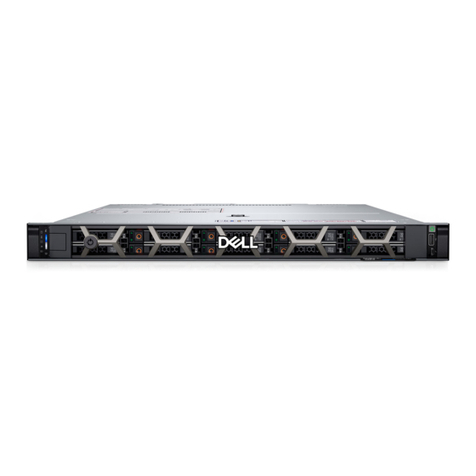
Verify that the ship kit includes both power cords and the host rail kit you will be
using to install the appliance in your rack. The rail kit contains the hardware, rails and
installation instructions for the rails specific to your appliance.
Installing the Appliance in the Rack:
•Follow the rail installation instructions included in the rail kit to install the appliance in your rack.
•After the appliance is installed in the rack, proceed to Section 6 on page 7 for rear panel connections.
5. Unpacking and Installing the Appliance in the Rack
NOTE: Use the hardware
supplied with your specific
rack if different from the
hardware supplied in this kit.