manuals.online logo
Brands
  1. Home
  2. •
  3. Brands
  4. •
  5. Magic Chef
  6. •
  7. Microwave Oven
  8. •
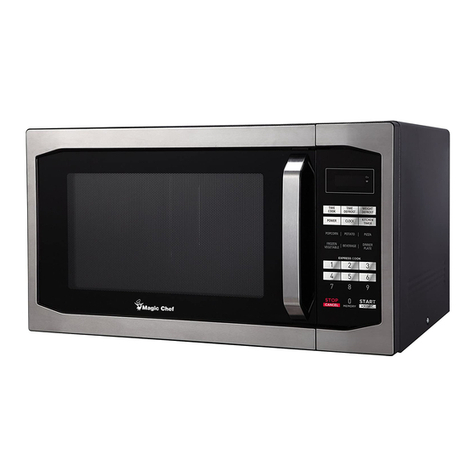
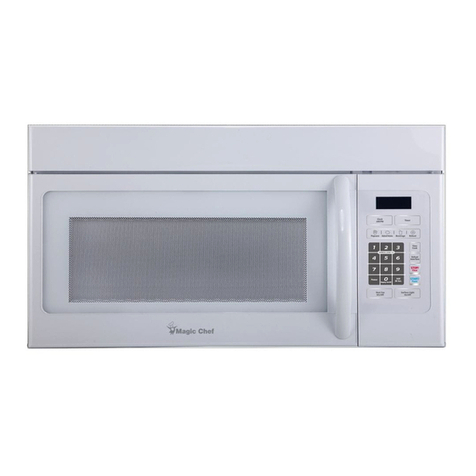
  9. Magic Chef VM12AB User manual

Magic Chef VM12AB User manual

This manual suits for next models

2

Other Magic Chef Microwave Oven manuals

Magic Chef O153 User manual

Magic Chef

Magic Chef O153 User manual

Magic Chef MCM1611ST User manual

Magic Chef

Magic Chef MCM1611ST User manual

Magic Chef MCD11E3B Use and care manual

Magic Chef

Magic Chef MCD11E3B Use and care manual

Magic Chef HMM990ST User manual

Magic Chef

Magic Chef HMM990ST User manual

Magic Chef B780W User manual

Magic Chef

Magic Chef B780W User manual

Magic Chef MM1611B2 User manual

Magic Chef

Magic Chef MM1611B2 User manual

Magic Chef MCM1310B User manual

Magic Chef

Magic Chef MCM1310B User manual

Magic Chef D760W Use and care manual

Magic Chef

Magic Chef D760W Use and care manual

Magic Chef MCO1610WF User manual

Magic Chef

Magic Chef MCO1610WF User manual

Magic Chef MCO2212AR Use and care manual

Magic Chef

Magic Chef MCO2212AR Use and care manual

Magic Chef MCO170W User manual

Magic Chef

Magic Chef MCO170W User manual

Magic Chef MCM7950SW User manual

Magic Chef

Magic Chef MCM7950SW User manual

Magic Chef DM15H 14B Installation guide

Magic Chef

Magic Chef DM15H 14B Installation guide

Magic Chef HMM1110ST User manual

Magic Chef

Magic Chef HMM1110ST User manual

Magic Chef MCCM910ST User manual

Magic Chef

Magic Chef MCCM910ST User manual

Magic Chef MCM1310SB User manual

Magic Chef

Magic Chef MCM1310SB User manual

Magic Chef HMM770W User manual

Magic Chef

Magic Chef HMM770W User manual

Magic Chef MCD1110WB Use and care manual

Magic Chef

Magic Chef MCD1110WB Use and care manual

Magic Chef MCD770RW Use and care manual

Magic Chef

Magic Chef MCD770RW Use and care manual

Magic Chef MCM991B User manual

Magic Chef

Magic Chef MCM991B User manual

Magic Chef MCD991R User manual

Magic Chef

Magic Chef MCD991R User manual

Magic Chef B770 Use and care manual

Magic Chef

Magic Chef B770 Use and care manual

Magic Chef MCD992R User manual

Magic Chef

Magic Chef MCD992R User manual

Magic Chef MCO160S User manual

Magic Chef

Magic Chef MCO160S User manual

Popular Microwave Oven manuals by other brands

Sharp R-390D manual

Sharp

Sharp R-390D manual

PROFILO MD1000 instruction manual

PROFILO

PROFILO MD1000 instruction manual

Candy MIC 201 EX User instructions

Candy

Candy MIC 201 EX User instructions

PITSOS GMW3101B user manual

PITSOS

PITSOS GMW3101B user manual

Sears 5648744780 Use & care manual

Sears

Sears 5648744780 Use & care manual

BOMANN CB 1272 Instruction manual & guarantee

BOMANN

BOMANN CB 1272 Instruction manual & guarantee

Conrad Electronic 2372935 operating instructions

Conrad Electronic

Conrad Electronic 2372935 operating instructions

GE Spacemaker JVM1440BH datasheet

GE

GE Spacemaker JVM1440BH datasheet

DAEWOO ELECTRONICS KOR-6L8K5S83 Operating instructions & cook book

DAEWOO ELECTRONICS

DAEWOO ELECTRONICS KOR-6L8K5S83 Operating instructions & cook book

DAEWOO ELECTRONICS KOR-1N5A9S Operating instructions & cook book

DAEWOO ELECTRONICS

DAEWOO ELECTRONICS KOR-1N5A9S Operating instructions & cook book

Daewoo KQG-6617G Operating instructions & cook book

Daewoo

Daewoo KQG-6617G Operating instructions & cook book

Samsung M1779 Owner's instructions

Samsung

Samsung M1779 Owner's instructions

GE JES1143 Use and care & cooking guide

GE

GE JES1143 Use and care & cooking guide

Miele H6200BM(TB) Operating and installation instructions

Miele

Miele H6200BM(TB) Operating and installation instructions

Jocel JMO011480 instruction manual

Jocel

Jocel JMO011480 instruction manual

Sharp R-752M Operation manual with cookbook

Sharp

Sharp R-752M Operation manual with cookbook

Electrolux EVL8E00X user manual

Electrolux

Electrolux EVL8E00X user manual

STOVES Q900GRF DO User, installation & servicing instructions

STOVES

STOVES Q900GRF DO User, installation & servicing instructions

manuals.online logo
manuals.online logoBrands
  • About & Mission
  • Contact us
  • Privacy Policy
  • Terms and Conditions

Copyright 2025 Manuals.Online. All Rights Reserved.

INDEX
Answers to Questions..................................... 18 Safety
Grounding ...................................................... 6
Careand Cleaning .................................... 19-21 Important Safety Instructfons
Replacing Light Bulbs ............................ 20-21 and Registration ......................................... 2-5
Interference Note ........................................... 6
OvenOperation Precautions to Avoid
Adding or Subtracting Cook Time................ 12 Possible Exposure
Auto Cook .................................................... 12 to Excessive Microwave Energy .................... 3
AutoDefrost ........................................... 14-16
Cook Time .................................................... 10 Service Information ................................... 22-23
Keep Warm .................................................. 13
Metal Rack ................................................... 13 Warranty ......................................................... 24
Memories ..................................................... 11
Oven Controls ............................................ 7-9
Popcorn ........................................................ 12
Power ........................................................... 11
Quick Minute................................................ 13
Reheat Cooking Guide................................ 17
Timeof DayClock ........................................ 10
Timer ............................................................ 10
YOU MUSTREGISTER YOUR MICROWAVE OVEN
The Federal Government requires that records Include the Model Number and Serial Number
befiledonthelocationofall microwave ovens, in all correspondence. Thesenumbers are
A registration card, packed inside this oven, is found on the rating plate which is located on
used totrack thelocation of our microwavethe oven front framebehind thedoor. Write the
ovens. Please fill in the registration card now information here for handy reference.
and mail to us.If you move, register your new
address by writing to us at the address below.
If you bought this microwaveoven from a DATE PURCHASED
previous owner, please establish your owner-
ship by writing to:
Maytag Customer Service MODEL NUMBER
Warranty Administration
P.O.Box 4970
Cleveland, TN 37320-4970 SERIAL NUMBER
PRECAUTIONS TO AVOID POSSI-
BLE EXPOSURE TO EXCESSIVE
MICROWAVE ENERGY
a. Do notattempt to operate this oven with damage tothe: (1) door (bent), (2) hinges
the door open since open door opera- and latches (broken or loosened), (3)
tion can result in harmful exposure to door seals and sealing surfaces.
microwave energy. It is important notto
defeat or tamper with the safety inter- d. The oven should not be adjusted or re-
locks,paired by anyone except properly quali-
fied service personnel.
b.Do not place any object between the
ovenfrontfaceandthedoororallowsoil e. Do not operate the microwave oven if
or cleaner residueto accumulate on the door window is broken. The micro-
sealing surfaces, wave oven should be checked for
microwave leakage by qualified service
c. Do not operate the oven if it isdamaged, personnel after a repair is made.
It is particularly important that the oven
door close properly and that there is no f. Do not operate the microwave oven
with the outercabinet removed.
IMPORTANT SAFETY INSTRUCTIONS
When using electrical appliances, basic safety 5.Some products such as whole eggs and
precautions should be followed, including the sealed containers - for example, closed
following: glass jars - may explode and should not
be heated in this oven. In rare instances,
WARNING- To reduce the risk of burns, elec- poached eggs have been known to ex-
tric shock, fire, injury to persons orexposure to plode. Cover poached eggs and allow a
excessivemicrowave energy: standing time of one minute before cutting
into them.
1. Read all instructions before using theappli- 6. Foods with unbroken outer"skin" such as
ance.potatoes, sausages, tomatoes, apples,
2. Read and follow the specific "PRECAU- chicken livers and other giblets, and egg
TIONSTOAVOIDPOSSIBLEEXPOSURE yolks (see previous caution) should be
TO EXCESSIVE MICROWAVE ENERGY" pierced to allow steam to escape during
found above, cooking."Boilable" cooking pouches and
3.This appliance must be grounded. Con- tightly closed plastic bags should be slit,
nect only to properly grounded outlet. See pierced, or vented.
"GROUNDING INSTRUCTIONS" on Page 7.Do not heat, storeor use flammable ma-
6. terials in or near theoven. Fumes can
4.Install or locate this appliance in accor- createa fire hazard or explosion.
dance with the provided installation instruc-
tions.
3
IMPORTANT SAFETY INSTRUCTIONS
8. Use this appliance onlyfor its intended use b.Remove wiretwist-ties from paperor
as described in thismanual. Do not use plastic bags beforeplacing baginoven.
corrosive chemicals or vapors inthis appli- c. If materials inside the oven should ig-
ance. This type of ovenis specifically nite, keep oven door closed, turn oven
designed to heat, cook,or defrost food.It off, and disconnect the power cord, or
isnot designed for industrial, laboratory, or shut off power at thefuse or circuit
commercial use. It is intended for home breaker panel.
use only.Do not use for drying clothes, d.Do not use theoven for storage.
linens, newspaper, orsimilarnon-foodtype e. Do not pop popcorn except in a micro-
items, wave approved popcorn popperorin a
9.As with any appliance,close supervision is commercial package recommended es-
necessary when used by children, pecially for microwave ovens.
10.Do not operate this appliance if it has a 19.Do not operate the oven when empty.
damaged cord or plug, if it is not working 20. Do not lean on theoven door.Thedoor is
properly, or if it has been damaged or designed to close tightly and seal properly
dropped, for safe operation. Leaning on thedoor
11.This appliance should be serviced only by may warp or break thehinges.
qualified servicepersonnel. Contact near- 21.To avoid exposureto dangerous high volt-
estauthofizedservicefacilityforexamina- age, DO NOT REMOVE THE OUTER
tion, repair or adjustment.CASE.
12.Do not cover or block any openings on the 22. Do not store metal oven rack in oven.Use
appliance, therack only whencooking morethanone
13.Do not use outdoors.Do not use this prod- dish.Do not use microwavebrowning dish
uct nearwater-forexample, near a kitchen on the shelf; the shelf could overheat.
sink, in a wet basement, or near a swim- 23.Liquids heated in certain shaped contain-
ming pool, and the like. ers (especially cylindrical-shaped contain-
14.Do not immerse cord or plug in water, ers) may become overheated, splash out
15.Keepcord away from heated surfaces, with a _oudnoise. For best results, stir the
16.Do not let cord hang over edge of table or liquid severaltimes beforeheating.AI-
counter, ways stir liquids several times between
17.When cleaning surfaces of door and oven rehearings.
that come together on closing the door, 24. Read and follow specific microwave oven
use only mild, non-abrasive soaps or de- preparation instructions on food packages
tergents applied with a sponge or soft orcontainers(especiallybabyfood). Above
cloth, all, this is a cooking appliance designed to
18.To reducethe risk of firein the oven cavity: preparefood.
a. Do not overcook food. Carefully attend 25. Use only cooking utensilsand accessories
appliance if paper, plastic, or other corn- made for use in the microwave and specifi-
bustible materials are placed inside the cally described in this manual or cook-
oven to facilitatecooking. Avoid using book.
recycled paper products. Do not use26. Microwaveoven manufacturersdonot rec-
newspaperorotherprintedpaperinthe ommend deep fat frying or frying in a
oven. Such products sometimes con- microwave oven.Hot oil can damage oven
tain impurities which could ignite,partsand utensilsand even result in skin
burns.
4

IMPORTANT SAFETY INSTRUCTIONS
27.Plastic wrap: Use only thosetypes de-usingmetalinmicrowaveoven, keepmetal
signed for microwave oven use and avoid (other than metal shelf) at least 1-inch
forming an air-tight seal.Fold backa small away from sides of oven.
corner or cut a small sTitto allow steam to 31. Do not defrost frozen beverages in narrow
escape, necked bottles.
28.Stay near the appliancewhile it is in use 32.Cookware may become hot because of
and check cooking progress frequently,heat transferredfromthe heated food.Pot
Leaving theappliance unattended may holdersmaybeneededtohandlethecook-
result in overcooked food and possibly a ware.
fire in your oven. 33. Do not try to melt paraffin wax in the oven.
29. Do not store the temperature probe in the Paraffin wax will not melt in a microwave
oven.oven because it allows microwaves to pass
30.Use metal only as directed in the cook-through it.
book.TV dinners may be microwaved in 34.This appliance is suitable for use above
foil trays less than 3/4" deep; remove top both gas and electric cooking appliances
foil cover and return tray to box.When 36" or less.
SAVE THESE INSTRUCTIONS
SAFETY PRECAUTIONS FOR EXHAUST FAN
In addition to starting by touching the fan 2. DO NOT allow grease and soil to build up
switch, the exhaust fan may start automati- in the exhaust filter. Exhaust fan efficiency
cally if excessive temperatures occur around willdecrease and fire may result. Clean
the microwave oven. This may occur with high frequently following the filter cleaning in-
temperature frying or longterm cooking onthe structions.
cooktop surface below the hood or during 3.DO NOT flame foods when operating the
broiling or the pyrolytic (self) cleaning of a exhaust fan.The fan, if operating, may
range, spread the flame and cause personal in-
This automatic exhaust fan feature is de- jury or property damage.
signedtopreventdamagefromoverheatingof 4. In the event of a grease fire, smother
the oven parts. The exhaust fan may stay on flaming pan on surface unit by covering
as long as 30 minutes to cool the oven.The pan completely with welt-fitting lid.
cooling time will depend on removarof the 5. Use care when cleaning the vent hood
heat source.Pushing the fan switch will not filter. Corrosive cleaning agents, such as
turn the fan off. lye-based oven cleaners, may damage the
Because of the automatic exhaust fan lea- filter.
ture, thefollowing cautions must be observed: 6.Do not changethe cooktop or oven lights
without turning the power off at the main
1.DO NOT leave the area when using your power supply.Electrical shock may
cooktop at a high setting.Accidental fires result.
from boilover or spattering on the surface
unit could spread, especially if the exhaust
fan is operating.
5
INSTALLATION
GROUNDINGINSTRUCTIONS INTERFERENCE NOTE
This appliancemust begrounded. In the Microwaveovens generate radiofrequency
event of an electricalshortcircuit,grounding energy during operation, and ifnot installed
reducestheriskofelectricshockbyproviding properlymay causeinterferenceto radio and
anescape wirefor the electriccurrent. This televisionreception.You candetermineifthis
applianceis equipped with a corclhaving a unitiscausinginterferencebyturning itonand
groundingwirewitha grounding plug. Theoffwhilethe interference isoccurring. Ifinter-
plug must beplugged into an outlet that is ference occurs it may be corrected by one or
properlyinstalledand grounded, more ofthe followingmeasures:
WARNING- Improper use of thegrounding • cleandoor andsealing surfaces ofthe
plug can result in a risk of electric shock, oven;
Consult a qualified electrician or serviceman • reorient the receiving antenna;
if thegrounding instructions are not com-
pletely understood, or if doubt exists as to • relocate the oven with respect to the re-
whether the appliance is property grounded ceiver; and/or
and either: • plug the oven intoa different outlet so that
1) If it is absolutely necessary to use an it and the receiver are on different circuits.
extension cord, use only a 3-wire exten-
sion cord that has a 3-blade grounding If theinterference persists, you may want to
plug, and a 3 slot receptacle that will consult an experienced radio/television tech-
accept the plug on the appliance. The nician for additional suggestions.
marked rating of the extension cord shall
be equal to or greater than the electrical
rating of the appliance, or,
2) Do not use an extension cord. If the
power supply cord is too short, have a
qualified electrician or serviceman install
an outlet near the appliance.
6
OVEN OPERATION
Optional Two Position
Metal Rack. Accessory
Part#120011464 used
to give themicrowave
oven cooking flexibility.
Offers the user theop-
tionofcookingor reheat- Cooking Guide
ing morethan onefoodLabel
I Vent Grille
at a time. (See p. 13) i
\
\_ ! //
/
I/Display Window.
Rating Label i ,.,
_'_ __7
PI_ _ !,\ Touch Control Panel.
See moredetailed dia-
i_J_ gram of control panelJZl --i _ on page 8-9.)
, / '\ // _Filters
/ / _Cooktop Light (See p. 1g-20forcleaning
oor Latch.These _instructions.)
D
will slide intotheinter- Window. Toviewthe
lock.Ifdoorisnotcom-foods whilecooking.Safety Interlock System.
pletelyclosedtheoven No microwaves can Safety latches in the micro-
will not operate, pass through the wave oven door. Allovens
metalshieldinthiswin- haveat least two latches
dow. whichstop theoperation of
the oven when the door is
opened.
NOTE FOR NONVENTED INSTALLATION ONLY: Use Charcoal Filter Kit ( Part # 57001078)available
fromyour MaytagCustomer Service Parts Distributor,
7
TOUCH CONTROL PANEL
Display Window
=_= ,_.pH.=.-H --Number Pads
¢=ek "4_rm eft"
Function Pads iit _lEllt til]_Jl_LIIIII
____O.=k =°P --Clock andTimer
I_ll;ll_lEI] I=1_ I=1111 •
I...................... ' Pads
tart and Stop/
Clear Pads
On _
. ,oldL' htPd
Vent Fan Pads C o op g a s
DISPLAY WINDOW START PAD
TheDisplay includes a clock and indicators to tell Useto start theoven.If you open the door after
you time of day, cooking time settings and cooking the oven begins to cook, retouch the Start Pad.
functions selected.(Seep. 10)
FUNCTION PADSSTOP/CLEAR PAD
Cook Time Use to erase anincorrect command, cancel a
Use for timecooking.(See p.10) program during cooking, or clear the Display.
Power
Use to set or check power level setting. (See p. VENT FAN PADS
11) High, Low, Off
Quick MinuteUse to set thefan speed.
Use to quickly add 1 minuteat 100% cooking
power. (See p. 13) COOKTOP LIGHT PADS
Auto Cook On, Night, Off
Use to cook commonly prepared items with Usefor cooktop light, night light, or turn off the
preprogrammed times and power levels. (See lights.
Cooking Guide Label and p. 12)
Keep Warm AUDIBLE SIGNALS
Audiblesignals areavailableto guide youwhen
Useto keep hot, cooked foodssafely warm for
up to 99 min. 99 sec. (See p. 13) setting andusing your oven:
Auto Defrost • A programming tone will sound each time
Use to defrost food by weight. (See p. 14-16) you touch a pad.
Popcorn
Useforprepackagedmicrowavepopcornweigh-•One tone signals the end ofa Timer count-
ing 1.75 - 3.5 oz.(Seep. 12) down.
NUMBER PADS •Four tones signal the end ofa cooking cycle.
Touch number pads toenter cooking time, tem-
perature, power level, quantities, weights or food •Two tones sound once every minute after an
categories. End-of-Cooking signal as a reminder if food
has not been removed from theoven.
CLOCK PAD
Use to set the correct time of day. (See p. 10) • Three tones sound if you havemade an
incorrect entry.
TIMER PADS
Timer
Use to set the minutetimer, (See p.10)
Stop Timer
Use to cancel the minute timer, (Seep. 10)
9
TIME OF DAY CLOCK COOK TIME PAD
•After plugging in the oven or after a power Consultyour cookbookforthe approximatecook-
outage, theDisplay will flash "888:88".Set ing time for eachrecipe. Start with the shortest
clock using theinstructions below, recommended time and add more as needed.
Check the food as it cooks. The oven door can be
•Time of Day clock isa 12 hour clock,opened any time during operation; the oven will
automatically stop cooking and maintain the time
• You can only settheclockif the ovenis not setting forup to 1 minute until thedoor is closed
cooking food. Ifset,the time of day will always and the Start Pad is touched. Remember, the
bedisplayed when no other cooking functioncookbook is only a guide. Starting temperatures
is being used.and density of thefood can vary the cooking time
required.
BASIC INSTRUCTIONS -, .
I. Touch Clock Pad. Indicatorwords "ENTER IBASIC INSTRUCTIONS
CLOCK TIME"will appearin thedisplay.I1.Touch Cook Time Pad.
2.Set the time ofday bytouching the appropri- 2. Entercookingtime.*
atenumbers..3. Touch the Start Pad.
3. Touch Clock Pad or Start Pad. *Note: Fullpower cooking is automatic. Ifyou
TIMER wish to use a different power level follow the
instructionson p.11.
The Timer feature of this ovenhasmany uses.
Useit to timea tong distancephonecatl, standingExample= To heat a cup ofcoffeefor I 1/2
times aftermicrowavecooking, or mixing or beat- minutes, touch theCook Time Pad. Then, touch
ing timeswhenpreparing recipes. TheTimercan thenumbers 1, 3, 0. Then touchtheStart Pad.
beprogrammed upto 99 minutesand 99 seconds. The time you select will appear in the Display
Window. The oven blower will comeonand the
BASIC INSTRUCTIONS ovenwill begincooking. Time count downwill
1. Touch theTimer Pad. Indicatorwords "enterbegin.When thetimeis up,themicrowaveoven
Timer Time"will appear in the display,willbeep four times; "End"appears inthedisplay;
12.Enter desiredtime. and ovenwill stopcooking automatically. Timeof
[3.Push Start Pad or Timer Set Pad. day reappears in thedisplay when thedoor is
openedorStop/Clear Pad is touched.
• One tone signals the endofa timing opera-
tion.
•To stop timer once it has started, touch
StopTimer Pad.
•Thetimer can be setwhilecooking. Thetime
inthedisplayisforwhat iscooking inthe oven.
10
POWER PAD TO CHECK OR CHANGE POWER
WHILE COOKING
As with conventional cooking methods, your mi-
crowave oven givesyou theflexibilityof choosing To Check Power Setting:
the cooking speed (power level) you needfor 1. Touch Power Pad.
each type of food.
To Change Power Setting
BASIC INSTRUCTIONS 1. Touch Power Pad.
1. TouchCook Time Pad.2. Enter new powersetting by touching Number
2,Entercooking time.Pad. To return to fullpower, touch Power Pad
3. Touch the Power Pad. twice.
4.Enter power level.*3. Touch Start Pad.
5, Touch the Start Pad.
*See Power LevelGuide.MEMORIES
Example: Iftherecipecalls forcooking with50%
powerfor 3 minutes, you would touch:Cook Time The twoMemories of thismicrowaveovenletyou
Pad;thenthenumberpads 3,0,0; then Power
Pad; then 5 ("P-50"willappear in theDisplay program two sequential operations suchas
Window); then Start Pad. defrosting andcooking; cookingand standing;
and cooking using two different power levels,
Power Guide* The Memory featureautomatically changes power
settings and cooking time.Since two short audible
Power Power beeps willsound between Memories,it is also
Set % Suggested Uses possible todivide cooking times. Then, the signal
HI 100 Forvegetables;beverages; quick would serve asa reminder to add foods (separate
reheating(observecloselytoavoid dishesor addingredients)and toobtainprecisely
overcooking); generallyforquick- the end resultsdesired.
estcooking.
9 90 Sauteing vegetables.
8 80 Forwholepoultry,cheese andegg BASIC INSTRUCTIONS
dishes; cooking certain seafood 1. Touch Cook Time Pad,
(clams,oystersor scallops).2.Enter cooking time.
7 70Forcakes, quick breads andmuf- 3.Touch Power Pad.*
fins,4.Enter power level.
6 60 Reheatingleftoversorforcooking 5. Touch Cook Time Pad, "Mere" appears
recipesusingprecookedorcannedin Display.
ingredients. 6.Enter cooking time.
5 50Reheating largeramountsofleft- 7. Touch Power Pad.**
overs;cookingroasts. 8. Enter power level.
4 40Stewing or developing flavor in9. Touch Start Pad.
main dishes,soups or sauces;
cookingriceor pasta(after water Ifyou wishto cook onHI, skip steps 3 & 4,
is boiling)reheatingpastries. ** If you wishtocook onHI, skip steps 7 & 8.
3 30Defrosting;tenderizing less ten- Note: Two beeps signal a change fromstage 1
dercutsofmeatin liquid;cooking to stage 2.Duringthe second stage, a "2"will
driedbeans,lentilsor peas inwa° appear inthe Display. Fourbeeps signalthe end
ter,of both stages.
2 20 Softening cheese, butteror choco-
late. To Cancel Memories
1 10 Keeping food(s) warm or taking 1. Touch Stop/Clear Pad.
chill off refrigeratedfoods before
serving.Note: DO NOT touch theStop/Clear Pad unless
* Guidegivespercentage of magnetron "on" time atall memoriesare to becancelled.
different power levels and suggested uses. 11