Magnum LD1000 Guide
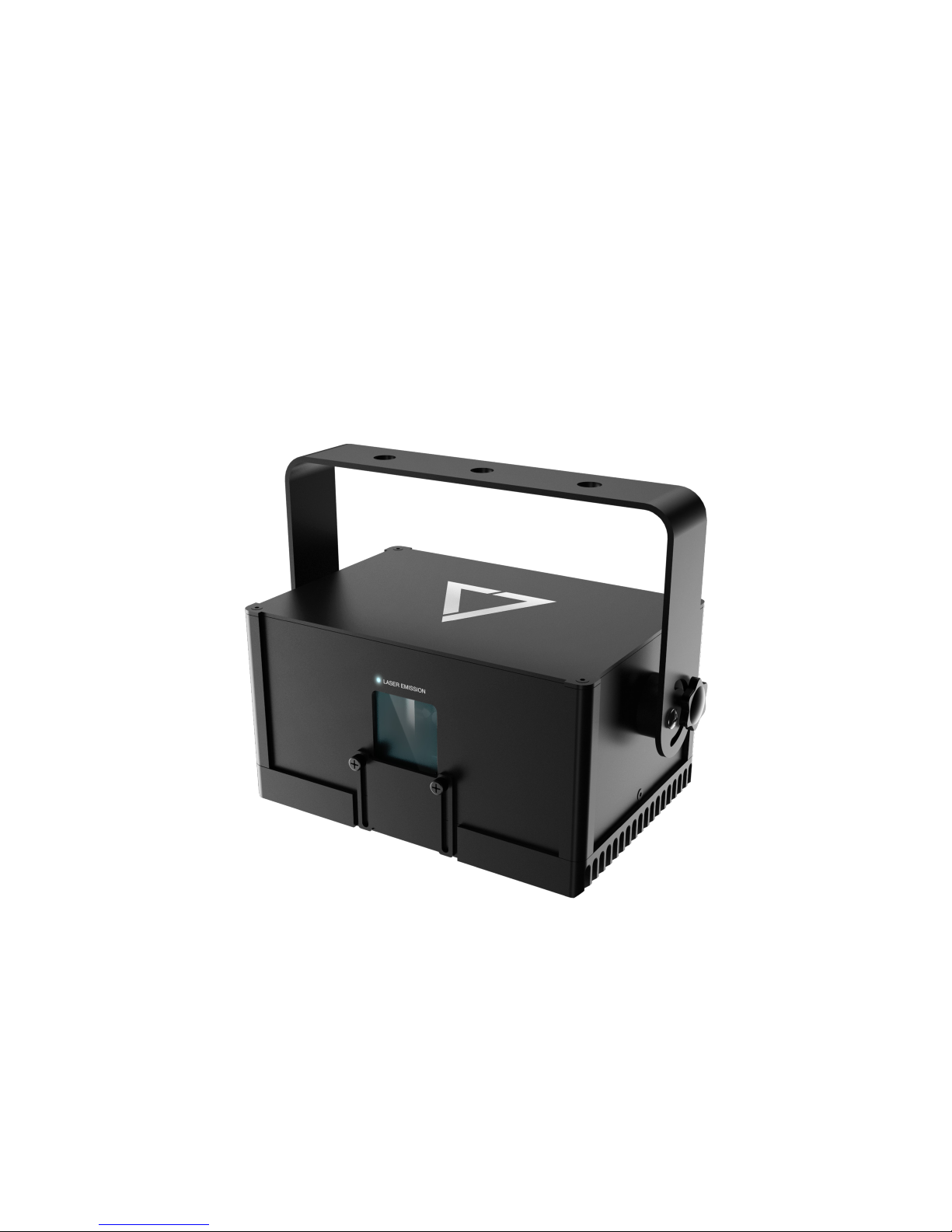
LD1000
Home Laser Show System
Owner’s Manual and User Guide
Magnum Lighting strongly recommends keeping this manual with
your new laser projector at all times as a eld reference.
If you have any questions about any of the content of this manual or the safe operation of your
new laser projector, please do not hesitate to contact Magnum Lighting directly.
WARNING!
LASER RADIATION
AVOID EYE OR SKIN EXPOSURE TO
DIRECT OR SCATTERED RADIATION
CLASS 4 LASER PRODUCT
BEFORE USING THIS PRODUCT, READ AND
FOLLOW ALL NOTICES AND SAFETY
INFORMATION THROUGHOUT THIS GUIDE.
AN FDA VARIANCE IS REQUIRED PRIOR TO OPERATION
OF ANY CLASS 4 LASER PROJECTOR.
Some US states require additional licensing and/or registration. Many locations require
operation only under the supervision of a trained Laser Safety Ocer (LSO).
US owners are permitted under U.S. federal and state laws to own and use
a laser projector in the privacy of their own home.
www.magnumlighting.com
12/F, San Toi Building,137-139 Connaught Road Central, Hong Kong
Phone: 18779527
Email: [email protected]
“Caution – use of controls or adjustments or performance of procedures other
than those specied herein may result in hazardous radiation exposure.”
Visuals play a huge role in the sensory experience of music. The synergy of lasers, lights, screens
and strobes are why we go to clubs and festivals. The LD1000 features over 100 built-in visualizers
and a library of music laser shows. Bring the party home every night with LD1000.
The LD1000 combines a laser projector, music visualizer and laser show software to produce
amazing laser shows anywhere. Just connect a Mac, PC, or Android device and that’s it. LaserOS is
open source, giving everyone a chance to create.
The LD1000 is a 1W RGB laser projector with AT20 galvos. It’s pure-diode lasers can create up to
16.8 million unique color combinations.
Introduction
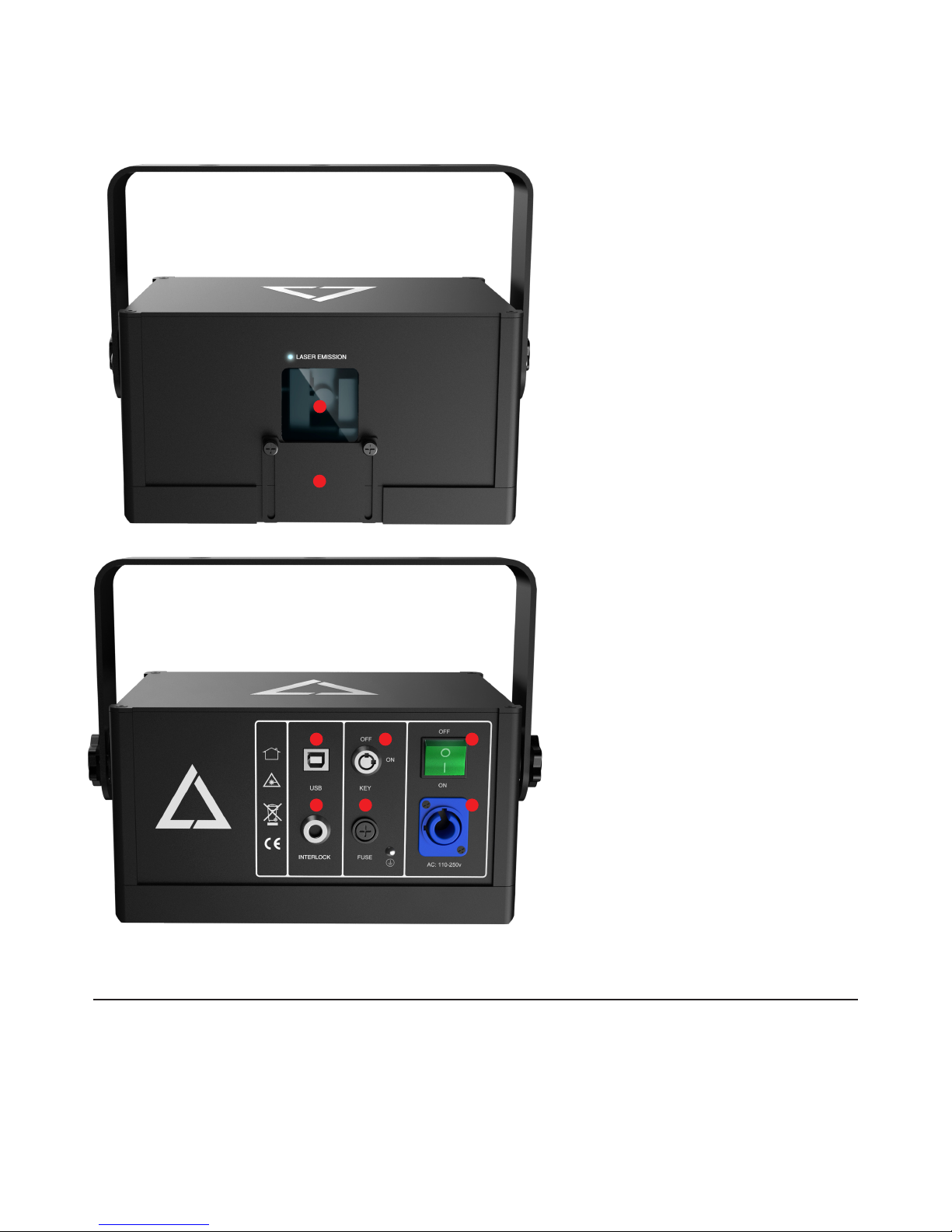
LD1000 Parts Diagram
Technical Specications
LASER PRODUCT CLASS: Class 4 Laser
RED: 637nm 150mw
GREEN: 520nm 100mw
BLUE: 450nm <700mw
EMISSION TYPE: CW
BEAM DIAMETER: 4mm
BEAM DIVERGENCE: 1.0mRad
1
3
6 7
4
8
5
1. Laser Aperture - Laser light is
emitted from this opening.
2. Beam Block - Prevents laser
emission and also restricts the laser
scan from going into an audience.
3. USB Port - Provides connection
and control of the LD1000 via a PC/
Mac/Android device. The laser will
turn o if it is disconnected.
4. Key Control - Prevents accidental
operation. Resetting of the key
control will be required if there is
a power loss or remote interlock
cycling.
5. Power Switch - Toggles the power
ON or OFF.
6. Remote Interlock Connector-
Provides a safety shut-o for
terminating the laser emission via
a jumper connection. A jumper is
included with the product.
7. Fuse - Provides overcurrent
protection.
8. Mains Input - Power connection for
the laser via a wall outlet.
DAC / Software
MAC: OSX 10.6+
PC: Windows 7+, 1GHz, 2GB of RAM
ANDROID: Android 4.4+
INPUT MODES: Line-in (25ms latency)
or Microphone (40ms latency)
LaserOS: Features an ILDA player with
a selection of over 100 visualizers and
various apps included.
2
SCAN ANGLE (MECHANICAL): +/- 20 degrees
SCANNER: 20kpps
REQUIRED EYEWEAR O.D.: 3.0+ (450nm - 637nm)
NOHD: 447 meters
SIZE: 20(L) x 15(W) x 10(H) cm
NET WEIGHT: 2kg
VOLTAGE: 100-240V

Product Labeling and Placement
1. Laser Aperture
2. Hazard Warning Symbol
3. Explanatory
4. Manufacturer’s Identication
5. Certication
Label Placement
1
2 3
4
5

LD1000 Quick Start Guide
What you need:
- LD1000 home laser system
- Mac OS X 10.6, Windows PC or Android device and the LaserOS app.
Download link: http://www.magnumlighting.com/LD1000
- USB Micro cable.
For more info, visit our community sub at “reddit.com/r/LD1000”.
LD1000 Setup:
1. Adjust the beam block with the unit powered o, make sure the key is not connected, secure
projector aiming, then make adjustments to the beam block.
Note: You may need to repeatedly power the laser back on to check for the proper beam block
setting until it prevents any scanning into audience areas. All beams must be maintained at least
3 Meters (10 feet) above the oor level where people may be present.
2. Connect the power cable, keys and turn the LD1000 laser projector on.
3. Connect the LD1000 to your Mac, PC or Android device via USB cable.

4. Start the LaserOS app.
You may download the app from here: http://www.magnumlighting.com/LD1000
If you get an error with OSX security preferences, locate the app in Finder, right-click on the app
le and choose “Open” to allow the app to run.
5. The LaserOS app will detect if the LD1000 is connected. It can then be turned on or o from the
power menu in the top left corner of the app.
Note: While securing projector aiming, turn o the unit and remove the key. Check for the proper
beam block setting. Repeat until beam block prevents any scanning into audience areas.

5. From the main menu, you can select from 14 dierent apps, 9 modes and various eects.
Audio, power level, color/hue and rotation settings can also be adjusted from here.
6. If the colors don’t look as good as you like, click on the settings icon in the top left corner and
select “Color” settings. You can adjust the color balance to your liking.
7. Use the “Audio” settings to select and monitor audio input sources. The “sound level monitor”
bar should animate when music is playing.
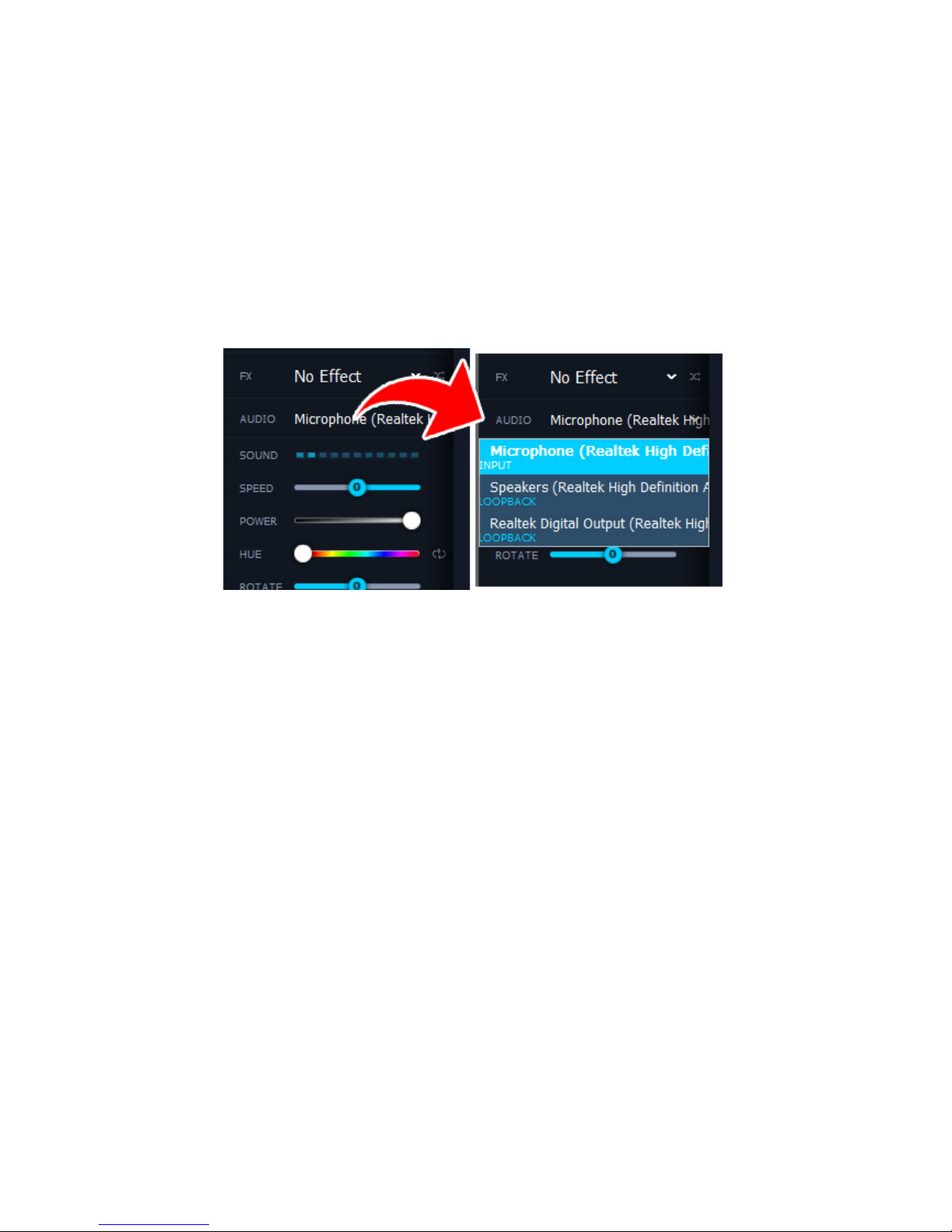
LD1000 Visualizer App Sound Input
The LaserOS app can listen to music from a standard Mac, Windows PC or Android audio device,
or use the Sound Siphon capture program. For best music reaction, it is recommended to use
Sound Siphon for music from your computer, or a Line-In input for music coming from an
external stereo system.
The Sound Siphon free demo can be downloaded from staticz.com and both the free and paid
versions are fully supported. To connect to Sound Siphon input, select the “Sound Siphon In”
device in the LaserOS app’s audio settings.

General Safety and Maintenance Guidelines
1. No scheduled maintenance necessary to keep the product in compliance. Simply keep
the laser free from dust or other contaminates that could cloud or dirty the laser aperture.
Cleaning the aperture window is the ONLY maintenance allowed and must be performed with
the unit powered down and locked o. Servicing by the user is not allowed. Any attempt to
open or modify the unit is prohibited. Instant permanent blindness may result in case of an
accidental eye exposure to the beam.
2. Do not expose the human eye directly or indirectly to focused or scattered laser radiation as
loss of vision, complete blindness, and/or other serious injuries may result. Lasers are capable
of starting res at great distances. Do not use around ammable materials.*
3. Do not take apart, modify or dismantle the laser or operate it under abnormal current load
(doing so will void the warranty). Strictly no service is allowed. Servicing should only be
handled by authorized factory trained technicians.
4. Always treat your laser with great care as some components are very fragile and must not be
subjected to shock.
5. Avoid turning the laser on and o frequently as it will reduce the diode life. This device
does not have a set duty cycle but we do not recommend using it for more than four hours
continuously.
6. From time to time, clean the laser aperture with a dry tissue that does not pill. You may also
use an alcohol prep wipe and compressed air to blow dust from the vents. BE SURE the alcohol
has dried fully before activating the laser This is the only user maintenance allowed and can
ONLY be performed with the unit powered down and locked o.
7. Always keep all factory supplied labels on the unit and visible. These are required for legal
compliance.
8. During use, be sure to leave an open space around all sides of the laser to facilitate airow
through the heatsink beneath the device.
9. Operate your laser only within the specied temperature range of 10°C (50°F) to 40°C (104°F).
Failure to do so may result in weak output, overly strong output which will diminish the life of
the unit and/or large output power swings. The LD1000 is thermostatically monitored so we
can determine if a failure was temperature related. Such failures are NOT covered under our
manufacturers warranty. Extreme cold and hot temperatures WILL cause a diode failure. Keep
this unit climate controlled at ALL times.
10. Always ensure that the main power supply is properly grounded before use. Do not use a 2
prong IEC cord with this projector. You should always hook up a laser system in such a way
that you have both a primary and backup means of instantly terminating laser emissions.
11. DO NOT USE the laser device if you suspect that it contains a defect of any kind either from
manufacturing, damage, general wear or has a broken manufacturer’s seal. Contact Magnum
Lighting to return the unit to the factory for service and/or maintenance immediately.
Table of contents