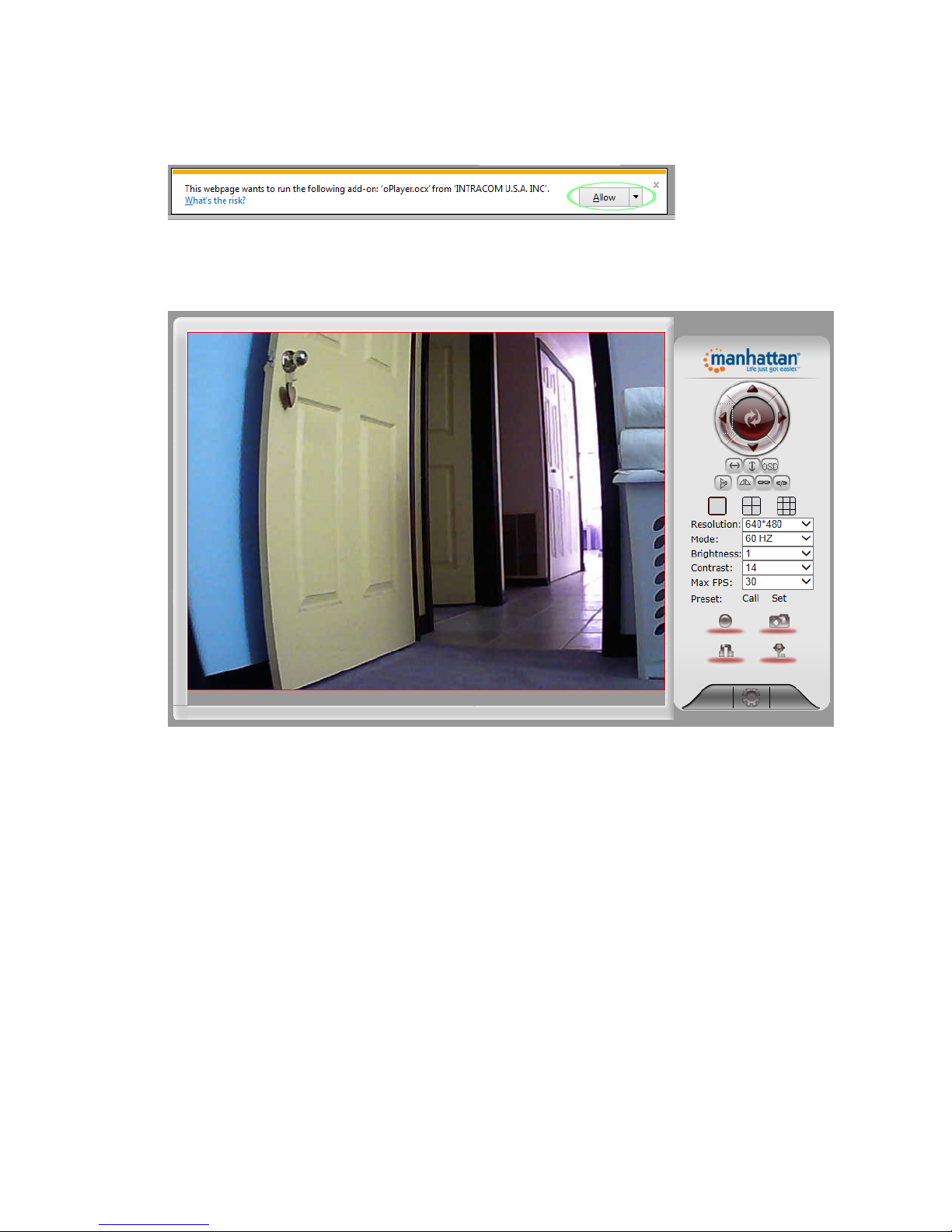
Live!Video!Camera!Page!
!
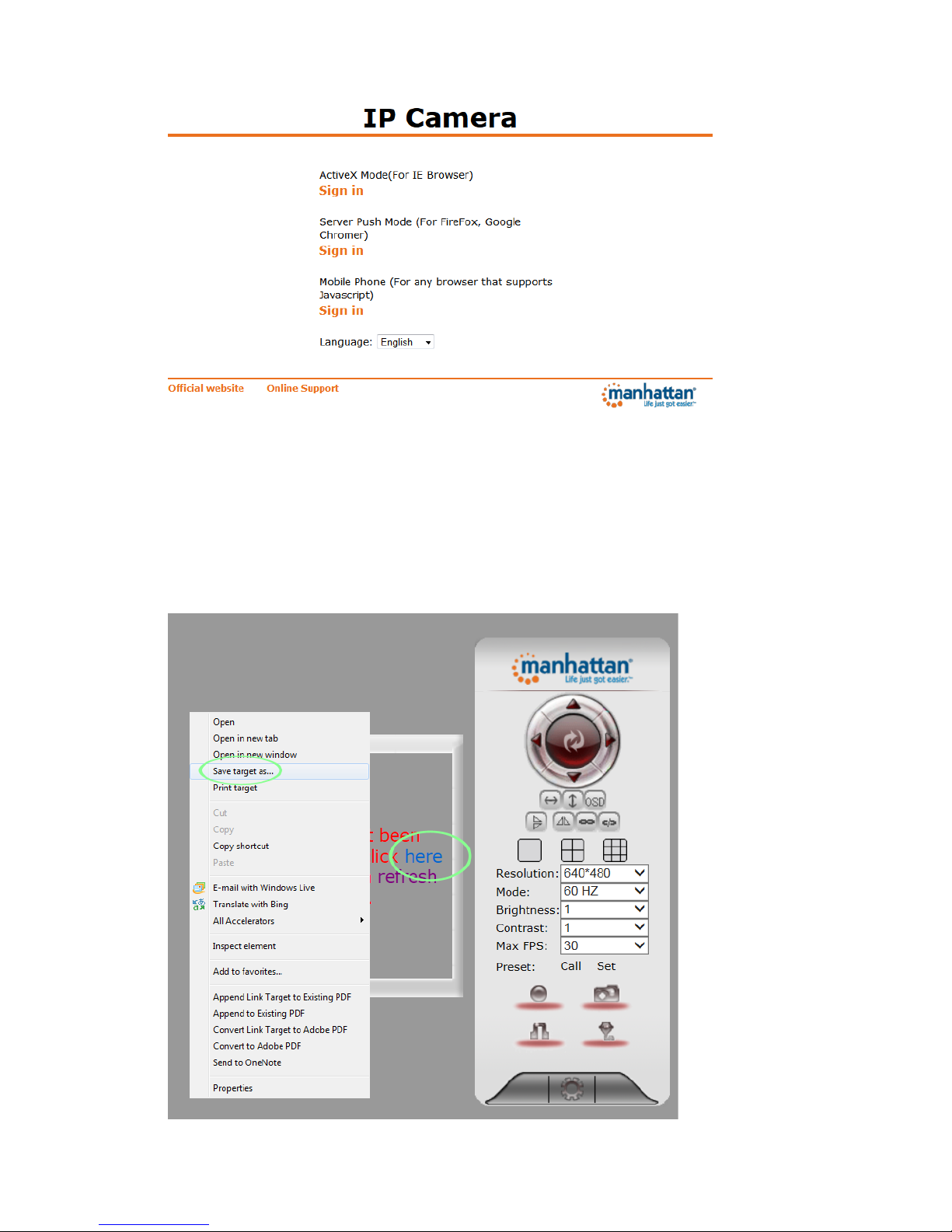
This!page!lets!you!view!and!control!the!camera.!(Some!options!only!work!with!MS!Internet!Explorer.)!
!
!
!
!
!
!
!
!
!
!
!
!
!
!
!
!
!
!
!
Use!the!directional!arrows!to!control!the!moment!of!the!camera.!Click!the!middle!!
area!to!return!the!camera!to!its!default!position.!
!
!
!
!!!!!!!!!!!!!!!!!!!Enable!or!disable!the!horizontal!or!vertical!patrol.!Once!enabled,!the!camera!will!!
!!!!!!!continuously!pan!from!left!to!right!and!back,!or!up!and!down.!
!
!!!!!If!you!have!more!than!one!Manhattan!EasyCam,!you!can!view!multiple!cameras!in!a!!
!!!!!!!!!!!!!!!!!!!!!!!!!!!!!!!!Web!browser.!For!that!to!work,!the!other!cameras!will!need!to!be!added!to!the!!!!
!!!!!!!!!!!!!!!!!!!!!!!!!!!!!!!!camera!configuration,!which!is!explained!in!the!next!section.!
!
You!can!store!(“Set”)!or!recall!(“Call”)!up!to!16!preset!positions!with!these!controls.!
!
!!!!!!!!!!!!!!!!!!!!!!!!!!!!!!!!With!these!controls!you!can!record!video!on!your!computer’s!hard!drive!(MSIE!only),!!
!!!!!!!!!!!!!!!!!!!!!!!!!!!!!!!!or!you!can!take!a!snapshot!and!either!view!it!or!save!it!anywhere!you!like.!
!
MSIE!only:!Listen!to!the!sound!the!camera!picks!up!or!enable!your!own!microphone!and!send!audio!to!
the!camera,!which!it!outputs!through!its!internal!speaker.!
!
!!!!!!!!!!!!!!!!!!!!!!!!!!!!!!!!Click!this!button!to!open!the!camera’s!Options!menu,!which!provides!access!to!many!!
!!!!!!!!!!!!!!!!!!!!!!!!!!!!!!!!of!the!camera’s!configuration!options.!!
!
!