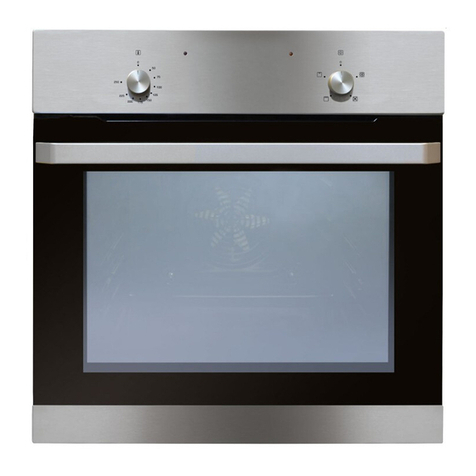
Matrix MS200 User guide

Single Oven
Manual for installation,
use and maintenance
MS200
parts +1 year labour
year
guarantee
www.matrixappliances.co.uk

2
Contents:
3 Important information
4 Important notes
5 Recommendations and steps before first use
7 Control panel and using your appliance
9 Cleaning and maintenance
10 Removing the appliance door
11 Replacing the appliance door
12 Removing the inner door glass
14 Changing the oven lamp
15 Installation
16 Mains electrical connection
18 Troubleshooting
19 Energy efficiency information doors)
31 Energy efficiency information

3
Important
The CDA Group Ltd cannot be held responsible for injuries or losses
caused by incorrect use or installation of this product. Please note
that CDA reserve the right to invalidate the guarantee supplied with
this product following incorrect installation or misuse of the appliance
or use in a commercial environment.
This appliance is not designed to be used by people (including
children) with reduced physical, sensorial or mental capacity, or
who lack experience or knowledge about it, unless they have had
supervision or instructions on how to use the appliance by someone
who is responsible for their safety.
Under no circumstances should any external covers be removed for
servicing or maintenance except by suitably qualified personnel.
Appliance information:
Please enter the details on the appliance rating plate below for
reference, to assist CDA Customer Care in the event of a fault
with your appliance and to register your appliance for guarantee
purposes.
Appliance Model
Serial Number
EU Declarations of Conformity
This appliance has been manufactured to the strictest standards
and complies with all applicable legislation, including Electrical safety
(LVD) 2014/35/EU and Electromagnetic interference (EMC) 2014/30/
EU.

4
Parts intended to come into contact with food conform to 1935/2004/
EC.
IMPORTANT INFORMATION FOR CORRECT DISPOSAL OF THE
PRODUCT IN ACCORDANCE WITH EU DIRECTIVE 2012/19/EU.
At the end of its working life, the product must be taken to a special
local authority waste collection centre or to a dealer providing
appliance recycling services.
Disposing of a household appliance separately avoids possible
negative consequences for the environment and health. It also
enables the constituent materials to be recovered, saving both
energy and resources. As a reminder of the need to dispose of
household appliances separately, the product is marked with a
crossed-out wheeled dustbin.
Important
• Read the user instructions carefully before using the
oven for the first time.
• Follow the instructions for first use of the oven.
• Clean the oven regularly.
• Remove spills as soon as they occur.
• Always use oven gloves when removing shelves and
trays from the oven.
• Do not allow children near the oven when in use.
• Do not allow fat or oils to build up on the oven shelves,
grill pan or oven base.
• Do not place any cooking utensils or plates directly on
the oven base.
• Always grill with the oven door closed.

5
• Do not grill food containing fat without using the grill pan
grid.
• Do not cover the grill pan grid or the oven walls with
aluminium foil.
• Do not use the oven tray for roasting.
• Do not perform maintenance or cleaning of the oven
without first switching off the electricity supply. If the
oven has recently been used, allow to cool.
• Do not place hot enamel parts in water. Leave them to
cool first.
• Do not allow vinegar, coffee, milk, saltwater, lemon or
tomato juice to remain in contact with enamel parts.
• Do not use abrasive cleaners or powders that will
scratch the surface of the enamel or stainless steel.
• Do not attempt to repair the internal workings of your
oven.
• Do not cover the oven floor with aluminium foil.
Before First Use
• The decorative metal finish of this appliance has been coated
with a preservative to protect it during transport and storage. This
should be removed during installation by using a non-abrasive
stainless steel cleaner, and dried thoroughly afterwards. Always
follow the instructions given with the cleaner being used.
• Before using the oven for the first time we recommend that you
clean the oven with soapy water, rinse carefully and then heat on
each of the programmes on page 5 at maximum temperature for
the specified time. An unpleasant smell may be produced, caused
by grease remaining on the oven elements from the production
process.

6
15 minutes of full grill
30 minutes of fan oven
Please note:
• This oven has been fitted with a cooling fan to achieve maximum
efficiency and to maintain low surface temperatures. The cooling
fan will switch on automatically when the oven switches on. It
is normal for the cooling fan to run for an hour or more after use,
depending on the duration, temperature and type of cooking
programme used.
• Do not switch off the oven if you have set a programme for
semi-automatic or automatic cooking as this will cancel the
programme.
• You will need to set the time on the electronic programmer
before the functions will begin to work (see page 9).
• You can change the tone of your programmer. To do so, touch
and hold the < and > sensors simulatenously. Then press
menu until ‘ton’ and a number appears on the display. Use
the < and > sensors to select a new tone. Touch nothing for
approximately 7 seconds and the tone should set.
• IMPORTANT: The programmer goes on standby (dims) after 7
secs of inactivity. It also does this between 22:00 and 06:00.
• You can change the brightness of your programmer’s
standby mode. To do so, touch and hold the < and > sensors
simulatenously. Then press menu until ‘bri’ and a number
appears on the display. Use the < and > sensors to select a
new level between 1 (dullest) and 9 (brightest). Touch nothing
for approximately 7 seconds and the level should set.

7
Control Panel
Control panel:
A. Temperature control knob D. Menu sensor
B. Timer display E. Timer ‘Right’ sensor
C. Timer ‘Left’ sensor F. Function control knob
Oven Controls and Use
Temperature knob
• To set the temperature, turn the temperature knob clockwise to the
required temperature.
• Once the oven has reached the required temperature, the
temperature indicator lamp on the control panel will switch off.
• The temperature indicator lamp will light up when the oven
elements are in operation.
Cooking function knob
To set the function, turn the function control knob to the required
function. Each of the oven functions uses different elements within the
oven to offer you the best choice of cooking every time.
Defrost
Using the fan only this oven function circulates the air
around the oven cavity, speeding up the natural defrost
process.
fig.1 1A
B
CDEF

8
Eco fan oven
This function provides the most ecomonical method for
cooking food. It is similar in operation to the fan oven
function below. However, cooking times may be longer.
Fan Oven
Using the circular element and the fan with a
temperature between 50°C and 250°C, this cooking
function blows the air into and around the oven cavity.
Heating in this manner helps to ensure uniform heat
circulation. Both cooking temperatures and cooking
times can be reduced for a more energy efficient
cooking process.
Full Grill
This function radiates the heat from the grill element and
the top element.
This fully temperature variable grill is ideal for grilling a
full family meal. It can be set between 50°C and 250°C
maximum.
Half Grill
This function radiates the heat from the grill element.
This fully temperature variable grill can be set between
50°C and 250°C maximum.
Lamp
Illuminates the lamp within the oven.

9
For each grill function please note:
• Always grill with the oven door closed.
• Put the grill pan as close to the grill as possible.
• Do not grill for more than 30 minutes at a time.
• Preheat the grill for up to five minutes with the oven door closed.
Internal shelf positions
The shelves and grill pan can be inserted into any one of five different
positions.
To refer to these they are numbered from “1” to “5”, with “5” nearest the
grill elements at the top of the oven. Printing on the inside of the oven
door frame is designed to remind you of this numbering.
Electronic programmer/timer
This oven’s electronic timer is equipped with touch control sensors.
Each registered touch of a sensor field is confirmed by a single beep.
It is advisable to keep the sensor fields clean at all times.
Setting the current time
After connection to the mains supply, or reconnection after a power
outage, the display will show ‘0.00’ and the display will flash.
• Press the < and > sensors simultaneously until the symbol
shows on the display and the dot below flashes. You have
approximately 7 seconds to set the time using the < and > sensors.
Wait approximately 7 seconds and the time should be set.
• The time can be amended at any time by following these steps.
Please note: The time must be set for the oven to work.

10
Setting the minute minder function
The minute minder function can be set at any time, regardless of the
state of activity of the oven. The minute minder can be set anywhere
from 1 minute to 23 hours and 59 minutes.
• Press the menu sensor until the display shows the flashing ( )
symbol.
• Set the desired duration of the minute minder using the timer left
and right sensors. After an approximately 7 second wait, the
minute minder will be set and the ( ) symbol will be solidly lit. The
minute minder duration will be shown on the timer display.
• Press and hold any of the three sensors in order to deactivate
the acoustic signal that sounds once the minute minder time has
elapsed. The timer will then revert to showing the current time.
Please note: The acoustic signal, if not switched off manually, will
deactivate automatically after approximately 7 minutes.
Cancelling the minute minder function
The minute minder function can be cancelled at any time.
• Press the menu sensor to select the minute minder settings. This is
indicated by the ( ) symbol .
• Press and hold the timer left and right sensors simultaneously.
Semi-automatic cooking
This function allows for a cooking time to be set. When the set time
elapses, the oven will switch the set function off and an acoustic
signal will sound to alert the user.
Table of contents
Other Matrix Oven manuals