3Model: MWR839 4
Model: MWR839
Accessories
1 AC Power Adaptor (Included) – 6V DC 400mA
Main Features
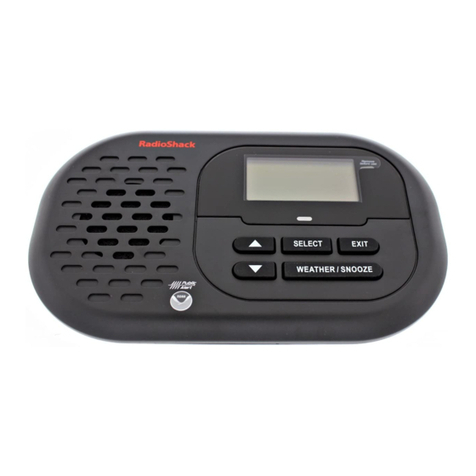
Your Motorola MWR839 Weather Alert Radio will automatically sound
an alert tone siren and ash the corresponding LED color indicator
when it receives a weather or civil emergency broadcast from NOAA
(Weather Band).
Allows you to store up to 25 different location codes into memory.
Each code identies a specic geographic area, typically a county as
dened by NOAA. Setting the SAME location helps reduce
unnecessary alerts outside of your geographic location.
Your Mot o rol a M W R839 Weath er Aler t Radi o h a s a g rap h ic
(128*64 Pixels) LCD module with excellent display quality and a
wide viewing angle. Weather and other alert information will scroll
across the LCD display. In addition, it has dimmer and contrast
control adjustment for viewing the display in the dark.
Your Motorola MWR839 Weather Alert Radio has a built-in external
alert output jack for other accessories (e.g. hearing / visually impaired,
ashing light, indoor / outdoor siren / alarm). You can also set the date,
weekday and time manually or automatically by RBDS CT set.
Description of Controls and Functions
1. LED Indicator Light – “Warning” (Red)
2. LED Indicator Light – “Watch” (Orange),
3. LED Indicator Light – “Advisory” (Yellow)
4. Snooze Button – Silences wake-up alarm for a period of 5 minutes.
5. Preset Stations – Saves 5 sets of your favorite radio stations.
6. Weather Band Button – Press to listen to NOAA weather broadcast.
7. CT Button – Press to synchronize a clock in the receiver.
8. Menu Button – Press and hold to enter programmable menus.
9. Band Button – Select “AM radio”, “FM radio” or “Aux In”.
10. Tune Down – Use to scroll down through menu options while programming.
11. ON/OFF Button
12. Select Button
13. Vol Up – Use to turn volume up and to scroll forward through menu
lists.
14. Vol Down – Use to turn volume down and to scroll back through
menu lists.
15. Tune Up – Use to scroll back through previous menu options while
programming.
16. Weather Alert ON/OFF – Switch to put the weather / hazard receiver
into alert mode.
17. LCD Display – Displays time and alert messages. Also used to
display different options when programming.
18. 21” Integrated Telescopic Antenna – Fully extend the antenna and
orient it for best reception.
19. Speaker
Introduction
Congratulations on your purchase of your Motorola MWR839
Weather Alert Radio. This product complies with the exacting
standards for CEA-2009A Public Alert devices, and will provide you with
the information you need for your greatest safety from the effects of
weather and other external hazards. It receives digitally encoded civil and
weather emergency alert messages and has a receiver that tunes to the
24/7 broadcasts issued by the National Weather Service. Your Motorola
MWR839 Weather Alert Radio receives all 7 NOAA Weather Channels
and uses Specic Area Message Encoding (SAME) to identify specic
areas, like a county or portion of a state.
How It Works
Your Motorola MWR839 Weather Alert Radio displays NOAA weather
alert text messages on the LCD screen. When an alert is received,
the alert sounds and the radio automatically switches to the voice
broadcast. Messages are identied by one of three color-coded LED
lights as follows: “Advisory” (yellow), “Watch” (orange) or “Warning”
(red). Emergency weather bulletins include alerts about: Tornados,
Hurricanes, Floods, Winter/Tropical/Dust Storm and other severe
weathers. Other emergencies include: Fire, Iceberg, Telephone
Outage, Dam Watch and other civil emergencies. You can store up to
25 locations for your radio to respond to. There are advanced optional
settings which you can use, such as “Defeat Siren” and “Add Alerts” to
customize the response of your radio.
Locations of Controls (TOP)