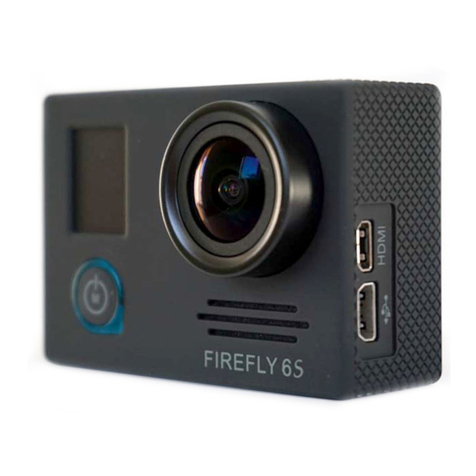
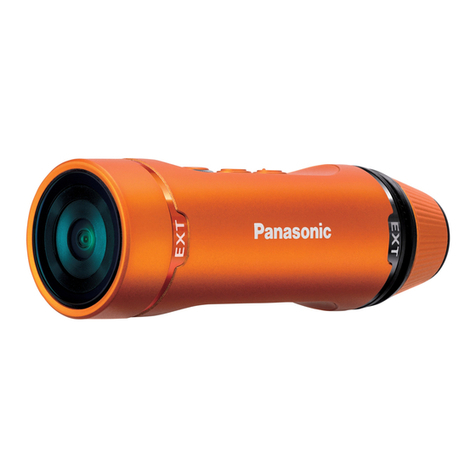
National Geographic 9683000LC6000 User manual

Instruction Manual
Art.No. 9683000LC6000
EN
MOTION
Action Camera
Full HD 1080p

2
DE Besuchen Sie unsere Website über den folgenden QR Code oder Weblink um weitere Infor-
mationen zu diesem Produkt oder die verfügbaren Übersetzungen dieser Anleitung zu finden.
EN Visit our website via the following QR Code or web link to find further information on this
product or the available translations of these instructions.
FR Si vous souhaitez obtenir plus d’informations concernant ce produit ou rechercher ce mode
d’emploi en d’autres langues, rendez-vous sur notre site Internet en utilisant le code QR ou le lien
correspondant.
NL Bezoek onze internetpagina via de volgende QR-code of weblink, voor meer informatie over
dit product of de beschikbare vertalingen van deze gebruiksaanwijzing.
IT Desidera ricevere informazioni esaustive su questo prodotto in una lingua specifica? Venga a
visitare il nostro sito Web al seguente link (codice QR Code) per conoscere le versioni disponibili.
ES Visite nuestra página de Internet utilizando el siguiente código QR o el enlace web, para
buscar más información sobre este producto o versiones disponibles del presente manual de
instrucciones en diferentes idiomas.
PT Aceda à nossa página na Internet através do seguinte código QR ou hiperligação, para procu-
rar outras informações sobre este produto ou os idiomas disponíveis deste manual de instruções.
DK Ønsker du en udførlig vejledning til dette produkt på et bestemt sprog? Så besøg vores
website ved hjælp af følgende link (QR-kode) for tilgængelige versioner.
PL Odwiedź naszą stronę internetową, korzystając z kodu QR lub za pośrednictwem linka siecio-
wego, aby poszukać więcej informacji na temat tego produktu lub dostępnych wersji językowych
niniejszej instrukcji obsługi.
RU Посетите нашу страницу в сети Интернет, используя QR-код или Web-ссылку, для
получения дополнительной информации по данному устройству или для поиска доступных
языковых версий данного руководства по эксплуатации.
TR Bu ürünle ilgili daha fazla bilgi ile bu kılavuzun geçerli çevirileri için aşağıdaki Barkod Kodundan
ya da web bağlantısından internet sitemizi ziyaret edin.

3
www.bresser.de/download/9683000LC6000
FULL MANUAL & VIDEO DOWNLOAD:
www.bresser.de/warranty_terms
SERVICE AND WARRANTY:

4
About this Instruction Manual
Please read the safety instructions and the operating instructions carefully before
use. Keep these instructions for renewed use at a later date. When the device is
sold or given to someone else, the instruction manual must be provided to the new
owner/user of the product.
Intended Use
This product is intended only for private use. It was developed as an electronic medium for
the use of multimedia services.
General Warnings
• Risk of choking — Keep packaging material, like plastic bags and rubber bands, out of
the reach of children, as these materials pose a choking hazard. This product contains
small parts that could be swallowed by children.
• Leaking battery acid can lead to chemical burns. Avoid contact of battery acid with skin,
eyes and mucous membranes. In the event of contact, rinse the affected region immedi-
ately with a plenty of water and seek medical attention.
• Risk of electric shock — Never bend, pinch or pull the power and connecting cables,
extensions and adapters. Protect the cables from sharp edges and heat.Before operat-
ing, check the device, cables and connections for damage. Never use a damaged unit or
a unit with damaged power cables. Damaged parts must be exchanged immediately by
an authorised service centre.
• Risk of property damage! — Do not disassemble the device. In the event of a defect,
please contact your dealer. The dealer will contact the Service Centre and can send the
device in to be repaired, if necessary.
• Do not expose the device to high temperatures. Use only the supplied power adapter. Do
not short-circuit the device or throw them into a fire. Excessive heat or improper handling
could trigger a short-circuit, a fire or an explosion.

EN
5
• Do not interrupt an on-going data connection to a computer before all data
has been transferred. This could lead to data loss for which the manufacturer
is not liable.
Notes on cleaning
• Turn off the camera
•
Clean the eyepieces and/or lenses only with a soft, lint-free cloth, (e.g. microfibre cloth). To
avoid scratching the lenses, use only gentle pressure with the cleaning cloth.
• Only use a dry cloth to clean the exterior of the device. To avoid damaging the electronics,
do not use any cleaning fluid.
• Clean the protective case after each use with clear, clean water and dry it thoroughly.
EC Declaration of Conformity
Bresser GmbH has issued a Declaration of Conformity‘ in accordance with appli-
cable guidelines and corresponding standards. This can be viewed any time upon
request.
Disposal
Dispose of the packaging materials properly, according to their type, such as paper
or cardboard. Contact your local waste-disposal service or environmental authority
for information on the proper disposal.
Do not dispose of electronic devices in the household garbage!
As per the Directive 2002/96/EC of the European Parliament on waste electrical
and electronic equipment and its adaptation into German law, used electronic de-
vices must be collected separately and recycled in an environmentally friendly man-
ner. Empty, old batteries must be disposed of at battery collection points by the consumer.
You can find out more information about the disposal of devices or batteries produced after
6 January 2006 from your local waste-disposal service or environmental authority.

6
The integrated battery must only be removed for disposal. Opening the device
housing can damage the unit.
Drain the battery completely before disposal. Remove all the screws in the housing and
open the device housing. Remove the connections to the battery and remove it. Cover the
open contacts with tape and package the battery in such a way that it cannot shift in the
packaging.
Warranty & Service
The regular guarantee period is 2 years and begins on the day of purchase. To benefit from
an extended voluntary guarantee period as stated on the gift box, registration on our website
is required. You can consult the full guarantee terms as well as information on extending the
guarantee period and details of our services at www.bresser.de/warranty_terms.

EN
7
Scope of delivery
b Camera
c Waterproof case
d Bicycle mount
E Thumb knobs
F Retaining clips for Base mounts
G Multifunction mounts 2x 90° (a+b) and
1x straight (c)
H Camera housing and belt clip
I 1/4” Tripod adapter (male/female)
J Base for flat and curved surface
1) Case door
1! Cable ties
1@ USB cable and AC adapter
1# Straps, Wire rope
and cleaning cloth
H
1!
J1)
b c
G
(a) (b) (c)
1#1@
d E F
I

8
First Steps
How to open and close the waterproof case:
BC
C
B
D
How to open:
Press the clamp upward, to open
the housing (1).
How to close:
Press the case door all the way down (1) and
then snap the clamp to the hinge (2). Now, simply
press the clamp down (3) to close.
Inserting microSD card*
• SDHC Class 10 or higher required
• Capacity up to 32 GB
Note: For best performance, please choose a branded Micro SD
card and format it on your computer before use. Unbranded cards
are not guaranteed to work flawlessly.
*microSD card not included
SD

EN
9
Installing or removing the battery
A. Remove the battery compartment cover.
B. Correctly install the battery into the camera.
C. Replace the battery compartment cover.
Battery cover
Charging
A. Charging can be done with the power adapter or by connecting the action camera to a
computer via the usb cable.
B. The action camera can record video while charging
C. Charging of the action camera can be done even when it’s powered off.
Turning camera on and off
Press and hold the power switch [ ] for 3 to 5 seconds to turn the camera on or off.

10
Functions
B
C
D
E
F
G
H
J
1)
I1!
1@
Table of contents