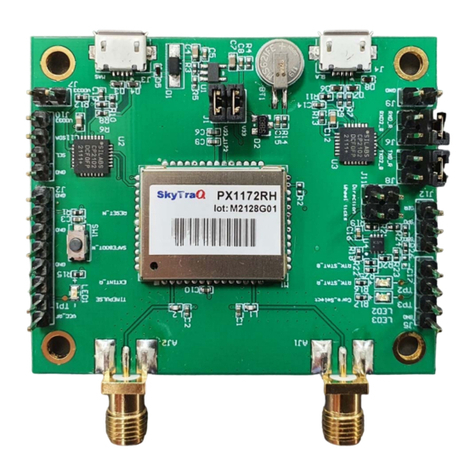
EVB Usage (1/3)
USB 1
RF_IN1 Not Used
1. Connect RTK antennas to RF_IN1
2. Connect wheel-tick signal to SPD (optional*)
3. Connect direction signal to DIR (optional*)
4. Connect ground return for SPD/DIR
5. Run GNSS Viewer on Windows laptop
6. Connect USB cable to USB1 and Windows laptop
7. Connect GNSS Viewer to EVB at 115200 baud rate
*: Connect vehicle wheel-tick signal for best dead-
reckoning performance.
Not Used
SPD
DIR
GND