NISHD-Z520_rev06102008
2
Model NISHD-Z520 NISHD-Z520P
TV System NTSC PAL
Image Sensor 1/3” Sony Super HAD CCD
Minimum Illumination 0.1 Lux @ F1.4
AGC, AES, AWB, Anti Color-Rolling
Electronic Shutter 1/60 ~ 1/100,000 sec 1/50 ~ 1/100,000 sec
Lens 3.7mm~12.0mm Vari-Focal Lens
System ARM9 based 32-bit RISC CPU, 8MB Flash, 64 MB RAM
Embedded OS: Linux 2.4
Video Compression MPEG4, Motion JPEG
Adjustable Bitrate (64Kbps to 2048Kbps), Quality and Bitrate
Video Resolution Up to 30 fps @ 704x480 Up to 25 fps @ 704x576
Video Streaming Simultaneous MPEG4 & MJPEG (Dual Streaming)
Supports Unicast & Multicast
Supports 3GPP/ISMA RTSP (Real Time Streaming Protocol)
Audio Two-way audio (full duplex)
Alarm & Event Built-in multi-window motion detection
Input x 1, Output x 1 for External Alarm & Sensor (DIDO)
Triggered and scheduled events, Pre- and Post-alarm buffer
Supported Protocols TCP/IP, DHCP, PPPoE, ARP, ICMP, FTP, SMTP, DDNS, NTP, UPnP, RTSP, RTP, HTTP, TCP, UDP, 3GPP/ISMA RTSP
Security ID/Password Authentication; SSL Protocol V3.0
Power 12V DC, 1A, Max 6W
PoE PoE (Power over Ethernet) Built-in / Supports Alternative A/B, Class 0, Max 12.95W
Connectors
Ethernet – RJ45 for 10/100 Base-T (with PoE)
12V DC
Input x 1, Output x 1 for External Alarm & Sensor (DIDO)
Analog video output (RCA with RCA-to-BNC converter)
3.5mm Audio Input, 3.5mm Audio Output
Operating Environment 0º ~ 50 ºC (32º ~ 122ºF)
Humidity 20 ~ 80% RH (non-condensing)
Video Surveillance Software Professional surveillance application for viewing, recording and archiving up to 16 cameras
Dimension 130mm(Φ) x 110mm(H)
* Specifications are subject to change without notice
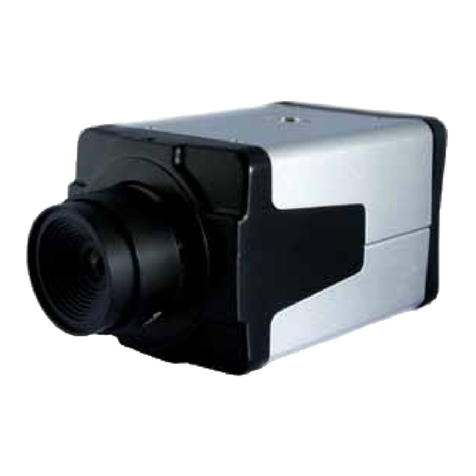
zOne (1) NISHD-Z520/NISHD-Z520P Camera
zTwo (2) Mounting Screws
zTwo (2) Wall Anchors
* For any returns, please include all components listed above with original packaging in Resalable Condition. Absolutely No
Returns will be accepted if any component is missing/damaged.
Using the Software CD to configure the camera:
Power on your PC and insert the CD-ROM. The setup page should load automatically. If it does not, please select your CD-ROM
drive manually to open the setup page.
Select “Install Software”
1. Click “Yes” to initiate installation.
GENERAL SPECIFICATIONS
LIST OF COMPONENTS
INSTALLATION
zOne (1) Power Adaptor
zOne (1) Software CD
zOne
1
O
erational Manual