©Copyright Opticstar Ltd 2014 5
Telescope Assembly
You will need a fair amount of space to unpack the parts and assemble the telescope. You will also need a surface
like a table to rest the parts and this manual during assembly. You may want to lay a tablecloth or similar over the
table to protect the surface.
Start by carefully removing all the parts from their packaging and laying them out on the table. Use the diagrams on
the previous pages to check that no parts are missing. Look carefully through the packaging materials as it is
sometimes easy to miss smaller parts.
Pick up the tripod and slowly pull the legs apart. Never force the legs open as this can damage the tripod.
Place the open tripod on a flat floor. Place the Accessory Tray centrally on the Leg Spreader so that it fits and turn it
clockwise until it locks in place. Never collapse the tripod without removing the Accessory Tray first, always remove
the Accessory Tray before collapsing the tripod
Place the Mount-Head on its tripod making certain that the threaded mounting holes on the base of the Mount-Head
match the two screws on the Tripod Platform. Now hand-tighten the screws to secure the Mount-Head on its tripod. It
is worth periodically checking that these screws remain tight.
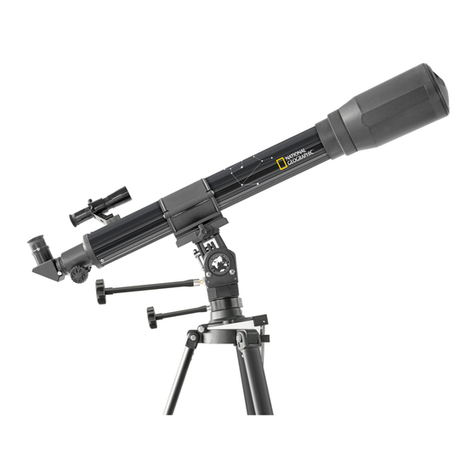
Loosen the Altitude Knob with your hand by rotating it counter-clockwise,
then rotate the Telescope Saddle until the hand-screw points upwards
and tighten the altitude knob by rotating it clockwise.
Loosen the hand screw on the Saddle so that it does not protrude. Place
the Optical Tube in the Saddle and tighten the hand screw firmly to
secure the Optical Tube as shown in the picture on the right. Make
certain the Optical Tube is horizontal to the floor. You can reset its
position by loosening the Altitude Knob, adjusting the position of the
Optical Tube and re-tightening the Altitude Knob.
Pick up the 25mm eyepiece that came with the telescope and remove the covers at either end. Remove the dust-
cover from the Eyepiece Drawtube near the back of the Optical Tube and loosen the eyepiece Locking Screw so that
it does not protrude in the inside of the Eyepiece Drawtube. Place the 25mm eyepiece in the Eyepiece Drawtube and
finger-tighten the Locking Screw to secure the 25mm eyepiece in place. Remove the Optical Tube Lid and make
certain that you do not point the Optical Tube to or near the Sun.
To get an object in clear view you will need to first focus the telescope. With an eyepiece in place point the telescope
to a landmark far away and turn the Focusing Knob on the back of the Optical Tube a number of times to bring the
target into focus. If you feel mounting resistance while turning the Focusing Knob it means that it has come to the end
of its travel. Simply turn the Focusing Knob the other way to reach focus and assuming that the target is within focal
range. Keep in mind that the minimum focusing distance for the telescope is over 20 meters.
Eyepieces with longer focal lengths (i.e. 25mm) will offer lower magnifications and wider fields of view. Low power
eyepieces are well suited for locating targets and for focusing the telescope. Once the target is in clear view place it in
the centre of the field of view and replace the 25mm eyepiece with a 10mm eyepiece, this will increase magnification
by 2.5 times and decrease the field of view by a similar amount. Changing to different eyepiece may require
refocusing the telescope by around half a turn of the Focusing Knob,clockwise or counter-clockwise.
Red Dot Finder
If your telescope has a Red Dot Finder (RDF) you would need to
mount in on the back of the Optical Tube as seen in the image on the
right. Because the AZ90 GOTO telescope has a relatively long focal
length, and is capable of high magnifications, its field of view is
relatively small. This can make it hard to know where the telescope is
pointing. The Red Dot Finder makespointing your telescope easy.
To switch on the Red Dot Finder, rotate the Power Knob clockwise
until it clickson. Turning the Power Knob clockwise increasesthe dot
brightness, anticlockwise reduces the dot brightness.
Adjust the brightness of the red dot so that it can just be seen so as
not obscure faint nearby stars when observing the night sky.
RDF fixing screw