Table of Contents
INTRODUCTION..........................................................................5
Package contents...................................................................................................5
Mouse...............................................................................................................5
Mouse cover.....................................................................................................5
Copyright.................................................................................................................5
Overview of mouse functionality............................................................................6
Mouse functionality..........................................................................................6
Receiver/charger functionality.........................................................................6
START USING THE MOUSE.......................................................7
Step 1 –Insert the batteries...................................................................................7
Step 2 –Select the correct size battery cover for your hand................................7
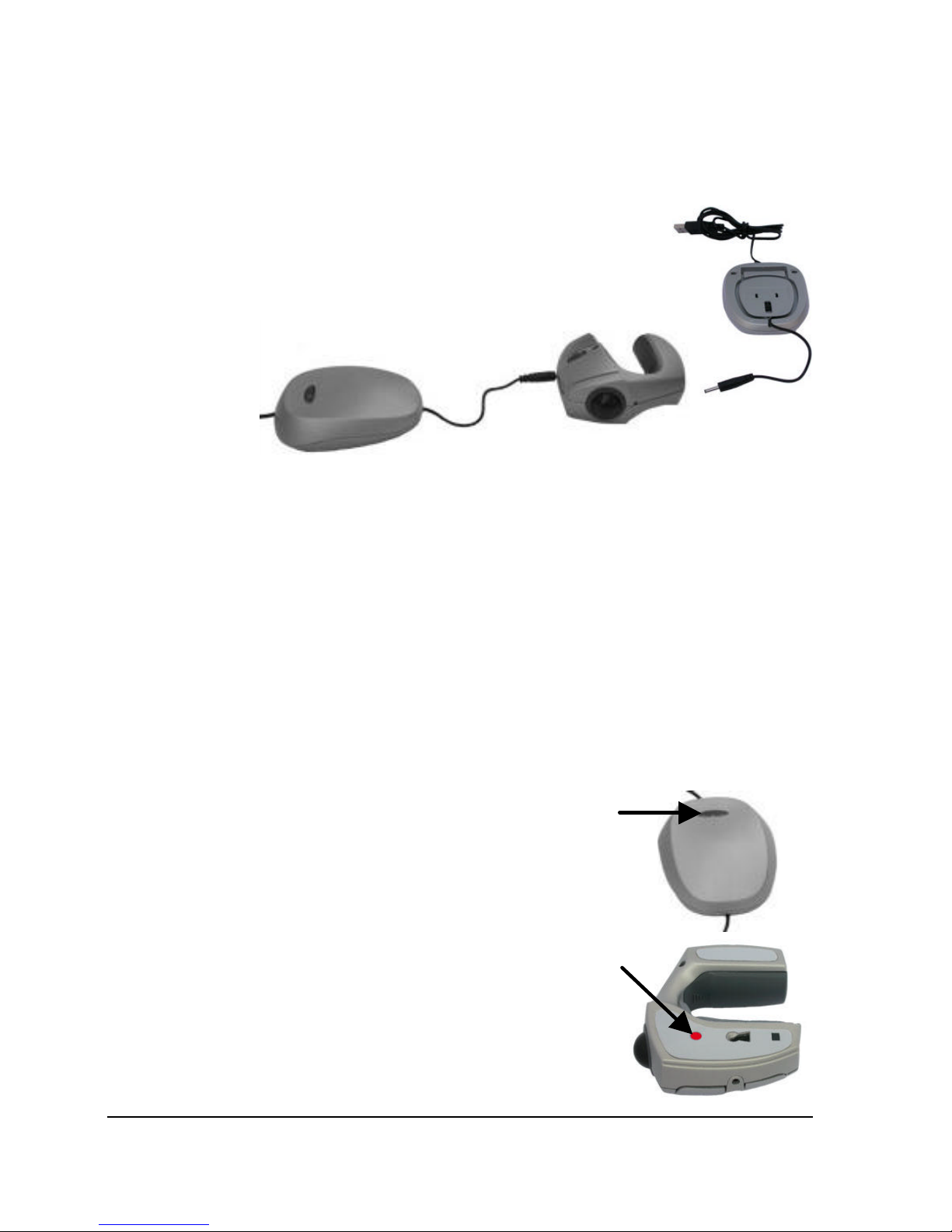
Step 3 –Connect the receiver/charger to the computer.......................................7
Step 4 –Charging the mouse................................................................................8
Step 5 –Synchronise the mouse with the receiver...............................................8
USAGE AND HANDLING OF THE MOUSE..................................9
Tips and advice for better ergonomics ..................................................................9
Usage of the mouse on a table or another surface...............................................9
Attaching and removing the mouse cover.......................................................9
Attaching the cover ..........................................................................................9
Removing the cover.........................................................................................9
Use as a traditional mouse............................................................................10
Trackball usage..............................................................................................10
Handheld usage of the mouse.............................................................................11
Two hand usage.............................................................................................11
Combined usage with a keyboard.................................................................12
One-handed usage........................................................................................12
ADDITIONAL INFORMATION....................................................13
Troubleshooting....................................................................................................13
Support .................................................................................................................14
Advanced settings................................................................................................14
Technical specifications .......................................................................................15
System requirements ...........................................................................................15
Accessories ..........................................................................................................15
Warranty ...............................................................................................................16