SURROUND SOUND JACKS The gateway to greater listening
pleasure, surround sound jacks make this model surround
sound ready. Simply connect two standard ohm speakers.All
the necessary surround sound technology is built-in the TV!
AUDIO/VIDEO JACK PANEL (J717) The A/V jack panel on
the back of this set includes audio/video inputs for connection
of aVCR, DVD player, web browser or other accessory
equipment; both fixed and variable audio outputs which allow
sound fromTV or accessories to be routed through a home
audio system; S-Video input for connection of a high-resolution
video accessory; Ghost Cancellation and Ghost Video
input/output jacks for connection to an optional, external
ghost cancellation device; and a menu-selectable speaker
switch for choosing internal or external sound systems.
• Channel edit
• Total remote menu format tuning with multi-color
on-screen graphics
• 181 channel capability
• 4-Way cursor control
• Random channel access
• Programmable scan tuning
• Status recall
• Mono/Stereo/SAP select
• Cable/Normal select
• Two 5" oval full-range speakers with menu-selectable
speaker switch
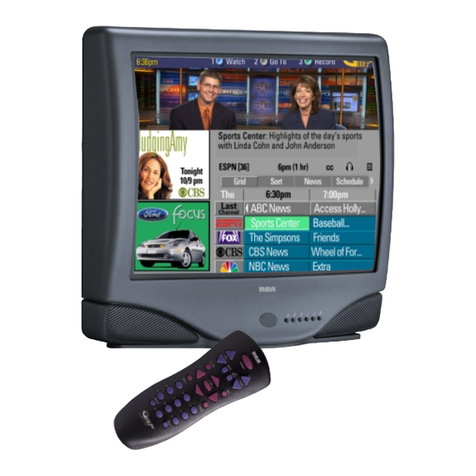
TV GUIDE PLUS+™ This multi-facet feature
captures and automatically downloads advanced
programming information including on-screen all
channel review, program summaries, sorting by
category, (sports, movies, etc.), and revolutionary
point & tune and point & record functions (microchip
storage capacity and channel availability determine
volume of downloaded data).
INSTANT REPLAY™ In standard mode, one
out of every ten frames is captured to produce a full
color window one-ninth the size of the full screen.
This PIP window plays a continuous loop of the last
8.2 seconds of video immediately preceding the
replay command.To activate replay, simply press the
REPLAY button on the remote control. Press the
SLO button to change the replay window to slow
motion. Press the CLEAR button to restore the main
picture and clear the replay memory.
SMARTSURF™ Eliminates the frustration of
trying to remember what channels had programs of
interest while channel surfing.After establishing the
SmartSurf™ configuration with the user-friendly
menu, the viewer can store up to ten stations in the
SmartSurf™ memory and then surf only those
channels at the touch of a button.The versatility of
this feature is enhanced by the availability of an on-
screen list of the channels stored and offers the
option of adding or deleting channels in the list by
remote control.
SMARTCLOCK™ Finally, an accurate digital
clock that’s always right! By monitoring the vertical
blanking interval of PBS broadcasts, Philips Magnavox
TVs equipped with SmartClock can automatically set
the right time of day and maintain it through brown-
outs, power failures, and even daylight savings time
adjustments.
SMARTMUTE™ An audio mute advancement that
automatically activates closed captioning when the
mute button is pressed. Now dialogue and narratives
(on Closed Caption telecasts) can be displayed on
screen whenever the mute button is pressed, without
the aid of an optional, external decoding device.
INTERNET ADDRESS: http://www.philipsmagnavox.com
convenience:
27"Stereo Remote Color Monitor/Receiver
MX2797B
UPC: 037849849453
Product dimensions: 30"W x 22.8"H x 19.9"D
Product weight: 78 lbs.
Carton dimensions: 34.5"W x 28"H x 24"D
Carton weight: 87 lbs.
Master pack: 1
Carton Contains: 27" Stereo Remote Color
Monitor/Receiver, MagnaGlo Universal TV/VCR/CBL Locator
Remote Control w/Batteries, Operating Instructions,
Warranty Information
Printed in U.S.A.
©1997 Philips Consumer Electronics Co.
A Division of Philips Electronics North America Corp.
Specifications subject to change without notice.
Visual Communications, Philips Consumer Electronics Co.
MagnaVue, MagnaGlo, Smart Window, Remote Locator, SmartSound,
SmartPicture, SmartClock, SmartMute, SmartSurf, and Incredible Surround are
trademarks of Philips Consumer Electronics Company.
1 Lines per picture width. 480 based on EIA measurement procedures
EASY FIRST TIME SET-UP This friendly, useful,
smart, and easy feature is available the first time this
TV is turned on with a signal connected. SETUP is
highlighted in the main on-screen menu offering
language selection (English, Spanish, or French), auto
cable select (choice of CATV or ANTENNA), auto
program (automatically storing all available channels in
the tuner memory), and VCR/PIP setup.
• ON-SCREEN CLOCK WITH SLEEP TIMER AND
ALARM TIMER
• TRILINGUAL ON-SCREEN DISPLAY
• AUTO PROGRAMMING
• CLOSED CAPTION
• CHANNEL REMINDER DISPLAY
• ON-SCREEN VOLUME BAR
INCREDIBLE SURROUND™ An exciting psycho-
acoustic method of widening the stereo spatial image
to engulf the listener in the action on-screen.
SMARTSOUND™ When activated,
SmartSound™keeps volume levels constant between
programs and commercials, and from one channel to
another. SmartSound™constantly monitors the audio
signal, reducing a signal that’s too loud and increasing
a signal that’s too weak.
SURROUND SOUND Experience the full three-
dimensional effect of a live musical performance or
theater with four or more speakers.The front left and
right speakers contain directional sounds creating
stereo spread or what’s known as the wall of sound
as well as other important effects that help “steer”
the audio more realistically to the listener’s ears.The
rear speakers help to re-create the reflective
ambience of the original room in which the audio was
recorded.They generate short echoes and delays that
help make the entire audio experience more lifelike.
• dbx®HI-FI STEREO SOUND SYSTEM WITH
SURROUND SOUND JACKS
• TONE CONTROLS
MAGNAVUE™ A unique combination of contrast
enhancement and color enrichment technology
that produces deeper, more vibrant colors with an
unrivaled picture that’s larger than life.
TWO-TUNER PIP Now you can enjoy all the
benefits of Smart Window™ PIP without aVCR!
With two separate tuners (and two separate
tuner inputs) you can tune to your favorite
show with tuner one, for example, while
scanning other channels with tuner two in the
PIP window.The A/V inputs are also available as
a PIP source so all functions of standard PIP are
still accessible.The main and secondary pictures
may be swapped; position secondary pictures in
any screen corner; even freeze the main picture
information and put it into the inset picture. In
all cases, the main picture is provided with its
corresponding audio.A “size select” menu
function permits the viewer to reduce the size
of the inset picture by approximately 50%.
COMB FILTER With up to 640 lines of
horizontal resolution1, this set provides razor-
sharp picture performance and breathtaking
clarity (through A/V input jacks).
• IMPROVED IMAGE DEFINITION (IID)
• SMARTPICTURE™
• 27'' DARK GLASS FLAT SQUARE
PICTURE TUBE
• BLACK STRETCH
MAGNAGLO™ REMOTE CONTROL No
more fumbling in the dark to access TV and
VCR functions. Just press the glow-in-the-dark
STATUS button on the remote control and the
electroluminescent circuitry makes all buttons
on the remote control glow.
•REMOTE LOCATOR™
•UNIVERSAL TV/VCR/CABLE REMOTE
(Remote # X177CF-AA)
sound:
additional
features:
picture:
A/V jack panel:
remote
control: