manuals.online logo
Brands
  1. Home
  2. •
  3. Brands
  4. •
  5. Pinguino
  6. •
  7. Air Conditioner
  8. •
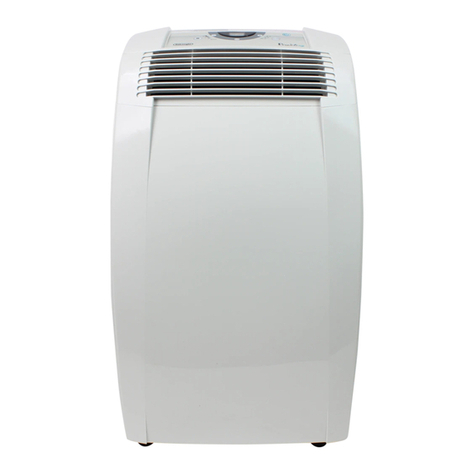
  9. Pinguino C100 User manual

Pinguino C100 User manual

Other manuals for C100

1

This manual suits for next models

1

Other Pinguino Air Conditioner manuals
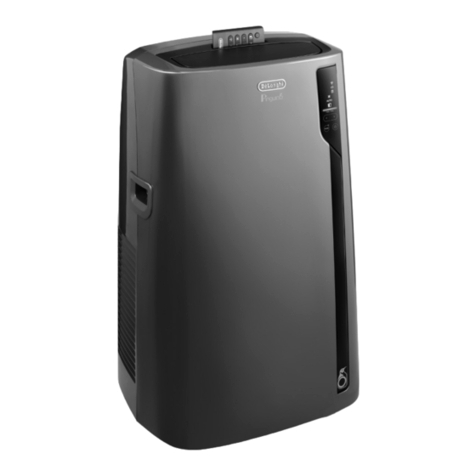
Pinguino EL Series User manual

Pinguino

Pinguino EL Series User manual
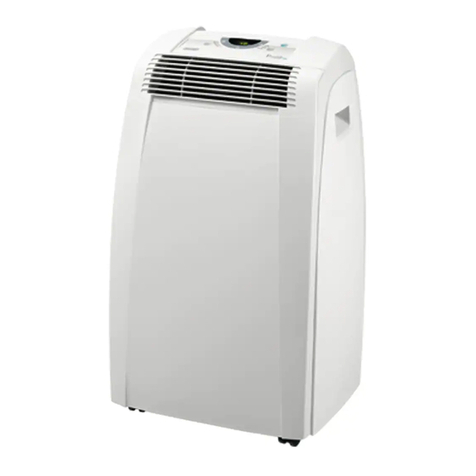
Pinguino C120E User manual

Pinguino

Pinguino C120E User manual
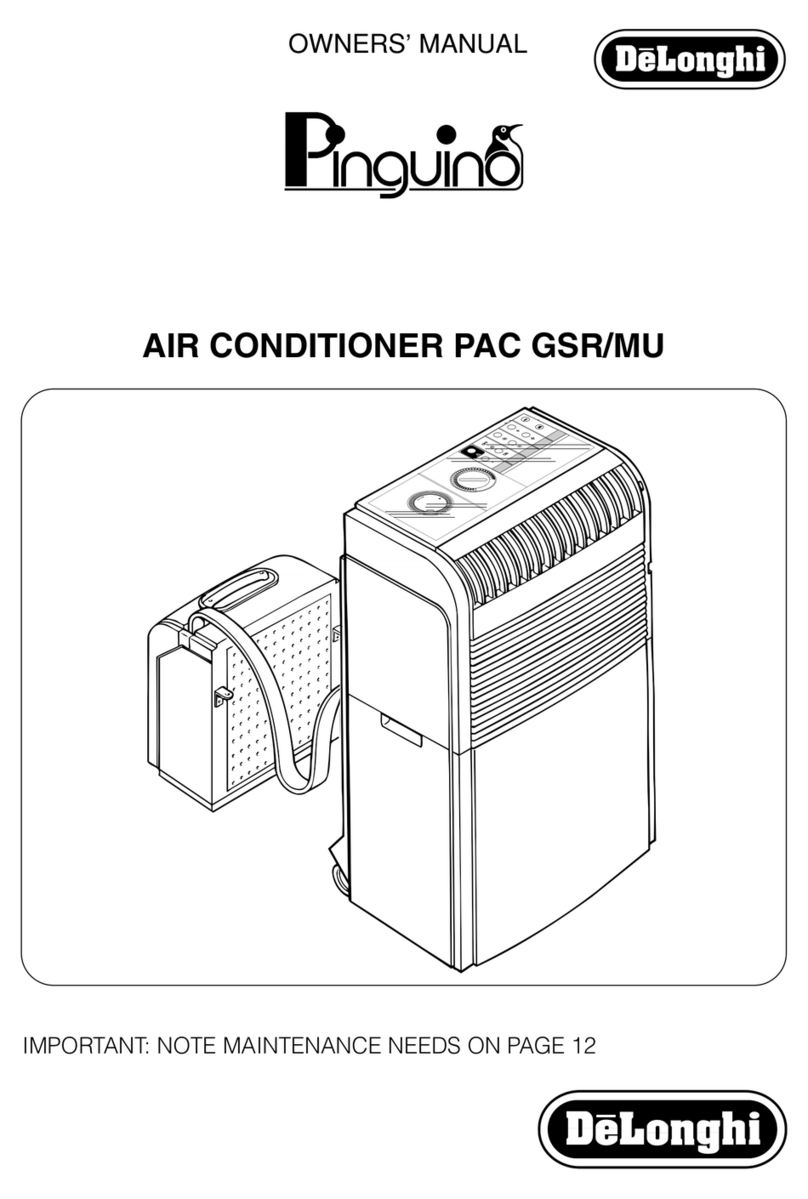
Pinguino PAC GSR/MU User manual

Pinguino

Pinguino PAC GSR/MU User manual
Pinguino PINGUINO L10 User manual

Pinguino

Pinguino PINGUINO L10 User manual
Pinguino PACT100P User manual

Pinguino

Pinguino PACT100P User manual

Pinguino PAC 75U User manual

Pinguino

Pinguino PAC 75U User manual
Pinguino PAC L90 User manual

Pinguino

Pinguino PAC L90 User manual

Pinguino T90 User manual

Pinguino

Pinguino T90 User manual
Pinguino PAC 210 U User manual

Pinguino

Pinguino PAC 210 U User manual
Pinguino CF 210 User manual

Pinguino

Pinguino CF 210 User manual

Pinguino PAC 290 U User manual

Pinguino

Pinguino PAC 290 U User manual
Pinguino PACT100P User manual

Pinguino

Pinguino PACT100P User manual
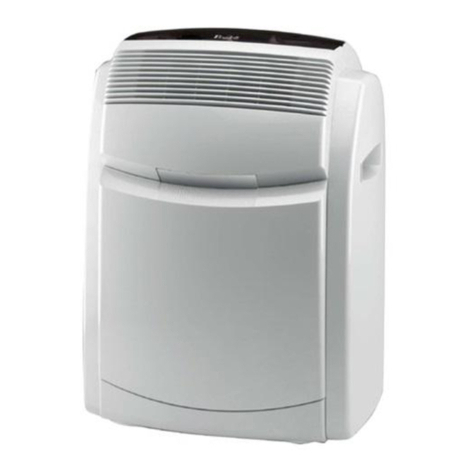
Pinguino panguino pac 700 t User manual
Pinguino

Pinguino panguino pac 700 t User manual

Pinguino PINGUINO PAC600T User manual

Pinguino

Pinguino PINGUINO PAC600T User manual
Pinguino CF 210 User manual

Pinguino

Pinguino CF 210 User manual
Pinguino PAC 02 User manual

Pinguino

Pinguino PAC 02 User manual
Pinguino PAC CN86 Silent User manual

Pinguino

Pinguino PAC CN86 Silent User manual
Pinguino PAC AN130ES User manual

Pinguino

Pinguino PAC AN130ES User manual
Pinguino PAC 10 User manual

Pinguino

Pinguino PAC 10 User manual

Pinguino PAC 290 U User manual

Pinguino

Pinguino PAC 290 U User manual
Pinguino PAC GSR/MU User manual

Pinguino

Pinguino PAC GSR/MU User manual

Pinguino C100 User manual

Pinguino

Pinguino C100 User manual

Pinguino PACA110 User manual

Pinguino

Pinguino PACA110 User manual

Pinguino PACT100P User manual

Pinguino

Pinguino PACT100P User manual

Popular Air Conditioner manuals by other brands

Fujitsu ASYG 09 LLCA installation manual

Fujitsu

Fujitsu ASYG 09 LLCA installation manual

York HVHC 07-12DS Installation & owner's manual

York

York HVHC 07-12DS Installation & owner's manual

Carrier Fan Coil 42B Installation, operation and maintenance manual

Carrier

Carrier Fan Coil 42B Installation, operation and maintenance manual

intensity IDUFCI60KC-3 installation manual

intensity

intensity IDUFCI60KC-3 installation manual

Frigidaire FAC064K7A2 Factory parts catalog

Frigidaire

Frigidaire FAC064K7A2 Factory parts catalog

Sanyo KS2432 instruction manual

Sanyo

Sanyo KS2432 instruction manual

LG MultiV Series installation manual

LG

LG MultiV Series installation manual

CLIMAVENETA a-CHD U-2T 606+2209 OPERATING AND INSTALLATION Manual

CLIMAVENETA

CLIMAVENETA a-CHD U-2T 606+2209 OPERATING AND INSTALLATION Manual

Midea EWK06CW5 user manual

Midea

Midea EWK06CW5 user manual

Pioneer FAB Series installation manual

Pioneer

Pioneer FAB Series installation manual

SPT WA-1511S user manual

SPT

SPT WA-1511S user manual

Mitsubishi Electric Mr.Slim MSZ-A24NA operating instructions

Mitsubishi Electric

Mitsubishi Electric Mr.Slim MSZ-A24NA operating instructions

Mitsubishi Electric PUHZ-RP50VHA4 Service manual

Mitsubishi Electric

Mitsubishi Electric PUHZ-RP50VHA4 Service manual

Panasonic CS-S18HKQ Service manual

Panasonic

Panasonic CS-S18HKQ Service manual

Panasonic CS-E15NKE3 operating instructions

Panasonic

Panasonic CS-E15NKE3 operating instructions

Gree GWH18TC-K3DNA1B/I Service manual

Gree

Gree GWH18TC-K3DNA1B/I Service manual

Friedrich ZoneAire Compact P08SA owner's manual

Friedrich

Friedrich ZoneAire Compact P08SA owner's manual

Daikin R32 Split Series installation manual

Daikin

Daikin R32 Split Series installation manual

manuals.online logo
manuals.online logoBrands
  • About & Mission
  • Contact us
  • Privacy Policy
  • Terms and Conditions

Copyright 2025 Manuals.Online. All Rights Reserved.

)RTABLE AIR CONDITIONER
D'AIR PORTATIF
PEAIRE ACONDICIONADO PORTATIL
CONDIZlONATORE D'ARIA
nd receive a free trial issue of Cook's illustrated.
a list of service centers near you. (U.S. Only)
recevez un num6ro gratuit de Cook's Illustrated.
,n.com.
pour y voir une liste des centres de r6paration proches de chez
y reciba un ejemplar gratis de Cook's Illustrated.
1.com.
ver la lista de centros de servicios cercanos a usted. (Sola-
ne" per ricevere una copia omaggio della rivista.
lista dei centri di servizio ate piQ vicini (solo negli Stati Uniti).
Instructions for use
Keep these instructions
Mode d'emploi
Conservez cette notice
nstrucciones para el uso
Repase y guarde estas instrucciones
este instructivo antes de usar su aparato
Istruzioni per l'uso
conservare queste istruzioni
;TRICAL SPECIFICATIONS 115V~ 60Hz
ELECTRIQUES115V-60Hz
ELECTRICAS 115V ~60Hz
:HEELET1-RICHE115V-60Hz
INDEX TABLEDESMATIERES
Important safeguards ................................ 4
Setting up your portable air conditioner .5
Semi-permanent installation ..................... 6
Control panel .............................................. 7
Operation .................................................... 8
Self-diagnosis ............................................... 9
Using the remote control unit .................. 10
Tips .............................................................. 13
Cleaning .................................................... 14
Troubleshooting ......................................... 15
Technical specification ............................ 16
Limited warranty ....................................... 17
Avertissements ........................................... 18
Preparation @ I'emploi ............................. 19
Installation semi-permanente ................. 20
Tableau de commande .......................... 21
Fonctionnement ....................................... 22
Autodiagnostic .......................................... 23
Fonctionnement avec t616commande 24
Conseils ...................................................... 27
Nettoyage ................................................. 28
Si quelque chose ne marche pas ......... 29
Caract6ristiques techniques ................... 30
Garantie limit6e ........................................ 31
JNDICE
Precauciones importantes .......................... 32
Preparaci6n para el uso .............................. 33
Instalaci6 provisional ................................... 34
Panel de mandos ......................................... 35
Operaci6n ..................................................... 36
Autodiagnosis ................................................ 37
Funcionamento con mando a distancia..38
Consejos ......................................................... 41
Limpieza ......................................................... 42
B0squeda de problemas ............................. 43
Especificaciones t6cnicas ........................... 44
Garantia limitada ......................................... 45
INDICE
Avvertenze ..................................................... 46
Predisposizione all'uso .................................. 47
Installazione semi-permanente ................... 48
Pannello comandi ....................................... 49
Funzionamento ............................................ 50
Autodiagnosi ................................................. 51
Funzionamento con telecomando ............ 52
Consigli ........................................................... 55
Pulizia .............................................................. 56
Se qualcosa non funziona ........................... 57
Caratteristiche tecniche .............................. 58
Garanzia ........................................................ 59
ACCESSORIES "ACCESSOIRES "ACCESORiOS "ACCESSORI
i i
o Use this appliance only as described in this instruction manual.
As with any electrical appliance, the instructions aim to cover as many situations as possible.
Caution and common sense should be used when operating and installing this air conditioner.
o This appliance has been manufactured to cool and dehumidify domestic environments and
must not be used for other purposes.
o It is dangerous to alter or modify the unit's characteristics in any way.
o The appliance must be installed in accordance with the relevant national legislation.
o Should repairs be necessary, contact the nearest authorized Repair Service Center. Unautho-
rized servicing can be dangerous.
o The appliance isnot intended for use by persons (including children) with reduced physical, sen-
sory or mental capabilities, or lack of experience and knowledge, unless they have been given
supervision or instruction concerning use of the appliance by a person responsible for their safety.
Children should be supervised to ensure that they do not play with the appliance.
o In the case that the power cord becomes damaged, this must be repaired only by specialized per-
sonnel authorized by the manufacturer in order to protect against fire.
o Always ensure the appliance is plugged into a grounded 3-prong outlet. If you have any doubts
check with a qualified electrician.
o We strongly discourage the use of an extension cord due to potential safety hazards. For tem-
porary situations, use only CSA certified and UL listed 3-prong grounded extension cord,
attachment plug and connector, rated 15A, 125V
o Before cleaning or maintenance operations, always unplug the unit from the outlet.
o Do not pull on or place strain on the power cord when moving the appliance.
o The appliance should not be installed where the atmosphere may contain combustible gases,
oil or sulphur, or near heat sources.
o Do not rest hot or heavy objects on the appliance.
o Clean the filters at least once a week.
o Avoid using heaters near the unit.
o The unit should be transported in a vertical position. If this is not possible secure the unit at an
angle, do not lie it horizontally.
o Before transporting the unit,drain the unit.After transportation, wait at least6 hoursbefore switching the unit on.
o The packaging materials can be recycled. You are therefore recommended to place them in
the special containers for differentiated waste collection.
o This appliance is fitted with a special safety device. When the compressor switches off, this
device prevents it from switching on again for at least 3 minutes.
o WARNING: Changes or modifications not expressly approved by the party responsible for com-
pliance could void the user's authority to operate the equipment.
SAVE THESEINSTRUCTIONS
THIS PRODUCT ISFOR HOUSEHOLD ONLY
DESCRIPTION
1air outlet grille 9 power cable
2 control panel 10 wall flange
3 castor wheels 11 air exhaust hose
4 handles 12 window outlet
5 filter 13 castor locks
6 air intake grille 14 remote control
7 air exhaust hose housing 15 window bracket with locking pins
8 drainage hose
4
TO AVOID DAMAGE TO THE UNIT:
NEVER TRANSPORT OR TURN THE APPLIANCE UPSIDE DOWN OR ON ITSSIDE. IF THISOCCURS, WAIT @
6 HOURS BEFORE TURNING THE APPLIANCE ON, 24 HOURS IS RECOMMENDED. After the unit has
been on its side, oil needs to return to the compressor to ensure proper function. Without allow-
ing the unit this time (6-24 hours) the unit may function for only ashort time, and then the com-
pressor will break down from lack of oil.
ELECTRICAL CONNECTIONS
Before plugging the appliance into the outlet, check that:
o The outlet's power supply corresponds to the value indicated on the rating label on the back
of the appliance;
o The outlet and electrical circuit are adequate for the appliance;
o The outlet isa 3-hole grounded outlet(_). If this is not the case, you must choose another outlet.
Failure tofollow these important safety instructions absolves the manufacturer of all liability.
The instructions below will enable you to prepare your air conditioner for operation as efficiently
as possible. Before use, make sure the air intake and outlet grilles are unobstructed.
AiR CONDITIONING WITHOUT INSTALLATION
NOTE: Keep the air hoses as short and free of
curves as possible to avoid constrictions.
FOR OPTIMAL RESULTS SET-UP IN A DOU-
BLE-HUNG WINDOW:
1) Place the bracket in the window sill,
extend the bracket fully within the window
frame, fix the bracket by using the pin
then lower the window onto the bracket.
(Should the window bracket be too large
for the window. The plastic can be cut
with a saw by a qualified professional.)
2) Fit the air exhaust hose in the housing at
the back of the appliance. Insert it as
shown in figure A.
3) Connect the window outlet (12) to the
other end of the exhaust hose.
4) Insert the window outlet end of the exhau-
st hose into the slot of the window bracket
(fig. B).
Other set-up methods:
o Thanks to the locking pins, it's possible to
use the window bracket also for sliding
windows. Position the hole of the bracket
so to allow a correct installation of the
exhaust hose (see figure C).
If you have acasement window (figure D)
follow steps 2 & 3 and place the window
outlet (12) outside the window to exhaust
the hot air.
SEMI-PERMANENT INSTALLATION
If required, your appliance can also be
installed semi-permanently (Fig. E).
30 cm
12 inches
12 inches [_
Proceed as follows'.
o Drill a hole ® 5,25 inches (134 ram) in an
outside wall or through a window pane.
Respect the dimensions and height of the
hole given in figure Fand G.
o Fit the wall flange (10) into the hole.
Fit the air exhaust hose (11) in the rele-
vant housing located on the rear side of
the appliance. (fig. A page 5).
. Fit the end of the hose (11) to the wall
flange (10) as shown in fig. G.
_X 1O0cm
_ X 39 inches
cm
14 inches
%
When the hose (11) isnot connected, the dril-
led hole can be closed with the flange cap
(10).
NOTE: When installing the air conditioner
semi-permanently, you should leave a door
slightly open little as 1/2 " (1 cm) to guar-
antee correct ventilation and room pressure.
in the in the in the wall:
window wooden you are
pane kickboard recommended
of ato insulate the
French section of wall
window using suitable
insulation.
Keep the air hoses as short and free of
curves as possible to avoid constrictions.
"As special tools are required for installa-
tion, we suggest you have the applian-
ce installed by specialized personnel."
THECONTROLPANEL
CGRH E B A
DESCRIPTION OF THE CONTROL PANEL
A ON/STAND-BY button
B MODE selection button:
Air conditioning, dehumidifying, fan.
C Fan speed selection button (HIGH/MED/LOW/AUTO)
DTimer button
EProgrammed operation increase temperature/time button
FProgrammed operation decrease temperature/time button
G Display Displays the temperature values set and the programmed operating time
H Timer in operation indicator light
I/L/M/N Fan speed lights and AUTO lights
O Fan mode light
P Dehumidifying mode light
Q Air conditioning mode light
R Remote control receiver
Never turn the air conditioner off by unplugging from the outlet. Always press the (,_
button, then wait for afew minutes before unplugging. This allows the appliance to
perform acycle of checks to verify operation.
TURNINGTHEAPPLIANCE ON
Plug into an outlet.
Two lines appear on the display indicating that the appliance is in stand-
by.
Press the ON/STAND-BY button (A). When turned on, the air conditioner
starts operating in the same mode as when it was turned off.
Press the MODE button (B) until the light corresponding to the desired
mode lights up:
Light (Q) -X-- : AIR-CONDITIONING MODE
Light (P) 6 : DEHUMIDIFYING MODE
Light (O) -_-_: FAN MODE
AIR CONDITIONING MODE
Ideal for hot muggy weather when you need to cool and dehumidify the
room,
To set this mode: press the + (E) or - (F) buttons until the desired tempe-
rature is displayed,
Then select the fan speed by pressing the "FAN" button (C) until the light
corresponding to the required fan speed lights up:
HIGH: MAXIMUM SPEED the air conditioner operates at maximum to
achieve the target temperature as rapidly as possible
MED: MEDIUM SPEED reduces noise levels while maintaining a comfor-
table temperature
LOW: LOW SPEEDfor silent operation and maximum energy efficiency
AUTO: AUTO: the appliance automatically selects the most suitable
fan speed in relation to the temperature set on the digital display
and current room temperature,
The most suitable temperature for the room during the summer varies from
75°F to 81°F (24 to 27°C). You are recommended, however, not to set a
temperature much below the outdoor temperature
DEHUMIDIFYING MODE
Ideal to reduce room humidity (spring and autumn, damp rooms, rainy
periods, etc). In dehumidifying mode, the appliance MUST be set-up in
the same way as for air conditioning, with the air exhaust hose attached
to enable the moisture to be discharged outside.
When the dehumidifying mode is selected, the light (P) comes on and
" dh " appears on the display,
At the same time, the AUTO fan light (N) comes on,
In this mode, fan speed is selected automatically by the appliance and
cannot be set manually.
FAN MODE
The unit operates without cooling or dehumidifying. This mode provides
ventilation only. When using the appliance in this mode, the air exhaust
hose does not need to be connected. Adjust fan speed by pressing the
"FAN" button (C) as described for the air-conditioning mode.
In this mode, AUTO speed cannot be selected.
The fan speed selected will be displayed.
77
o m
SELF-DIAGNOSIS
The appliance has a self diagnosis system to identify a number of malfunctions.
iF ... ISDISPLAYED
LOWTEMPERATURE
(frost prevention)
PROBEFAILURE
(sensor damaged)
FULLTANK
...WHAT SHOULD YOU DO?
The appliance is fitted with afrost protection device to avoid
excessive formation of ice on internal components. The appliance
starts up again automatically when the defrosting process is com-
pleted.
If this isdisplayed, contact your local authorized service centre.
Empty the internal tank, see page 14 "End of season operations".
SEllING THE TIMER
The timer can be used to delay appliance start up or shutdown. This avoids wasting electricity by
not operating the appliance when it is not needed.
How to program delayed start up
, Plug the appliance into an outlet and press the ON/STAND-BY button (A), then select the desi-
red operating mode and other settings (temperature, fan speed, etc).
, Press the ON/STAND-BY button (A) again: The appliance switches to stand-by mode (the two
central segments are displayed).
, Press the TIMER button (D). The last timer setting or the preset value 6.0 flashes on the display.
, Use the + (E) or - (F) buttons to set the number of hours delay before the appliance comes on.
During the first ten hours, you can select half hour intervals. For times greater than ten hours,
one hour intervals can be selected. If the + (E) or - (F) buttons are pressed for more than 2
seconds, the time runs rapidly up to a maximum of 24 hours. Press the timer button again within
a few seconds to confirm the setting. If the setting is not confirmed within a few seconds, the
display resets to Stand-by. With the timer activated, the countdown before the programmed
start up time is displayed and the light (H) flashes.
To cancel the timer programming, press the timer button (D) again.
How to program delayed shutdown
, Delayed shutdown can be programmed in any operating mode (air conditioning/dehumi-
difying/fan).
, Press the TIMER button (D). The last timer setting or the preset value 6.0 flashes on the display.
, Use the + (E) or - (F) button to set the number of hours delay before the appliance goes off.
During the first ten hours, you can select half hour intervals. For times greater than ten hours,
one hour intervals can be selected.
If the + (E) or - (F) buttons are pressed for more than 2 seconds, the time runs rapidly up to a
maximum of 24 hours.
Press the timer button again within a few seconds to confirm the setting.
When the timer is set, the light (H) flashes.
At the set time, the air conditioner shuts down and remains in stand-by.
To cancel the timer programming, press the timer button (D) again.
MODELSWITHREMOTECONTROL
.Point the remote control at the receiver on
the air conditioner, The remote control
must be no more than 23 ft (7 metres)
away from the appliance (without obsta-
cles between the remote control and the
receiver)
o The remote control must be handled with
extreme care, Do not drop it or expose it
to direct sunlight or sources of heat.
DESCRIPTION OF THE REMOTE CONTROL
16) Fan button (FAN)
17) ON/STAND-BY button (ON/OFF)
18) Mode button (MODE)
19) Timer button (TIMER)
20) Display 19_
Replacing the batteries
Remove the cover on the rear of the
remote control; 18
Replace the old batteries with two new
R03 "AAA" ],5V batteries, inserting them
correctly (see the instructions inside the
battery compartment);
Replace the cover.
MAX2S. ¢'............................................
20
Note: This equipment has been tested and found to comply with the limits for a Class B digital
device, pursuant to part 15 of the FCC Rules. These limits are designed to provide reasonable
protection against harmful interference in a residential installation.
This equipment generates, uses and can radiate radio frequency energy and, if not installed
and used in accordance with the instructions, may cause harmful interference to radio com-
munications. However, there is no guarantee that interference will not occur in a particular
installation. If this equipment does cause harmful interference to radio or television reception,
which can be determined by turning the equipment off and on, the user is encouraged to try
to correct the interference by one or more of the following measures:
Reorient or relocate the receiving antenna.
Increase the separation between the equipment and receiver.
- Connect the equipment into an outlet on a circuit different from that to which the receiver is
connected.
- Consult the dealer or an experienced radio/TV technician for help.
Changes or modifications not expressly approved by the party responsible for compliance
could void the user's authority to operate the equipment.
This device complies with Part 15 of the FCC Rules. Operation is subject to the following two
conditions: (1) this device may not cause harmful interference, and (2) this device must
accept any interference received, including interference that may cause undesired opera-
tion.
10