manuals.online logo
Brands
  1. Home
  2. •
  3. Brands
  4. •
  5. Pyle
  6. •
  7. Fitness Electronic
  8. •
  9. Pyle PSWP26BK User manual

Pyle PSWP26BK User manual

Other Pyle Fitness Electronic manuals

Pyle PHRM36 User manual

Pyle

Pyle PHRM36 User manual

Pyle PLCD5MRBTS User manual

Pyle

Pyle PLCD5MRBTS User manual

Pyle PSWHRP58 User manual

Pyle

Pyle PSWHRP58 User manual

Popular Fitness Electronic manuals by other brands

Reebok B300e manual

Reebok

Reebok B300e manual

Tunturi Platinum Pro user manual

Tunturi

Tunturi Platinum Pro user manual

ergoline ergoselect 150 Operator's manual

ergoline

ergoline ergoselect 150 Operator's manual

Kettler SM3635-68 Training and operating instructions

Kettler

Kettler SM3635-68 Training and operating instructions

BodyMedia DD100 manual 

BodyMedia

BodyMedia DD100 manual 

New Balance EX2 900 user manual

New Balance

New Balance EX2 900 user manual

Sami WS-2301 wearable instruction manual

Sami

Sami WS-2301 wearable instruction manual

Polar Electro FT80 Getting started guide

Polar Electro

Polar Electro FT80 Getting started guide

Kettler SF1B Training and operating instructions

Kettler

Kettler SF1B Training and operating instructions

Kettler ST 2610-9 Training and operating instructions

Kettler

Kettler ST 2610-9 Training and operating instructions

Polar Electro Team2 Quick guides

Polar Electro

Polar Electro Team2 Quick guides

Kettler ELYX 5 Training and operating instructions

Kettler

Kettler ELYX 5 Training and operating instructions

Precor P10 Operating and maintaining

Precor

Precor P10 Operating and maintaining

BingoFit 907HR user manual

BingoFit

BingoFit 907HR user manual

LeMond Fitness Wireless Cadence Meter Pilot II instruction manual

LeMond Fitness

LeMond Fitness Wireless Cadence Meter Pilot II instruction manual

Slendertone Fitness Electronics instruction manual

Slendertone

Slendertone Fitness Electronics instruction manual

Hama 00177740 operating instructions

Hama

Hama 00177740 operating instructions

Technaxx TX-37 user manual

Technaxx

Technaxx TX-37 user manual

manuals.online logo
manuals.online logoBrands
  • About & Mission
  • Contact us
  • Privacy Policy
  • Terms and Conditions

Copyright 2025 Manuals.Online. All Rights Reserved.

0
1
Thank you for purchasing this elegant waterproof sports MP3 player from us.
This waterproof sports MP3 player is the latest generation of our MP3 players. With its
compact design and waterproof function, you can enjoy music underwater while you are
swimming or exercising. It offers stereo FM radio with a wide frequency range. What‟s
more, it is also a perfect pedometer.
Before using this product, we commend reading this manual step by step to obtain the
best results with your new waterproof sports MP3 player. We wish you a lot of fun!
Copyright warning
This player is for your personal use only. Unauthorized recording or duplication of
copyrighted material may infringe upon the rights of third parties and may be contrary to
copyright laws.
Back up your data regularly. The manufacturer is not responsible for lost data.
You are cautioned that any change or modifications to the equipment not expressly
approved by the manufacturer could void your warranty.
The user manual is subject to change without notice.
Safety Notice:
To prolong the life of the waterproof sports MP3 player, all the following safety, operating
instructions and maintenance should be read and adhered to before the player is
operated.

2
※Do not drop the player, and do not damage or take apart the player, otherwise your
warranty will be voided.
※Do not expose the player to high temperatures and direct sunlight for prolonged
periods of time.
※Handle the player with care. Avoid contact with sharp objects. Keep device off of
metallic objects.
※Only use accessories recommended from the manufacturer.
※Listening at high volume for a long period of time could cause damage to your ears.
※Do not use the player while driving, as this could result in an accident.
※Protect the player from vibration or shock.
Usage Notice
Do:
✔Turn off and unplug the power before cleaning the player.
✔Use a soft dry chiffon with mild detergent to clean the display housing.
✔Unplug the power if the product is not used for a long periods of time.
✔Ensure the operating temperature is within 23°F~104°F
Do not:
✘Use abrasive cleaners, waxes or solvents to clean the unit.
3
✘Use under the following conditions:
▷In extremely hot, cold or humid environments.
▷In areas susceptible to excessive dust or dirt.
▷Near any appliance generating a strong magnetic field or electric field.
▷In direct sunlight.
Connecting to the PC/Notebook via earphone jack
Computer system requirements
Pentium III 500MHz or higher recommended
Windows® XP (service pack 1 or higher) or Windows Vista™or Windows® 7
Internet access
Windows Media Player 10 or higher
250MB or more free hard disk space for the software
128MB RAM (256MB recommended)
CD drive capable of digital audio extraction
USB port (2.0 recommended)
Sound card
4
Connect the player to your PC USB port as shown through equipped USB cable. Connect
the PC USB port and the MP3 USB port with the provided USB cable
The player will turn on automatically and display "USB connected" on the display. The
player will appear as a drive letter on your computer, a Mass Storage Class (MSC) device,
and behave as a detachable drive for file transfer in one or both directions.
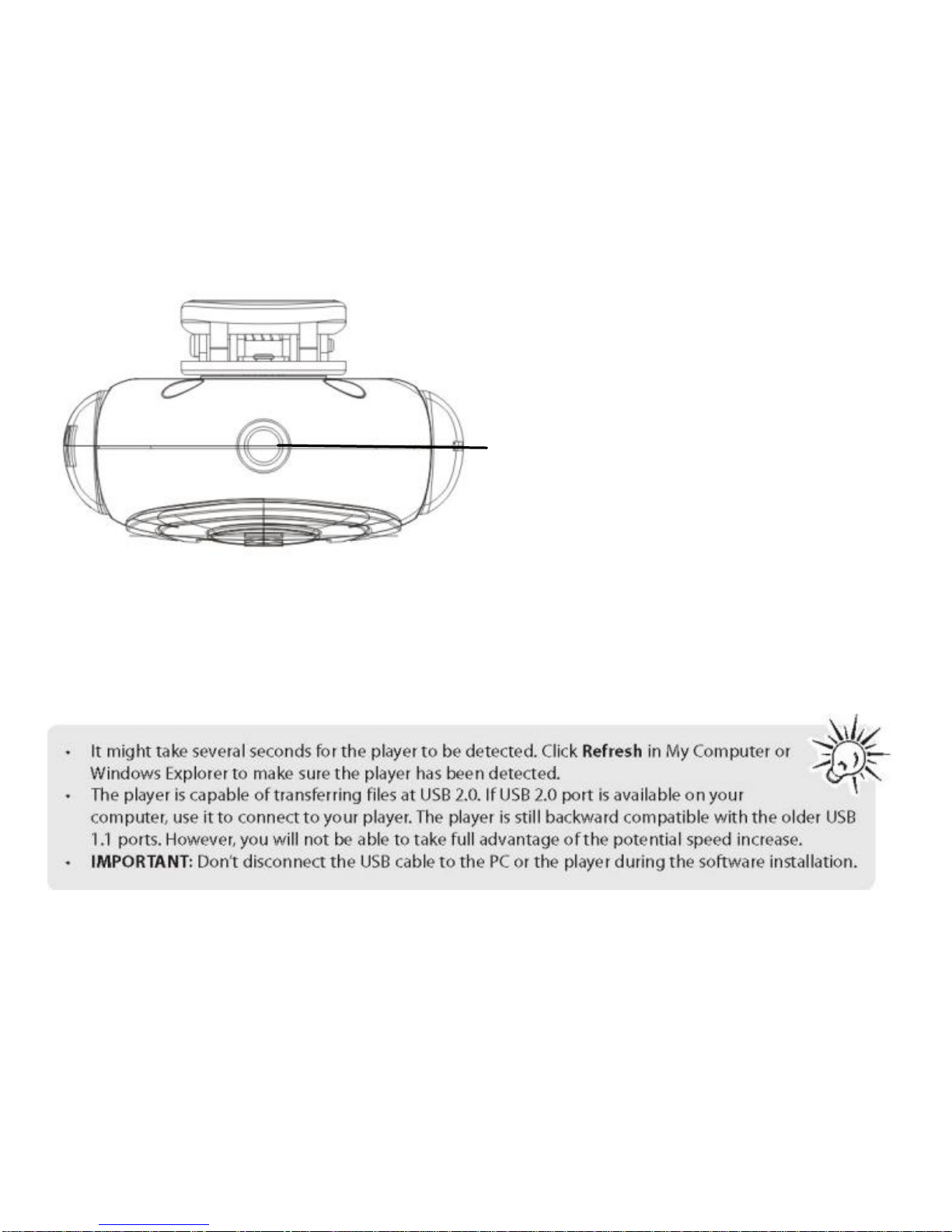
Earphone Jack/USB jack
5
Connect the PC USB port and the MP3 USB port with the provided USB cable.
Add MP3 files/folders to the USB storage„s folder.
Ⅰ. Open files/folders to be transferred on your computer.
Ⅱ. Open My Computer → Removable Disk from the desktop.
Ⅲ. Select the files/folders to be transferred from your computer and drag and drop them
to a folder of your choice in the Removable Disk (you can also transfer files on your PC to
the player using the "Copy" and "Paste" functions).
Delete MP3 files from the removable USB storage (use the "Delete" command).
6
1. Left click the icon on the taskbar at the bottom right corner of the desktop.
2. Click the "Safely remove USB Mass Storage Device –Drive(G:)" column.
3. Disconnect the player from your computer.
CAUTION:
Do not remove the player while files from the USB Mass Storage are being played on
your PC/Notebook.
Do not disconnect the player from your PC/Notebook while transferring file, or it will
cause damage to the player or data loss.
Package Contents
Please check that the package contains the following items:
Waterproof sports MP3 player
USB cable
Waterproof earphone
Quick Start Guide
Product Overview
7
Button Definition:
Menu Navigation
【M】button: Enter main menu, submenu or return.
Skip button (【 】/【 】): Shift menus.
Play/Pause button (【】): Play, Pause, or confirm.
Lock/Unlock : When you are walking or running, you can set the player to "Lock" mode,
then all buttons are disabled. To unlock, just long press【M】button until lock icon
disappears.
If the unit freezes and/or is not working properly. Press both【M】and【 】button at the
same time to reset. The unit will reset.
Menu/
back
Play/
pause/
OK
Vol down/
scroll
down
Vol up/
scroll up
Next /scroll up
Previous/scroll down
Vol up/
scroll up
8
Charge the player
The player charges automatically whenever you connect it to your computer. To fully
charge the player, make sure your computer is on and the device is connected for at least
3 hours. Refer to the battery level indicator on the display to check the battery level.
Recharge the player when the level indicator is blank.
Notes: After use, shake and blow off the surface water on the earphone or use a soft
absorbent cloth to dry it.
Power on/off
Press and hold【】button for approximately 3 seconds to power on until “Welcome”
displays on the screen:
Press and hold【】button for approximately 3 seconds to power off till “Good Bye”
displays on the screen:
9
Main menu (Home menu)
The player‟s main menu allows you to access Music, FM Radio, Pedometer, Swim
Fitness and Settings.
1. Short press【+】/【-】button or【 】/【 】button to scroll up and down the list of items
in the main menu.
2. Press【】button to enter your selection.
3. Long press【M】button to exit.