www.qimaging.com ©2014 QImaging. All rights reserved. QI_Retiga3000_UM_Rev_A1
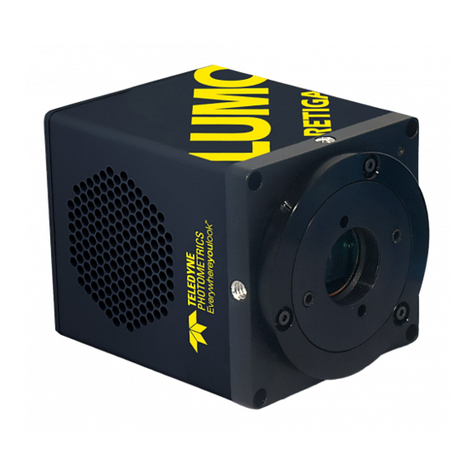
Retiga 3000 USER MANUAL
Table of Contents
INTRODUCTION ............................................................................................................. 1
System Components ........................................................................................................1
Precautions ........................................................................................................................2
Environmental Conditions for Operation and Storage.........................................................2
Microscopes, Lenses, Tripods .............................................................................................. 2
Cleaning ............................................................................................................................3
Repair ................................................................................................................................3
INSTALLATION ............................................................................................................... 4
Host Computer Requirements ............................................................................................4
Camera Power Requirements .............................................................................................5
Installation Step 1: Install the USB 3.0 PCIe Card ................................................................5
Installation Step 2: Install the Camera Driver....................................................................... 5
Installation Step 3: Connect the Camera ...........................................................................6
USING YOUR RETIGA 3000 CAMERA ............................................................................ 7
Imaging Software...............................................................................................................7
Basic Camera Parameters ...................................................................................................7
Exposure Time....................................................................................................................7
Gain State .........................................................................................................................7
Sensor Cooling...................................................................................................................8
Clocking Mode .................................................................................................................. 8
Clearing Mode...................................................................................................................9
ROI / Binning....................................................................................................................10
Device Synchronization ...................................................................................................10
TROUBLESHOOTING .................................................................................................... 13
Resolving Problems with the Camera................................................................................ 13
Unresolved Problems - Contacting QImaging Support ...................................................... 14
SPECIFICATIONS ........................................................................................................... 15
Camera Dimensions (Front) ..............................................................................................15
Camera Dimensions (Bottom)...........................................................................................15
Additional Camera Measurements ...................................................................................15
Connectors on Back of Camera........................................................................................16
Power Supply Specifications .............................................................................................16
Focal Plane Measurement................................................................................................. 17
Sensor Specifications .......................................................................................................17
Sensor Orientation ........................................................................................................... 18
I/O Connector Pinout .......................................................................................................18
APPENDIX A: USB Information ................................................................................... 20
USB 2.0 Chipset Incompatibility Notice.............................................................................20
Determining if a USB port is on a Root Hub......................................................................21