6
Windows
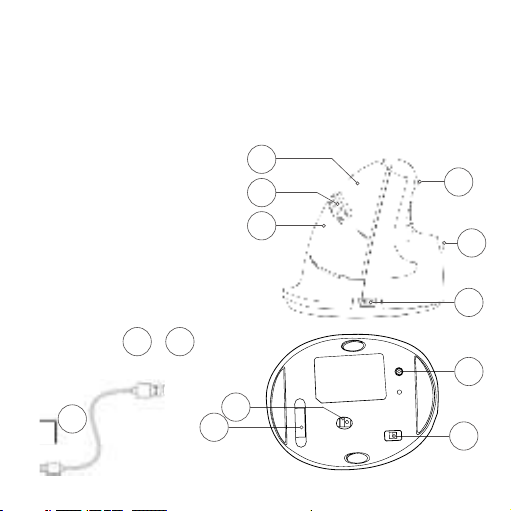
• Flip the switch 10 on the bottom to ‘‘ON’’.
• Click the Windows icon on your screen or hit the Windows-button
on your keyboard.
• Type in ‘‘Bluetooth and other device settings’’ and click on the
result that has the same name as your search term.
• If Bluetooth is not already on, click on the checkbox to turn
Bluetooth on.
• In the window that appears click on ‘‘Add Bluetooth or other device’’.
• In the new window, click on the option ‘‘Bluetooth’’.
• Now click the pair button 12 on the bottom of the mouse and
click on the new device that appears in the list.
• Your device will now establish a connection with the mouse.
• The next time your device boots up or when you turn the mouse
on, just click one of the buttons and the mouse will be connected
to your pc.
Setup