
manuals.online logo
Brands
  1. Home
  2. •
  3. Brands
  4. •
  5. Raymond Weil
  6. •
  7. Watch
  8. •
  9. Raymond Weil Nabucco User manual

Raymond Weil Nabucco User manual

Other Raymond Weil Watch manuals
Raymond Weil Don Giovanni 4888-ST-20001 User manual
Raymond Weil

Raymond Weil Don Giovanni 4888-ST-20001 User manual

Raymond Weil 1500-ST2-20000 User manual
Raymond Weil

Raymond Weil 1500-ST2-20000 User manual

Raymond Weil ZGU 717 User manual

Raymond Weil

Raymond Weil ZGU 717 User manual
Raymond Weil Geneve User manual

Raymond Weil

Raymond Weil Geneve User manual
Raymond Weil ZGU 704 User manual

Raymond Weil

Raymond Weil ZGU 704 User manual
Raymond Weil QUARTZ CHRONOGRAPH WATCH User manual
Raymond Weil

Raymond Weil QUARTZ CHRONOGRAPH WATCH User manual

Raymond Weil ZGU 714 User manual

Raymond Weil

Raymond Weil ZGU 714 User manual
Raymond Weil Geneve User manual

Raymond Weil

Raymond Weil Geneve User manual
Raymond Weil 1500-ST2-42381 User manual
Raymond Weil

Raymond Weil 1500-ST2-42381 User manual

Raymond Weil Geneve User manual

Raymond Weil

Raymond Weil Geneve User manual
Raymond Weil ZGU 724 User manual

Raymond Weil

Raymond Weil ZGU 724 User manual

Raymond Weil ZGU 729 User manual

Raymond Weil

Raymond Weil ZGU 729 User manual
Raymond Weil Geneve User manual

Raymond Weil

Raymond Weil Geneve User manual
Raymond Weil 2761 User manual

Raymond Weil

Raymond Weil 2761 User manual
Raymond Weil ZGU 730 User manual

Raymond Weil

Raymond Weil ZGU 730 User manual
Raymond Weil 7754-TIC-05209 User manual
Raymond Weil

Raymond Weil 7754-TIC-05209 User manual

Raymond Weil NABUCCO CUORE CALDO User manual
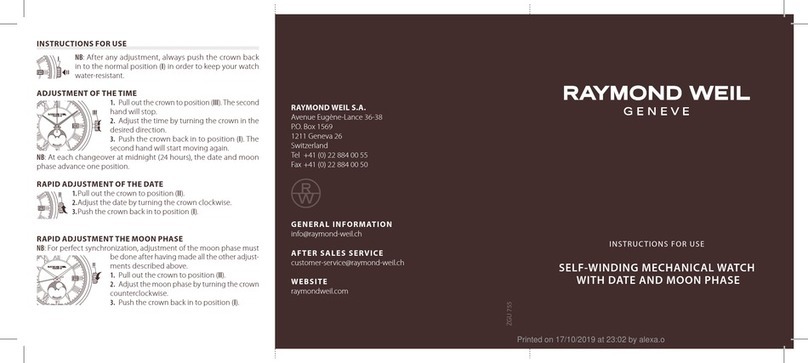
Raymond Weil

Raymond Weil NABUCCO CUORE CALDO User manual

Raymond Weil Geneve User manual

Raymond Weil

Raymond Weil Geneve User manual
Raymond Weil 7783 User manual

Raymond Weil

Raymond Weil 7783 User manual

Raymond Weil Geneve User manual

Raymond Weil

Raymond Weil Geneve User manual

Popular Watch manuals by other brands

Casio QW 5513 Operation guide

Casio

Casio QW 5513 Operation guide

Piaget 560P Instructions for use

Piaget

Piaget 560P Instructions for use

Armitron pro sport MD0346 instruction manual

Armitron

Armitron pro sport MD0346 instruction manual

West Marine BlackTip 13411293 Instruction Booklet and Care Guide

West Marine

West Marine BlackTip 13411293 Instruction Booklet and Care Guide

Jaeger-leCoultre HYBRIS MECHANICA CALIBRE 184 manual

Jaeger-leCoultre

Jaeger-leCoultre HYBRIS MECHANICA CALIBRE 184 manual

FOREVER iGO PRO JW-200 user manual

FOREVER

FOREVER iGO PRO JW-200 user manual

Relic OS10 quick start guide

Relic

Relic OS10 quick start guide

MyKronoz ZeClock manual

MyKronoz

MyKronoz ZeClock manual

Casio QW-782 General guide

Casio

Casio QW-782 General guide

Strikes and Spares SASM80 E-manual

Strikes and Spares

Strikes and Spares SASM80 E-manual

Christopher Ward C1000 Owner's handbook

Christopher Ward

Christopher Ward C1000 Owner's handbook

Lotus ILMFS01 instruction manual

Lotus

Lotus ILMFS01 instruction manual

Chronos Manufactures Chrono Diamond Thyrso 10400 instruction manual

Chronos Manufactures

Chronos Manufactures Chrono Diamond Thyrso 10400 instruction manual

Pandora WATCH2 quick guide

Pandora

Pandora WATCH2 quick guide

Suunto X6 user guide

Suunto

Suunto X6 user guide

Seiko N830 instruction manual

Seiko

Seiko N830 instruction manual

MotionX 365 user guide

MotionX

MotionX 365 user guide

Aplus GV18 user guide

Aplus

Aplus GV18 user guide

manuals.online logo
manuals.online logoBrands
  • About & Mission
  • Contact us
  • Privacy Policy
  • Terms and Conditions

Copyright 2025 Manuals.Online. All Rights Reserved.

INSTRUCTIONS FOR USE
NABUCCO
SELFWINDING CHRONOGRAPH
RAYMOND WEIL S.A.
Avenue Eugène-Lance 36-38
P.O. Box 1569
1211 Geneva 26
Switzerland
Tel +41 (0) 22 884 00 55
Fax +41 (0) 22 884 00 50
GENERAL INFORMATION
[email protected]
AFTER SALES SERVICE
[email protected]
WEBSITE
www.raymondweil.com
ZGU 718
NABUCCO CHRONOGRAPH
DESCRIPTION OF THE DIAL AND BUTTON
WATCH HANDS
CHRONOGRAPH HANDS
HOURS
HAND
MINUTES
HAND
SECONDS
HAND
PUSH-BUTTON A:
- START
- STOP
PUSH-BUTTON B:
- ZERO RESET
DAT E
WINDOW
12 HOURS
COUNTER
30 MINUTES
COUNTER
60 SECONDS
COUNTER
DATE SETTING
PUSH-BUTTON
RAYMOND WEIL Nabucco chronograph is equipped with a tachometric
scale, enabling the measurement of speed in km/h.
Your watch is tted with a screw-down crown. Before winding or
adjusting the watch, it is therefore necessary to unscrew the crown by
turning it anti-clockwise. The crown will then be released by a spring.
After adjusting settings, press the crown and gently turn it clock-
wise, and then screw it carefully down to maintain your watch’s
water-resistance.
SETTING THE TIME AND CHANGING THE DATE
1 2 3
1Screw-down crown
2Manual winding position
3Time setting
Setting the Time
In order to adjust the time, unscrew the crown and pull-it out to
position 3. Turn it forwards or backwards until the hands indicate the
desired time.
After setting the time, always push the crown back in to position 1,
in order to restart the hands and press lightly on the crown, while
turning it clockwise, and screw it back in gently in order to preserve
your watch’s water-resistance.
Changing the Date
DATE SETTING
PUSH-BUTTON
DAT E
WINDOW
In order to adjust the date rapidly, press the date setting buton until
the required date appears in the window at 4:30.
The automatic date correction takes place as the hours hand passes
midnight. During this operation, your watch will continue to function
and so will not need to be reset.
NOTE: Do not change the date when the watch is showing a time
between 10 p.m. and 2 a.m. The watch’s automatic date-change
mechanism engages during this time period and the movement
could be damaged.
After completing these settings, press lightly on the crown, while
turning it clockwise, and screw it back in gently in order to preserve
your watch’s water-resistance.
USE OF THE CHRONOGRAPH
The chronograph function can only be used when the crown is in
position 1.
Start
Press button Ato activate the seconds hand
of the chronograph. If the timed activity lasts
longer than 60 seconds, the time elapsed will
appear progressively on the minutes counter
and on the hours counter.
Stop
Press push-button Aa second time to stop
the chronograph and obtain the time that has
elapsed (in hours, minutes and seconds). By
pressing button Aagain, timing is restarted
immediately. Thus you can measure several
consecutive time durations.
Resetting to Zero
After having stopped the chronograph by push-
ing on button A, press button Bin order to reset
all the chronograph counters to zero. Your watch
is now ready to start timing again.
A
B
A
B
A
B
01/2012 – PRINTED IN SWITZERLAND










