6
VOYAGER 1 MISSION GUIDE
MIDI SETTINGS
8
9
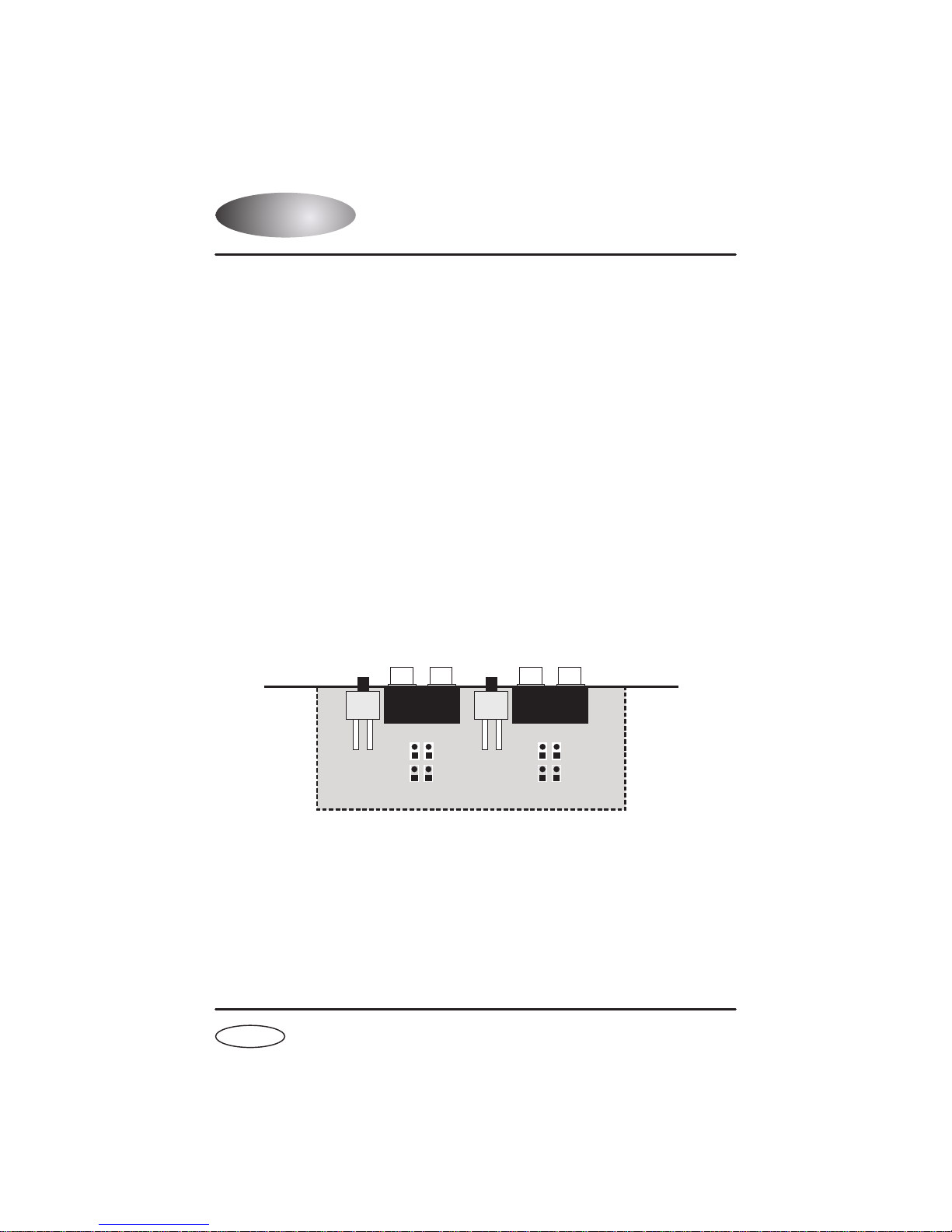
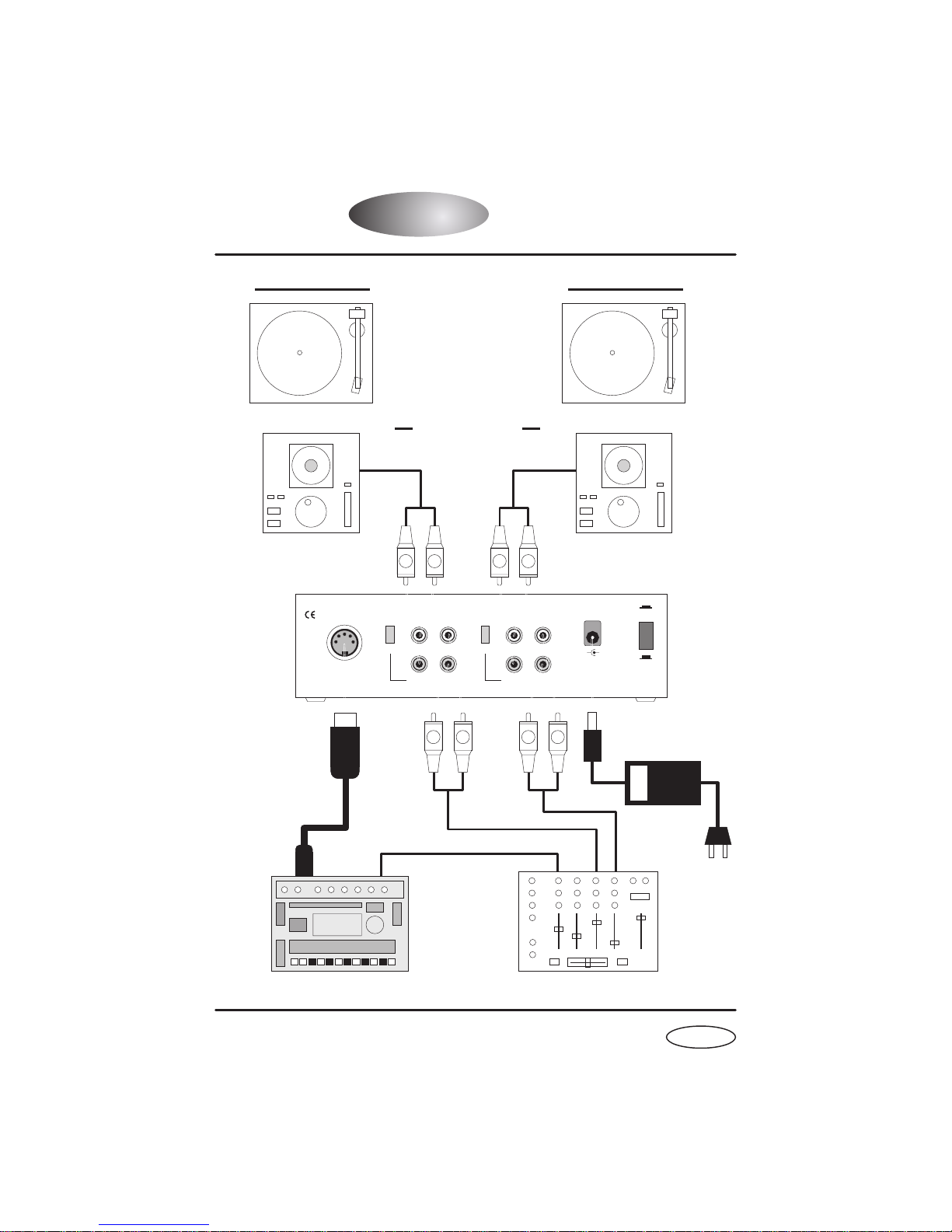
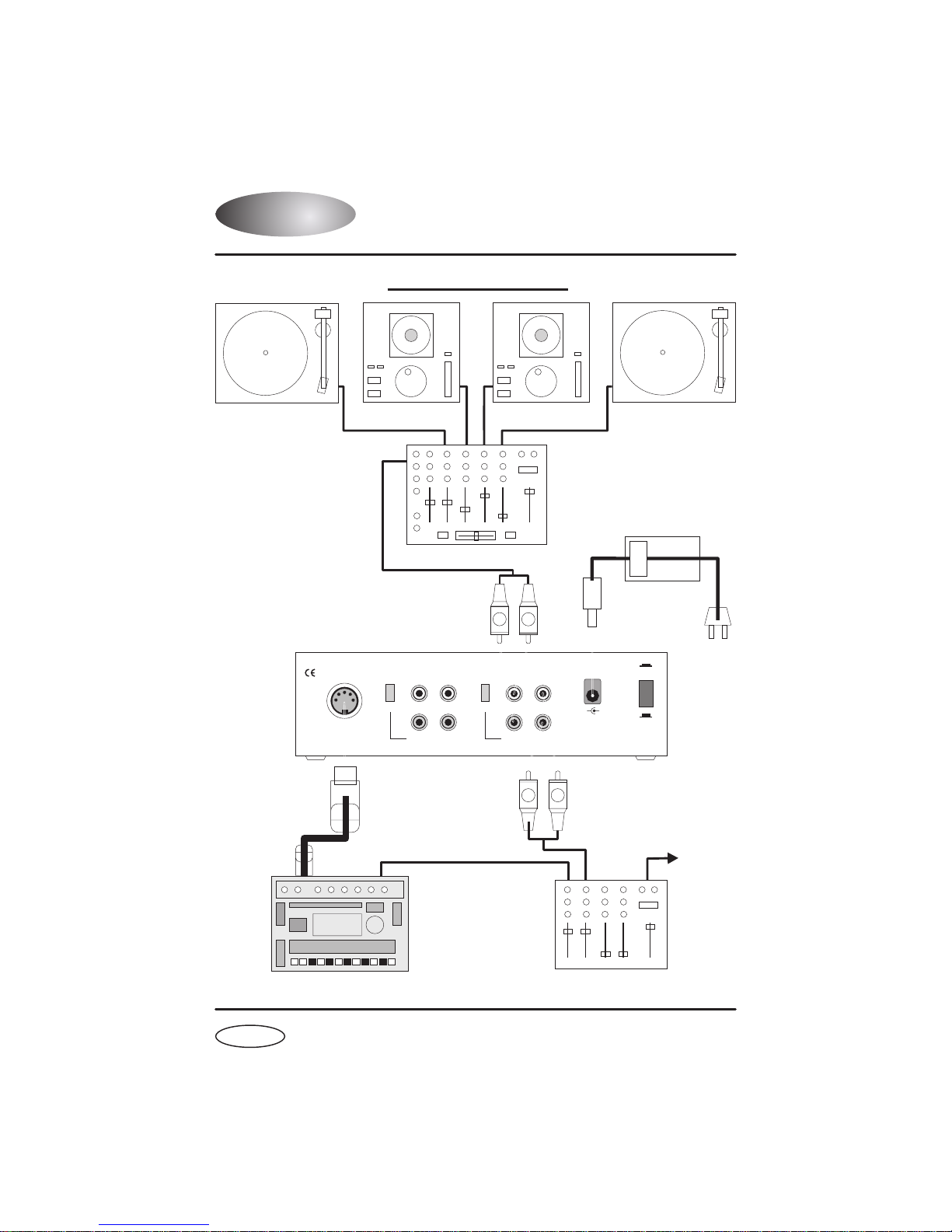
Connect the channel 2 audio outputs to a suitable mixing desk input.
Connect the channel 1 audio outputs to a suitable mixing desk input.
CHANNEL 2 Output connectors
CHANNEL 1 Output connectors
EXTERNAL MIDI SEQUENCER SETTINGS
QUASIMIDI RAVE-O-LUTION 309
In the 'EDIT' page press F3 to select 'SYSTEM'. Select page 3 with the
'PAGE' dial. Use the 'EDIT VALUE' wheel to set MIDI SYNC to 'EXT'.
Before the VOYAGER 1 can operate correctly you must first ensure that
your MIDI sequencer is set to respond to MIDI Clock commands.
Please consult the manufacturers operation manual to make the necessary
settings. Here are some typical examples:
In System Settings, set the 'SYNCHRONIZATION SETTING' to 'Slave'
mode.
In Master Menu, set 'GLOBAL TEMPO' down below 1 BPM to 'External'
mode and set the 'BEATS MODE to 1, 2 or 3.
External
ROLAND MC-303
E-MU Orbit / Planet Phatt etc.
OPERATING CRITERIA
This product has been designed to operate most effectively with
dance music - i.e. music which is based on strong regular beats and
patterns. However, as the range of pre-recorded dance material is
virtually limitless (and the audio mix of individual tracks unknown) we
cannot guarantee the performance of the VOYAGER 1 with every
dance track.
The VOYAGER 1 may operate unsatisfactorily if the beat information
is either unavailable or indefinable within the audio track. Please note
this when selecting your audio source material.