Rexing TL1 User manual

User Manual
TL1
Time Lapse Camera
The information in this manual is subject to change without notice.
Rexing All Rights Reserved
www.rexingusa.com

We hope you love your new products as much as we do. If you need assistance,
or have any suggestions to improve it, please contact us.
Our support team will respond you as soon as possible.
Always a surprise in Rexing.
•https://www.facebook.com/rexingusa/
•https://www.instagram.com/rexingdashcam/
•https://www.rexingusa.com/support/registration/
1
Overview
Thank you for choosing REXING!
Check us out here.
Facebook Instagram Site Product Support
(877) 740-8004

2
Table of Contents
Product Overview 3
Buttons and Description 5
What’s in the box? 4
Specification 6
Power Supply 7
Inserting Storage Media 8
Basic Operation 8
Time Lapse Setting 12
Using The Screw Mount 14
Download Files To The Computer 16
Notes and Maintenance 17
Warranty & Support 18

Product Overview
3
Mode Button
Speaker
Display Screen
Up Button / Manual
Time-lapse Button
Battery Compartment (4pcs)
OK Button
DC Port
Menu Button
USB Port
Power Button/Time-lapse Button
Down Button /
Selfie Button
Micro SD Card Slot
Fill Light
Lens
Status Indicator

What’s in the box?
1
8
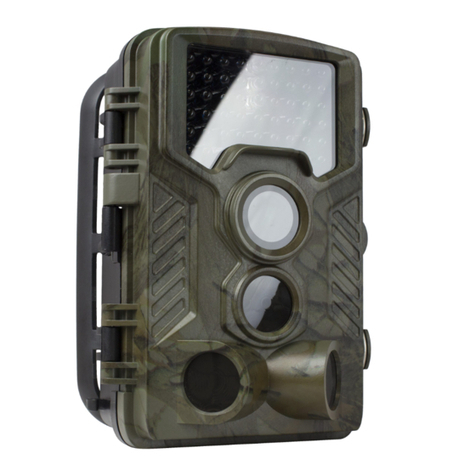
1. Rexing TL1 Time Lapse Camera
2. Strip Mount
3. Screw Mount
4. Mounting Screws (3x)
5. Installation Tool
6. USB to Mini-USB Cable
7. AV Cable
8. User Manual
4
23
5
4
6 7
User Manual
TL1
Time Lapse Camera
Theinformation in this manual is subject to change without notice.
RexingAll Rights Reserved
www.rexingusa.com

Buttons and Description
5
Button
Long press to turn On/Off;
After starting up, press the button to enter the time-lapse mode;
Power Button /
Time-lapse Button
Enter/Exit MenuMENU Button
Flip Down/Selfie
Down Button /
Selfie Button
Switch between Camera Mode/Video Mode/Playback ModeMODE Button
Shooting/OK ConfirmationOK Button
Upward/manual Time-lapse Photography Shortcut
Up Button /
MTL Button
Function

Specification
6
2.4" LCDLCD screen
Starlight lens Angle of view: 110°Lens
A single 2W white LED will enable the supplementary light
when the user is in a completely dark place.
Supplementary Light
Set the shooting time flexibly according to the week and timeCustomize the Shooting Cycle
Starlight 2 MegapixelsImage Sensor
1920*1080 / 1280*720Resolution
2 FT~infinityShooting Distance
ON/OFF; (When ON, the oldest document
will be deleted when the card is full)
Loop Shooting
+3.0 EV ~-3.0 EV in increments of 1.0EVExposure Compensation
Photos: JPG, Video: AVIFile Format
Micro USB 2.0PC Interface
Screw Mount, straps, ropesInstallation Method
12 AA batteriesPower Source
6 months (take a photo at 5-minute intervals,
288 photos/day, 8640 photos/month)
Battery Life
Micro SD card (up to 512GB,Class 10 or above)Storage Media

Power Supply
7
Please install batteries before using the camera.
•Open the camera case and remove the battery cover. Install 12 pieces of 1.5V AA
batteries (4pcs in the left battery compartment, 8pcs in the right battery
compartment).Please make sure the electrode is correct.
Close the
battery cover

Inserting Storage Media
Basic Operation
8
Please prepare a Micro SD card and insert it into the camera for saving more files.
Before recording, please format the memory card first.
Turn On/Off the Camera
After the battery is plugged in, long press the power button to start the device.
Long press the power button again to turn it off.
•Support Micro SD card, up to 512GB. Suggest to use at least class 10 or above
high speed card.
•To avoid malfunction, the memory card should be far away water, strong vibration,
dust, hot source and direct sunlight.
•Do not insert the memory card forcibly. Please refer to the marking on the camera.
•For the first time use, please wait for the memory card temperature reach the
ambient temperature. The camera will be short-circuit influenced by environment
temperature and humidity. Please notice the protection for the camera when using
it outdoor.
•If the capacity of the memory card is full, the TL1 will stop recording automatically
and the LEDs will go out.
•Press the edge of the card gently to pop-up the Micro SD card.

9
System Setup
After starting up, click the MODE button and then click the MENU button to set
the camera.
Adjustment Mode
The TL1 has 3 different modes: Photo Mode, Video Mode and Playback
Mode. Press the Mode button to change mode.
Playback Menu
1. Delete current file: Delete the current photo or video. Options: Cancel/Delete.
2. Delete all files: Delete all photo and video files in the memory card. Options:
Cancel/Delete.
3. Activate slide show: Playback the photos in slides. Each photo displays in 3
seconds. Press OK button to stop playing.
4. Write protect: Lock the file. It can avoid accident deletion. Options: Write-protect
current file/Write-protect all files/Unlock current file/Unlock all files.
•Taking Photos: Press the MODE button to switch to photo mode. Press OK button to
take a picture.
•Record Videos: Press the MODE button to switch to video mode. Press OK to start
recording, and press OK again to stop recording.
•Playback: Press the MODE button to switch to the playback interface, press the
up/down button to browse the saved photos and videos. When playing back the
video, press the OK button to play, press the OK button again to pause, and press the
menu button to stop playing. Press the playback button again to exit playback mode.
Photo Mode
For taking still photos. For recording video.
Video Mode
For playing the recorded files.
Playback Mode
Table of contents
Other Rexing Digital Camera manuals