logo
Brands
  1. Home
  2. •
  3. Brands
  4. •
  5. Sanyo
  6. •
  7. Camcorder
  8. •
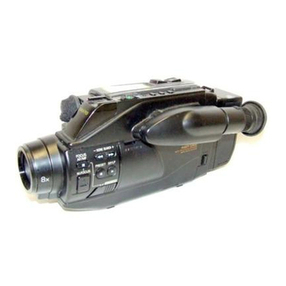
  9. Sanyo VM-EX410P User manual

Sanyo VM-EX410P User manual

This manual suits for next models

1

Other Sanyo Camcorder manuals

Sanyo VPC-CG20 - Full HD 1080 Video User manual

Sanyo

Sanyo VPC-CG20 - Full HD 1080 Video User manual

Sanyo VPC-HD1010BK User manual

Sanyo

Sanyo VPC-HD1010BK User manual

Sanyo VM-PS12 User manual

Sanyo

Sanyo VM-PS12 User manual

Sanyo Xacti VPC-C4 User manual

Sanyo

Sanyo Xacti VPC-C4 User manual

Sanyo VPC-CG9 - Xacti Camcorder - 9.1 MP User manual

Sanyo

Sanyo VPC-CG9 - Xacti Camcorder - 9.1 MP User manual

Sanyo VM-D6P User manual

Sanyo

Sanyo VM-D6P User manual

Sanyo XACTI VPC-TH1 User manual

Sanyo

Sanyo XACTI VPC-TH1 User manual

Sanyo Xacti VPC-CG6GX User manual

Sanyo

Sanyo Xacti VPC-CG6GX User manual

Sanyo VM-D90R User manual

Sanyo

Sanyo VM-D90R User manual

Sanyo Xacti VPC-E2 User manual

Sanyo

Sanyo Xacti VPC-E2 User manual

Sanyo VCC-WD8870P User manual

Sanyo

Sanyo VCC-WD8870P User manual

Sanyo VPC-E9 User manual

Sanyo

Sanyo VPC-E9 User manual

Sanyo VPC-HD2000ABK User manual

Sanyo

Sanyo VPC-HD2000ABK User manual

Sanyo VPC-CG20BK User manual

Sanyo

Sanyo VPC-CG20BK User manual

Sanyo Xacti VPC-CG10BK User guide

Sanyo

Sanyo Xacti VPC-CG10BK User guide

Sanyo VPC-CG102 - Full HD 1080 Video User manual

Sanyo

Sanyo VPC-CG102 - Full HD 1080 Video User manual

Sanyo VM-D66P User manual

Sanyo

Sanyo VM-D66P User manual

Sanyo VPCHD2EX - Xacti 7.1MP MPEG4 High Definition... User manual

Sanyo

Sanyo VPCHD2EX - Xacti 7.1MP MPEG4 High Definition... User manual

Sanyo Xacti VPC-HD2000 Series User manual

Sanyo

Sanyo Xacti VPC-HD2000 Series User manual

Sanyo VPC-FH1BK - Xacti Camcorder - 1080p User manual

Sanyo

Sanyo VPC-FH1BK - Xacti Camcorder - 1080p User manual

Sanyo VPC-CG88BK User manual

Sanyo

Sanyo VPC-CG88BK User manual

Sanyo VPC-E1W User manual

Sanyo

Sanyo VPC-E1W User manual

Sanyo Xacti VPC-CG65EX User manual

Sanyo

Sanyo Xacti VPC-CG65EX User manual

Sanyo Xacti VPC-HD2000 Series User manual

Sanyo

Sanyo Xacti VPC-HD2000 Series User manual

Popular Camcorder manuals by other brands

JVC GR-FX16 null

JVC

JVC GR-FX16 null

Toshiba CAMILEO Z100 user guide

Toshiba

Toshiba CAMILEO Z100 user guide

Panasonic NV-VS40B operating instructions

Panasonic

Panasonic NV-VS40B operating instructions

Canon RC 260 instructions

Canon

Canon RC 260 instructions

Sony Handycam DCR-DVD7E operating guide

Sony

Sony Handycam DCR-DVD7E operating guide

Brinno TimeLapse TLC200 user manual

Brinno

Brinno TimeLapse TLC200 user manual

JVC GR-SXM68AC Schematic diagram

JVC

JVC GR-SXM68AC Schematic diagram

Panasonic AG-HMC152EN operating instructions

Panasonic

Panasonic AG-HMC152EN operating instructions

MYDLINK DCS-6100LH Quick installation guide

MYDLINK

MYDLINK DCS-6100LH Quick installation guide

Sony video Hi8 Handycam CCD-TR555 operating instructions

Sony

Sony video Hi8 Handycam CCD-TR555 operating instructions

SECURECOM V-5014B installation guide

SECURECOM

SECURECOM V-5014B installation guide

Sharper Image U-VIDEO instruction manual

Sharper Image

Sharper Image U-VIDEO instruction manual

JVC AA-V15EG instruction manual

JVC

JVC AA-V15EG instruction manual

Canon LEGRIA HV40 instruction manual

Canon

Canon LEGRIA HV40 instruction manual

Sony Handycam DCR-VX2000 Service manual

Sony

Sony Handycam DCR-VX2000 Service manual

RCA CC616 user guide

RCA

RCA CC616 user guide

Insignia NS-DCC5HB09 - Camcorder - 720p user guide

Insignia

Insignia NS-DCC5HB09 - Camcorder - 720p user guide

Panasonic NVM40 Service manual

Panasonic

Panasonic NVM40 Service manual

https://manuals.online logo
https://manuals.online logoBrands
  • About & Mission
  • Contact us
  • Privacy Policy
  • Terms and Conditions

Copyright 2025 Manuals.Online. All Rights Reserved.

INSTRUCTION MANUAL
MANUEL D’INSTRUC’I-IONS
MANUAL DE INSTRUCCIONES
VM-EX41 OP
VM-EX580P
8mm Camcorder
Cam&cope 8 mm
Videocimara 8 mm
VM-EX41 OP VM-EX580P
PAL
Contents
Precautions
&
About the camcorder
&
Charging the Ni-Cdbattery pack
‘;i”
Using the alkaline batteries
we
Recordingsteps
w%
Camcorder operation
L
Using the remote control
we
Playback
PW
-1w
Maintenance
PVC
Specifications
rw
I
Forthe operation and warning
beeps, please refer to page 15.
I
Pleaseread these instructions
carefully before
using the unit.
Besure to keep this manual
for later
reference.
This camcorder can be powered
by the supplied AC adaptor or
battery pack.
You can also
use
an AC
adaptor/charger (VAR-512) or
alkaline batteries that
are
sold
separately.
About this manual
Thismanual gives basicconnections and operating
instructions for 2 PALmodels (VM-EX41OP,580P).
For more information on models variations, please
refer to the specifications page.
English
1
I
Precautions
Do not put any furniture or other heavy object
on the power cord, as that may cause a short
circuit and start a fire.
Keep
the power cord away from heat sources
such as a heater, stove, etc.
Protect from dripping and splashing.
To unplug the power cord, pull from the plug,
never the cord.
Do not open the camcorder case.
There are no user serviceable parts inside.
Opening the case may damage the camcorder.
When the cassette compartment is opened,
make sure no foreign object falls inside the
camcorder, as that
may cause
damage to the
camcorder and/or start a fire when the
camcorder is used.
Keep the camcorder away from children, and
make sure they do not put their hand in the
cassette compartment.
Do not use the camcorder outside during a
storm or when there is lightning.
w
Do
not use commercially available
wet-type video head-cleaning cassettes.
They may damage the video heads in your unit.
For the most suitable head-cleaning cassettes,
please consult the dealer where the unit was
purchased.
w Do not wrap the camcorder in a cloth, as the
temperature inside will rise and damage the unit.
If you notice anything unusual (smoke, strange
noise or odour, etc.), stop using the unit and switch
it off immediately. Remove the battery pack or
disconnect the DC connecting cord, then consult
the dealer where the unit was purchased, or contact
an authorized service centre.
2
English
Precautions concerning magnetic fields
Do not leave/use the camcorder near magnets, or
magnetic fields as they may damage the recordings
on the tape.
Precautions during recording or playback
n
n
n
n
n
Do not let direct sunlight hit the lens, as that
may cause damage to the unit.
Do not use the camcorder near transmitting
antennas, as this might cause the unit to
malfunction.
When using the camcorder at the beach, do not
let it get wet.
Do not allow sand or dirt to enter the unit.
Do not direct the viewfinder toward the sun, or
key parts in the cavity may burn.
Do not store the unit in the following locations:
n
n
where it will be subject to direct sunlight (e.g. on
a car dashboard, etc.),
near bright light sources, or where the humidity
level is high,
n
in a closed car on warm or hot days, or close to
a heat source (e.g. heater, stove, etc.),
n
in the presence of excessive dirt or dust,
n
where it will be subject to strong vibrations, or
strong magnetic fields.
English
3
Condensation
Condensation is the moisture that forms on the
outside of a glass when you fill it with cold water.
The first sign of condensation is fogging of the
camcorder lens and viewfinder.
To stop the formation of condensation, wrap the
camcorder in a cloth until the fogging on the lens
and in the viewfinder disappears.
Do not use the camcorder before condensation has
disappeared as that may cause damage to the video
heads.
Conditions
where condensation might appear
n
If the camcorder is suddenly moved from a cold
place to a warm, humid one, or vice versa.
n
If a heater has been turned on to quickly heat
the room, or if the level of humidity is high.
n
If taken from an air conditioned room, or car to
a hot, humid place.
Condensation warning indicator
If condensation is detected inside the camcorder,
the condensation warning indicator will flash in the
Viewfinder. (See page 5.)
n
As condensation may also appear inside the
cassette casing, the cassette warning indicator
might also flash when the cassette is loaded.
Do not load a cassette in the camcorder if you
suspect that condensation has formed inside the
cassette.
If condensation has formed
Eject the cassette and wait for 1 - 2 hours for the
condensation to dry.
The time required to completely eliminate
condensation may vary.
WARNING:
UNAUTHORIZED RECORDING OR USE OF
TELEVISION PROGRAMMING, BROADCASTS,
VIDEO TAPE, FILM OR OTHER COPYRIGHTED
MATERIAL MAY VIOLATE APPLICABLE
COPYRIGHT LAWS. SANYO ASSUMES NO
RESPONSIBILITY FOR UNAUTHORIZED
DUPLICATION, USE OR OTHER ACTS WHICH
INFRINGE UPON THE RIGHTS OF COPYRIGHT
OWNERS.
4 English
About the camcorder
A.
Power zoom lever (X16)
Press on the T side for a close up
a shot (zoom-in)
and
on the W side for a wide angle shot
(zoom-out). The zoom setting will be indicated,
in
the viewfinder, by the position of the (w) symbol.
The (M) symbol will move according to the pressure
on the power zoom lever. The zoom setting display
will be cancelled about 3 seconds after the power
zoom lever is released.
l
When the POWER/CHARGE switch is turned
off, the zoom will automatically return to the
zoom-out position.
B.
Remote
control sensor
The remote control can be used within a range of 4
m
(13
ft) from the front of the sensor.
C.
Microphone
D.
Shoulder belt hook
Use
a commercially available shoulder belt.
E.
Lithium battery tray
Insert the lithium battery in the tray with the (+)
sign facing up.
After the lithium battery is installed, the time and
date will need to be set. (See page
13.)
F.
Eyesight compensation ring
Turn the camcorder on, then while looking into the
viewfinder turn the ring, to the right or to the left,
to obtain the clearest possible picture.
G. Video/Audio terminals
@ Video output terminal (VIDEO)
Q DC output terminal
(for RFconverter)
@
Audio output terminals
(AUDIO)
The VM-EX41 OPis monaural.
n
Tripod screw mount
Located under the unit.
H.
Viewfinder displays
q
Warning indicators (blinking)
TAPE :The tape iswithin about 5 minutes from
the end.
TAPEEND:The tape has reached the end.
&@
:
The erasure-prevention switch on the
cassette is set to the
red position
(See page 11).
: No cassette is loaded.
:
Condensation has formed inside the unit
or the cassette.
g
:
Condensation has formed inside the unit
or the cassette.
In the following conditions the warning
beep, will
sound 10 times. (For
more details, please refer to
page 15.)
TAPE
END: If the tape reaches the end while
recording, or if trying to record when the
tape is at
the end.
m, m:
If trying to record in these conditions.
English 5
I
n
Battery remaining
power indicator
The remaining charge of the battery is displayed in
the viewfinder.
When the remaining charge is low (c-=1) it is
recommended to have a spare recharged battery
pack ready.
When this indicator(m) is displayed, the power
will run out in about
L
5 minutes or less.
--=2
n
Remaining tape display
When the remaining tape reaches about halfway
point during recording or playback, the indicator
@IL) will be displayed.
IEl~Eil- El0
--
1. Power mode button
When the power is turned on, the unit will
automatically go into recording pause mode (if a
tape is loaded). A different mode
(PLAYER or
CAMERA)
is selected every time this button is
pressed.
1.
Grip belt and lens cap
Use
the grip belt to hold the camcorder.
K.
POWER/CHARGE switch
The switch has three positions. Up (POWER
position) for recording and playback, down
(CHARGE
position) for recharging the battery pack,
and centre or power off position.
L.
Battery compartment cover
open button
(PUSH)
Press on the PUSH button to open or close the
cover.
M.
Cassette eject button (EJECT)
6
English
Charging the Ni-Cd battery pack
1
Installing the battery pack
The battery pack has not been charged. Make
sure to charge it before using it for the first
time.
1 Press the PUSH
button.
Carefully open the battery compartment cover
fully.
Press
on the
PUSH
button to close the cover.
2 Insert the top of the battery pack (a), then
press
down on the other end (8) to install it.
Make sure it clicks into place.
To remove
the battery pack, slide it toward the
back of the camcorder (@), then Iii it (a).
Note
l
Only thin type battery packs such as the NP-33,
NP-55 or NP65 models can be used with this
camcorder.
Do not use the AC adaptor (VAR-21 or
VAR-22) or AC adaptor/charger (VAR-S12 or
VAR-S53) for any purpose other than
charging the battery packs (NP-33, NP-55 or
NP45). or supplying power to this camcorder.
2
Connecting the AC adaptor
1 Connect the cord from the AC adaptor to the
DC input terminal on the camcorder.
2 Plug the AC adaptor into an AC outlet.
Note
Before
closing the battery compartment cover,
make sure the AC adaptor cable is correctly set into
the opening (see illustration).
WARNING:
l
This
AC adaptor (VAR-21 or VAR-22) is specially
designed for this camcorder. Never use another
type of AC adaptor with this camcorder, and do
not use this AC adaptor to power other types of
camcorders.
l
Not
for use with toys.
The AC adaptor can be used in any country
where the standard voltage is between 100 V
and
240 V AC.
In countries where a differently
shaped plug is used,
a
plug adaptor must be
used. (See your Sanyo dealer for details.)
For this product use the supplied AC adaptor
(conforming to the EIA Japanese standard, with a
unified polarity type plug w+@):
Use of another AC adaptor may cause trouble.
English
7
3
Charging the battery pack
Set the POWER/CHARGE switch to the
CHARGE position.
The CHARGE indicator will light and the battery
pack will be recharged.
After approximately 16 hours, the CHARGE
indicator will start flashing. Pleaserefer to “Charging
time” to confirm that the battery pack isfully
&arged.
For recording and playback the POWER/CHARGE
switch must be set to the POWER p&ion.
Before charging the battery pack, make sure
to first set the POWER/CHARGE switch to
the POWER position, then to the CHARGE
position.
If the battery pack is not used, remove it
from the camcorder before storing it.
When finished, make sure to unplug the AC
adaptor power cord from the AC outlet.
The CHARGE indicator will start flashing
approximately 16 hours after the
POWER/CHARGE switch is set to the CHARGE
position, whether a battery pack is being
charged or not.
When recharging the battery pack on the
camcorder, the
CHARGE
indicator will start flashing
approximately 16 hours after the
POWER/CHARGE
switch is set to the CHARGE position, as a reminder
that the battery pack has been charged and should
be removed. Please note that depending on the
battery pack model, this may not indicate that it is
fully charged. For more details on battery pack
charging times, please refer to the “Battery pack
charging/operating time” table on next page.
If the battery pack is changed halhvay during
charging, the CHARGE indicator will still start
flashing approximately 16 hours after the
POWER/CHARGE switch was first set to the
CHARGE position, and the second battery pack
may not yet be fully charged.
If there is a problem with the installed battery
pack, the CHARGE indicator will still light but
charging will not be possible. In doubt, first
charge the battery pack for short period and
confirm that it works properly.
Charge condition indicator switch (A)
Use this switch as a reminder of the charge state of
the battery. Set the switch to the RED position
when the battery is discharged.
Please note that the battery pack model NP-33 does
not have a charge condition indicator switch.
8
English
r
n
Recharging
The battery pack should only be recharged just
before it will be used, or one day before at the
most.
If the battery pack is recharged and not
used,
it will
slowly loose its charge.
Charging the battery pack is possible within a
temperature range of 10-C to 3O’C (50-F to
86-F).
n
Battery pack charging/operating time
The charging and operating times shown in the
table below are approximate.
Operating time
Hi
Charging time:
Charging time for standard battery packs:
NP-33 (approx. 8 hours), NP-55 (approx. 10 hours)
(for a full recharge)
Note
At low temperatures or when using non standard
battery packs, the charging time may vary.
Depending on the conditions, the charging time
may be up to 12 hours for an NP-33 battery pack,
and 16 hours for an NP-55 battery pack.
n
About the Ni-Cd battery pack
In the following cases the operating time of the
battery pack will be shorter than normal, even
after a full charge:
If the battery pack is used for the first time.
If used in low temperature conditions.
If it is stored in a fully charged or partially
charged condition.
If the charge is completely exhausted and it is
stored for a long period (more than 3 months).
If stored at temperatures above 40-C
(104.F).
The
battery will be restored to its original
condition after it has been used until
completely discharged and recharged, or after
it has
been recharged using
the Refresh
function of the AC adaptor/charger (sold
separately) two or three times.
The following operations also require power, and
will shorten the operating time.
It is recommended that you have on hand enough
charged battery packs to last 2 or 3 times the
expected recording time:
l
Recording pause mode.
l
Loading and unloading the cassette.
0 Using the power zoom.
WARNING:
l
Do not short-circuit the battery pack
terminals, and never try to disassemble or
modify the battery pack.
l
Do not throw into a fire, as it may explode.
l
Do not get wet.
l
When not in use, the battery pack should be
removed and stored in a cool, dry place.
l
Do not drop or subject to violent shock.
l
If the terminals are dirty, use a soft cloth or
tissue paper to clean them.
W Storing
Do not store a battery pack where it could
reach high temperatures.
If the camcorder is not used for a long period,
remove the battery pack. Otherwise, the battery
pack will slowly loose its charge.
Note
CONTAIN NICKEL-CADMIUM BATTERY.
MUST BE RECYCLED OR DISPOSED OF
PROPERLY.
English
9

1
I