User Manual
EDGE-HD4 Mini PC
1. Product Specifications
Important information for your safety and comfort
Please read these instructions carefully before using the product and
save for future reference.
Ensure that the Mini-PC is turned off and disconnected from the
mains supply before cleaning
Do not use liquid or aerosol cleaners, a damp cloth should suffice
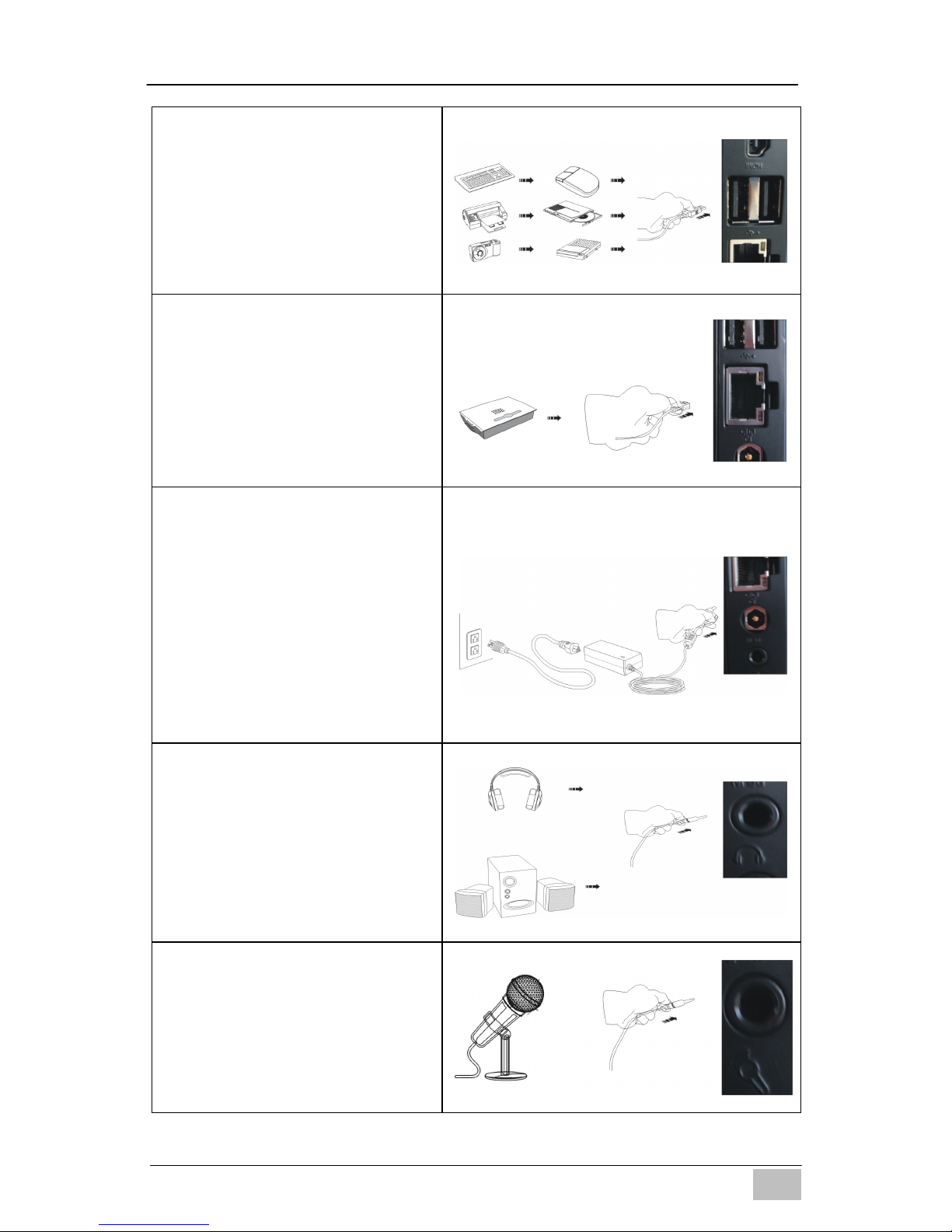
Insert the power connector into the Mini PC before plugging the
mains cable into the AC power outlet.
When you need to disconnect power to the equipment, unplug the
power cord from the AC power outlet before removing the power
connector from the Mini PC.
Item Description
CPU Intel Sandy Bridge 847
Chipset INTEL Panther Point (NM70)
RAM 4GB – DDR3
Storage Support 2.5'' SATA 250GB / 320GB / 500GB HDD
LAN Built-in Ethernet supporting 10/100/1000 Mbps
WIFI Built-in WIFI supporting IEEE 802.11 b/g/n
I/O 1 x VGA,1 x HDMI, 1 x RJ45, 1 x USB 3.0 Port,
3 x USB 2.0 Ports, 1 x Audio-In, 1 x Line Out
AC Power Adapter Input: AC 100~240V, 50/60MHz
Output: DC 19V, 3.42A, 65W
Dimensions 19.3(L) X 14.8(W) X 2.2(H) cm
Weight 530g
Operating System Pre-installed with FREE DOS;
Supports Win8 / Win7 / Vista