SPOT Connect User manual

Globalstar Spot Connect
User’s Guide
DECLARATION OF CONFORMITY FOR EUROPEAN CUSTOMERS
Hereby, Globalstar Europe Satellite Services Ltd., declares that this SPOT
Satellite GPS Messenger, is in compliance with the essential requirements
and other relevant provisions of Directive 1995/5/EC. The declaration of
conformity may be consulted at www.findmeSPOT.com.
© 2010, SPOT, LLC. For more information visit www.findmeSPOT.com.
The official language of this User’s Guide is English.
The translations are provided for your convenience only.
In the case of any contradiction between a translation and the English,
the English version shall take precedence.
USERG-ENG-10V1

HOW SPOT CONNECT WORKS
1. GPS satellites provide signals.
2.The SPOT CONNECT on board GPS chip determines your GPS location
and works with a native smart phone application to send your location
and custom or predefined message through the SPOT CONNECT device.
3.Communication satellites relay your message to specific satellite
antennas around the world.
4. Satellite antennas and a global network route your location and
message to the appropriate network.
5. Your location and messages are delivered according to your instructions via email,
text message, or emergency notification to the GEOS Rescue Coordination Center.
Google™
Powered by Google Maps™
When SPOT CONNECT sends a text or email message to one of your contacts or to the
GEOS Rescue Coordination Center, it includes your GPS coordinates and a web link
(email only) to view your location using Google Maps™.
2 3

SECTION 2: GETTING STARTED
Before you start, here are a few important things to remember
to get maximum reliability from SPOT CONNECT:
1. SPOT CONNECT needs a clear view of the sky to obtain
a GPS signal and provide the most accurate location information.
It is not reliable indoors, in a cave, or in very dense woods.
2. Orienting SPOT so that the SPOT logo is facing up
toward the sky will improve performance as the
antenna is located under the logo.
3. Be sure the SPOT CONNECT device is within several feet
of your mobile device. This is necessary to maintain a
consistent Bluetooth connection.
SECTION 1: WELCOME
Life is full of adventures. Now you have a way to share yours and be prepared
wherever you roam. You have just purchased the best peace of mind available
for the active outdoor adventurer or smartly-prepared individual. SPOT CONNECT
is the world’s first satellite messenger built to work the latest smart phone handsets.
SPOT CONNECT works with your smart phone and uses the GPS satellite system
to determine your location and global communication satellites to transmit that
information to your chosen contacts.
SPOT gives you and your loved ones peace of mind by allowing you to:
• Notify them or the GEOS International Emergency Rescue
Coordination Center of your GPS location.
• Send for assistance in time of need around the world.
• ROAM outside typical mobile phone coverage areas, but maintain
a means to communicate with you mobile device
4 5

INITIAL SYSTEM TEST
Perform an initial system test to evaluate your entire messaging
system, from the operational condition of the SPOT to the
readiness of those you’ve chosen to receive your messages.
1) Go outside to where SPOT has a clear view of the sky in all directions.
2) Press and hold the ON/OFF button until the function light blinks green.
3) Press and hold the Check-In/OK button until the function light blinks green.
4) Leave SPOT outdoors. The GPS indicator light blinks green as SPOT acquires a
GPS fix. Once SPOT acquires your GPS location, the Message Sending light and GPS
light will blink green in unison for ~15 seconds to notify you that your message is being
transmitted with GPS location. The Message Sending light will continue to blink green
over the remainder of the 20 minute message cycle and for one (1) hour after the end
of the message cycle (this is to provide you with additional time to check if your most
recent message was transmitted). The Check-In/OK function light will turn off once
the message cycle is complete.
5) Verify that the message was received in the email or SMS account(s)
that you set up during activation in your Check-In/OK contact list.
6) You can also view your messages in your account at findmeSPOT.com
If the GPS light blinks red, SPOT does not have a clear view of the GPS satellites
and you must move to an area with a clearer view of the sky for proper operation.
Then repeat steps 2 through 5. You can update the names and contact information
anytime via your account on the SPOT website. Leave your personal contact
information as one of the contacts for future system testing and GPS Acquisition
before each trip.
SERVICE ACTIVATION
SPOT activation requires a combination of hardware and online steps, outlined below.
Complete all steps in each row before moving on.
6 7

THE SPOT CONNECT DEVICE
POWER
To turn SPOT CONNECT on simply press and hold the ON/OFF button until the button
blinks green. SPOT CONNECT performs a self-diagnostic test. When power is ON,
the button will blink green every 3 seconds. This is helpful for making SPOT CONNECT
more visible in the dark. To turn SPOT CONNECT off, press and hold the ON/OFF button
until the light stops blinking.
SOS
To manually activate the SOS mode, press and hold the button on the side of
the device for 5 seconds. Upon activation, the device will flash the SOS light
indicator until it is cancelled manually, or the device battery runs out.
LIGHT INDICATORS
SPOT CONNECT uses lights to tell you what it’s doing.
Take a moment to become familiar with these lights.
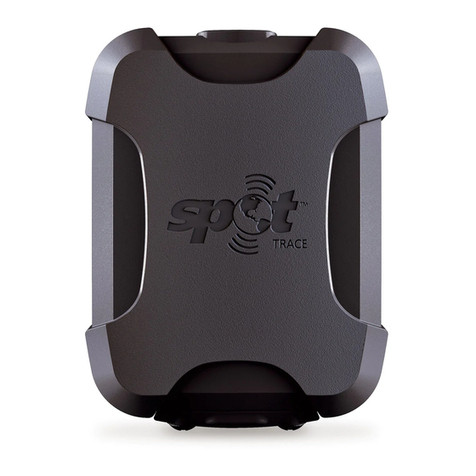
IMAGE OF SPOT
CONNECT DEVICE
8 9

GPS LIGHT
The GPS light notifies you whether SPOT is able to see the GPS
satellites and obtain your GPS location.
Green – The GPS light blinks green while SPOT sees the GPS satellites and is looking for a GPS
location. Once the GPS location is obtained, the GPS light and Message Sending light blink green
approximately 15 seconds to notify you that your message was sent with your GPS location.
Red – The GPS light blinks red if SPOT doesn’t see the GPS satellites and /or can’t find your GPS
location. You should move to a location with a clearer view of the sky.
MESSAGE SENDING LIMIT
The Message Sending light notifies you whether or not your most
recent message was transmitted.
Green – The Message Sending light blinks green after SPOT transmits the most recent message.
Red – The Message Sending light blinks red if SPOT didn’t send the most recent message.
The Message Sending Light will continue to blink as appropriate for each function – until
the next scheduled message (Track Progress, Help/SPOT Assist, SOS) and/or until one
(1) hour after the message cycle is complete (Check-In/OK, Custom Message, Track
Progress, Help/SPOT Assist).
SOS LIGHT
The SOS mode activation light will blink when the SPOT CONNECT device is in SOS mode.
BLUETOOTH CONNECTIVITY LIGHT
The Bluetooth connectivity light will stay illuminated when the SPOT CONNECT
device is connected to your smart phone.
SELF TEST
SPOT performs a self-test when you initially turn on your SPOT. If all visible lights flash
red, the SPOT self-test has found a failure, and SPOT will not send a message.
If the On/Off light, GPS light and Message Sending light all blink red, SPOT has a GPS
failure, but SPOT may still be able to transmit an SOS or Help/SPOT Assist message
without your GPS location. Visit www.spotwarranty.com.
GPS PERFORMANCE
SPOT uses an advanced GPS chipset with extremely high sensitivity to give you
maximum performance. While the SPOT message transmitter is also very high quality,
there may be times when SPOT will have a GPS signal, but the message won’t be able to
reach the satellites due to environmental blockage. Make sure that you have a clear view
of the sky at all times.
10 11

THE SPOT CONNECT APPLICATION
IMAGE OF APPLICATION
SPLASH SCREEN ON A
SMART PHONE DEVICE
About the app and how it works with the SPOT CONNECT device...
12 13

IMAGE OF APPLICATION
LOGIN SCREEN
About the login process and how accounts work...
14 15

IMAGE OF MAIN
APPLICATION SCREEN
Description of the functions on the main application screen...
16 17

IMAGE OF THE SOS SCREEN
Description of SOS mode and how it works...
18 19
Other manuals for Connect
1
Table of contents
Other SPOT GPS manuals