manuals.online logo
Brands
  1. Home
  2. •
  3. Brands
  4. •
  5. Sun Microsystems
  6. •
  7. Server
  8. •
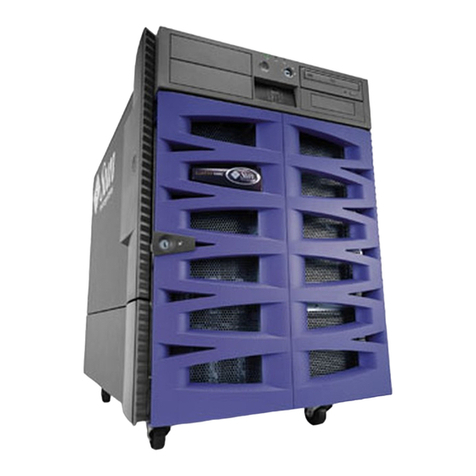
  9. Sun Microsystems Sun SPARC Enterprise M8000 User manual

Sun Microsystems Sun SPARC Enterprise M8000 User manual

Other manuals for Sun SPARC Enterprise M8000

2

This manual suits for next models

1

Other Sun Microsystems Server manuals

Sun Microsystems Sun Enterprise 10000 User manual

Sun Microsystems

Sun Microsystems Sun Enterprise 10000 User manual

Sun Microsystems Netra X4450 User manual

Sun Microsystems

Sun Microsystems Netra X4450 User manual

Sun Microsystems Sun Fire V890 Service manual

Sun Microsystems

Sun Microsystems Sun Fire V890 Service manual

Sun Microsystems Sun Fire 15K Technical manual

Sun Microsystems

Sun Microsystems Sun Fire 15K Technical manual

Sun Microsystems Sun Fire X4150 Server Instruction Manual
Sun Microsystems

Sun Microsystems Sun Fire X4150 Server Instruction Manual

Sun Microsystems Blade X8400 User manual

Sun Microsystems

Sun Microsystems Blade X8400 User manual

Sun Microsystems StorEdge 3900 Series User manual

Sun Microsystems

Sun Microsystems StorEdge 3900 Series User manual

Sun Microsystems Sun SPARC Enterprise M3000 User manual

Sun Microsystems

Sun Microsystems Sun SPARC Enterprise M3000 User manual

Sun Microsystems Netra 210 User manual

Sun Microsystems

Sun Microsystems Netra 210 User manual

Sun Microsystems Sun Fire V445 User manual

Sun Microsystems

Sun Microsystems Sun Fire V445 User manual

Sun Microsystems Sun Netra CP3220 User manual

Sun Microsystems

Sun Microsystems Sun Netra CP3220 User manual

Sun Microsystems SPARC T5120 Manual

Sun Microsystems

Sun Microsystems SPARC T5120 Manual

Sun Microsystems SunLink SNA 9.1 PU2.1 User manual

Sun Microsystems

Sun Microsystems SunLink SNA 9.1 PU2.1 User manual

Sun Microsystems Sun Fire X4450 User manual

Sun Microsystems

Sun Microsystems Sun Fire X4450 User manual

Sun Microsystems Sun Fire X4150 Server User manual
Sun Microsystems

Sun Microsystems Sun Fire X4150 Server User manual

Sun Microsystems Sun Fire V480 Instruction Manual

Sun Microsystems

Sun Microsystems Sun Fire V480 Instruction Manual

Sun Microsystems Sun Fire X4140 User manual

Sun Microsystems

Sun Microsystems Sun Fire X4140 User manual

Sun Microsystems Sun Fire V490 Manual

Sun Microsystems

Sun Microsystems Sun Fire V490 Manual

Sun Microsystems Netra 440 User manual

Sun Microsystems

Sun Microsystems Netra 440 User manual

Sun Microsystems Sun Fire V445 User manual

Sun Microsystems

Sun Microsystems Sun Fire V445 User manual

Sun Microsystems SPARCcenter 2000 User manual

Sun Microsystems

Sun Microsystems SPARCcenter 2000 User manual

Sun Microsystems SUN FIRE 280R User manual

Sun Microsystems

Sun Microsystems SUN FIRE 280R User manual

Sun Microsystems Sun Fire V445 Instruction Manual

Sun Microsystems

Sun Microsystems Sun Fire V445 Instruction Manual

Sun Microsystems Sun Fire E25K User manual

Sun Microsystems

Sun Microsystems Sun Fire E25K User manual

Popular Server manuals by other brands

HP Tc2120 - Server - 256 MB RAM installation guide

HP

HP Tc2120 - Server - 256 MB RAM installation guide

Lenovo ThinkServer RD230 manual

Lenovo

Lenovo ThinkServer RD230 manual

Avocent CPS810 Installer/user guide

Avocent

Avocent CPS810 Installer/user guide

Dell PowerEdge R6615 Installation and service manual

Dell

Dell PowerEdge R6615 Installation and service manual

FreeWave HT2+ installation guide

FreeWave

FreeWave HT2+ installation guide

GIGA-BYTE TECHNOLOGY G492-Z50 user manual

GIGA-BYTE TECHNOLOGY

GIGA-BYTE TECHNOLOGY G492-Z50 user manual

Lanner HTCA-E400 user manual

Lanner

Lanner HTCA-E400 user manual

Bull NovaScale T840 E2 user guide

Bull

Bull NovaScale T840 E2 user guide

Asus RS740-E70RS24-EG Configuration guide

Asus

Asus RS740-E70RS24-EG Configuration guide

Meinberg LANTIME M300/TCR manual 

Meinberg

Meinberg LANTIME M300/TCR manual 

HP ProLiant SL335s G7 Maintenance and service guide

HP

HP ProLiant SL335s G7 Maintenance and service guide

ZyXEL Communications VANTAGE RADIUS 50 user guide

ZyXEL Communications

ZyXEL Communications VANTAGE RADIUS 50 user guide

Lantronix xDirect-IAP quick start guide

Lantronix

Lantronix xDirect-IAP quick start guide

Fujitsu PRIMEQUEST 2400E3 General description

Fujitsu

Fujitsu PRIMEQUEST 2400E3 General description

IBM 9040-MR9 manual

IBM

IBM 9040-MR9 manual

IBM 306m - eServer xSeries - 8849 user guide

IBM

IBM 306m - eServer xSeries - 8849 user guide

green hippo Hippotizer Nevis+ quick start guide

green hippo

green hippo Hippotizer Nevis+ quick start guide

IBM 8203-E4A Brochure & specs

IBM

IBM 8203-E4A Brochure & specs

manuals.online logo
manuals.online logoBrands
  • About & Mission
  • Contact us
  • Privacy Policy
  • Terms and Conditions

Copyright 2025 Manuals.Online. All Rights Reserved.

1
This document describes how to replace an existing FAN Unit fixing bracket with a new more secure FAN Unit
fixing bracket. The new bracket restricts the FAN Unit movement to less than 3.2 mm to prevent accidental
unseating and loss of cooling.
The FAN Unit fixing bracket is located vertically between the FAN Units. The brackets have a hinge on the
bottom and a screw on the top and secure the fans in place. The retention kit includes a fixing bracket tool
(345-1443-01) to simplify the loosening of the hinge pin.
This is a hot-swap procedure that can be implemented while the system is running.
Locating the FAN Unit Fixing Bracket
Compare the part number of the bracket with the location of the bracket being replaced using the tables below.
TABLE 1 SPARC Enterprise M8000 Server
TABLE 2 SPARC Enterprise M9000 Server
Bracket Part Number Bracket location Number of Brackets
541-3413-01 System Rear 2
541-3420-01 System Front (Left) 1
541-3407-01 System Front (Right) 1
Bracket Part Number Bracket location Number of Brackets
541-3407-01 System Front 1
541-3410-01 System Rear 2
SPARC Enterprise M8000/M9000 Servers
Fan Tray Retention Kit
2
Replacing the FAN Unit Fixing Bracket
1. Unlock and open the server doors.
2. Use a Phillips No. 2 screwdriver to loosen the screw at the top of the fixing bracket.
Leave the screw attached until after the pin is removed to prevent the fixing bracket from falling.
3. Place the fixing bracket tool so that it is flush to the chassis and use a nylon tipped hammer or mallet to
tap the hinge pin out of the old fixing bracket (the hinge pin should remain in the hinge).
To avoid bending the fixing bracket tool, orient the tool handle horizontally so that the pin on the tool aligns
with the hinge pin.
Note – On the M8000 server, the hinge pin of the fixing bracket at the bottom right of the front of the M8000
server will hit the fan tray cage handle as it is tapped out of the bracket. When this happens, gently bend the
hinge pin downward, as it is being pushed out of the old fixing bracket. (The pin can not be removed from the
hinge until the bracket is removed.) A replacement pin is included in the kit.
4. Use a Phillips No. 2 screwdriver to remove the screw at the top of the fixing bracket and remove the
bracket.
Note – Discard the bent hinge pin. Use a new hinge pin in Step 6 below.
3
5. Place the new bracket in position, and align the parts of hinge.
The bracket can be held vertically or horizontally during the alignment.
6. Use a slip groove plier to carefully push the hinge pin into the hinge.
Caution – The pin bends easily. Alternately, you can use the back end of the fixing bracket tool and
the nylon hammer to tap the pin into the hinge.
7. Use a Phillips No. 2 screwdriver to secure the screw at the top of the fixing bracket.
8. Repeat Step 1 through Step 7 for each FAN Unit fixing bracket to be replaced.
4
Product Documentation
You can view, print, or purchase a broad selection of documentation, including localized versions, at:
http://www.oracle.com/technetwork/indexes/documentation/index.html
Technical Support
If you have technical questions about this product that are not answered in this document, go to:
https://support.oracle.com
Copyright © 2009, 2011, Oracle and/or its affiliates. All rights reserved.
Copyright © 2009, 2011, Oracle et/ou ses affiliés. Tous droits réservés.
Part No.: E22107-01
Mfg No.: 820-5635-12
March 2011