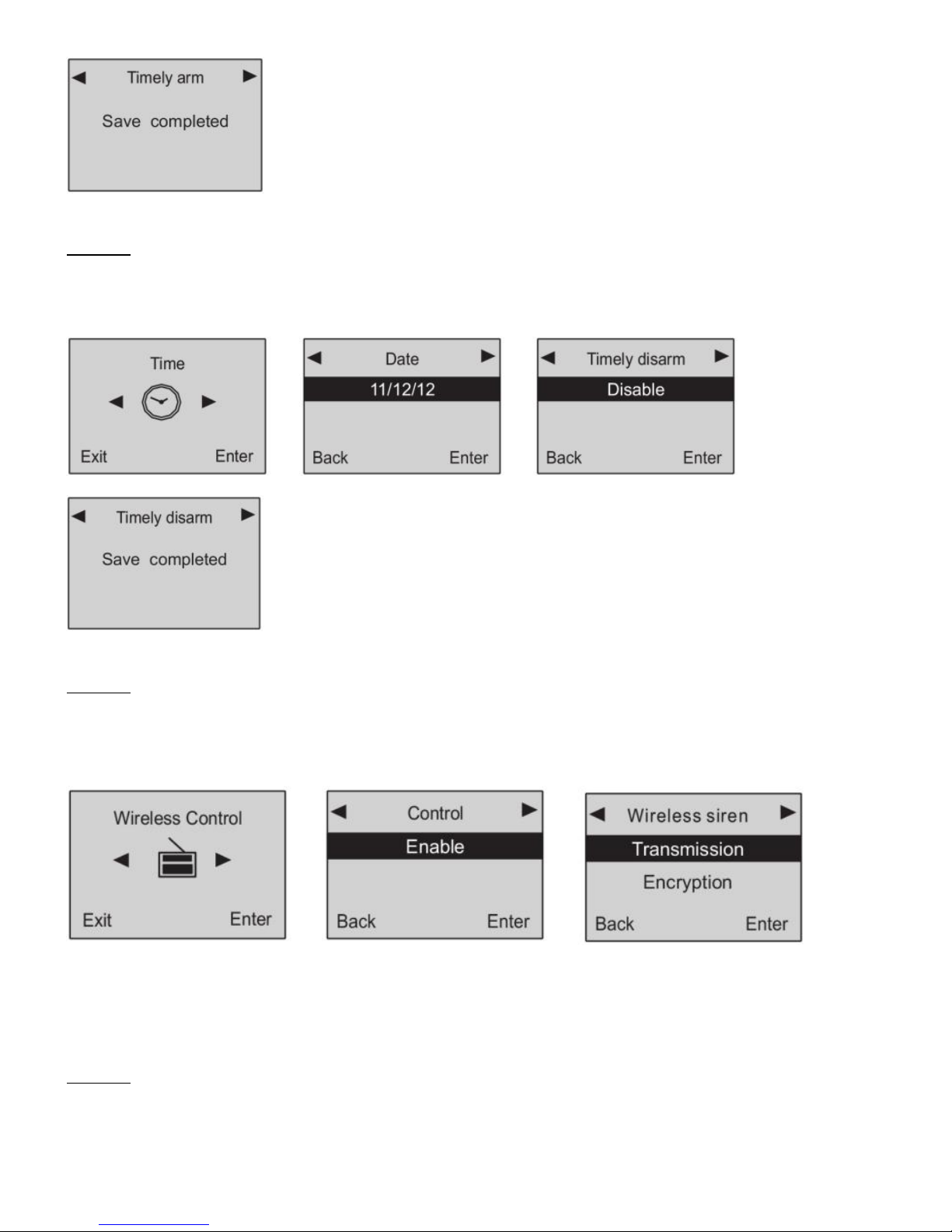
After this setting, the alarm system will disarm automatically at the preset time.
Method: enter “Time” menu, you will see “Date” menu, then press “6” to choose “Timely disarm”.
Input the exact time you want to set and press “ok” to confirm.
Operation figures:
Fig1: enter time setting menu Fig2: you’ll see date setting menu Fig3: press“6”to choose
“timely disarm”
Fig4: input the time you want to set
19. Wireless Siren Coding
Wireless sirens have to be coded to the main panel in order to work normally.
Method: set the wireless siren which you want to code in coding status. Then enter “wireless
control” menu in this panel, you’ll see “control” menu, Press”6’ to choose “wireless siren” setting,
and then enter “transmission” setting. The panel will send a wireless signal to the siren.
Operation figures:
Fig1: enter wireless control menu Fig2: control menu Fig3: press “6” to choose
wireless siren
Fig4: After pressing “ok” key, the main unit will transmit a wireless signal to control the wireless siren.
20. Wireless Siren Encryption
The signal used to code with the wireless siren is sent from the internal transmitter of the main
panel. The signal codes of this model from our company are the same. If you and your neighbor
both are using this model, the alarm signal from your neighbor may cause your siren sound. So it is
recommended to encrypt the wireless siren to avoid the interference.
Method: enter “wireless control” menu, and then “control” menu. Press “6” to choose “wireless
siren”, then press “8” to choose “encryption”. Input 4 numbers randomly and then save it.
Operation figures:
Fig1: enter wireless control menu Fig2: control menu Fig3: press “6” to choose
wireless siren