manuals.online logo
Brands
  1. Home
  2. •
  3. Brands
  4. •
  5. Turbo Ace
  6. •
  7. Camera Accessories
  8. •
  9. Turbo Ace AllSteady 5 User manual

Turbo Ace AllSteady 5 User manual

Other Turbo Ace Camera Accessories manuals

Turbo Ace All Steady 7 User manual

Turbo Ace

Turbo Ace All Steady 7 User manual

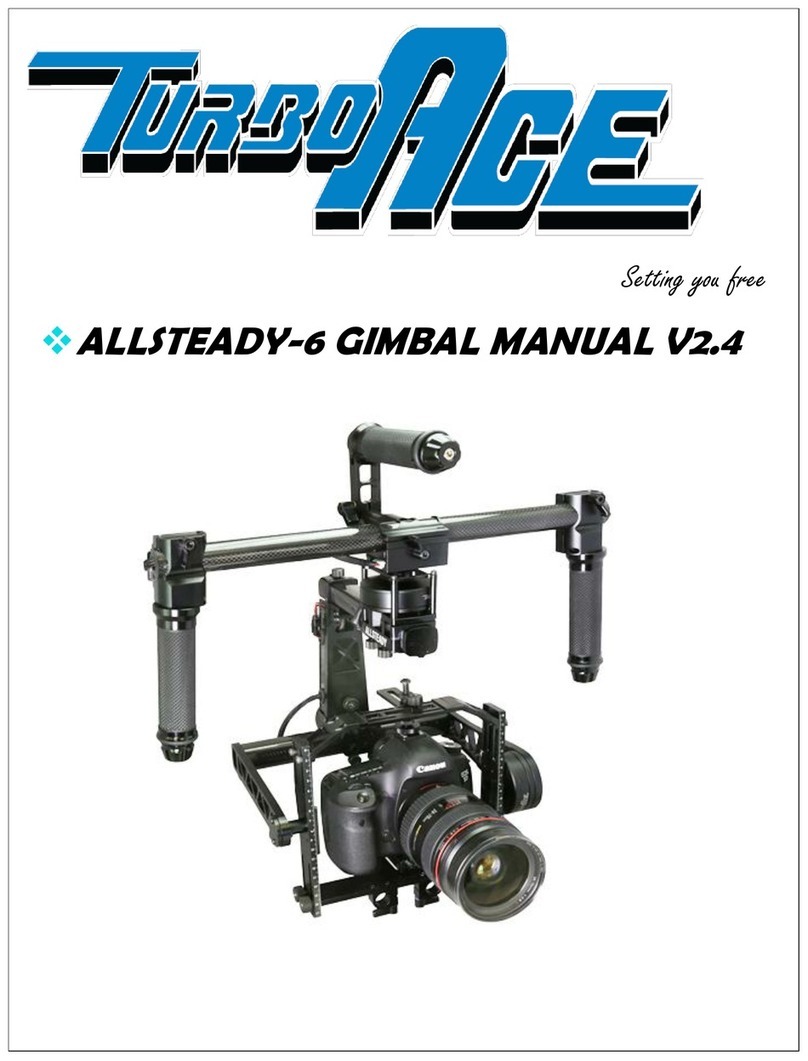
Turbo Ace ALLSTEADY-6 User manual

Turbo Ace

Turbo Ace ALLSTEADY-6 User manual

Popular Camera Accessories manuals by other brands

CamRanger CamRanger user manual

CamRanger

CamRanger CamRanger user manual

Custom Brackets HDV CAGE KIT Instructions for use

Custom Brackets

Custom Brackets HDV CAGE KIT Instructions for use

Aegis ABL052010P user manual

Aegis

Aegis ABL052010P user manual

Saft SRA Series Installation and operating instructions

Saft

Saft SRA Series Installation and operating instructions

Kodak TIB5200 technical information

Kodak

Kodak TIB5200 technical information

Videotec HEG instruction manual

Videotec

Videotec HEG instruction manual

Ikelite 6171.11 manual

Ikelite

Ikelite 6171.11 manual

Pentax Auto Bellows Slide Copier K user manual

Pentax

Pentax Auto Bellows Slide Copier K user manual

Nikon UT-1 user manual

Nikon

Nikon UT-1 user manual

dji RONIN 4D quick start guide

dji

dji RONIN 4D quick start guide

SLIK ABLE 300DX user manual

SLIK

SLIK ABLE 300DX user manual

Rebelcell 36V70 user manual

Rebelcell

Rebelcell 36V70 user manual

Trojan GC2 48V quick start guide

Trojan

Trojan GC2 48V quick start guide

Calumet 7100 Series CK7114 operating instructions

Calumet

Calumet 7100 Series CK7114 operating instructions

Ropox 4Single Series User manual and installation instructions

Ropox

Ropox 4Single Series User manual and installation instructions

Cambo Wide DS Digital Series Main operating instructions

Cambo

Cambo Wide DS Digital Series Main operating instructions

Samsung SHG-120 Specification sheet

Samsung

Samsung SHG-120 Specification sheet

Ryobi BPL-1820 Owner's operating manual

Ryobi

Ryobi BPL-1820 Owner's operating manual

manuals.online logo
manuals.online logoBrands
  • About & Mission
  • Contact us
  • Privacy Policy
  • Terms and Conditions

Copyright 2025 Manuals.Online. All Rights Reserved.


ALLSTEADY
ALLSTEADY
-5 GIMBAL
MANUAL
redefining flight
MANUAL
V1.1
1
TABLE OF CONTENTS
I. QUICK START GUIDE
II. BATTERY CHARGER
III. BALANCING YOUR GIMBAL
oHorizontal Tilt
oVertical Tilt
oRoll Balance
oPan Balance
IV. GIMBAL BALANCING STAND
V. OPTIONAL EQUIPMENT
VI. BALANCING YOUR GIMBAL
oYour 5 Modes
oInverted & Sideway Shooting
VII. WIRELESS RECEIVER CONNECTIONS
VIII. SOFTWARE
2
TURBO
TURBOTURBO
TURBO
ACE
ACEACE
ACE
ALL STEADY
ALL STEADY ALL STEADY
ALL STEADY 5
55
5
7
1
2
5
4
6
7
3
3
AllSte dy-5 Di gr m & Options:

Match the designated numbers from the picture on page 2 to the list on page 3
1)
oystick (2-axis) and Module switch (press down to switch modes)
2)
Tool-less Pan-Axis CG Adjustment
3)
Integrated Battery Compartment
4)
Quick Release Camera Top Mount Bracket Adjustment
5)
Main Electronic Compartment with easy access power switch
6)
High Torque Roll-Axis Brushless Motor
7)
Rubber Grip Handle
4

Thank you for purchasin the AllSteady-5 Gimbal
[Before getting started, please follow our balancing guide. We recommend you have your camera and
accessories (i.e. filter, batteries, etc.) mounted before balancing the gimbal. If your lens has an ad ustable
zoom, set the zoom to the desired position before balancing.]
FOR YOUR CONSIDERATION
All TurboAce warranties, instructional manuals, or any miscellaneous documentation for the AllSteady-5
must be speculated. TurboAce does their best to resolve any technical errors in order to increase the overall
efficiency of the AllSteady-5.
DISCLAIMER
While the AllSteady- 5 does not require a license to use, please regard this as an advanced cinema product
that must be handled with caution and good judgment. A basic understanding of mechanical functions is
needed in order to operate the AllSteady-5 safely and responsibly. Failure to do so could not only result in
injury of yourself and others, but irreparable damage to your gimbal.
It is essential to read our User Manual to ensure a safe and smooth experience. Please note that this guide
should be viewed “as is” and Turbo Ace will not be held responsible for any contrary interpretation made by
the user that is different from what the manual intended. Turbo Ace reserves the right to adjust the manual
when needed and is not committed to alert any user of such changes.
ALLSTEADY-5 WARRANTY
Turbo Ace offers a limited year warranty where all service and parts support is provided from Turbo Ace’s
warehouse and showroom located in Orange, California.

30 D ys W rr nty on P rts & L bor

30 D ys Phone Support nd 90 d ys free em il support

After w rr nty phone support v il ble t r te of $1 per minute
5
I. Quick St rt Guide
WARNING BEFORE USE
1) Remove the gimbal from the box.
2) Make sure power is turned off at the back of the gimbal. The power switch is located at the back of the gimbal
on top of electronic compartment. Pressing the "0" down will power the unit off and "-" to turn it on.
3) Charge the battery by following the instruction on Section II. Insert the battery into the tube and plug in the
battery connector. .
4) Before setting the gimbal on the balancing stand, please follow the balancing stand setup on Section IV.
Balancing stand is an optional item and it can be purchased separately at www.turboace.com
5) All gimbal requires balancing to establish center of gravity. When balance is not obtained, the gimbal will
vibrate during operation. When that happens, please set gimbal on the stand and follow the balancing
procedure on Section III or go to www.turboace.com for tutorial video links.
6) Turn on the gimbal by pressing down the "-" on the power switch. Gimbal must be stationary during
initialization. Please do not allow the gimbal to swing or move it in any way. Wait for about 7 seconds and you
see the motors twitch, initialization then has been completed. You are now ready to use the gimbal.
7) When gimbal is initialized and it is defaulted to mode #4. Please follow Section VII for detail on how each mode
functions and how they can be changed.
8) The AllSteady-5 can be used in right side up or down configuration. Please see Section VIII for detail.
9) Gimbal cannot be moved during initialization. Before turning on the power, please set the gimbal down on the
ground or on the balancing stand and prevent it from moving until the motors are initialized.
6
II. B ttery & Ch rger
Your AllSteady-5 comes with a smart lithium ion battery. There is a built-in controller in each battery pack
that monitors the voltage during charging and discharging so you will never have to worry about under or
overcharging. It will take approximately 2 hours to charge an empty battery.
WARNING BEFORE USE
**Never leave charger unattended, exceed maximum charge rate, charge with non-approved batteries or
charge batteries in the wrong mode.
**Alw ys ensure the battery you are charging meets the specifications of this charger and that the charger
settings are correct. Not doing so can result in excessive heat and other related product malfunctions, which
can lead to user injury or property damage.
PLEASE DO NOT…
…leave the power supply, charger and battery unattended during use.
…attempt to charge dead, damaged or wet battery packs.
…attempt to charge a battery pack containing different types of batteries.
…allow minors to charge battery packs.
…charge batteries in extremely hot or cold places or place in direct sunlight.
…charge a battery if the cable has been pinched or shorted.
…connect more than one battery pack to this charger at a time
…connect the charger if the power cable has been pinched or shorted.
…connect the charger to an automobile 12V battery while the vehicle is running.
…attempt to dismantle the charger or use a damaged charger.
…reverse the positive and negative terminals.
…connect to AC power.
KEEP IN MIND TO ALWAYS…
…power on the charger before connecting the battery
…use only rechargeable batteries designed for use with this type of charger.
…inspect the battery before charging.
…keep the battery away from any material that could be affected by heat.
...monitor the charging area and have a fire extinguisher available at all times.
…end the charging process if the battery becomes hot to the touch or starts to change form (swell)
during the charge process.

7
**Failure to follow the advised steps while usin this product will not only result in product malfunction,
but can cause severe injury and property dama e.
BATTERY CHARGING AND INSTALLATION:
1. Connect power supply to power source.
2. Connect charger to the battery
3. Locate the battery compartment which is in the top pan boom (the top pan boom is located on top
of the gimbal and below the pan motor).
4. Insert the battery in compartment and hook up the connectors.
5. Turn on the power and you are ready to operate.
STOP
We strongly recommend that you
DO NOT
turn on your gimbal
if your camera is not mounted.
8
III. BALANCING YOUR GIMBAL
We recommend you have your camera and accessories (i.e. filter, batteries, etc.) mounted before
b l ncing the gimbal. If your lens has an adjustable zoom, set the zoom to the desired position before
balancing.
There are 3 axis that need to be adjusted to ensure proper operation for the gimbal. They include the
horizontal and vertical tilt, roll balance, and pan balance. There is also an instructional video for balancing at
http://www.turboace.com/allsteady-5videos.aspx
STEP 1: HORIZONTAL TILT
Balancing your gimbal horizontally (or front-to-back) is the first step to keep your camera level should you
remove your hands. Users must consider that in order to achieve this goal, the camera and Tilt Axis need to
be level. Since this is the first step, please note that the gimbal has not yet been balanced vertically for the
Tilt Axis. With this being said, it can be assumed that it will only be possible to verify the horizontal tilt to be
balanced once the camera and Tilt Axis are level. If the camera is situated too high or too low with respect to
the Tilt Axis, it can easily obscure the issue of the horizontal tilt being imbalanced. Please follow the
directions below:
1) Loosen your tripod screw under the camera, allowing the camera and mount plate to slide forwards
and backwards.
2) If the camera tilts down lens-first, slide the camera backwards. If the camera tilts so the lens faces
upwards, slide the camera forwards. Continue making incremental adjustments until the camera is
leveled when facing straight.
3) Make sure to confirm that the camera is securely mounted to the adjustable camera.
9
STEP 2: VERTICAL TILT
Once you have completed Step 1 in balancing your AllSteady-5 Gimbal, the Vertical (or up-and-down)
balance. In order to adjust the vertical tilt, you must locate and loosen 4 screws on each side using a 2.5
metric allen key driver. Adjust your camera’s position vertically until it is balanced efficiently enough to rotate
your camera to any tilt angle. Naturally it will stay wherever you position it. For example, if you point the lens
down and you notice the tilt wanting to continue tilting forward on its own, then that is an indicator that it is
“top heavy” and the camera needs to be shifted down vertically. Another example is if you point the camera
lens down and it wants to return to its original position, then it is “bottom heavy” and your camera needs to
be shifted upwards. Please follow the steps below:
1.) Observe which way you need to adjust your camera. You can do this by tipping the camera lens down
20 degrees. If the camera returns to horizontal, then the Tilt Axis is bottom heavy. If the camera
continues to rotate down when left to stay in position, then the Tilt Vertical Axis is top heavy.
2.) Rotate the Tilt Axis so that your camera lens is facing straight up.
3.) Make sure to loosen the 4 screws located on each side of the camera tray. There two on top, and two
on the bottom on each side of the camera tray.
4.) Slide your camera mount beam and camera horizontally until it remains pointing straight up once
released.
5.) Be sure to tighten the 4 screws located at the side of the camera tray before going any further. Verify
that you have adjusted your Vertical Tilt Axis by moving your camera to several tilt angles. If it holds or
stays in the same place once your hands are released, then you are good to go!