5
Safety Instructions
1. Ensure there is proper ventilation in the cooking area.
2. Instructions concerning the discharge of air have to be followed.
3. Do not flame under the range hood.
4. Avoid using materials which could cause spurts of flame near the range hood.
5. Never touch the lamp when it is on.
6. Do not dismantle, repair or modify the range hood on your own.
Operating Instructions
Confirm that when the hood is installed, plug in the power plug, and the hood
sends out a "drip" sound, indicating that the power is connected.
Please use the following methods for the first time. If there is any discrepancy,
please contact the local distributor or service department as soon as possible.
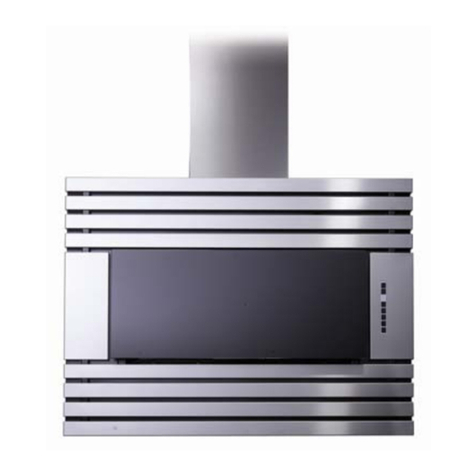
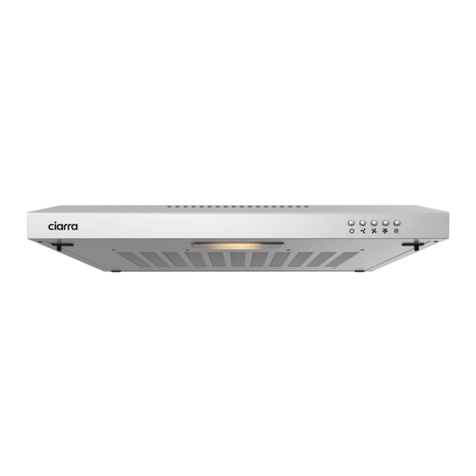
There are five buttons on the front panel as shown above: Illumination, Hood-
Hob Linkage, Wake-Up (also touch this button to adjust the airflow), Lock-
Screen, Delay/Stop.For the first time to start the hood, please press the Wake-
Up button first and then touch the ring clockwise and the airflow will get bigger
and bigger. When the whole ring is red, it starts to suck at the highest speed.
Illumination Button: If you want to turn on the light, just press the Illumination
Button once; and if you want to turn it off, press the button one more time.
Hood-Hob Linkage Button: This function is only for specified gas hob.
Wake-Up Button: You can touch this button to wake up the hood and also touch
it clockwise to adjust airflow. At the same time, smoke deflector will descend to a
certain height according to the airflow.
Lock-Screen Button: In the on-state, touch and hold the Button for 3 seconds to
enter the mode of Lock-Screen. In this mode, other buttons will be locked so you
can remove the smoke deflector and filter to clean.
Delay/Stop Button: This hood has the function of delayed shutdown. When you
press this Button once, the fan will continue to stay in working state for 3
minutes. After 3 minutes, it will automatically stop. If you want to turn it off
immediately, please press the Button twice.