第5 页共5页
Note: It’s normal phenomenon that there will be a blowing sound from the machine at this moment, and there’ll be some
water come to the drip tray, because the machine is leaking pressure.
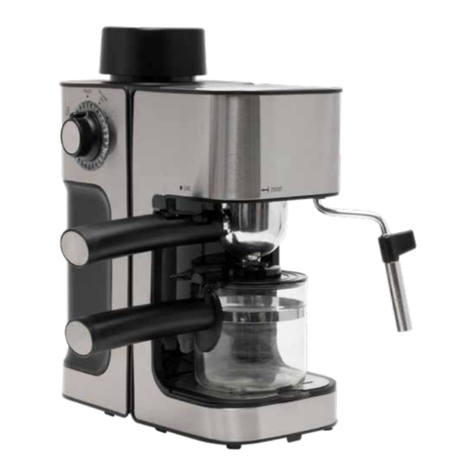
6.Open the handle and the take out the used capsule.
7. In case that milk remains in the capsule holder or brewing chamber and becomes sour after brewing a Dolce Gusto milk
capsule, pls put only Dolce Gusto holder (without any capsule) into brewing chamber, then brew two big cups of water to clean
the capsule holder and brewing chamber according to the operation instruction for brewing coffee.
Note: each capsule can only be used once, otherwise it will affect taste of coffee.
Coffee button has the characteristic of pause during operation, press button firstly to stop brewing, and restart
brewing after second press.
The machine will enter into standby mode after brewing, the machine will automatically turn off if there’s no
operation within 15 mins.
Please clean the water tank with water when using the machine for the first time or using it after a long time.
Note: It’s prohibited to open the handle during brewing coffee.
Coffee amount setting for small and big cup
1. Fill enough water into the removable water tank, it shall not exceed the maximum water level (maximu
m 800 ml)
2. Connect the power cord plug, press the power button to the position “ON”, then the indicate light of cups button
turns red and flashing, it indicates the machine enter into the heating mode.
3. Put a cup on the top of the drip tray cover, and make sure that the cup is in the middle position and right under the
coffee outlet. Adjust the height of the drip tray cover according to the height of the cup.
4. Put a Nespresso or Dolce Gusto capsule into the relative capsule holder, and put them into the brewing chamber,
then close the handle. Keep pressing the small and big cup button to start brewing coffee, the light will become
blue for the relative small or big cup, until the coffee amount reaches what is required, release the button, the
light will become red, which means resetting is finished.