
Vacron VCV36 User manual

User Manual
5 MegaPixel
Color Camera
2014. MAR V2.0
User Manual

User Manual
Safety Precautions
Before using the product, please ensure that you read the safety
precautions described below. Always ensure that the product is used
correctly.
Use only recommended power sources.
Do not attempt to disassemble, alter or apply heat to the product.
Avoid dropping or subjecting the product to severe impacts.
To avoid the risk of injury, do not touch the interior of the product if it has
been dropped or otherwise damaged.
Stop using the product immediately if it emits smoke, a strange smell, or
otherwise behaves abnormally.
Do not use organic solvents such as alcohol, benzene, or thinner to clean the
product.
Do not allow liquids or foreign objects to enter the camera.
Do not place the camera near or in direct flame.
Do not handle the power cord with wet hands.
Do not use the equipment in a manner that exceeds the rated capacity of the
electrical outlet or wiring accessories. Do not use if the power cord or plug
are damaged, or not fully plugged into the outlet.
Do not allow dirt or metal objects (such as pins or keys) to contact the
terminals or plug.

User Manual
Index
A. Features .......................................................................................................................1
B. Specifications ...............................................................................................................2
C. OSD Operation .............................................................................................................4
Main menu ....................................................................................................................4
(1) AE Mode Setting..................................................................................................5
(2) Color Adjust.........................................................................................................9
(3) Image Adjust......................................................................................................10
(4) Intelligent ...........................................................................................................14
(5) System setting...................................................................................................17
(6) Information.........................................................................................................18
Attachment A: UTC Controller Installation ...........................................................................19

User Manual
1
A. Features
1/3” 5 Mega Pixel Color Camera
2D/3D Noise Reduction (HDNR)
Optics Double Frequency WDR(128dB)
Digital Slow Shutter from x2 up to x512 (Max)
Adaptive Backlight compensation function ( BLC ) / Anti-Headlight (HLC)
e-PTZ (Zoom x 4)
Privacy Mask x 8 (Color)
Multi object tracking D-Zoom x 4
High Contrast Images
Ideal for Backlight Environment
Digital Demist Process
Intelligent IR Exposure (Smart IR)
Color Rolling Suppression
UTC Controller OSD Remote control

User Manual
2
B. Specifications
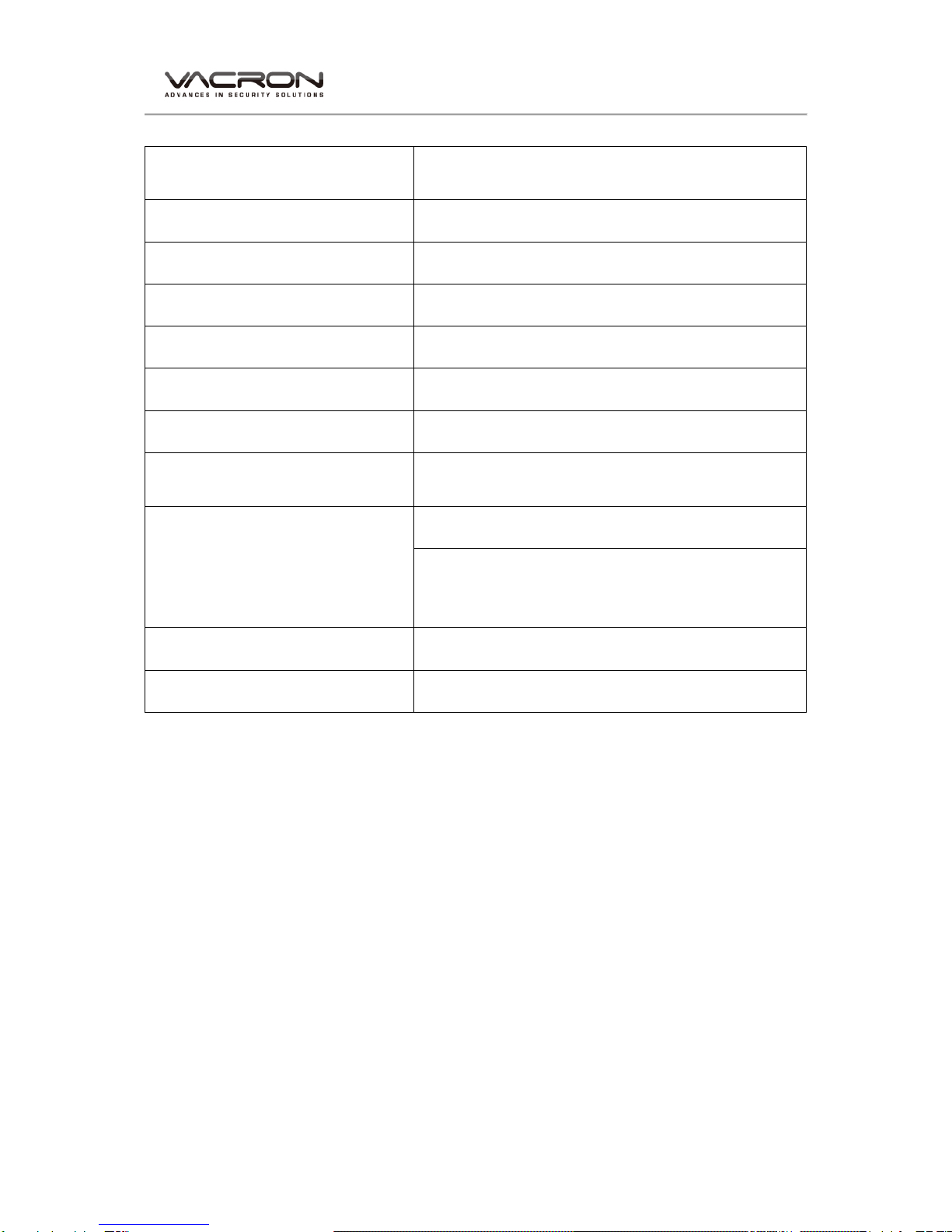
Video System NTSC / PAL
Pick Up Element 1/3” 5 MegaPixel Image Sensor
Image Signal Process Digital Signal Processor
Number OF Pixels 2592 (H) × 1920 (V)
Picture Elements Approx. 5000K
Power Supply DC +12V
Power Consumption 530 mA
Synchronization Internal Synchronization
Scanning System 2 : 1 Interlace
Minimum Illumination 0.1Lux (0Lux, IR-ON)
S/N Ration Max. 48 dB
OSD Menu Build-in Multi-layers semi-opacity Menu Setting
Camera Title Camera Title
Function Enable Display Function Enable Display
Wide Dynamic Range DWDR
Digital Slow Shutter X2 ~ X512
Backlight compensation function HLC / BLC / off
( AGC ) Automatic Gain Control on
( DNR ) Digital noise reduction 2D / 3D-NR
Digital Demist Process on / off / Auto
Digital Zoom Zoom 4X
User Manual
3
(D&N) digital day & night mode Color / B&W
/Auto-Progressive/Auto-General/External input
Motion detecting function on / off (Multi object tracking D-Zoom x 4)
Flash suppression function on / off
Privacy masking function on / off (8 Editable area)
Blemish Compensation Static & Dynamic (4096 points)
Image quality adjustment Hue / Contract / Saturation / Sharpness
Auto white balance AWB / ATW
Language English / Simplified Chinese / (support
multi-language)
Electronic shutter speed
Auto:1/60(50)S TO 1/100,000 S
Manual: 1/60(50)S, FL1/120(100)S, 1/250S,
1/500S, 1/1,000S, 1/2,000S, 1/4,000S, 1/10,000S,
1/100,000S
Video signal output 1 Vp-p standard video signal output, 75 Ohms
Operation temperature - 5°C ~ +40°C
User Manual
4
C. OSD Operation
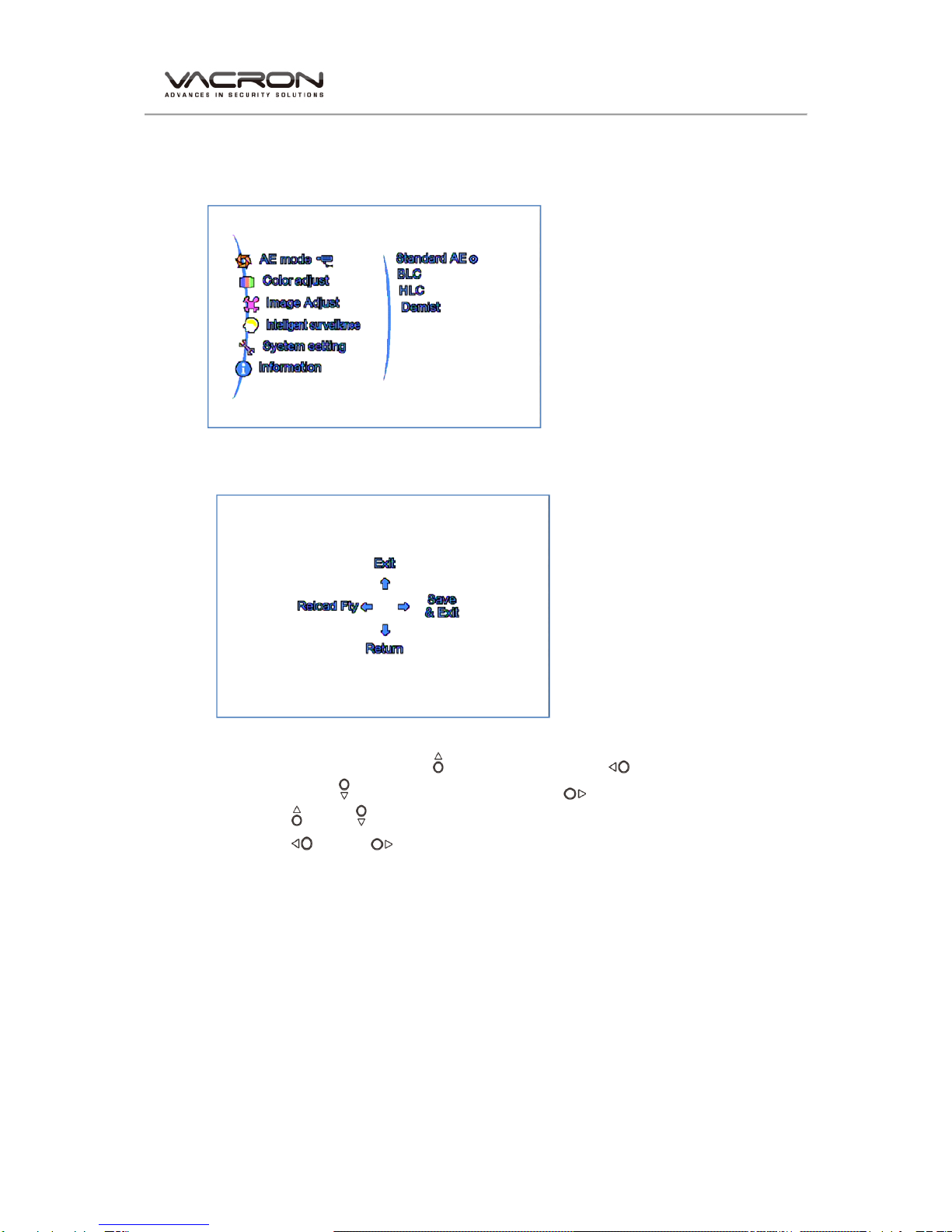
Mainmenu
OSD Setup
Setup: 1.Click one time to enter the Main menu
Click twice ( to Exit OSD menu, Reload Fty ,
Return to Previous page, Exit & Save)
UP / Down: Selection.
Left / Right: Enter & Return.

User Manual
5
(1) AE Mode Setting
1. Standard AE
Under Standard mode AE, symbol will be shown on the upper left
corner of Live view.
Smart WDR:Value 0~3
Frame Rate:Indoor/ Outdoor
Standard SWDR
User Manual
6
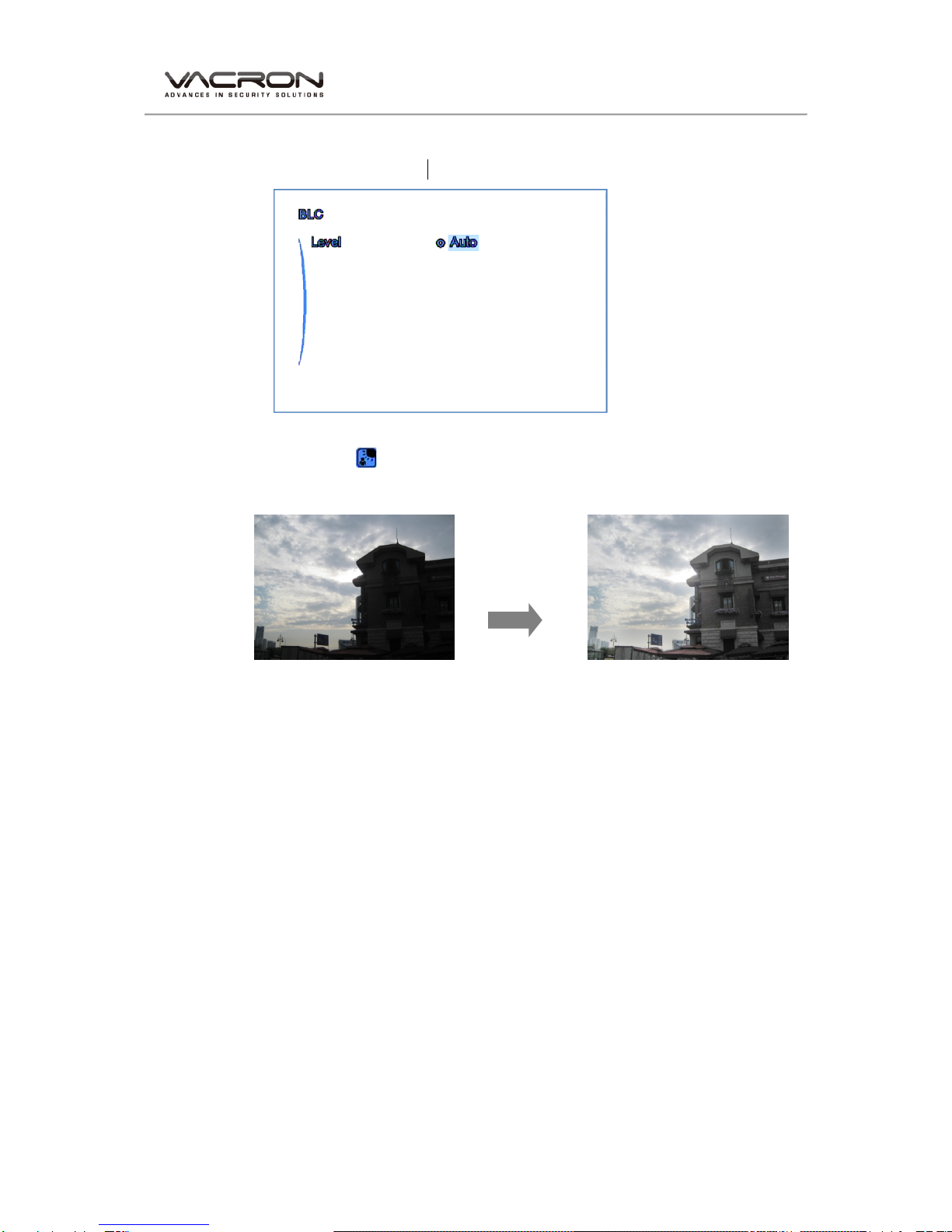
2. BLC
Back light compensation
Level: (Auto, Low, Middle, High)
Symbol will be shown on the upper left corner of Live view.
Normal Back light compensation
User Manual
7
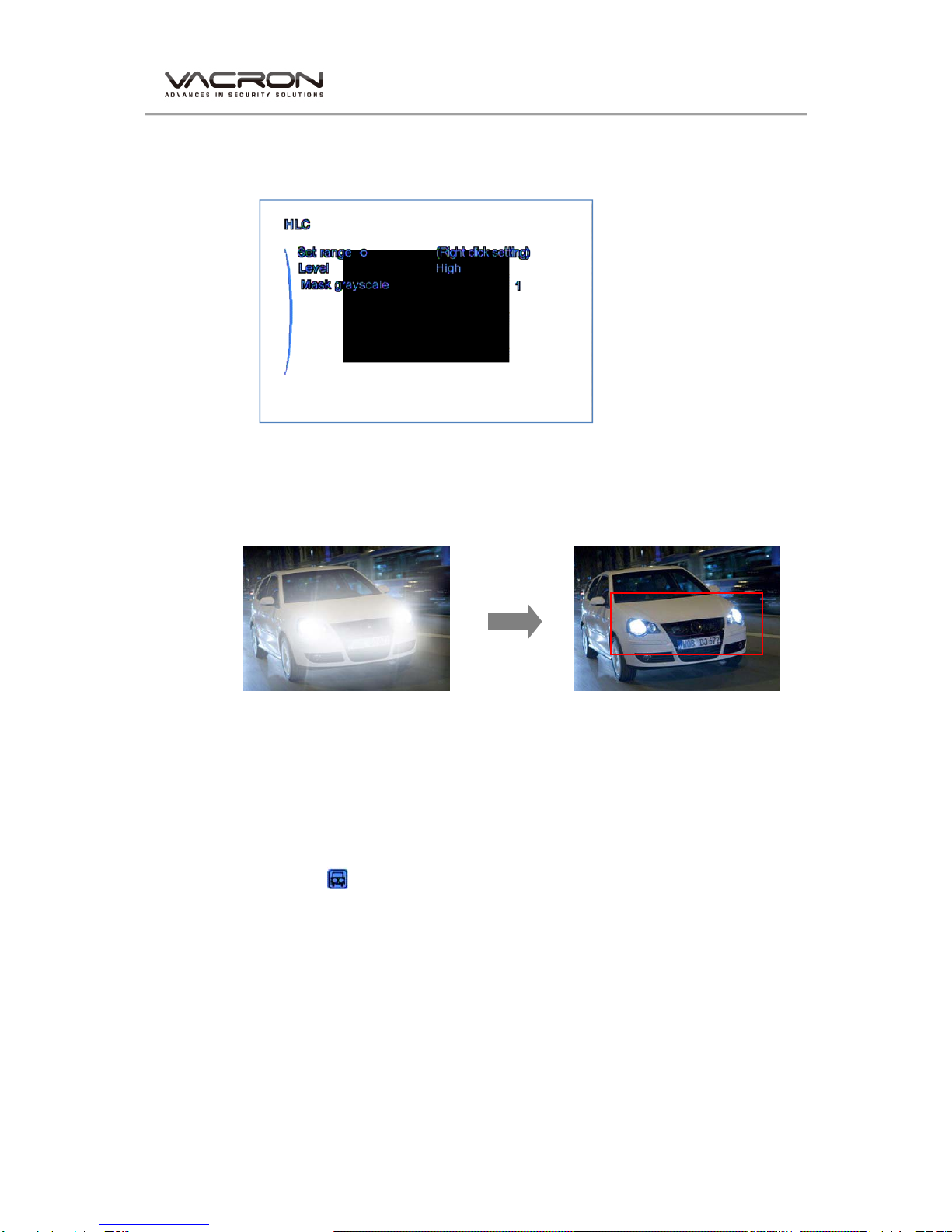
3. HLC
High light compensation
Set Range: Click Right button to enter the menu, press SETUP button
in order to set up next corner point. (in this area, any brighter light
source will be blocked)
Normal HLC on
Detection are (area marked in Red)
Level: Low, Middle, High.
Mask Grayscale: (Value: 1-6) Mask color set up, the color is closer to
white when the value is higher.
Symbol will be shown on the upper left corner of Live view
Table of contents

















