5
HEADPHONE AND HI-FI CONNECTIONHEADPHONE AND HI-FI CONNECTIONHEADPHONE AND HI-FI CONNECTIONHEADPHONE AND HI-FI CONNECTIONHEADPHONE AND HI-FI CO NNECTION
(Connection supplied or optionally available)
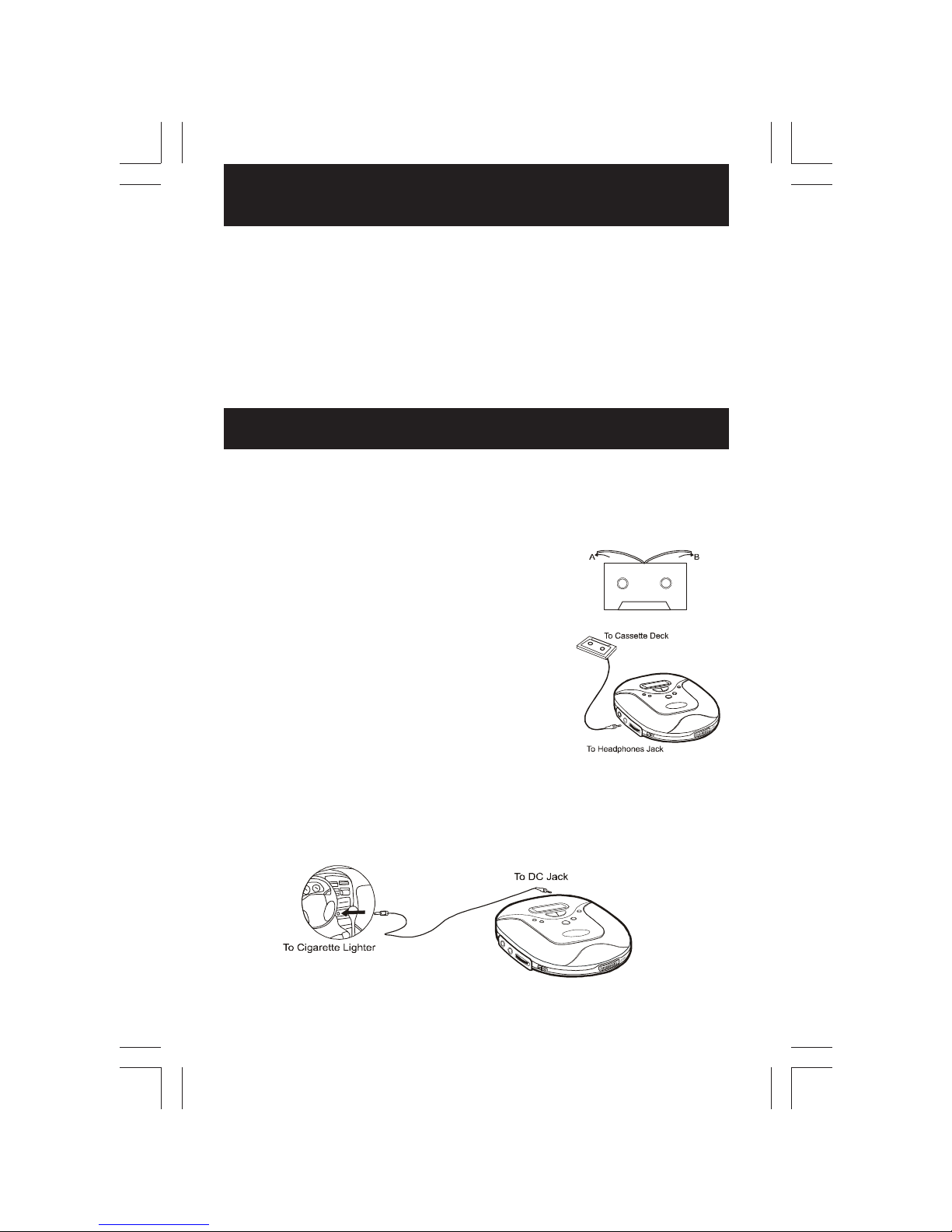
The cassette adaptor allows you to use your portable CD player with your car stereo cassette
system or protable audio cassette system.
1. Position the cassette adaptor cord so the cord extends out from the cassette player when the
cass ett e i s in ser te d. In ser t the ca sset te ad ap tor i n th e sa m e d i re cti o n a s yo u w o uld inse r t
an a u dio ca sset te ta pe .
2. If the cassette adaptor cord is on the wrong side of the
tape, reposition the cord to the opposite corner of the
channel.
3. Insert the cassette adaptor stereo plug into the head-
ph on es j ack o n the l e ft si de o f th e CD pla yer .
4 . Turn on t he ca sset te pla yer. Pr ess PL AY on t he ca ssett e
player.
5. Press PLAY on the CD player.
6. Set the volume of the CD player to a mid-level. Adjust the
vol u me of th e ca sset te p l aye r.
Notes : • Th e ca sset te ad ap tor h as t he pla y he ad on on e
side only. If you insert the cassette and no
sound is heard, try turning the cassette over or
pressing the reverse button to change direction.
• The car cassette adaptor may not be compatible
with all makes and models of cassette players.
Use the Cigarette Lighter Adaptor for power when using the CD player in a car.
1. Plug the adaptor into the car cigarette lighter.
2. Plug the pin into the DC jack on the unit.
Notes : The supplied DC car adaptor / cord is designed for use with vehicles equipped
wi th a 1 2 vol t n eg at ive grou nd elect r ica l sy stem on l y.
Listening with the Headphones
Con n ect t he pl u g o f th e s ter e o h ea dp ho ne s ( incl u de d ) or e ar ph o ne s ( n ot i ncl u de d ) int o t he
PHO NES ( G RE EN ) so cket.
Caution : Avoid excessive volume levels and listening to sound for a long period of time when
using headphones, as this may impair your hearing.
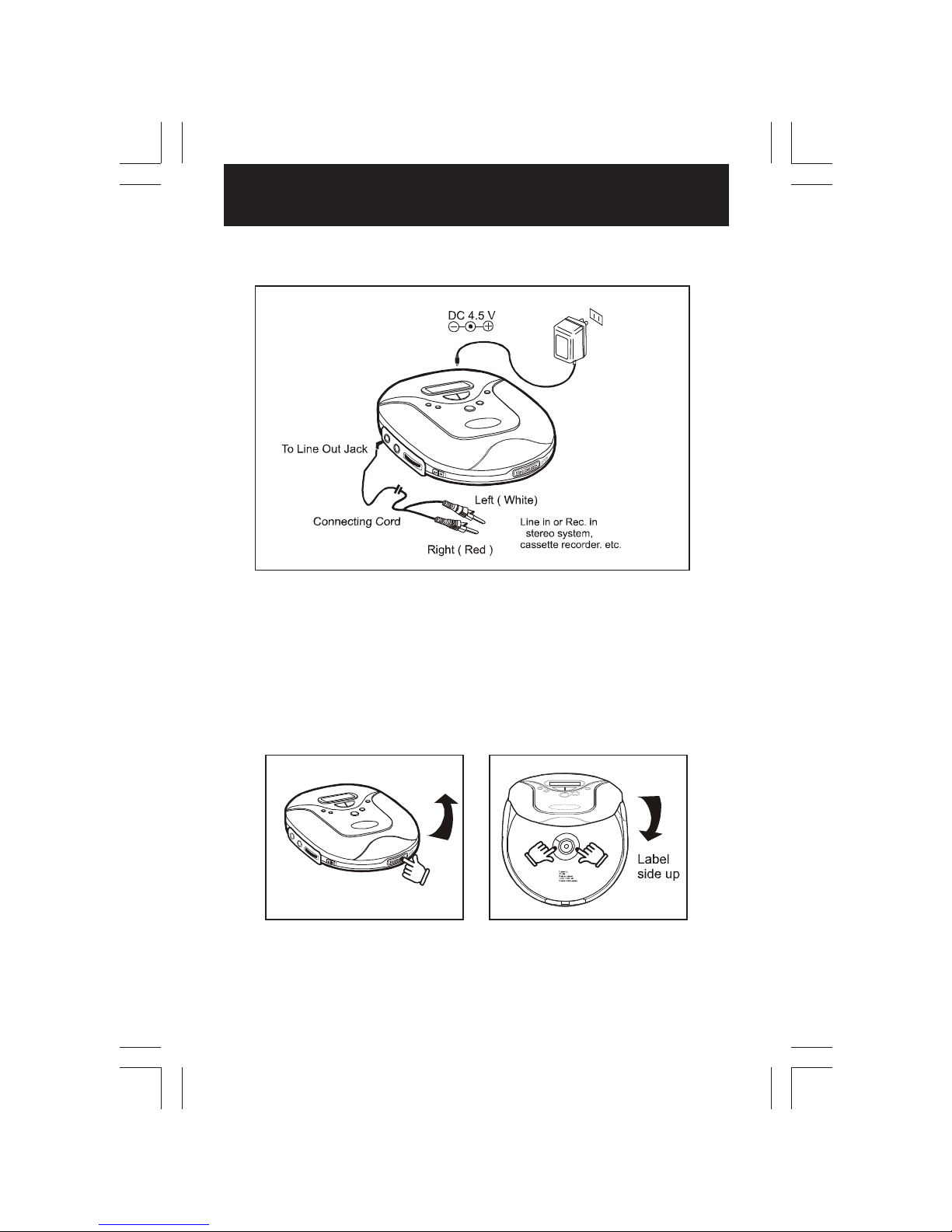
Connecting to component audio systems
Co nn ect th e p atc h cor d i nt o th e LI NE O U T ( B LA C K ) sock et of th e u ni t an d th e C D / AU X
inp ut s o f an au di o syst em .
Note : Always switch the power off before making any connections between the player and
another unit.
CAR K IT OPERACAR KIT OPERACAR K IT OPERACAR KIT OPERACAR KI T OPER ATIO NSTIONSTIONSTIONSTIONS