Controls
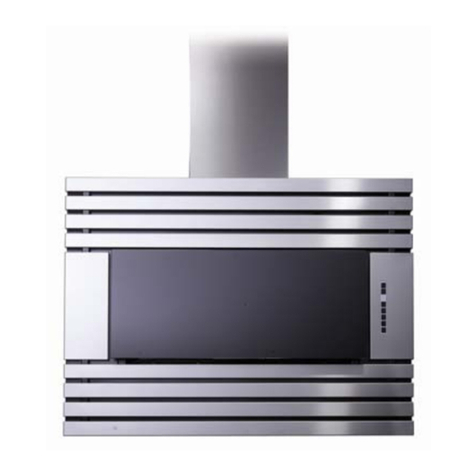
The control inside the stainless steel panel, you can find it when
open the panel
1. TIME/DELAY (2 Functions):
- Time Setting: This button is used to set time when lighting and blower are not in use.
Time is displayed in 24 hour cycle. To set time, press the push button (1) for 3
seconds. The first two digits will flash. Use the blower push button (3) to increase and
the lighting push button (2) to decrease. Press the time/delay push button (1) again,
the last two digits will flash. Use the blower push button (3) to increase and the
lighting push button (2) to decrease. Press the time/delay button (1) again to confirm
and exit time setting mode.
- Delay Setting: When blower is in use, this button is the delay setting button. To set
delay, press the push button (1). The delay is factory set at 5 minutes, but can be set
from 1 up to 60 minutes. Use blower push button (3) to increase and lighting push
button (2) to decrease. Countdown will be displayed on the LCD screen and blower
symbol will be activated. Blower will continue to operate for the programmed minutes
and then will stop automatically (delay setting mode does not affect lighting as it
works independently). The last time used will be memorized. To cancel delay
function, press time/delay push button (1) again, the blower will continue to operate
and won’t stop until ON/OFF push button (4) is pressed. To turn delay function and
blower OFF at once, press ON/OFF push button (4).
NOTE: Delay will be reset if blower speed is modified during delay setting mode.
2. LIGHTING: Pressing the lighting push button (2) once will turn the LCD screen on.
To turn the lights on, press the lighting push button (2) once more. Press it again to
turn the lights OFF. The LCD screen will turn automatically off after 15 seconds of
inactivity (blower and/or lights).
3. BLOWER: The blower push button (3) turns the blower on to three speed settings:
LOW, MEDIUM or HIGH. Press the blower (3) or ON/OFF (4) push button once to
turn the LCD screen on. Pressing the blower (3) or ON/OFF (4) push button once
more will turn the blower on at the last selected speed and blower symbol will be
activated. To change the blower speed, press the blower push button (3) until the
desired speed is obtained. Press the ON/OFF push button (4) to turn the blower OFF.
The last speed used will be memorized.