5
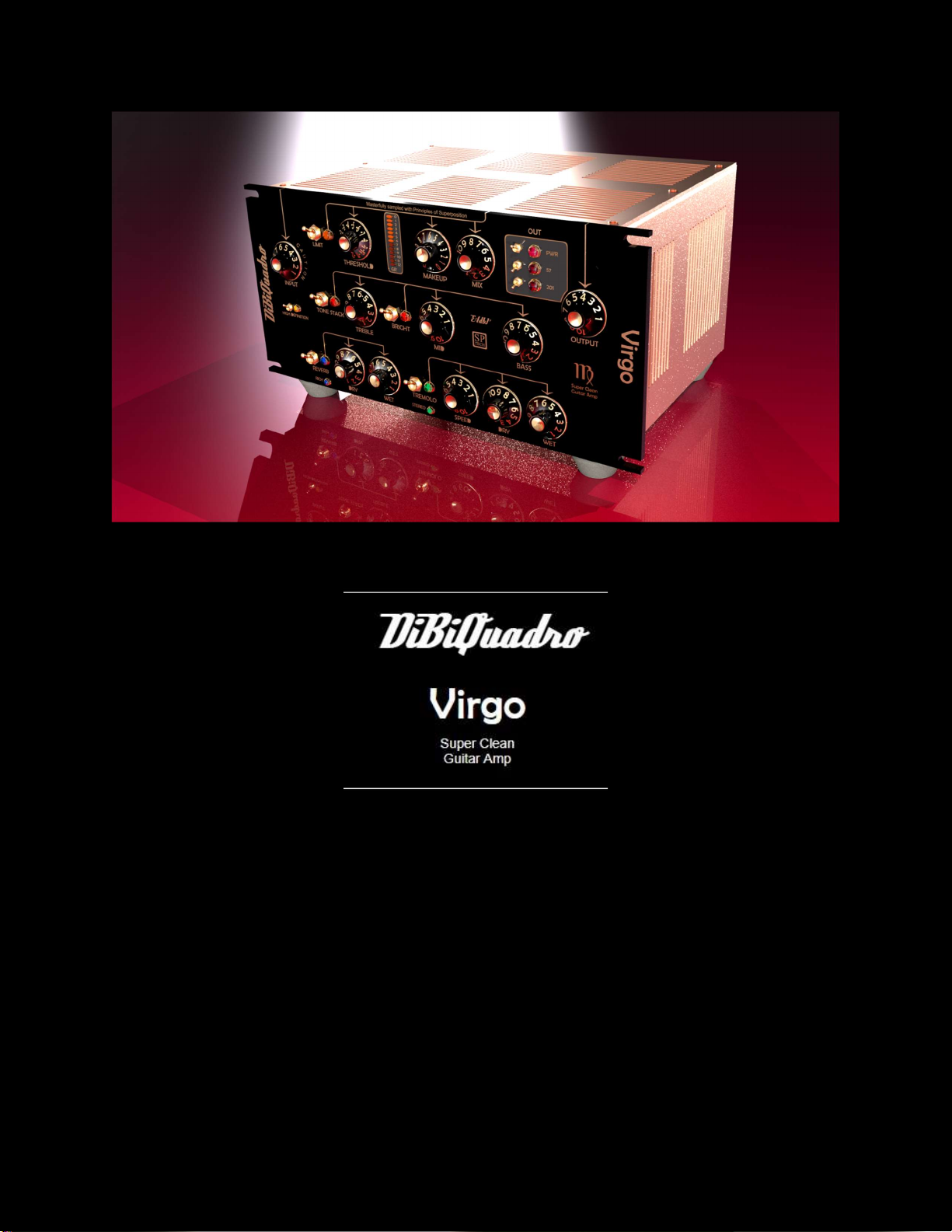
TONE STACK: it enables the tone stack controls (TREBLE, MID, BASS): when disengaged, its controls are set
internally to 5 and the BRIGHT is deactivated.
BRIGHT: when the TONE STACK is engaged, it significantly boosts the high mid / high part of the spectrum in the
tone stack section.
REVERB: it enables the reverb: room reverb is activated by default; when RICH is engaged, the Rich Plate is
selected. DRY and WET select the amount of dry versus reverb signal.
TREMOLO: it enables the tremolo effect: mono tremolo is activated by default; choose STEREO to obtain a
stereo effect. DRY and WET select the amount of dry versus tremolo signal. SPEED increases the speed of the
tremolo.
Regular mode versus Low-Latency (ZL) mode
Virgo has been tuned to work flawlessly on reamping and mixing sessions at any sample rate – 44.1KHz, 48KHz,
88.2KHz or 96KHz. However, enabling all its functionalities – particularly REVERB, TREMOLO and LIMIT –
requires an important amount of resources. For these activities, just use the regular “high-latency” version of
Virgo.
With some limitations – Only TONE STACK and OUT sections activated – and the proper configuration, Virgo ZL
– “low-latency” mode – is suitable for playing in real time at 44.1KHz or 48KHz. We recommend these settings:
Open “VIRGOZL.xml” with a text editor and set FORCEOFFSET tag to 23:
o <FORCEOFFSET> 23 </FORCEOFFSET>
Set ASIO latency to 128 samples.
Now you are ready to load Virgo ZL on your favorite sequencer, plug your guitar in and enjoy the sound.
New Revisions - Backward Compatibility
We cannot assure compatibility between new revisions and previous ones. Even presets are specific for a
particular revision and not applicable to another. Anyway, before doing any upgrade we recommend making a
copy of the settings by using Presets functionality on Nebula or a visual copy (e.g. Print Screen and save image
file). In case of issues after upgrade it is possible to downgrade by selecting the desired revision on Aquarius and
eventually restore old presets.