EnglishDeutsch
 logo
Brands
  1. Home
  2. •
  3. Brands
  4. •
  5. Volvo
  6. •
  7. Offroad Vehicle
  8. •
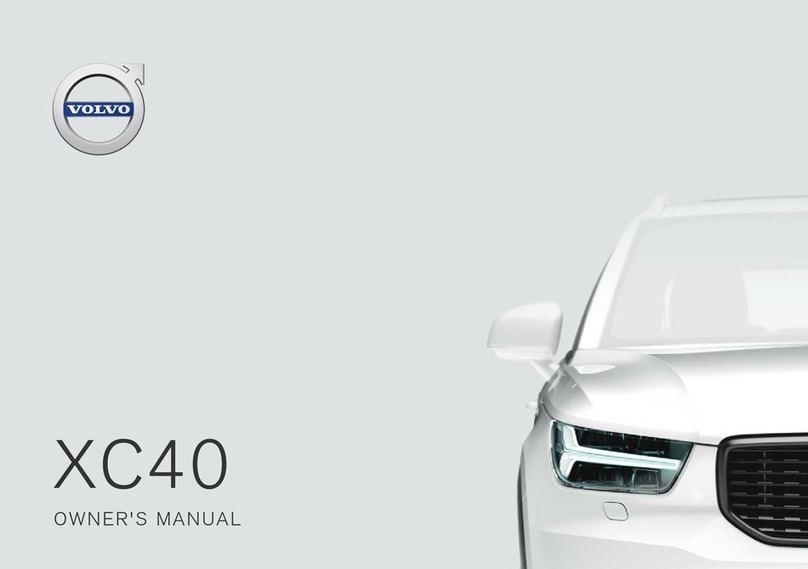
  9. Volvo XC 90 User manual

Volvo XC 90 User manual

Other manuals for XC 90

9

Other Volvo Offroad Vehicle manuals

Volvo XC 90 User manual

Volvo

Volvo XC 90 User manual

Volvo V60 User manual

Volvo

Volvo V60 User manual

Volvo XC90 - ANNEXE 951 User manual

Volvo

Volvo XC90 - ANNEXE 951 User manual

Volvo XC60 - ANNEXE 541 User manual

Volvo

Volvo XC60 - ANNEXE 541 User manual

Volvo XC40 Twin Engine User manual

Volvo

Volvo XC40 Twin Engine User manual

Volvo XC40 Twin Engine User manual

Volvo

Volvo XC40 Twin Engine User manual

Popular Offroad Vehicle manuals by other brands

Polaris RANGER XP 1000 EPS 2018 owner's manual

Polaris

Polaris RANGER XP 1000 EPS 2018 owner's manual

Yamaha Tri Moto 125 Service manual

Yamaha

Yamaha Tri Moto 125 Service manual

Yamaha YFM350X Warrior owner's manual

Yamaha

Yamaha YFM350X Warrior owner's manual

APRILIA QUASAR 100 manual

APRILIA

APRILIA QUASAR 100 manual

Polaris RZR 900 owner's manual

Polaris

Polaris RZR 900 owner's manual

Suzuki LT-A700X owner's manual

Suzuki

Suzuki LT-A700X owner's manual

Ski-Doo SCANDIC WT Operator's guide

Ski-Doo

Ski-Doo SCANDIC WT Operator's guide

Suzuki LT-Z400 Service manual

Suzuki

Suzuki LT-Z400 Service manual

Arctic Cat 120 sno pro Operator's manual

Arctic Cat

Arctic Cat 120 sno pro Operator's manual

Yamaha RS90PB owner's manual

Yamaha

Yamaha RS90PB owner's manual

Dinli DL702 Service manual

Dinli

Dinli DL702 Service manual

Yamaha SXV70ML owner's manual

Yamaha

Yamaha SXV70ML owner's manual

Baja motorsports ATV 90 Setup instructions

Baja motorsports

Baja motorsports ATV 90 Setup instructions

Polaris Sportsman 550 XP EPS owner's manual

Polaris

Polaris Sportsman 550 XP EPS owner's manual

Arctic Cat ALTERRA 450 Service manual

Arctic Cat

Arctic Cat ALTERRA 450 Service manual

Polaris Sportsman 9922233 owner's manual

Polaris

Polaris Sportsman 9922233 owner's manual

Yamaha YFM45FAT Supplementary service manual

Yamaha

Yamaha YFM45FAT Supplementary service manual

Polaris RZR XP 1000 Service manual

Polaris

Polaris RZR XP 1000 Service manual

https://manuals.online logo
https://manuals.online logoBrands
  • About & Mission
  • Contact us
  • Privacy Policy
  • Terms and Conditions

Copyright 2026 Manuals.Online. All Rights Reserved.

QUICK GUIDE
VÄLKOMMEN!
This Quick Guide describes a selection of the features and functions in your Volvo. More detailed information is available in the vehicle's
center display, in an app and on the Internet.
THE CENTER DISPLAY
The owner's manual is available in the center display's Top view.
MOBILE APP
The owner's manual is available as an app (Volvo Manual), which also
contains instructional videos for certain functions.
VOLVO'S SUPPORT SITE
Go to Volvo Cars' support site (support.volvocars.com) for manuals and
instructional videos. Additional information about your vehicle and owning
a Volvo is also available on the support site.
PRINTED INFORMATION
The glove compartment contains a printed supplement to the owner’s
manual containing information about fuses and specifications as well as a
summary of other important and practical information. A complete printed
version of the owner's information (or a new owner's manual supplement)
can be ordered through a Volvo retailer.
CONTENT
01. GETTING TO KNOW YOUR VOLVO
This section provides overviews of your Volvo's interior, exterior and the center display.
02. INTERIOR AND CONNECTIONS
This section provides information about features and functions in the passenger compartment.
03. CENTER DISPLAY VIEWS
This section contains information about the center display's main views, which control many vehicle functions.
04. SMART DRIVING
This section describes several driver support functions and offers tips on how to drive more economically.
05. VOICE CONTROL
This section provides a list of commands/phrases that you can use with the voice control function.
06. SUPPLEMENTARY TEXTS
The owner's manual and other owner-related manuals contain safety instructions and all warning, caution and note
texts, which must be read. Certain functions may not be available in all markets or on all models.
In the Quick Guide, options are marked with an asterisk*.
01
GETTING STARTED
The following concepts, functions, and tips are intended to help you
familiarize yourself with your Volvo as quickly as possible.
Volvo ID
A personal Volvo ID can be created and used to access a number of
on-line services1. These services include Volvo On Call, map services
and the opportunity to book service and repairs. A Volvo ID can be cre-
ated using the Volvo On Call app or can be done directly in your vehicle.
Sensus
Sensus is your vehicle's intelligent interface and includes all of its solu-
tions relating to entertainment, connecting to the Internet, navigation
and the user interface between the driver and the vehicle. Sensus
makes communication between you, the vehicle and the digital world
around you possible.
Volvo On Call
Volvo On Call is an integrated assistance system with an app that ena-
bles you to control some of your vehicle's functions remotely. The
Volvo On Call app enables you to e.g., lock or unlock the vehicle, see
where the vehicle is parked, log trip-related information, etc. Download
the app to get started.
Volvo On Call also gives you access to emergency roadside assistance
and security services by pressing the ON CALL and SOS buttons on
the ceiling console.
Driver profiles
Many of the vehicle's settings can be adapted to the driver's personal
preferences and saved in one or more driver profiles. Each of the
remote keys used with the vehicle can be linked to a driver profile. See
the section "Top view" in this Quick Guide for additional information.
1These services vary and may be subject to change. Consult your Volvo retailer.
01
01
EXTERIOR OVERVIEW
Checking the engine oil level and tire pressure is done from
the Car status app in the center display's App view. You can also
view any status-related messages and book service and repairs
here.
The door mirrors can be angled down automatically* when reverse
gear is selected to give the driver a view of the curb, etc. The mir-
rors can fold in/out automatically* when the vehicle is locked/
unlocked.
Keyless locking/unlocking* makes it possible to lock/unlock the
vehicle simply by having a remote key in your possession. The
remote key must be within approximately 3 feet (1 meter) of the
vehicle.
To unlock the vehicle, grasp one of the door handles or press the
rubberized button under the tailgate's handle. To lock the vehicle,
press one of the indentations on the outside of a door handle.
Avoid pressing the inside and outside of a door handle at the same
time.
The laminated panoramic roof* includes an openable glass sec-
tion and a sun shade that can be operated using the control in the
front ceiling console when the ignition is in at least mode I. Open
the roof to the tilt position for ventilation by pressing up the control
and close it by pulling down the control. To open the roof com-
pletely, pull the control rearward twice. Close it by pulling down the
control twice.
The power tailgate* can be opened using the control on the tail-
gate or by moving your foot slowly under the left side of the rear
bumper*. Close and lock the tailgate by pressing the button
on the lower edge of the tailgate or by moving your foot under the
rear bumper.
The tailgate's opening height can be programmed, for example, if
the tailgate has to be opened in a garage with a low ceiling. To set
the height, open the tailgate manually to the desired position and
press for at least 3 seconds to store this position.

01
01
LOCKING AND UNLOCKING THE VEHICLE
Remote key
Press to lock the doors/tailgate and arm the alarm.
Press to unlock the doors/tailgate and disarm the alarm.
Press briefly to unlock the tailgate only (and disarm the alarm for
the tailgate). On vehicles equipped with the power tailgate*, press
and hold to open/close the tailgate.
Press to trigger the panic alarm to attract attention during emer-
gency situations. To activate, press and hold this button for at least
3 seconds or press it twice within 3 seconds to activate the turn
signals and horn. To deactivate, wait approximately 5 seconds and
press the button again (the panic alarm will also deactivate auto-
matically after several minutes).
Private (valet) locking
The private locking function locks the tailgate and glove com-
partment, which can be useful when the vehicle is e.g.,
brought to a workshop for service.
– In the center display's Function view, tap Private locking to
activate/deactivate the function.

A pop-up window will appear showing the function's status. A 4-digit
code has to be selected each time the function is activated and an
extra security code has to be selected the first time this function is
used.
01
01