Whistler WBU-900 User manual

WBU-900 / WBU-900C
User Guide
WIRELESS DIGITAL
BACKUP CAMERA
INSTALLS IN MINUTES

2
Welcome
Thank you for choosing a Whistler product. We are dedicated
to providing products that represent both quality and value.
Please read the User Guide carefully before using this product.
If you have additional questions visit our website at
www.whistlergroup.com
or call Toll Free (800) 531-0004 / Tel (479) 273-6012,
8am to 5pm CT, Monday through Friday
to speak to a Customer Service Representative.
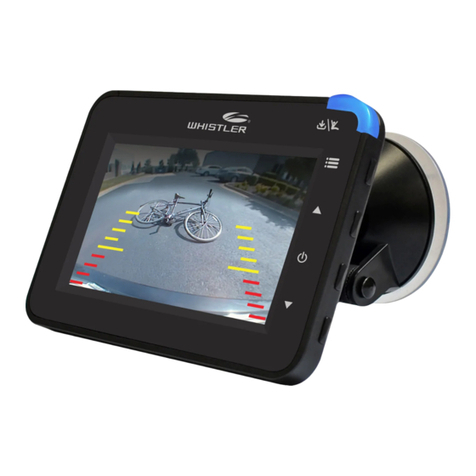
The Back-Up Camera displays images behind the vehicle and
can be used when backing up or anytime you need to view
behind the vehicle (even when the vehicle is in park).
INTRODUCTION

3
TABLE OF CONTENT
Components.................................................................................. 4
Getting Started ............................................................................ 5
Assembly / Installation.............................................................6-8
Camera Angle............................................................................... 9
Monitor Mount ........................................................................... 10
Operation ...............................................................................11-12
Function....................................................................................... 13
Monitor Settings ...................................................................14-15
Information.................................................................................. 16
Troubleshooting ......................................................................... 17
Disclaimer.................................................................................... 18
Care and maintenance .............................................................. 19
FCC and IC Information .......................................................20-21
Specifications.............................................................................. 22
Warranty Information...........................................................23-27

4
COMPONENTS
1. Monitor
2. Camera
3. Solar cell
4. Suction cup mount
5. Dash Disk
6. Tie wraps
7. License back-plate
8. 4 long screws (Domestic)
9. 4 long screws (Import)
10. 2 short machine screws
11. 2 machine nuts
12. 2 cushions
13. 4 cable tie mount
14. 4 spacers
15. Power cord
16. USB cord
1
2
45
7
6
8910 11 12
13 14
15
16
3

5
GETTING STARTED
Remove camera assembly from box and make sure all
components are included.
Charge the camera:
1. Connect the supplied USB cord to the micro USB port of
the camera assembly.
2. Plug the USB cable into any standard USB charger with an
output rating of 500ma or higher.
3. Charge 4 to 5 hours.
Under normal use, the camera maintains a charge with
exposure to sunlight. A battery status indicator is provided on
the monitor when the camera is in use. If you’re storing your
vehicle in a garage for more than one month, or are otherwise
not exposing the camera to sunlight on a regular basis, you
may need to recharge it via the micro USB charge port.
NOTE: If vehicle will be stored for prolonged periods of time
greater than 2 months, please disconnect both solar cell
connections to shut off the camera and prevent the battery
from discharging.

6
IMPORTANT: As license plate tolerances vary slightly in width
and height, it is important that you follow the steps as outlined
below:
1. Remove license plate from vehicle and place on top of
the supplied license back plate.
2. Insert 2 short machine screws into 2 of the mounting holes
and finger tighten 2 machine nuts onto them in order to
hold the plates together for steps 3 thru 5.
3. Peel the backing from the adhesive strips on the solar
panel bases and carefully slide onto each side (left and
right) of the plate assembly being careful not to make
contact with the adhesive until the base is fully inserted.
4. With the solar mounts centrally positioned, apply pressure
to set the adhesive tape.
5. Peel the backing from the adhesive strips on the camera
base and carefully slide onto the long edge of the license
plate assembly positioned centrally between the license
plate mounting holes. Apply pressure to set the adhesive
tape.
ASSEMBLY / INSTALLATION

7
ASSEMBLY / INSTALLATION
6. Remove the 2 short machine screws and nuts used earlier
and set aside.
7. Peel the backing from the adhesive disks and apply one
spacer over each license plate mounting hole.
8. Apply pressure to set the adhesive tape.
9. If two of the license plate mounting holes are not
required for attachment to your vehicle, insert the short
machine screws and tighten with the supplied machine
nuts.
10. If needed, 2 cushions are provided to protect your
vehicle. Attach to the back of the spacers containing the
machine nuts.
Adhesive
disks backing

8
11. Connect the solar panel connectors to the mating
connectors from the main camera housing and place
the tie wrap adhesive pads as shown. Use 2 tie wraps to
neatly hold the cables in place and cut the excess length
of the tie wrap if desired. Follow illustration for correct
wiring. Connect the A wires and connect the B wires.
12. Test the system in the "OPERATION" section of this
guide before attaching the assembly to the vehicle with
the appropriate license plate mounting screws for your
vehicle type.
13. Ensure pairing between the backup camera and the
monitor before mounting to your license plate.
NOTE: Domestic and Import license plate screws are included
and should be compatible with the vast majority of vehicles.
Should your vehicle require a special diameter or thread,
please consult your dealer.
Tips to optimize the solar charge:
1. Be sure that the solar panels are clean, and dust/dirt-free.
2. Park in a location where the sun will shine directly on the
solar panels for at least 1-2 hours a day.
3. One hour of good sunlight daily offsets the daily power
consumption of the camera.
ASSEMBLY / INSTALLATION
A
A
B
B

9
CAMERA ANGLE
The camera angle should be adjusted to provide an optimal
view of objects behind the vehicle.
Adjust the camera angle as required:
• To adjust the camera angle, tilt the camera to the correct
angle.
• The camera should be adjusted to a horizontal position
relative to the ground, so as to provide optimal view of
objects behind the vehicle.
• Carefully tighten the 2 screws ½ turn to prevent the
camera angle from moving during vibrations from driving.

10
MONITOR MOUNT
Find a mounting surface inside the vehicle for the monitor
where it can be easily seen, and does not obstruct your vision
when driving.
NOTE: To maximize the effectiveness of the suction mount,
the mounting location surface temperature should be between
50° and 100°F. Avoid application below 50°F.
NOTE: Before permanently mounting the monitor, test the
reception of the camera signal in several selected locations
within easy reach as one may have better reception than
another. If mounting to the dashboard, the dash disk must be
used to ensure a smooth surface for the suction cup to attach.
1. Clean and dry the mounting surface before applying
suction cup or Dash Disk.
2. Press the suction mount against the mounting surface and
push the suction lock lever down. Make sure it is attached
securely.
3. Slide the monitor onto the monitor arm. The monitor
angle can be adjusted by loosening the monitor angle
adjustment knobs, tilting the monitor, then tightening the
knobs.
4. Plug the monitor cigarette lighter/accessory socket power
cord into a 12-volt DC power port.
This manual suits for next models
1
Table of contents
Other Whistler Digital Camera manuals