PROGRAMMING AND SETUP INSTRUCTIONS
Install AA batteries into the SubZone Wireless Thermostat.
Mount the SubZone Wireless Thermostat in the zone on an interior wall away from direct sunlight, supply air
currents or any heat generating source. SubZone wireless thermostat needs to be mounted within 100 feet of
SubZone control board.
On the SubZone damper locate the controller damper board and press the ID button, a blue light will flash on
damper board.
While blue light is flashing, press Menu button on SubZone Wireless Thermostat, scroll to “Synchronize Damper”
option when highlighted, then press yes to sync SubZone Wireless Thermostat with Damper Controller. When
“Sync Completed” is displayed, you have successfully paired the stat with the damper.
In applications where multiple SubZones are used, each requires a unique ID. Set Stat ID for each individually, then Sync that ID.
If Auto is not displayed, press SELECT and hold the OFF button for 15 seconds. This will place the thermostat into
Auto Mode.
Press any button to wake up the SubZone Wireless Thermostat.
Press MENU button to access configuration menu, scroll through menu using UP/DOWN buttons, when Set Clock
is highlighted, press SELECT button.
The hour option will be highlighted, press UP/DOWN button to set hour and then press NEXT to move to minutes.
Once minutes are selected, use UP/DOWN buttons to select minutes.
Once minutes are selected, press NEXT.
Use the UP/DOWN buttons to select AM or PM, then press NEXT to highlight and select DAY using the UP/DOWN
buttons.
Press EXIT once to finalize configuration of time and day.
To set Occupied and Unoccupied operations, press any button to wake the SubZone Wireless Thermostat.
Press the MENU button and use UP/DOWN buttons to highlight SET SCHEDULE option and press SELECT button.
“Set Time On” will be displayed, when hour is highlighted use the UP/DOWN buttons to select hour.
Press the NEXT button to set minutes, using UP/DOWN buttons. Once minutes are set, press the NEXT button to
select AM/PM. Press NEXT button to set Unoccupied Operations. “SET TIME OFF” will be displayed, when hour is
highlighted use the UP/DOWN buttons to select hour.
Press the NEXT button to set minutes, using UP/DOWN buttons. Once minutes are set, press the NEXT button to
select AM/PM using the UP/DOWN button.
Press the NEXT button again to select Monday through Friday or ALL WEEK using the UP/DOWN button.
“MON-FRI” is factory default, with setup at 6:00 AM and setback at 6:00 PM.
To change press the UP or DOWN button. Press EXIT to complete Schedule setup.
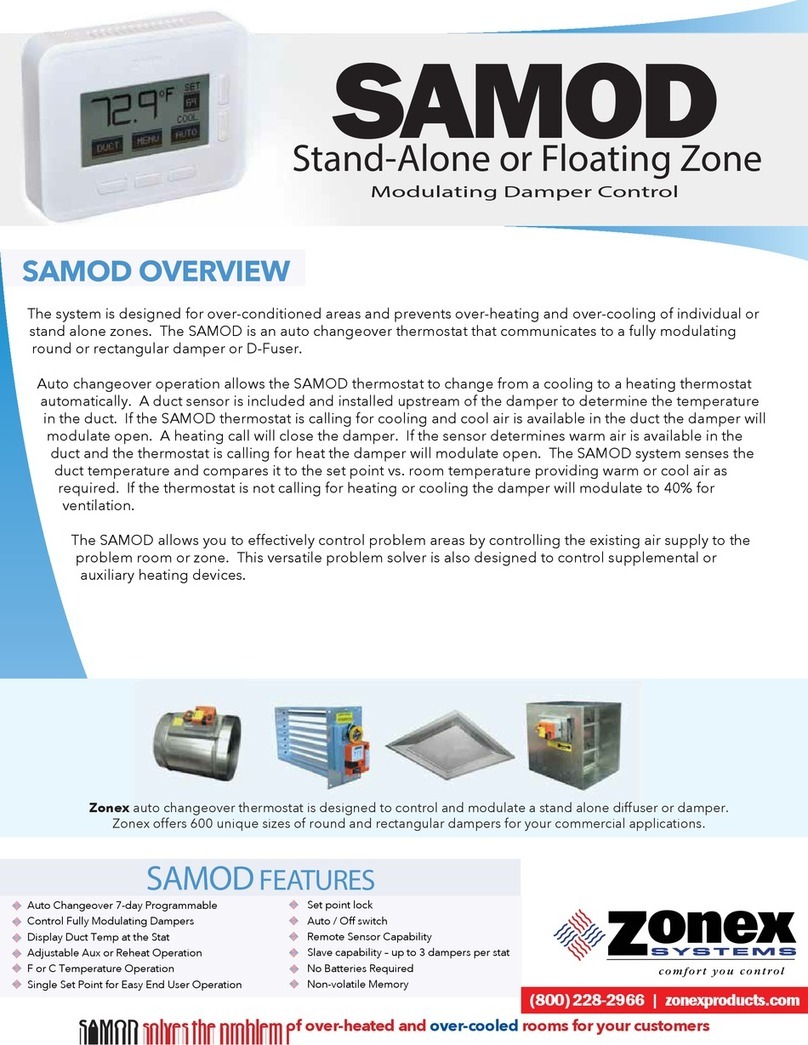
The SubZone Wireless Thermostat has one set point. Set point is found on the top right side of display and is
increased by pressing the UP button and decreased by pressing the DOWN button. SubZone thermostat uses
current room temperature, duct temperature and set point to determine when to call for cool/heat/vent mode;
modulating damper in order to maintain zone comfort.
Press MENU button and scroll by pressing the UP/DOWN buttons through menu options. When SET AUX HEAT
option is highlighted, press SELECT. Two options are offered, BASEBOARD or REHEAT. If BASEBOARD is desired
press SELECT buttons to select desired temperature dead band by scrolling through 2, 3 or 4 degrees, when
selection is highlighted, press EXIT.
Once desired HEAT DEAD BAND is set, press EXIT. Follow the same steps but highlight Reheat if desired.
This will complete the setup for Auxiliary / Reheat.
Press the DUCT button to display the current duct temperature.
The SubZone controller can be locked hiding MENU functions and preventing set point from being changed
greater than 2 degrees above or below selected set point. To lock SubZone controller, press and hold DUCT
button for 10 seconds. To unlock, press DUCT button for 10 seconds; MENU will be visible and temperature set
point can be changed.
01
install
batteries
02
mount
thermostat
03
SUBZONE
Damper
Controller
sync
04
Set into auto
05
Set time
And date
06
Set
Schedule
07
Set
Temperature
08
Setup
Auxiliary
Heat/reheat
09
Check duct
Temperature
10
Locking
SUBZONE
Controller
www.zonexproducts.com |(800) 228-2966