manuals.online logo
Brands
  1. Home
  2. •
  3. Brands
  4. •
  5. Advent
  6. •
  7. Speakers
  8. •
  9. Advent ADE-20G User manual

Advent ADE-20G User manual

Other Advent Speakers manuals

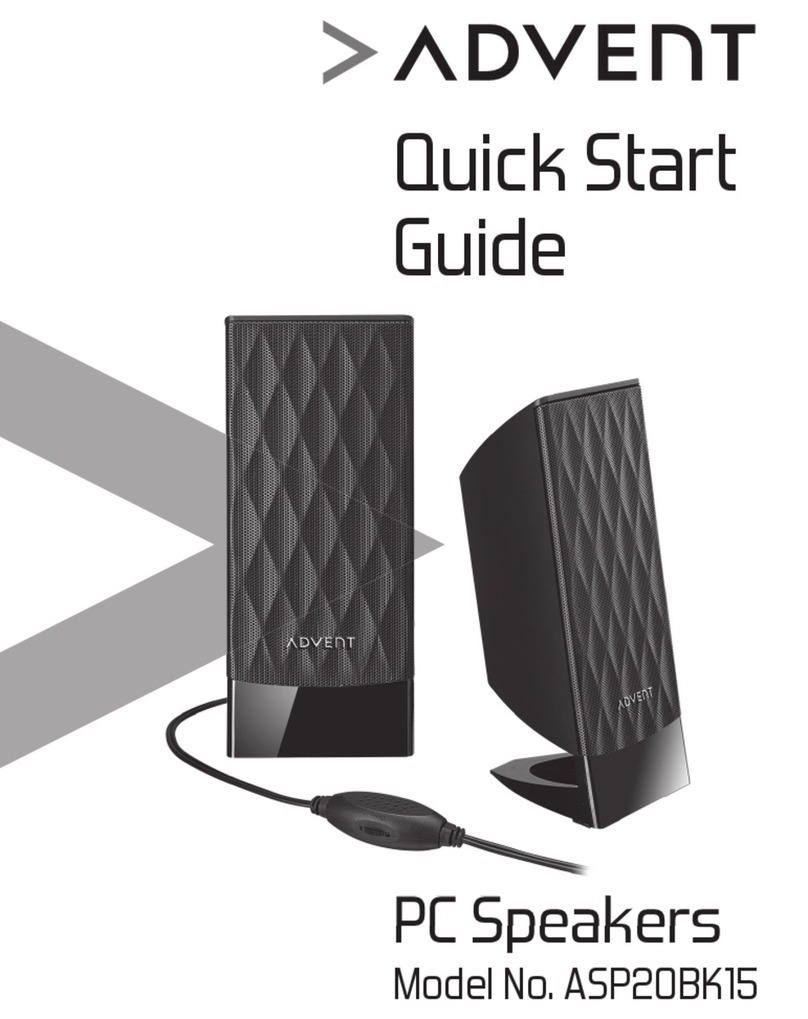
Advent ASP20BK15 User manual

Advent

Advent ASP20BK15 User manual

Advent ADE-200A User manual

Advent

Advent ADE-200A User manual

Advent AV-570 User manual

Advent

Advent AV-570 User manual

Advent ET-01 BUTF User manual

Advent

Advent ET-01 BUTF User manual

Advent ASP21BK17 User manual

Advent

Advent ASP21BK17 User manual

Advent Advent AW810 User manual

Advent

Advent Advent AW810 User manual

Advent ASP21BK15 User manual

Advent

Advent ASP21BK15 User manual

Advent AW820 User manual

Advent

Advent AW820 User manual

Advent ASP20BK19 User manual

Advent

Advent ASP20BK19 User manual

Advent NEWVISION 3.1 User manual

Advent

Advent NEWVISION 3.1 User manual

Popular Speakers manuals by other brands

Yamaha DXR10 null

Yamaha

Yamaha DXR10 null

argon audio IE20 quick start

argon audio

argon audio IE20 quick start

Denon SC-N7 owner's manual

Denon

Denon SC-N7 owner's manual

Gemline Ace 3952 user manual

Gemline

Gemline Ace 3952 user manual

Focal ON WALL 300 User manua

Focal

Focal ON WALL 300 User manua

HEADRUSH Maximus HRSP 5024 manual

HEADRUSH

HEADRUSH Maximus HRSP 5024 manual

SoundLogic BCCS-6/6395 instruction manual

SoundLogic

SoundLogic BCCS-6/6395 instruction manual

Peavey DTH 218 Specification sheet

Peavey

Peavey DTH 218 Specification sheet

Avantree Pluto Air user guide

Avantree

Avantree Pluto Air user guide

Morel Integra Series INTEGRA OVATION 4 install guide

Morel

Morel Integra Series INTEGRA OVATION 4 install guide

Oppo SONICA quick start guide

Oppo

Oppo SONICA quick start guide

Bose SoundLink Wireless Music System owner's guide

Bose

Bose SoundLink Wireless Music System owner's guide

Rocksteady Stadium owner's manual

Rocksteady

Rocksteady Stadium owner's manual

Bowers & Wilkins 4 owner's manual

Bowers & Wilkins

Bowers & Wilkins 4 owner's manual

Sonance SONOS OUTDOOR Series installation manual

Sonance

Sonance SONOS OUTDOOR Series installation manual

Electro-Voice EVID FM4.2 Brochure & specs

Electro-Voice

Electro-Voice EVID FM4.2 Brochure & specs

Pioneer XW-HTD630 manual

Pioneer

Pioneer XW-HTD630 manual

Onn BWA16AA002 Product guide

Onn

Onn BWA16AA002 Product guide

manuals.online logo
manuals.online logoBrands
  • About & Mission
  • Contact us
  • Privacy Policy
  • Terms and Conditions

Copyright 2025 Manuals.Online. All Rights Reserved.

ADE-20G
GLOW SPEAKERS
A. Safety Instructions
•DO read the operating instructions before you attempt to use
the equipment.
•DO consult your dealer if you are ever in doubt about the
installation, operation or safety of your equipment.
•Do not place hot objects or naked flame sources such as
lighted candles or nightlights on, or close to equipment. High
temperatures can melt plastic and lead to fires.
•NEVER let anyone especially children push anything into
holes, slots or any other opening in the case – this could result
in a fatal electrical shock.
•NEVER guess or take chances with electrical equipment of
any kind - it is better to be safe than sorry!
•DO NOT remove any fixed covers as this may expose
dangerous voltages.
•NEVER allow objects of any kind or liquids to be
pushed/spilled into this product through openings as they
may come into contact with dangerous voltage or other
hazards.
•DO NOT continue to operate the equipment if you are in
any doubt about it working normally, or if it is damaged in
any way-switch off, withdraw the mains plug and consult
your dealer.
•Make sure nothing is resting on top of the power cord to
create a safety hazard.
B. Package Content
C. Controls (on right speaker)
1. POWER ON/OFF
2. VOLUME +
3. VOLUME –
4. L-OUT (LEFT SPEAKER OUT)
5. DC IN
6. AUX IN
Speakers AC/DC Adaptor User Manual
ADE-20G
GLOW SPEAKERS
A. Safety Instructions
•DOread the operating instructions before you attempt to use
theequipment.
•DOconsult your dealer if you are ever in doubt about the
installation,operation or safety of your equipment.
•Donot place hot objects or naked flame sources such as
lightedcandles or nightlights on, or close to equipment. High
temperaturescan melt plastic and lead to fires.
•NEVERlet anyone especially children push anything into
holes,slots or any other opening in the case – this could result
ina fatal electrical shock.
•NEVERguess or take chances with electrical equipment of
anykind - it is better to be safe than sorry!
•DONOT remove any fixed covers as this may expose
dangerousvoltages.
•NEVERallow objects of any kind or liquids to be
pushed/spilledinto this product through openings as they
maycome into contact with dangerous voltage or other
hazards.
•DONOT continue to operate the equipment if you are in
anydoubt about it working normally, or if it is damaged in
anyway-switch off, withdraw the mains plug and consult
yourdealer.
•Makesure nothing is resting on top of the power cord to
createa safety hazard.
B. Package Content
C. Controls (on right speaker)
1. POWERON/OFF
2. VOLUME+
3. VOLUME–
4. L-OUT(LEFT SPEAKER OUT)
5. DCIN
6. AUXIN
Speakers AC/DCAdaptor UserManual
1
2
4
5
6
3

D. Operation
1. Connect the stereo cable from the AUX IN of the right speaker to the output socket of your audio source.
2. Plug the cable from the left speaker into the L-OUT socket of the right speaker base.
3. Connect the AC/DC adaptor cable to the DC IN socket in the right speaker base. Plug the AC/DC adaptor into the mains.
4. Press the POWER button on the right speaker.
5. Press the VOLUME +/– buttons to adjust the volume.
6. Press the POWER button again to switch off the system.
E. Technical Specification
Power Supply
Output Power 2.5W+2.5W(R.M.S)
Frequency Response Range 60Hz ~ 20kHz
F. Care and Maintenance
Wipe gently with a soft, dry cloth. If the unit is heavily stained or soiled, wipe with a damp cloth.
Do not use cleaning agents or abrasive cleaners.
Visit Partmaster.co.uk today for the easiest way to buy electrical spares and accessories.
With over 1 million spares and accessories available we can deliver direct to your door the very next day.
Visit www.partmaster.co.uk or call
0870 6001 338
(UK customers only)
Calls charged at National Rate.
This symbol on the product or in the instructions means that your electrical and electronic equipment should be disposed at the end of
life separately from your household waste. There are separate collection systems for recycling in the EU.
For more information, please contact the local authority or your retailer where you purchased the product.
AC/DC Adaptor
Right Spearker Left Spearker
iPod is not included
1
2
3