Download or update the
Airthings App from the Apple
App Store or Google Play Store
and create an account.
Pull the battery tab on the device
and follow the in-app
instructions to connect the
device to your smartphone and
your WiFi. You can also power
your device using the supplied
USB cable. There may be a
rmware update when you start
the device.
Note: You can leave the batteries in when
powering over USB, but the batteries will not be
recharged. Your device will automatically swap
between battery power and USB power.
Step 3 - Placement
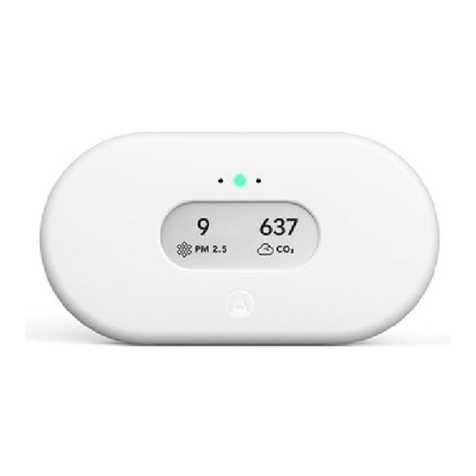
Your View device can be placed
wherever you want to measure
your air quality, such as your
night stand, on the wall in the
baby room, or on a shelf in the
living room. It should be kept
away from very dusty
environments, and performs
best if cleaned with a dry or
damp cloth once in a while. View
Plus and View Radon should be
kept out of damp environments
above 85% humidity to avoid
damage to the radon sensor.
To mount your View on a wall: Fix
the mounting bracket to the wall.
Make sure you use appropriate
screws for your wall type. Do not
place it close to vents or
Step 4 - Calibration
Some sensors will need time,
usually around a week, to
calibrate after power-up. See
more details in the product sheet
for your device.
The various sensors have
dierent sample rates (how
often it records a data point) and
accuracy. The radon sensor in
particular is built for long-term
monitoring. Although you can
read the early data samples, they
are likely to be inaccurate. Radon
will often vary signicantly from
day to day, and even month to
month. Buildings can be
diagnosed for radon by
measuring all living areas - e.g.,
living rooms and bedrooms - for
at least one week. For a more