Explanation:
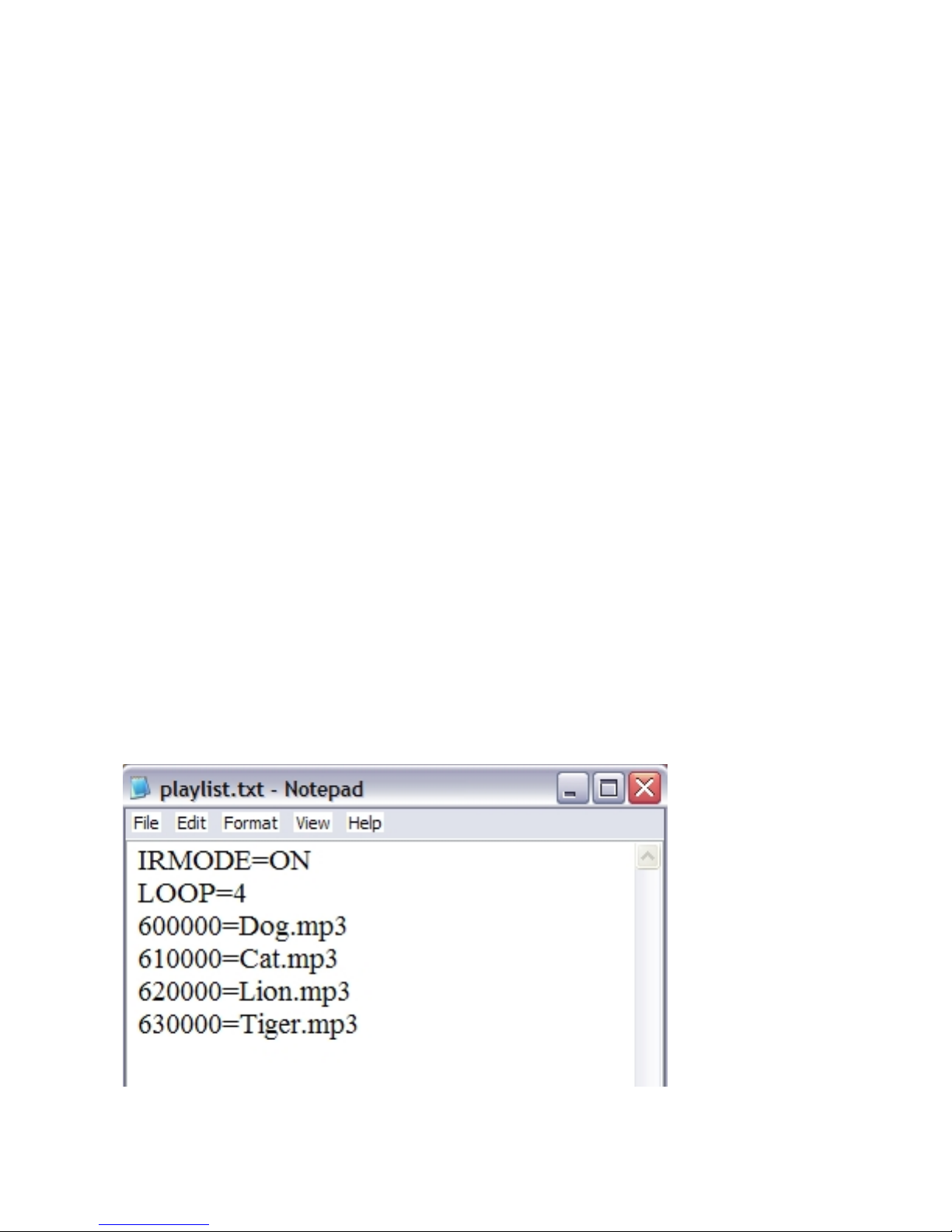
After powering up, the SR6 will automatically loop Bird.mp3.
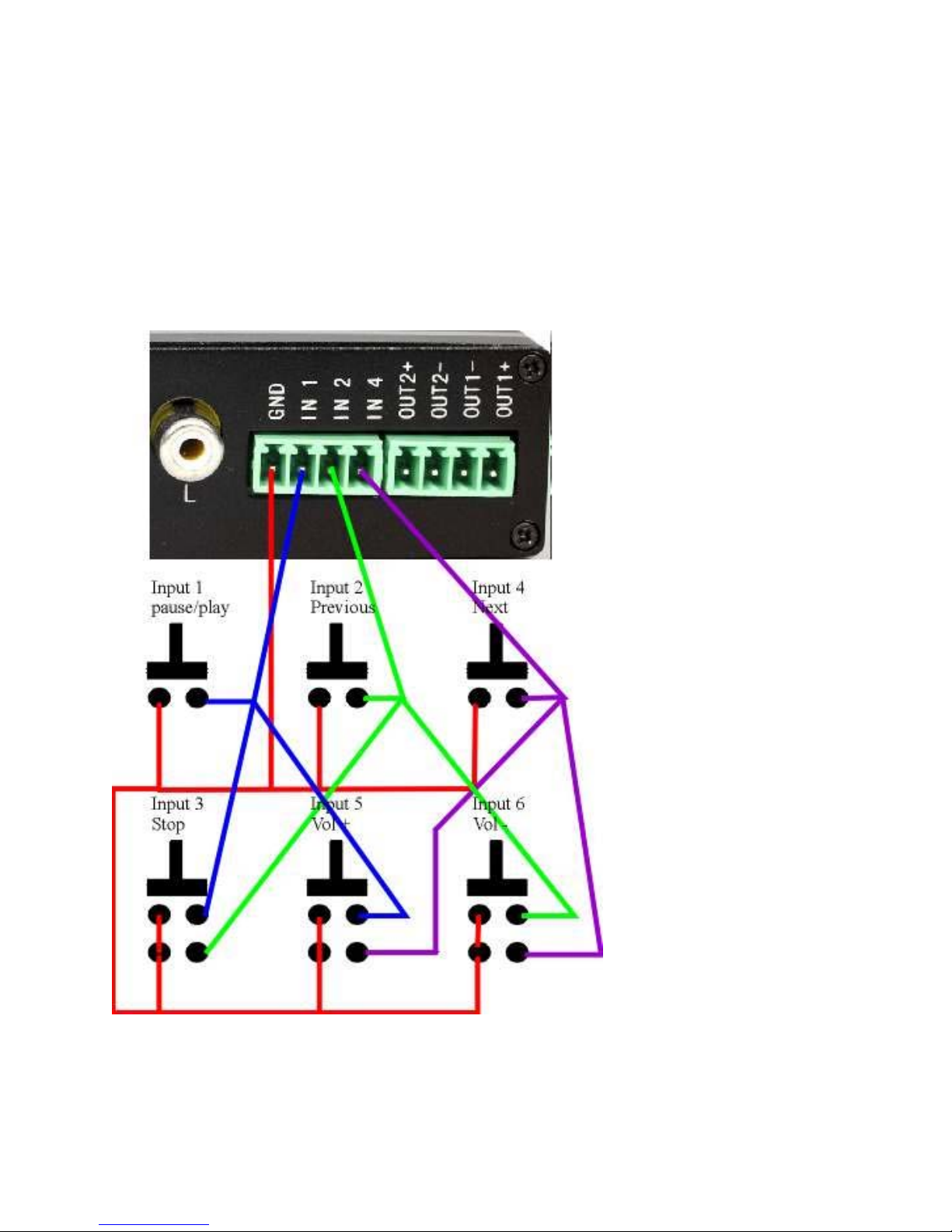
If input 4 (Next input) is triggered, Dog.mp3 will play because of this statement:
600000=Dog.mp3
After playing Dog.mp3, SR6 will return to home position and loop.
If input 4 is triggered again, Cat.mp3 will play because of this statement:
610000=Cat.mp3.
After playing Cat.mp3, SR6 will return to home position and loop.
After playing the last file Tiger.mp3, the SR6 will be ready to play Dog.mp3 again.
HAND HELD IR UNIT :
The Hand held IR unit is identical to a DVD remote control. It has functions
similar to a DVD such as Forward, Rev, Step, Pause, Stop, A-B etc. The IR hand
held unit can also be used to bring up the Main Menu. Use the arrow UP/Down and
Left/Right keys to navigate the menu. From this main menu you can access and
modify SR6 settings. From the main menu you can change various Audio setting,
Audio/video setting and other preferences.
Please note that the play list will override this setting after powering up.
The Hand held IR unit can be used to trigger SR6 input. Use this to test your play
list program.
Example:
To trigger SR6’s input 1, press key 1.
To trigger SR6’s input 2, press key 2.
To trigger SR6’s input 16, press keys 1 and 6.
PLAYLIST:
playlist.txt: (do not use MAC to create this)
NOTE: name playlist.txt using lower case letters. Do not use capital letters.
This file is required only if you want to play video using push buttons.
The playlist.txt is a file that relates (lists) video files to certain inputs. The purpose
of this playlist is to create “software input” so that each file can be associated with
“an input”. Create playlist.txt using any text editor such as Notepad, Wordpad etc.
If using NOTEPAD, save the file as follows:
Use your cursor and Go to FILE
Go to SAVE AS
Choose the location on your hard drive
In the File name column type lower case only: playlist
Important: DO NOT type playlist.txt, type playlist only
All letters in lower case only.
Save as type: Text Documents (*.txt)
Encoding: ANSI and save the file.