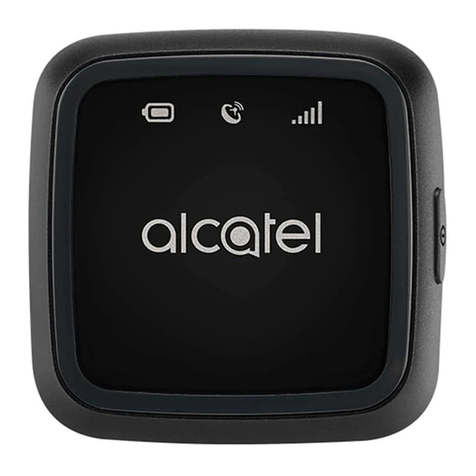
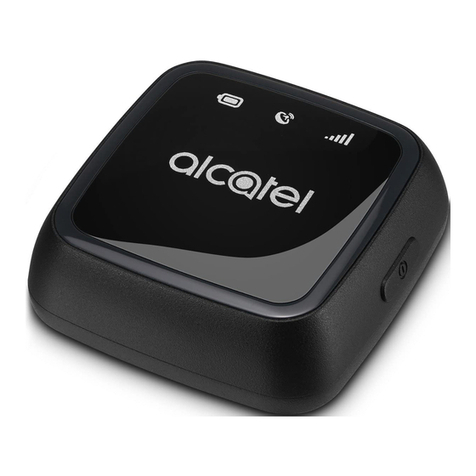
Alcatel MK20X Technical manual

L2 Repair Document TCLCommunication Ltd.
Rev.
MK20 Level 2 Repair Document
Page
1.0
1/23
All rights reserved. Transfer, copy, use or communication of this file is prohibited without authorization.
GPS Tracker
MK20X/U
Note: this manual can be modified without prior notice on the characteristics of described
equipment. Please download from Support website for the latest versions.

L2 Repair Document TCLCommunication Ltd.
Rev.
MK20 Level 2 Repair Document
Page
1.0
2/23
All rights reserved. Transfer, copy, use or communication of this file is prohibited without authorization.
1.0
Draft creation
Peter ye
Rev.
Date
Modification description
Prepared By
Checked By
Approved By

L2 Repair Document TCLCommunication Ltd.
Rev.
MK20 Level 2 Repair Document
Page
1.0
3/23
All rights reserved. Transfer, copy, use or communication of this file is prohibited without authorization.
Content
1Level 2 repair process ..............................................................................................4
2Warranty Check and Visual Inspection ...................................................................4
2.1 Warranty confirmation of L1.....................................................................................4
2.2 Visual mechanical check..........................................................................................5
3Battery........................................................................................................................5
3.1 Battery information...................................................................................................5
3.2 WARNING OF BATTERY disassembling..................................................................6
4Software download ...................................................................................................7
5Disassembly and assembly MK20.........................................................................11
5.1 ESD Safety...............................................................................................................11
5.2 Disassembly tool.....................................................................................................11
5.3 Disassembly process...............................................................................................11
5.4 Disassembly Notice .................................................................................................17
5.5 Reassembly process................................................................................................17
5.6 Disassembly process evaluation............................................................................18
6Disassembly Complete...........................................................................................18
7Level 2 repair...........................................................................................................19
8PCBA exchange.......................................................................................................22

L2 Repair Document TCLCommunication Ltd.
Rev.
MK20 Level 2 Repair Document
Page
1.0
4/23
All rights reserved. Transfer, copy, use or communication of this file is prohibited without authorization.
1 Level 2 repair process
Please refer to <L2 repair process> in support (CSS/RSH) website for details.
2 Warranty Check and Visual Inspection
2.1 Warranty confirmation of L1
1) Check the warranty status of the product on Proof Of Purchase ( POP) Check the
manufacturing date. Using the date code on commercial product label and match it
with the date code matrix hereafter.
Humidity sensitive label
If humidity sensitive label is not good, the cell phone will be considered as out of guarantee.
1). Liquid was detected by humidity sensitive label.
2). Position of humidity sensitive sticker.

L2 Repair Document TCLCommunication Ltd.
Rev.
MK20 Level 2 Repair Document
Page
1.0
5/23
All rights reserved. Transfer, copy, use or communication of this file is prohibited without authorization.
2.2 Visual mechanical check
Please refer to <Visual mechanical check> in support (CSS/RSH) website for details.
3Battery
3.1 Battery information
1) Battery picture
2) Battery feature

L2 Repair Document TCLCommunication Ltd.
Rev.
MK20 Level 2 Repair Document
Page
1.0
6/23
All rights reserved. Transfer, copy, use or communication of this file is prohibited without authorization.
3) Battery life
The bellowing table shows the nominal battery life respectively in standby and talking
mode. These typical values are expressed in normal temperature with battery initially full
charged and under good ratio coverage. Battery range depends on the network
characteristics, the ambient temperature and particularly on movement.
GPS Tracker
Power pack
MK20
Standby time (hours)
Power pack
Lithium
Update data every 10min: 3days(app default mode)
Update data every 5min: 2days
4) Battery charge time
For a normally discharged battery which has not been stored for long time, the
charge time listed as below table.
Battery type (RF standby
mode)
Typical Charge
time
Soft pack
within 4hours
Note:
If the battery is new, charge it before use. Battery icon will appear after charging
a short time.
If the battery is deeply discharged, battery icon will appear after charging several
minutes and accompany with a slight sound.
3.2 WARNING OF BATTERY disassembling
Potential for fire or burning. Do not puncture, crush, or heat the battery. Strictly avoid using
sharp tool to pry up battery.
Model
Element
Capacity
Battery Li
Lithium
470mAh

L2 Repair Document TCLCommunication Ltd.
Rev.
MK20 Level 2 Repair Document
Page
1.0
7/23
All rights reserved. Transfer, copy, use or communication of this file is prohibited without authorization.
Fire extinguisher is needed for emergency.
The battery can be reused when you disassemble it.
4 Software download
The minimum requirements to perform a software download are as follow:
1. Product with Fully charged battery
2. PC with below configurations
CPU: Pentium 1.6Ghz or above;
RAM: 2GB or above;
Operation system:Windows2000/XP/Vista/Windows 7/8/10
USB port
Internet connection with minimum internet speed of 8Mb/s
3. Downloading cable (USB cable)
Please refer below process to download the SW.
1. Double click the icon to open the tool.
2. Click the file and select “MTK_AllInOne_DA.bin ”in the package tool file.

L2 Repair Document TCLCommunication Ltd.
Rev.
MK20 Level 2 Repair Document
Page
1.0
8/23
All rights reserved. Transfer, copy, use or communication of this file is prohibited without authorization.
3.select the correct SW related to device CU,E.P if GPS Tracker CU is MK20X-2AALEU0,
downloads the EU version SW in CSS web.
4. You have to set first COM port, it allows 15 ports upgrading simultaneously. So make sure
the device port is within the 15 ports. E.P the device port is 45, you can set the first port from
31 to 45.
5.You have to know the device port. The port comes out only for 3S,(make sure the device
is power off) Click “set all”and click “start ll”,then connect the device to PC.

L2 Repair Document TCLCommunication Ltd.
Rev.
MK20 Level 2 Repair Document
Page
1.0
9/23
All rights reserved. Transfer, copy, use or communication of this file is prohibited without authorization.
6.If there isn’t port coming out,delete all the files in ”backup”and “backup_and_restore_dat”.
7. If the selected SW doesn’t match the CU, result as below.

L2 Repair Document TCLCommunication Ltd.
Rev.
MK20 Level 2 Repair Document
Page
1.0
10/23
All rights reserved. Transfer, copy, use or communication of this file is prohibited without authorization.
8. Download successfully
This manual suits for next models
1
Table of contents
Other Alcatel GPS manuals