manuals.online logo
Brands
  1. Home
  2. •
  3. Brands
  4. •
  5. Alzatex
  6. •
  7. Monitor
  8. •
  9. Alzatex R2022A User manual

Alzatex R2022A User manual

Other Alzatex Monitor manuals

Alzatex Jugs R2021 User manual

Alzatex

Alzatex Jugs R2021 User manual

Alzatex R2020 User manual

Alzatex

Alzatex R2020 User manual

Popular Monitor manuals by other brands

Samsung ME32C user manual

Samsung

Samsung ME32C user manual

ViewSonic VA926-LED user guide

ViewSonic

ViewSonic VA926-LED user guide

Furuno Mu 120c Operator's manual

Furuno

Furuno Mu 120c Operator's manual

Asus VB171D - 17" LCD Monitor Service manual

Asus

Asus VB171D - 17" LCD Monitor Service manual

AOC 9GLR Technical specifications

AOC

AOC 9GLR Technical specifications

DMG RAFFAELLO manual

DMG

DMG RAFFAELLO manual

AOC LM720 - 17" Technical specifications

AOC

AOC LM720 - 17" Technical specifications

Sony Trinitron GDM-F500 Service manual

Sony

Sony Trinitron GDM-F500 Service manual

Memorex MT1701 user guide

Memorex

Memorex MT1701 user guide

ViewSonic VE510s-4 Service manual

ViewSonic

ViewSonic VE510s-4 Service manual

Farenheit T-1503CM instruction manual

Farenheit

Farenheit T-1503CM instruction manual

Ditel DINOS DN129/AT Quick installation guide

Ditel

Ditel DINOS DN129/AT Quick installation guide

Sony SDM-S51 Specifications

Sony

Sony SDM-S51 Specifications

Kenwood DMX1025BT quick start guide

Kenwood

Kenwood DMX1025BT quick start guide

Dell S2409WFP user guide

Dell

Dell S2409WFP user guide

EverFocus EN-7517E instruction manual

EverFocus

EverFocus EN-7517E instruction manual

Dell P3222QE user guide

Dell

Dell P3222QE user guide

Panasonic TH152UX1 - 152" PLASMA TV Service manual

Panasonic

Panasonic TH152UX1 - 152" PLASMA TV Service manual

manuals.online logo
manuals.online logoBrands
  • About & Mission
  • Contact us
  • Privacy Policy
  • Terms and Conditions

Copyright 2025 Manuals.Online. All Rights Reserved.

User manual R2022A Wireless Display
User manual for R2022A
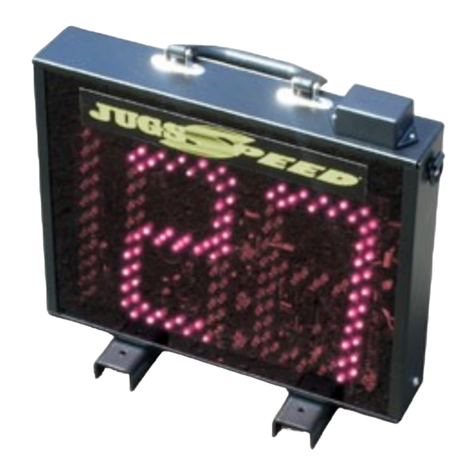
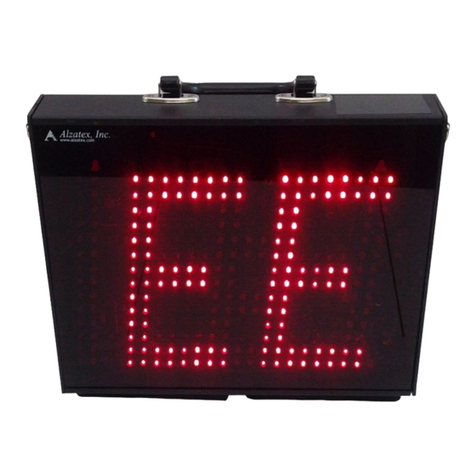
wireless display with 24” high
digits.
This display is designed for permanent mounting outdoors.
The wireless display includes a battery pack with integrated
battery charger for connecting to a Jugs radar gun.
Whats Included
The following items are included with each wireless radar gun
display.
Display with 24 inch high digits can display speeds
from 0 to 199 It includes an integrated wireless
receiver
Battery pack with integrated battery charger and
wireless transmitter and connector to connect to the
Jugs radar gun
Wall transformer to operate the display
Wall transformer to charge the battery inside the
battery pack with built in transmitter
Operation
When the display is not used for extended periods of time, the
internal batteries will slowly discharge over time.
Mount the display in the field where it is convenient
for easy viewing It is best to have the radar gun in a
line of sight between the display and the radar gun
Push and hold the ON button on the rear of the unit
for at least 2 seconds The display should show a
test pattern when turning on
Inspect the connector on the radar gun to insure that
no pins are bent or broken
Attach the Jugs SI radar gun to the DB9 (9 pin
connector) on the battery pack Be very careful to
not bend the pins when making the connection
Tighten the 2 thumb screws This will keep the
connector securely attached to the battery pack
The radar gun display should come on and show “C”
in the display
Test the connection Thump the tuning fork supplied
with the radar gun and place it in front of the radar
gun The display should show the speed value
represented by the tuning fork on both the radar gun
display and on the large remote display
You are now ready for the game or other activity
When finished for the day, re-connect both the battery
pack to the wall transformer and connect the wall
transformer to A power when not in use.
Storage
When the display is not used for extended periods of time, the
internal batteries will slowly discharge over time.
It is very important to not permit the Gell Cell
batteries used inside these displays to completely
discharge The battery life will be shortened
significantly is they are allowed to completely
discharge
When the displays are NOT being used, it is best to
keep the battery pack plugged into the charger The
batteries cannot be over charged The battery
charger is an intelligent battery charger that
maintains a trickle charge to keep the batteries at full
charge, but shuts off when necessary to prevent any
possibility of over charging
Manufactured for the Jugs Company by Alzatex Inc 1 www alzatex com 05/24/11

User manual R2022A Wireless Display
Display showing mounting brackets and power
connector.
Display Specifications
Power requirements: 10-15VAC input or 12-18VDC
input
Current consumption: Up to 2 75A with all segments
on Minimum current 80mA with power on and all
segments off Consumes a quiescent current of
125uA with power off
Dimensions: 30” x 36” x 3” Overall dimensions
including feet 32” x 36” x 3”
Weight of display: 15LB
Battery Pack Specifications
Indicators: LED indicators to indicate charging and
charge status
RS-232 Connector: RS-232 serial data connector so
the display can be used as a wired display
TX-422 Connector: RS-422 serial data connector to
transmit serial data to other displays or to a
computer
RX-422 Connector: RS-422 serial data connector
receive serial data from another display or radar gun
with RS-422 port (Not on all models)
Data rate: 1,200 baud on the serial port between the
radar gun and the battery pack / wireless transmitter
Battery: 12 volt, 4AH gell cell battery
Power requirements: 12-15VAC input or 15-18VDC
input
Current consumption: Up to 0 85A when the radar
gun is taking a speed measurement Consumes a
quiescent current of 50mA with power on
Consumes a quiescent current of 1uA with power
off
Dimensions: 6” x 6” x 6”
Weight of display: 1LB
Manufactured for the Jugs Company by Alzatex Inc 2 www alzatex com 05/24/11

User manual R2022A Wireless Display
Battery pack.
Wireless Transmitter/Receiver Specifications
Operating Frequency band: ISM 2 4GHz frequency
Number of channels: Configured as a single
channel Expandable for up to 16 direct sequence
channels on special request
RF Data rate: 250,000 bps wireless transmission
Transmit power: 2mW
Receiver sensitivity: -96dBm
Power consumption: Receive current 40mA,
Transmit current 40mA
International Standard:
Agency Approvals for the United States (FCC Part
15 247): OUR-XBEE or OUR-XBEE2
Agency Approvals for Canada (IC): 4214A-XBEE or
4214A-XBEE2
Agency Approvals for Europe (CE): ETSI
Operating temperature: -40c to +85c
Antenna type: Integrated whip.
Manufactured for the Jugs Company by Alzatex Inc 3 www alzatex com 05/24/11