4-2
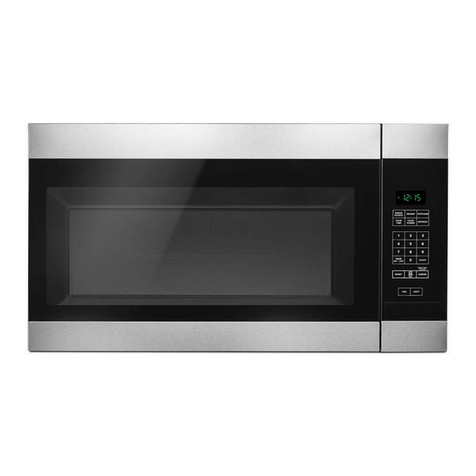
CONTROL PANEL INSTRUCTIONS
1. DISPLAY: The Display includes a clock and indicators
to tell you time of day, cooking time setting and
cooking functions selected.
2. POPCORN: Touch this pad when popping popcorn in
your microwave oven.
3. BAKED POTATO: Touch this pad to cook potatoes.
4. BEVERAGE: Touch this pad to reheat one or two
cups of a bev-erage.
5. COOK: Touch this pad to cook Fresh Vegetable,
Frozen Vegetable, Casserole, Rice, Oatmeal, Bacon,
Scrambled Eggs, and Frozen Entrée.
6. REHEAT: Touch this pad to reheat Pizza Slice, Dinner
Plate, Soup/Sauce, Casserole, and Roll/ Muffin.
7. POULTRY: Touch this pad to cook chicken wings,
chicken nuggets, Spicy Chicken and Mexican
Chicken.
8. SOFTEN: Touch this pad to soften Butter, Ice Cream,
Cream Cheese and Frozen Juice.
9. MELT: Touch this pad to melt Butter/Margarine,
Chocolate, Cheese and Marshmallows.
10. AUTO DEFROST: Meat, poultry, fish and bread.
Touch this pad to select food type and defrost food by
weight.
11. RAPID DEFROST: This pad provides RAPID defrost
for 1.0 pound of frozen food.
12. TIME DEFROST: Touch this pad to defrost most other
frozen foods.
13. NUMBER: Touch number pads to enter cooking time,
power level, quantities, or weights.
14. CLOCK: Touch this pad to enter the time of day.
15. COOK TIME: Touch this pad to to set a cooking time.
16. CONTROL SETUP: Touch this pad to change the
oven’s default settings for sound, clock, display speed
and defrost weight.
17. HOLD WARM: Touch this pad to keep hot, cooked
foods warm in your microwave oven for up to 90
minutes.
18. POWER LEVEL: Touch this pad to select a cooking
power level.
19. ADD 30 SEC.: Touch this pad to
set and start quickly at 100% power level.
20. STOP/CLEAR: Touch this pad to stop the oven or to
clear all entries.
21. ENTER/START: Touch this pad to start a function. If
you open the door after oven begins to cook, touch
ENTER/START again.
22. CUSTOM PROGRAM: Touch this pad to recall one
cooking instruction previously programmed into
memory.
23. KITCHEN TIMER: Touch this pad to set the kitchen
timer.
24. LIGHT TIMER: Touch this pad to set the light timer.
25. VENT HI/LO/OFF: Touch this pad to turn the fan on or
off.
26. TURNTABLE ON/OFF: Touch this pad to turn off the
turntable. OFF will appear in the display.
27. LIGHT HI/LO/OFF: Touch this pad to turn on the
cooktop/countertop light.