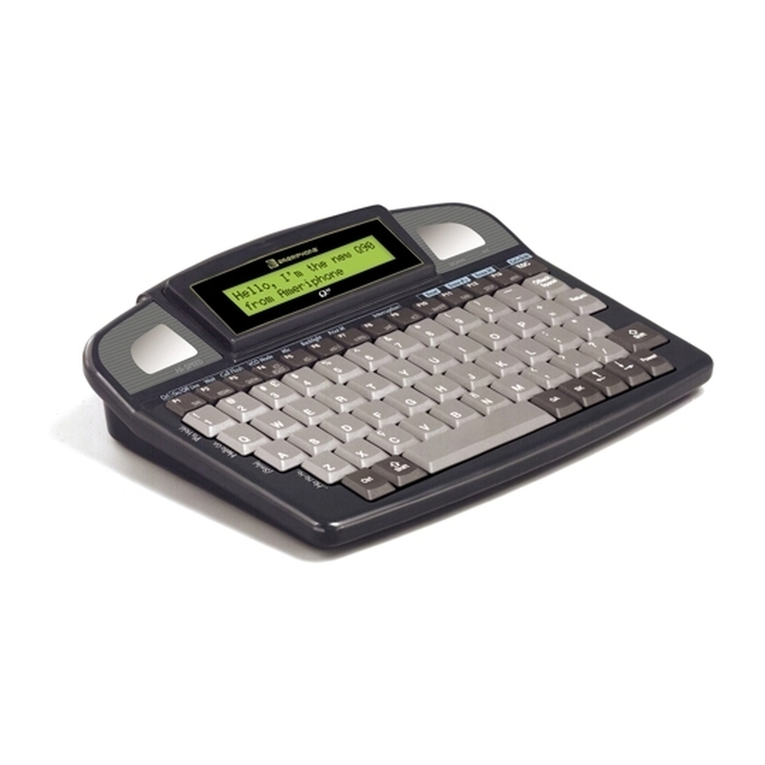
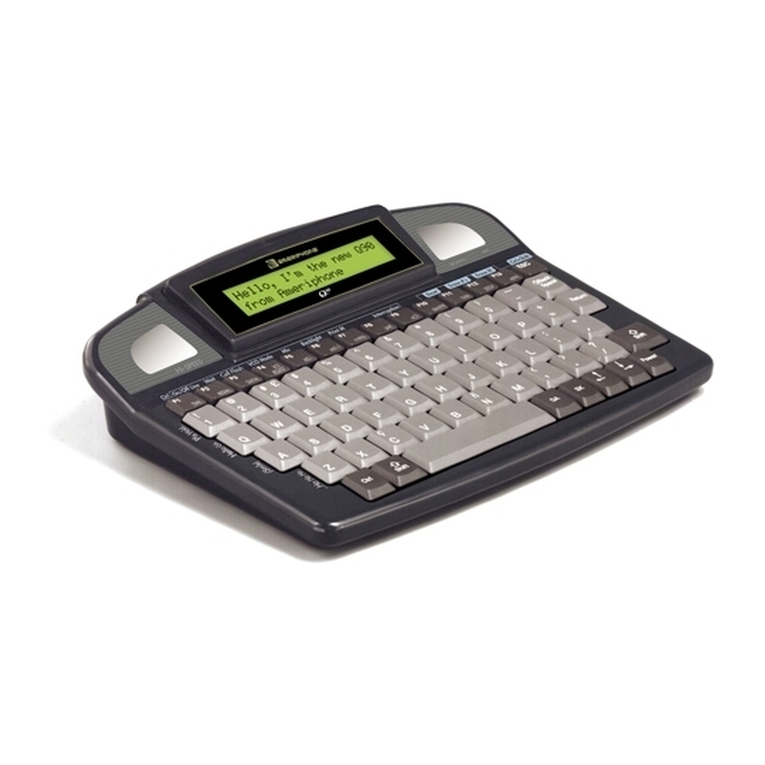
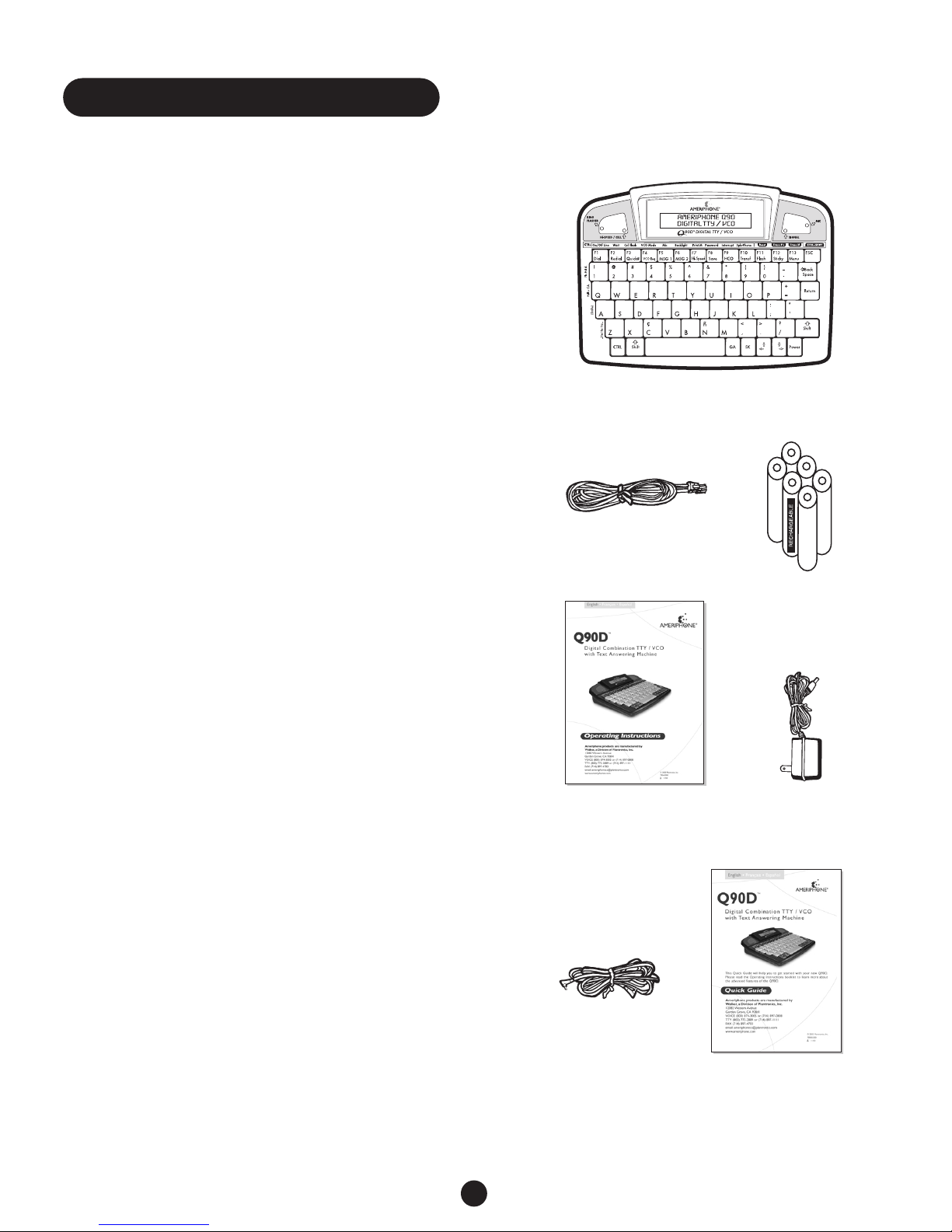
The following controls and indicators are
located on the top, right, back or bottom
sides of your Q90D.
Top Side:
1Special Function Keys. The 1, Q,A, and
Z keys are used for special functions. Each
of these keys, when used in combination
with other keys, sends a message as shown
on the face of the Q90D to the left of
these keys, such as “Hello GA”.
2Primary Function Keys. The Primary
Function keys activate the primary
functions such as dialing, redialing, and
sending messages. Keys F1 through F13,
are described in the Primary Function
section of this guide on Page 14.
3Ring Flasher. Both red and white
incandescent lights flash when the Q90D
receives incoming calls. Only the red light
flashes when the Q90D is powered by
batteries.
4HI-SPEED™Indicator. Hi-Speed
transmission is used when communicating
with another Ameriphone TTY that has this
capability. If both TTYs have Hi-Speed
capability and are in Hi-Speed mode, the
red Hi-Speed indicator light turns on and
your call proceeds at the higher rate. If not,
the Q90D automatically uses the normal
transmission speed.
5Cell Flasher Indicator. This red light
flashes to announce incoming calls when
the Q90D is on STANDBY mode and
attached to a cellular or mobile telephone.
6Tiltable Display Screen. The screen
displays stored information and the current
status of calls (e.g., ringing, busy, etc.) and
conversation.
7Signal Status Indicator. This red light
indicates that there is some activity on the
telephone line such as speech,TTY or
some type of sound.
8MIC Indicator. This green indicator light
is on when the VCO microphone is active.
9ESC Key. The key is used to exit Dial, Save
and Review modes. It does not cause the
Q90D to hang up if you are online.
JBackspace Key. This key lets you erase
mistakes after typing them.
KReturn Key. Use the Return key during
setup and when creating messages to save
them in memory.
LPower Key. This key turns the Q90D ON.
To turn OFF the Q90D, press the CTRL
and Power keys at the same time.
MArrow Keys. When in Dial mode, the
Arrow keys allow you to scroll up or down
the listings in your Q90D telephone
directory.When not in Dial mode, the left
Arrow key takes you into Review mode
and allows you to scroll up or down
with the right Arrow key to view a
conversation.You can also use the Arrow
keys to play back messages stored on the
built-in Answering Machine and saved
conversations.
NSK Key. This key functions online only.
When pressed, it sends the SK (“Stop
Keying”) message, letting the other
party know you are ready to end the
conversation. Press the SK key twice
(SKSK) as your last “goodbye”before
hanging up.
OGA Key. This key sends the GA (“Go
Ahead”) message letting the other party
know you are finished typing and ready for
a response.
5
Features