manuals.online logo
Brands
  1. Home
  2. •
  3. Brands
  4. •
  5. Amplifier Research
  6. •
  7. Amplifier
  8. •
  9. Amplifier Research 100A250 series User manual

Amplifier Research 100A250 series User manual

This manual suits for next models

1

Other Amplifier Research Amplifier manuals

Amplifier Research 200T4G18 Service manual

Amplifier Research

Amplifier Research 200T4G18 Service manual

Amplifier Research 75A250A User manual

Amplifier Research

Amplifier Research 75A250A User manual

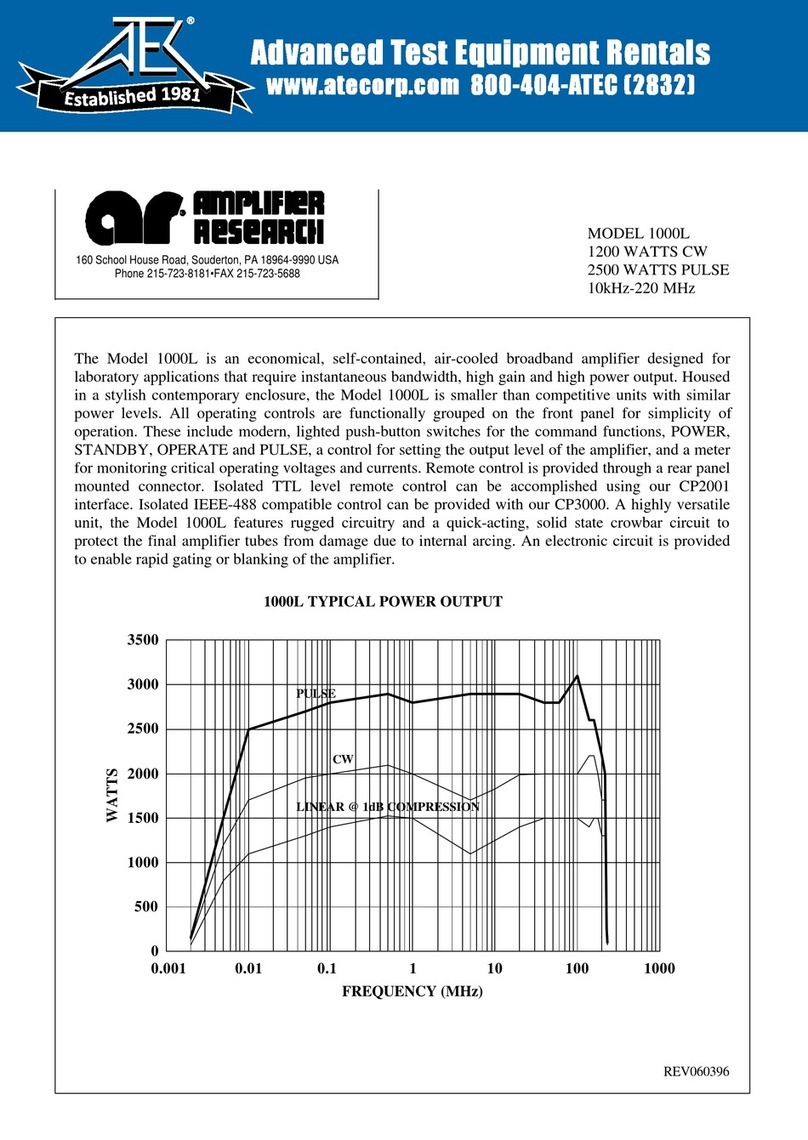
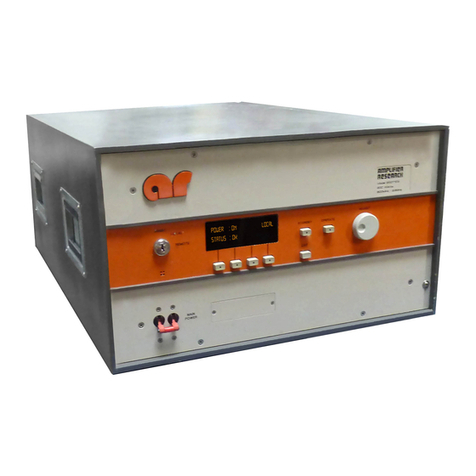
Amplifier Research 1000L User manual

Amplifier Research

Amplifier Research 1000L User manual

Amplifier Research Amplifier Research User manual

Amplifier Research

Amplifier Research Amplifier Research User manual

Amplifier Research 10W1000 Service manual

Amplifier Research

Amplifier Research 10W1000 Service manual

Amplifier Research 500A100A User manual

Amplifier Research

Amplifier Research 500A100A User manual

Popular Amplifier manuals by other brands

Magnat Audio EDITION FOUR Owner's manual/warranty document

Magnat Audio

Magnat Audio EDITION FOUR Owner's manual/warranty document

Inter-m PA-2000A Operation manual

Inter-m

Inter-m PA-2000A Operation manual

Yamaha TX6n owner's manual

Yamaha

Yamaha TX6n owner's manual

Peavey TNT 150 user guide

Peavey

Peavey TNT 150 user guide

Bosch LBB 1903/10 Installation and user instructions

Bosch

Bosch LBB 1903/10 Installation and user instructions

Avocent Emerge DA1200D Installer/user guide

Avocent

Avocent Emerge DA1200D Installer/user guide

Redgum RGi35 operating instructions

Redgum

Redgum RGi35 operating instructions

Cambridge Audio AXA25 user manual

Cambridge Audio

Cambridge Audio AXA25 user manual

Alpine MRP-M200 owner's manual

Alpine

Alpine MRP-M200 owner's manual

Technical Pro H1502UrBT user manual

Technical Pro

Technical Pro H1502UrBT user manual

FMS EMGZ307 operating manual

FMS

FMS EMGZ307 operating manual

Racal Instruments 5601 user manual

Racal Instruments

Racal Instruments 5601 user manual

Valcom V-1094A Technical specifications

Valcom

Valcom V-1094A Technical specifications

Cambridge Audio 851D user manual

Cambridge Audio

Cambridge Audio 851D user manual

QSC 3800 Specifications

QSC

QSC 3800 Specifications

NAD C300 owner's manual

NAD

NAD C300 owner's manual

Rotel RMB-1077 owner's manual

Rotel

Rotel RMB-1077 owner's manual

Peavey Monitor 300 Series operating guide

Peavey

Peavey Monitor 300 Series operating guide

manuals.online logo
manuals.online logoBrands
  • About & Mission
  • Contact us
  • Privacy Policy
  • Terms and Conditions

Copyright 2025 Manuals.Online. All Rights Reserved.

EC Declaration of Conformity
We; Amplifier Research
160 School House Road
Souderton, Pa. 18964
declare that as of 1997, our product(s);
the Model 100A250 series amplifiers
to which this declaration relates is in compliance with the requirements of the EEC EMC Directive
(89/336/EEC) and Low Voltage Directive (73/23/EEC) in accordance with the relative standards listed
below:
EMC:
EN 50082-2 : 1995
Electromagnetic compatibility - Generic immunity standard
Part 2: Industrial environment
EN 55011 : 1991
Electromagnetic emissions requirements for Industrial, Scientific and Medical
(ISM) Equipment
Group 1, Class A
Safety: IEC 1010-1 : 1990 + A1, A2
The CE marking is affixed on the device according to the EC Directives.
Donald R. Shepherd
President
Model 100A250A Manual Text
TABLE OF CONTENTS
SECTION I: GENERAL INFORMATION
1.1 General Description...................................................................1-1
1.2 Power Supplies.........................................................................1-1
1.3 Specifications............................................................................1-1
SECTION II: OPERATING INSTRUCTIONS
2.1 General............................................................................2-1
2.2 Amplifier Operation...........................................................2-2
2.2.1 Local Operation ........................................................................2-2
2.2.2 Remote Operation.....................................................................2-2
SECTION III: THEORY OF OPERATION
3.1 Introduction..............................................................................3-1
3.2 Driver Amplifier Section ............................................................3-1
3.3 Final Amplifier Section...............................................................3-1
3.4 Power Supply ...........................................................................3-2
3.5 Fault Board...............................................................................3-2
3.6 A3 Gain Control........................................................................3-2
SECTION IV: MAINTENANCE
4.1 General Maintenance Information...............................................4-1
4.2 Disassembly Procedures ....................................................4-1
4.3 Troubleshooting........................................................................4-2
4.3.1 Front Panel Vacuum Fluorescent Display (VFD) Doesn’t Indicate
“Power On”.............................................................................4-2
4.3.2 Unit Cannot be Operated Remotely.............................................4-3
4.3.3 Thermal Fault ...........................................................................4-3
4.3.4 Interlock Fault...........................................................................4-4
4.3.5 Voltage/Amplifier Faults.............................................................4-4
4.3.6 Low or No Power Output (DC Tests).........................................4-5
SECTION V: REPLACEABLE PARTS
5.1 Introduction..............................................................................5-1
5.2 Ordering Information.................................................................5-1
5.3 Non-Listed Parts.......................................................................5-1
TABLE OF CONTENTS (CONTINUED)iii

Model 100A250A Manual Text
SECTION V: REPLACEABLE PARTS (CONTINUED)
5.4 Circuit Designators............................................................................................5-1
5.5 Manufacturers’ Abbreviation Listing...........................................5-2
5.6 Master List...............................................................................5-3
5.7 Schematics and Bills of Material (BOMs)....................................5-3
APPENDIX A: STANDARD ABBREVIATIONS FOR MANUFACTURERS..................A-1
SECTION VI: RECOMMENDED SPARE PARTS
6.1 Level of Maintenance................................................................6-1
WARRANTIES: LIMITATION OF LIABILITIES
LIST OF FIGURES
2-1 Model 100A250A Front Panel................................................... 2-2
2-2 Model 100A250A Rear Panel.................................................... 2-2
LIST OF TABLES
2-1 IEEE-488 Device Address Selection........................................... 2-5
2-2 Remote Error Codes/Messages.................................................. 2-6
2-3 RS-232 Connector Pin-Outs...................................................... 2-7
Model 100A250A Manual Text
1-1
REV -
SECTION I
GENERAL INFORMATION
1.1 GENERAL DESCRIPTION
The Amplifier Research (AR) Model 100A250A is a self-contained, broadband Radio Frequency (RF)
amplifier designed for laboratory applications where instantaneous bandwidth, high gain, and moderate
power output are required. Solid state technology is used exclusively to offer significant advantages in
reliability and cost. When used with a frequency-swept signal source, the AR Model 100A250A will
provide 100 watts of swept power output from .01 to 250 megahertz (MHz). Typical applications include
antenna and component testing, wattmeter calibration, electromagnetic interference (EMI) susceptibility
testing, use as a driver for frequency multipliers and higher power amplifiers, and use as an RF energy
source for Magnetic Resonance Imaging (MRI) studies. The Model 100A250A can be operated locally by
using the unit’s front panel controls, or remotely by using its built-in IEEE-488 or RS-232 interfaces.
1.2 POWER SUPPLIES
The 100A250A contains three switching power supplies. The input voltage range to these supplies is 90-
132 VAC and 180-264 VAC, 50/60 Hz universal or selected automatically. The operator does not have to
switch or change anything on the 100A250A when changing the AC input voltage. The power consumption
is a nominal 800 watts. A primary circuit breaker is provided. The output stage is protected by over
current sensing and over temperature sensing circuits which shut down the power supplies under fault
conditions.
1.3 SPECIFICATIONS
Refer to the Amplifier Research Data Sheet on the next page for detailed specifications.
Model 100A250A Manual Text
2-1
REV -
SECTION II
OPERATING INSTRUCTIONS
2.1 GENERAL
Operation of the Model 100A250A broadband RF amplifier is simple. The input signal, whether swept or
fixed in frequency, is fed into the jack marked “INPUT”, and the amplifier’s output signal is taken from the
jack labeled “OUTPUT”.The unit is turned on by activating the power switch marked “POWER”. In the
event of a unit malfunction, protection is provided by an internal circuit breaker. A polarized, three (3) wire
AC power cord is also included with the unit to provide cabinet and chassis grounding to the power mains.
CAUTION:
THE 100A250A AMPLIFIER IS NOT CRITICAL IN REGARDS TO SOURCE AND LOAD VSWR AND
WILL REMAIN UNCONDITIONALLY STABLE WITH ANY MAGNITUDE AND PHASE OF SOURCE
AND LOAD VSWR. IT ALSO HAS BEEN DESIGNED TO WITHSTAND, WITHOUT DAMAGE, RF
INPUT POWER UP TO TWENTY (20) TIMES ITS RATED INPUT OF 1mW. HOWEVER, SIGNAL
LEVELS HIGHER THAN 20mW OR TRANSIENTS WITH HIGH PEAK VOLTAGES CAN DAMAGE
THE AMPLIFIER. ALSO, ACCIDENTAL CONNECTION OF THE OUTPUT TO ITS INPUT CAUSES
OSCILLATIONS WHICH WILL PERMANENTLY DAMAGE THE INPUT TRANSISTORS.
WHILE THE MODEL 100A250A WILL OPERATE INTO ANY LOAD IMPEDANCE, THE AMPLIFIER
MAY DRAW EXCESSIVE CURRENT AND SHUT DOWN IF IT IS SIMULTANEOUSLY OVERDRIVEN
WITH AN OPEN OR SHORT CIRCUITED LOAD. TO AVOID TRIPPING THE PROTECTION
CIRCUIT, THE FOLLOWING PRACTICES ARE RECOMMENDED:
1. DO NOT INTENTIONALLY OVERDRIVE THE AMPLIFIER AT ANY TIME. WHEN
OPERATING INTO A MISMATCHED LOAD, TAKE SPECIAL PRECAUTIONS SO THAT THE
INPUT CANNOT BE INADVERTENTLY OVERDRIVEN.
2. WHEN CONNECTING AND DISCONNECTING CABLES, TURN THE POWER SWITCH OFF.
CARE MUST BE TAKEN TO PREVENT RESTRICTIONS OF THE COOLING FAN AIR INLET
OPENING ON THE UNIT. RESTRICTIONS OF THE OPENING, FOR EXTENDED PERIODS,
WILL CAUSE OVERHEATING OF THE UNIT AND POSSIBLE PREMATURE FAILURE.
Model 100A250A Manual Text
2-2
REV -
2.2 AMPLIFIER OPERATION
Figure 2.1 shows the Model 100A250A in pictorial form.
FIGURE 2.1
AMPLIFIER OPERATION
2.2.1 Local Operation
Power-up Sequence:
1. Connect the input signal to the unit’s RF INPUT connector. The input signal level should be
0dBm maximum.
2. Connect the load to the unit’s RF OUTPUT connector.
3. Check to see that the MAIN POWER switch (circuit breaker) on the unit’s rear panel is set to the 1
(“on”) position.
4. Press the POWER switch: the front panel vacuum fluorescent display (VFD) should read
POWER ON, STATUS OK when power is applied.
(NOTE: The amplifier changes state each time the POWER switch is depressed—if the unit is
on when the POWER switch is depressed, it will turn off; if the unit is off when the POWER
switch is depressed, it will turn on.)
5. In the event of a fault, press the FAULT/RESET switch; if the fault does not clear, refer to
subsection 4.3 (“Troubleshooting”) of this manual.
6. Adjust gain control if necessary.
2.2.2.1 Introduction
This subsection describes remote operation of the Model 100A250A amplifier by utilizing either the
IEEE-488 parallel interface or the RS-232 serial interface and a controlling device, such as a bus
controller or a personal computer (PC).
Model 100A250A Manual Text
2-3
REV -
2.2.2.2 Selecting Remote Operation
The Model 100A250A can be placed in the remote operation mode at any time by
switching the FUNCTION switch on the front panel to the REMOTE position. In this
mode, control is transferred to the selected remote interface and all front panel controls are
inoperative with the exception of the FUNCTION switch. The amplifier’s initial state
will be Power Off. The front panel VFD will indicate REMOTE until the unit is returned
to the local operation mode.
2.2.2.3 Interface Selection
The Model 100A250A can be controlled via either the IEEE-488 or RS-232 interface; which
interface is active is determined by the position of Switch 6 of the rear panel Dual In-Line Package
(DIP) switch located between the two interface connectors. If Switch 6 is in the “on” (1) position,
the RS-232 interface will be active; if Switch 6 is in the “off” (0) position, the IEEE-488 interface
will be active.
2.2.2.4 Interface Set-up
Switches 1–5 of the rear panel DIP switch are used to select either the RS-232 communication
(BAUD) rate or the IEEE-488 device address, depending upon which interface is active. (Note:
These switches are only read at device power-up. In order for changes made in these switch
settings to take place, AC power must be removed and then re-applied to the Model 100A250A.)
2.2.2.4.1 RS-232 BAUD rate selection
The serial communication (BAUD) rate can be set to five different levels. Selections are made by
the positions of Switches 1–5 of the rear panel DIP switch. The following is a list of the available
BAUD rates and the corresponding DIP switch positions:
BAUD Rate Switch On (1)
1200 1 only
2400 2 only
9600 3 only
19,600 4 only
76,800 5 only
(Note: Any other combination of switch settings will result in a BAUD rate equal to 1200.)
2.2.2.4.2 IEEE-488 device address selection
The IEEE-488 device address can be set to any number between 1 and 30. This selection is made
by setting Switches 1–5 of the rear panel DIP switch to the binary equivalent of the number.
Table 2-1 illustrates this switch selection.
Model 100A250A Manual Text
2-4
REV -
2.2.2 Remote Operation (continued)
2.2.2.4.2 IEEE-488 device address selection (continued)
Table 2-1
IEEE-488 Device Address Selection
Device Address Switch 5 Switch 4 Switch 3 Switch 2 Switch 1
1off (0) off (0) off (0) off (0) on (1)
2off (0) off (0) off (0) on (1) off (0)
3off (0) off (0) off (0) on (1) on (1)
4off (0) off (0) on (1) off (0) off (0)
5off (0) off (0) on (1) off (0) on (1)
:
:
30 on (1) on (1) on (1) on (1) off (0)
2.2.2.5 Command Set Format
Each command is composed of one alpha character, up to four numeric parameters, and a
command termination character. The command termination character is the “line feed” command,
which is denoted and entered as <LF>. Commands are case-sensitive and must be entered in upper
case only in order to be recognized.
2.2.2.6 IEEE-488 Communications
For IEEE-488 communications, the “End or Identify” (EOI) control line may also be used for
command termination. When sending commands to the Model 100A250A via the IEEE-488 bus,
terminate each command with a <LF>, an EOI, or both. No characters are permitted after the
<LF> or EOI; the 100A250Ainterprets characters following the <LF> or EOI as the start of the
next command. When an error condition is present at the Model 100A250A, the “Service Request”
(SRQ) line is asserted; the operator can then perform a serial poll operation. The Model 100A250A
error code (in binary) is contained in the returned serial poll status byte (STB). These error codes
are defined in Table 2-2.
Model 100A250A Manual Text
2-5
REV -
2.2.2 Remote Operation (continued)
2.2.2.6 IEEE-488 Communications (continued)
Table 2-2
Remote Error Codes/Messages
IEEE-488 Serial Poll Model 100A250A FAULT RS-232
Response (STB) Error
(binary/decimal) Message
(01000001) 65 BPM FAULT E1
(01000010) 66 THERMAL FAULT E2
(01000100) 68 INTERLOCK FAULT E3
(01001000) 72 PS1 FAULT E4
(01010000) 80 PS2 FAULT E5
2.2.2.7 RS-232 Communications
If the RS-232 interface is active, the Model 100A250A will test for a properly connected RS-232
interface when it is switched into the remote operation mode. In order for the Model 100A250A to
recognize an RS-232 connection, the “Data Carrier Detect” (DCD) line must be asserted. This line
is sampled continuously to determine if the RS-232 connection is broken; therefore, it must remain
asserted in order for the RS-232 interface to function. The “Clear To Send” (CTS) line is also used
to gate information from the Model 100A250A. This line must be asserted in order to receive
information from the Model 100A250A. The CTS line can be used as a “handshake” line to
inform the Model 100A250A when it is permissible to send information. If the CTS line is de-
asserted in the middle of a transmission, the character in the process of being transmitted will be
completed and further transmission will halt until the CTS line is re-asserted. The
Model 100A250A itself asserts two lines: “Data Terminal Ready” (DTR) and “Request To Send”
(RTS). The DTR line is continuously asserted, while the RTS line is used to gate information into
the Model 100A250A. Connector pin-out information is given in Table 2-3.
Model 100A250A Manual Text
2-6
REV -
2.2.2 Remote Operation (continued)
2.2.2.7 RS-232 Communications (continued)
Table 2-3
RS-232 Connector Pin-Outs
Pin No. Signal Data Direction* Description
1 DCD <Device Carrier Detect
2 RD <Receive Data
3TD >Transmit Data
4DTR >Data Terminal Ready
5GND N/A Ground
6 NC N/A No Connection
7RTS >Ready To Send
8CTS <Clear To Send
9 NC N/A No Connection
*Note:
> = Output from Model 100A250A
< = Input to Model 100A250A
Special Note:A null modem cable or adapter is required in order to properly interface the
Model 100A250A to a standard serial port on a computer.
Once the RS-232 interface is established, commands are processed in the same manner as that of
the IEEE-488 interface. The command structure is identical, except that there is no EOI line.
Therefore, all commands are terminated with a line feed (<LF>). Since this is a full-duplex
asynchronous interface, if the Model 100A250A detects an error, the error message is immediately
transmitted to the host controller. These error messages are defined in Table 2-2.
2.2.2.7.1 RS-232 port settings
The RS-232 port settings used for communication with the Model 100A250A are as follows.
Word Length: 8 bits
Stop Bits: 1
Baud Rate: 1200–76,800 (switch-selectable)
Parity: None
2.2.2.8 Remote Commands
The following commands are available to the user for remote communication and operation of the
Model 100A250A. In the descriptions of these commands, a lower-case “x” is used to signify a
numeric value or parameter.